
Adobe Fresco
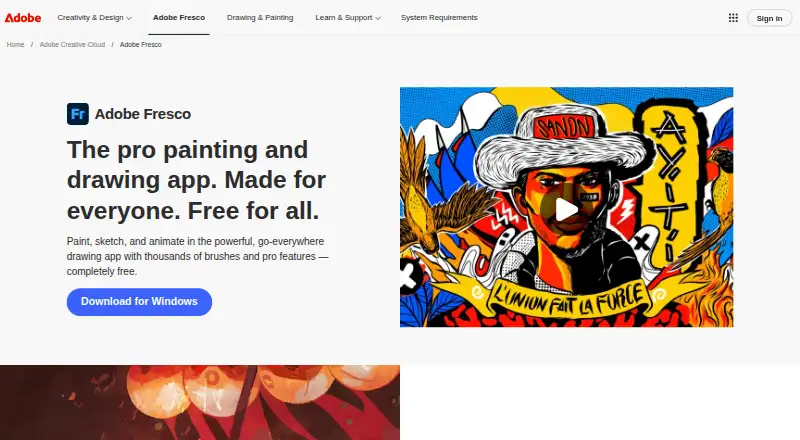
Adobe Fresco: A capable free illustration app with strong brush variety and Adobe workflow connections. Ranked #11 of 148 in Graphic Design Software by our editors (8.3/10); pricing: Free plan; best for free brush-based illustration across Apple and Windows.
At a glance
- Editor score8.3 / 10
- PricingFree plan
- Best forFree brush-based illustration across Apple and Windows
- Free planYes
- Paid fromFree
- Facts checked23 Sep 2026
Where it wins
- Pixel, live, and vector brushes support varied illustration workflows.
- Animation, unlimited layers, symmetry, and vector trimming are included.
- Cloud documents connect workflows with Photoshop and Illustrator.
Where it doesn't
- Platform support is limited to iOS and supported Windows devices.
- Free cloud storage is limited to 5 GB.
- Collaboration allows one collaborator to edit at a time.
Our verdict on Adobe Fresco
Adobe Fresco is a drawing and painting application for artists, illustrators, and other digital creators. It supports touch and stylus workflows on iPhone, iPad, and supported Windows devices. The app combines pixel, live, and vector brushes with unlimited layers, symmetry guides, Paint Inside boundary coloring, vector trimming, text tools, layer masks, and animation features. It is a strong fit for illustrators who want a free brush-focused workspace with connections to Photoshop and Illustrator.
The free Fresco-only plan includes imported brushes, access to Fresco brushes and Creative Cloud brush and color libraries, premium shapes, and 5 GB of cloud storage. Its creative toolkit extends beyond painting: frame-by-frame animation and motion paths support animated work, while cloud documents provide autosave and cross-device access. The paid Fresco + Photoshop on iPad plan adds premium Adobe Fonts, Photoshop on iPad, Adobe Portfolio, and 100 GB of cloud storage. That structure makes the free plan useful for core illustration, while the paid tier is more relevant to creators who also want Adobe’s iPad, portfolio, and storage additions.
Adobe ecosystem connections are a central part of Fresco’s appeal. Users can export and connect workflows with Photoshop and Illustrator, use Creative Cloud Libraries, work with Creative Cloud cloud documents, and invite collaborators to edit cloud documents. Adobe describes collaboration as real-time editing, with asynchronous editing allowing one collaborator at a time. Fresco suits artists who prioritize brushes, animation, layers, and Adobe file workflows. Choose another tool if broader platform coverage or simultaneous multi-person editing is essential.
Your product? Our editors can test Adobe Fresco in depth and publish a review, labelled as paid · from $149/mo →
Adobe Fresco pricing
All 1 Adobe Fresco plans and prices →
Adobe Fresco fact sheet
| Free plan | Yes |
|---|---|
| Paid from | Free |
| Template library | Not verified |
| Presentation design | No |
| Illustration tools | Yes |
| Brand kit | Not verified |
| Real-time collaboration | No |
| Desktop app | Yes |
| Mobile app | Yes |
| Deployment | Desktop, Mobile |
| Platforms | Windows, iOS, macOS |
| Support | Community, Docs |
| Built for | Solo, Small business (editorial estimate) |
| Integrations | 4 integrations: Adobe Photoshop, Adobe Illustrator, Adobe Premiere, Behance |
| Pricing | Free plan (source) |
| Website | adobe.com |
| Facts checked | 23 Sep 2026 |
Adobe Fresco integrations
Adobe Fresco lists 4 integrations on its own site.
- Adobe Photoshop
- Adobe Illustrator
- Adobe Premiere
- Behance
Alternatives to Adobe Fresco
- Adobe Creative CloudA broad creative suite for teams that need design, video, collaboration, and asset management.9.4
- CanvaA broad template-based editor for creating and sharing varied visual content.9.3
- FigmaA shared workspace for interface design, prototyping, developer handoff and more.9.2



See all Adobe Fresco alternatives →
Also Ranked In
Adobe Fresco is ranked in 6 of our directories.
Used Adobe Fresco? Be the first to review it
The editor score above is our own research. What this page doesn't have yet is a reader's view — what you used Adobe Fresco for, what worked and what didn't. No stars are seeded and no review is paid for; an editor reads every one before it appears.
Write a reviewTwo minutes · verified accounts only · read by an editor before it appears
Featured on iTechGuides

Adobe Fresco is listed in our Graphic Design Software directory. Add the badge to your site — it links back to this page.
<a href="https://www.itechguides.com/products/adobe-fresco/"><img src="https://www.itechguides.com/best/badge/adobe-fresco.svg" alt="Featured on iTechGuides" width="230" height="46"></a>
Reviewed by iTechGuides Editors · Editorial team · Updated Oct 2026
Advertiser disclosure: iTechGuides is reader-supported. Vendors can pay for top positions in our rankings and for a place on other products' pages, and we may earn a commission when you click some links. Bought places stand at the number bought; this page and our disclosure say so. Paying vendors may get a fuller, more detailed review from our editors, and that review can change their score. How we rank.
Last updated · How we research and update