
Adobe Captivate
Adobe Captivate: A feature-rich desktop authoring tool for advanced, standards-based eLearning. Ranked #3 of 29 in Course Authoring Software by our editors (9.2/10); pricing: 30-day trial; best for mature teams needing advanced interactions.
At a glance
- Editor score9.2 / 10
- Pricing30-day trial
- Best forMature teams needing advanced interactions
- Free planNo
- Paid from$39.99/mo
- Interactive contentYes
- Founded1982 · San Jose, California, USA
- Facts checked20 Sep 2026
Where it wins
- Branching, simulations, triggers, widgets, and object states
- Publishes SCORM, AICC, xAPI, and HTML5 LMS packages
- Includes responsive layouts, review workflows, and generative AI tools
Where it doesn't
- No free plan; the trial lasts 30 days
- Team and enterprise pricing requires contacting sales
- Desktop authoring is limited to Windows and macOS
Our verdict on Adobe Captivate
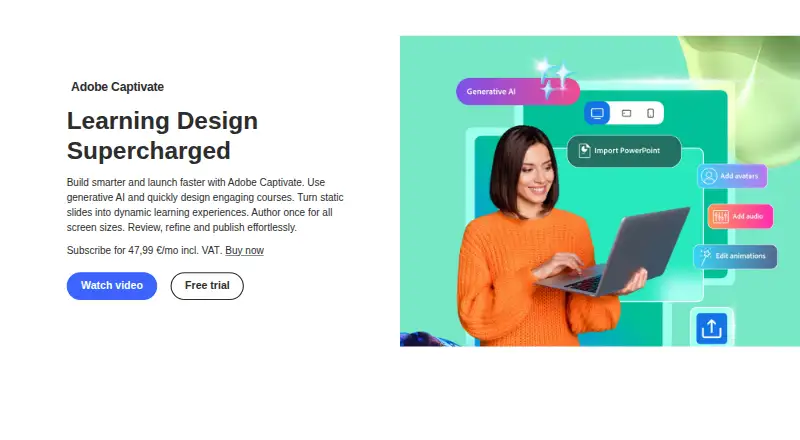
Adobe Captivate is desktop eLearning authoring software for instructional designers, corporate training professionals, educators, and business users. It supports PowerPoint import with editable slide elements, interactive widgets, branching, simulations, triggers, quizzes, knowledge checks, media, and responsive course layouts. Authors can create content for multiple screen sizes, preview it across devices, and publish HTML5 packages for LMS delivery. Its feature set makes it a strong fit for mature teams that need more than straightforward slide-based course creation, particularly when advanced interactions and assessment options are central to the brief.
Pricing is subscription-based, with no free plan and a 30-day trial. The Individual subscription is listed at US$39.99 per month per individual subscription, billed annually. It includes Adobe Captivate and Adobe Captivate Classic, 100GB of storage, 25 monthly generative credits, and access to thousands of royalty-free eLearning assets. Team subscriptions add volume licensing, named-user license management, 700 monthly premium generative credits, and unlimited generative credits for Generate Image and Generate Text. Enterprise licenses include enterprise term licensing and the same Adobe Captivate, Classic, and generative-credit highlights shown for teams, while pricing is handled through sales.
Platform and delivery support are broad within a desktop workflow. Adobe Captivate runs on Windows and macOS, supports project sharing, review links, comments, and stakeholder feedback, and publishes through SCORM 1.2, SCORM 2004, AICC, xAPI, and HTML5 LMS packages. Integration includes Adobe Learning Manager, while templates, Quick Start Projects, ready-to-go slides, and royalty-free assets can support content production. Choose Captivate if advanced interactions, responsive output, LMS standards, and collaboration justify a paid desktop tool. Teams seeking a free plan or a browser-based authoring workflow should consider alternatives.
Your product? Our editors can test Adobe Captivate in depth and publish a review, labelled as paid · from $149/mo →
Adobe Captivate pricing
All 3 Adobe Captivate plans and prices →
Adobe Captivate fact sheet
| Free plan | No |
|---|---|
| Paid from | $39.99/mo |
| Interactive content | Yes |
| Assessment builder | Yes |
| SCORM export | Yes |
| Responsive output | Yes |
| Author seats | 1 authors |
| Team collaboration | Yes |
| Content library | Yes |
| Free trial | 30 days |
| Deployment | Desktop |
| Platforms | Windows, macOS |
| Integrations | 5 integrations: Adobe Learning Manager, SCORM 1.2, SCORM 2004, AICC, xAPI |
| Pricing | 30-day trial (source) |
| Website | adobe.com |
| Facts checked | 20 Sep 2026 |
Adobe Captivate integrations
Adobe Captivate lists 5 integrations on its own site.
- Adobe Learning Manager
- SCORM 1.2
- SCORM 2004
- AICC
- xAPI
Alternatives to Adobe Captivate
- Articulate 360A broad authoring suite pairing responsive Rise courses with custom Storyline interactions.9.4
- Articulate Storyline 360A powerful Windows authoring suite for custom interactions, assessments, and LMS delivery.9.3
- Articulate Rise 360A fast, collaborative authoring suite with broad LMS export and a high annual seat cost.9.1
See all Adobe Captivate alternatives →
Adobe Captivate vs the competition
- Adobe Captivate vs Articulate 360
- Adobe Captivate vs Articulate Storyline 360
- Adobe Captivate vs Articulate Rise 360
- Adobe Captivate vs Gomo Learning
- Adobe Captivate vs Easygenerator
- Adobe Captivate vs Lectora



Compare Adobe Captivate with any tool side by side →
Also Ranked In
Adobe Captivate is ranked in 5 of our directories.
Used Adobe Captivate? Be the first to review it
The editor score above is our own research. What this page doesn't have yet is a reader's view — what you used Adobe Captivate for, what worked and what didn't. No stars are seeded and no review is paid for; an editor reads every one before it appears.
Write a reviewTwo minutes · verified accounts only · read by an editor before it appears
Featured on iTechGuides

Adobe Captivate is listed in our Course Authoring Software directory. Add the badge to your site — it links back to this page.
<a href="https://www.itechguides.com/products/adobe-captivate/"><img src="https://www.itechguides.com/best/badge/adobe-captivate.svg" alt="Featured on iTechGuides" width="230" height="46"></a>
Reviewed by iTechGuides Editors · Editorial team · Updated Oct 2026
Advertiser disclosure: iTechGuides is reader-supported. Vendors can pay for top positions in our rankings and for a place on other products' pages, and we may earn a commission when you click some links. Bought places stand at the number bought; this page and our disclosure say so. Paying vendors may get a fuller, more detailed review from our editors, and that review can change their score. How we rank.
Last updated · How we research and update