
123apps Video Editor
123apps Video Editor: A practical free editor for cutting, arranging, and exporting browser-based video projects. Ranked #139 of 153 in Video Editing Software by our editors (3.0/10); pricing: Free plan; best for quick browser-based clip assembly.
At a glance
- Editor score3.0 / 10
- PricingFree plan
- Best forQuick browser-based clip assembly
- Free planYes
- Facts checked22 Sep 2026
Where it wins
- Free ongoing use with no payment required
- Multitrack timeline, trimming, transformations, and speed controls
- Watermark-free exports with support for more than 30 codecs and containers
Where it doesn't
- No desktop application
- No native mobile apps, AI features, or collaboration tools
- No verified 4K support
Our verdict on 123apps Video Editor
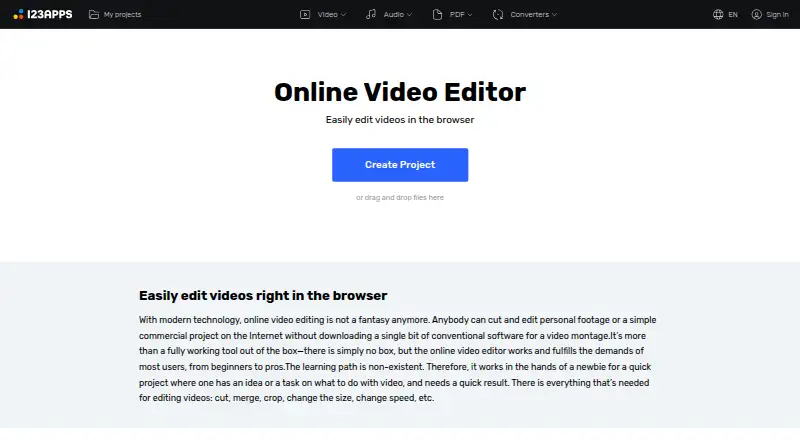
123apps Video Editor is a web-based tool for beginners, personal footage, simple commercial projects, and content creators who need to assemble clips without installing desktop software. It supports desktop and mobile browsers, including Chrome, Firefox, Safari, Microsoft Edge, iOS Safari, and Android Chrome. The free plan offers ongoing use with no payment required, while the published pricing shows a starting price of 6 EUR for Premium access. Premium includes access to 51 apps, unlimited files, no ads, and cancellation at any time.
Its strongest area is straightforward browser editing. Multiple timeline lanes support multi-clip projects, while trimming and merging handle core assembly work. Users can crop, resize, rotate, flip, and change video speed before exporting without watermarks. Support for more than 30 popular codecs and containers adds format flexibility, and files can come from Google Drive, Dropbox, or a URL. That combination suits quick edits where browser access and a simple toolset matter more than advanced production workflows.
The trade-off is a narrow feature profile compared with products built for larger teams or more demanding delivery requirements. 123apps Video Editor has no desktop application, native mobile apps, AI features, or collaboration tools, and it does not provide verified 4K support. The product is a sensible choice for users who want free, installation-free clip assembly and basic transformations. Teams needing shared workflows, automated editing, native apps, or higher-end output requirements should choose an alternative. Premium may fit users who need unlimited files and an ad-free experience across the 51-app package, while occasional editors can stay with Free.
Your product? Our editors can test 123apps Video Editor in depth and publish a review, labelled as paid · from $149/mo →
123apps Video Editor pricing
All 2 123apps Video Editor plans and prices →
123apps Video Editor fact sheet
| Free plan | Yes |
|---|---|
| Paid from | Not verified |
| Desktop app | No |
| Web app | Yes |
| Mobile app | Not verified |
| 4K export | Not verified |
| Team collaboration | Not verified |
| Included cloud storage | Not verified |
| Deployment | Cloud |
| Platforms | Web |
| Support | Email, Docs |
| Built for | Solo, Small business (editorial estimate) |
| Integrations | 2 integrations: Google Drive, Dropbox |
| Pricing | Free plan (source) |
| Website | online-video-cutter.com |
| Facts checked | 22 Sep 2026 |
123apps Video Editor integrations
123apps Video Editor lists 2 integrations on its own site.
- Google Drive
- Dropbox
Alternatives to 123apps Video Editor
- DaVinci ResolveA deep free editor with professional post-production tools across desktop and iPad.9.3
- Avid Media ComposerA deep editing suite with collaborative workflows, AI search, and a free entry option.9.2
- Final Cut ProA full-featured editor for Apple users who want desktop and iPad workflows.9.1


See all 123apps Video Editor alternatives →
Used 123apps Video Editor? Be the first to review it
The editor score above is our own research. What this page doesn't have yet is a reader's view — what you used 123apps Video Editor for, what worked and what didn't. No stars are seeded and no review is paid for; an editor reads every one before it appears.
Write a reviewTwo minutes · verified accounts only · read by an editor before it appears
Featured on iTechGuides

123apps Video Editor is listed in our Video Editing Software directory. Add the badge to your site — it links back to this page.
<a href="https://www.itechguides.com/products/123apps-video-editor/"><img src="https://www.itechguides.com/best/badge/123apps-video-editor.svg" alt="Featured on iTechGuides" width="230" height="46"></a>
Reviewed by iTechGuides Editors · Editorial team · Updated Oct 2026
Advertiser disclosure: iTechGuides is reader-supported. Vendors can pay for top positions in our rankings and for a place on other products' pages, and we may earn a commission when you click some links. Bought places stand at the number bought; this page and our disclosure say so. Paying vendors may get a fuller, more detailed review from our editors, and that review can change their score. How we rank.
Last updated · How we research and update