
123 Watermark
123 Watermark: A capable desktop batch watermarking tool for photographers and image creators. Ranked #33 of 33 in Photo Watermarking Software by our editors (6.0/10); pricing: Paid; best for photographers processing batches on Windows or macOS.
At a glance
- Editor score6.0 / 10
- PricingPaid
- Best forPhotographers processing batches on Windows or macOS
- Free planNo
- Facts checked22 Sep 2026
Where it wins
- Batch watermark one or thousands of images
- Layered text, logo, border, cross, and QR-code marks
- Preserves metadata and uploads to three cloud services
Where it doesn't
- No free plan beyond the trial
- The trial limits batches to 10 images
- Desktop support is limited to Windows and macOS
Our verdict on 123 Watermark
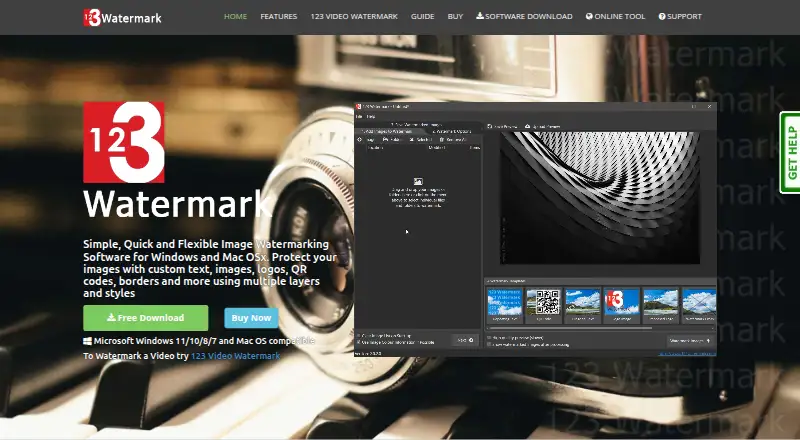
123 Watermark is desktop software for photographers and other image creators who need to prepare multiple photos for publishing. It runs on Windows and macOS and supports batch watermarking of one or thousands of images. Watermarks can combine text, images, logos, borders, crosses, and QR codes, making the product suitable for both simple branding and more structured image-protection workflows. A live preview helps users review designs before processing.
Its strongest area is watermark construction and repeatable batch work. Text marks support styling, positioning, transparency, and tiling, while image and logo overlays include emboss and greyscale options. Users can create layered designs, save reusable watermark profiles and sessions, and insert EXIF data while preserving metadata. Image resizing and format conversion also help prepare files for publishing, reducing the need for a separate conversion step in the same workflow.
The published plans show a Free Trial that allows watermarking up to 10 images at a time and saving watermark sessions during the trial. The Licence Key plan adds unlimited image watermarking, with a licence valid for 1 year and no automatic renewal. Cloud workflows are supported through Dropbox, OneDrive, and Google Drive. 123 Watermark is a good fit for desktop users who need detailed watermark layouts, repeatable profiles, and batch processing. Users seeking a free ongoing plan or a broader platform range should consider another tool.
Questions about 123 Watermark
What does 123 Watermark run on? Windows and macOS. It runs as a desktop app.
What does 123 Watermark integrate with? 3 integrations: Dropbox, OneDrive and Google Drive.
Who is 123 Watermark built for? Solo users and small businesses (our editorial estimate).
Your product? Our editors can test 123 Watermark in depth and publish a review, labelled as paid · from $149/mo →
123 Watermark pricing
All 2 123 Watermark plans and prices →
123 Watermark fact sheet
| Free plan | No |
|---|---|
| Paid from | Not verified |
| Batch watermarking | Yes |
| Maximum batch size | Not verified |
| Logo marks | Yes |
| Signature marks | Not verified |
| Watermark presets | Yes |
| Supported platforms | Windows and macOS |
| API access | Not verified |
| Deployment | Desktop |
| Platforms | Windows, macOS |
| Support | Docs |
| Built for | Solo, Small business (editorial estimate) |
| Integrations | 3 integrations: Dropbox, OneDrive, Google Drive |
| Pricing | Paid (source) |
| Website | 123watermark.com |
| Facts checked | 22 Sep 2026 |
123 Watermark integrations
123 Watermark lists 3 integrations on its own site.
- Dropbox
- OneDrive
- Google Drive
Alternatives to 123 Watermark
- WatermarklyA capable choice for very large cross-platform batches, with a useful free plan.9.4
- eZy WatermarkA feature-rich freemium watermarking tool for mobile creators and businesses.9.2
- iWatermarkA broad watermarking toolkit for users who need batch processing and advanced mark types.9.0



See all 123 Watermark alternatives →
Used 123 Watermark? Be the first to review it
The editor score above is our own research. What this page doesn't have yet is a reader's view — what you used 123 Watermark for, what worked and what didn't. No stars are seeded and no review is paid for; an editor reads every one before it appears.
Write a reviewTwo minutes · verified accounts only · read by an editor before it appears
Featured on iTechGuides

123 Watermark is listed in our Photo Watermarking Software directory. Add the badge to your site — it links back to this page.
<a href="https://www.itechguides.com/products/123-watermark/"><img src="https://www.itechguides.com/best/badge/123-watermark.svg" alt="Featured on iTechGuides" width="230" height="46"></a>
Reviewed by iTechGuides Editors · Editorial team · Updated Nov 2026
Advertiser disclosure: iTechGuides is reader-supported. Vendors can pay for top positions in our rankings and for a place on other products' pages, and we may earn a commission when you click some links. Bought places stand at the number bought; this page and our disclosure say so. Paying vendors may get a fuller, more detailed review from our editors, and that review can change their score. How we rank.
Last updated · How we research and update