
iTechGuides is reader-supported. When you buy through links on our site, we may earn an affiliate commission. As an Amazon Associate I earn from qualifying purchases. Learn more
Two Android Authority staff members reported that their Pixel phones would not pair with their ASUS Googlebook 14 computers. Factory resets did not resolve their problem, and an update to Googlebook system services was suggested only as a possibility—not confirmed as a fix. The report does not establish a cause, how widespread the issue is, or whether Google or ASUS has acknowledged it.
What the reported pairing problem involves
In a report dated October 8, 2026, Android Authority described two staff members unable to pair Pixel phones with ASUS Googlebook 14 devices. The named phones were a Pixel 9 Pro XL used by Fady A. Samy and Pixel 11 Pro XL and Pixel 11 Pro Fold devices used by colleague Paul Jones. The phones were described as running stable Android 17; the Googlebook 14s were on software version 17.CL3B.260622.271.R1. Android Authority report, as reproduced in a secondary copy.
Samy was quoted as saying, “Colleague Paul Jones and I are both unable to pair our Pixel phones with our Googlebooks.” The report also mentions Reddit users describing similar trouble, but provides no details sufficient to establish how many people were affected or whether their devices and symptoms matched.
What has—and has not—been tried
Factory resets did not help the staff members
The two staff members reportedly factory-reset their Googlebooks without resolving the pairing failure. That outcome applies to their reported setup; it does not show that a reset will or will not help other devices.
#1 Best Overall

- FREE GOOGLE ONE AI PREMIUM PLAN — Get Gemini Advanced, 2TB of cloud storage, and more for 3 months at no cost*
- SMOOTH MULTITASKING — Powered by the Intel Celeron N4500 Processor, enabling decent multitasking experience
- TOUCHSCREEN VERSATILITY — 14-inch FHD 1920x1080 NanoEdge 360-degree flippable touchscreen display
- WORK AND PLAY FROM ANY ANGLE — Convertible 2-in-1 design with four different work modes: traditional clamshell, tent, stand, tablet mode
- LIGHTWEIGHT YET DURABLE — Durable and built to US Military Grade standard MIL- STD 810H weighing just 3.59 lbs
A system-services update is an unverified possibility
The report raises updating Googlebook system services as a potential solution, but does not document a completed update that restored pairing or provide a verified procedure. Treat it as a lead, not a confirmed remedy. The available account does not establish a root cause, official Google or ASUS acknowledgment, a count of affected users, or a validated fix.
What to do if your Pixel will not pair
This report does not provide tested troubleshooting instructions. Avoid repeating a factory reset solely on the strength of this account: it did not work for the staff members described. Before changing system software or resetting a device, check current Google and ASUS support guidance for your specific models and software versions. The report itself supplies no confirmed update steps or assurance that updating services will restore pairing.
Rank #2

- Processor Manufacturer: Intel
- Processor Type: Core i3
- Processor Generation: 12th Gen
- Processor Model: i3-1215U
- Processor Core: Hexa-core (6 Core)
If you contact support, include your Pixel model and Android version, Googlebook model and software version, what happens when you attempt pairing, and any steps already taken. These details can help distinguish a similar-looking problem from the specific incident reported.
Free tools Windows power users keep installed
One-click scans. No signup required.
How far the evidence goes
The October 8, 2026 account is a secondary reproduction; the linked original Android Authority page was not accessible for verification. The report provides individual examples, not a measured prevalence or success rate. It supports saying that multiple staff members reported this pairing problem on the named setup—not that all Pixels, Googlebooks, or users are affected.
Quick Recap
Best Value

- Efficient MediaTek Kompanio 520 Processor: Boost your productivity with the MediaTek Kompanio 520 processor, featuring 8 cores and 8 threads. Designed for optimal web performance, it’s perfect for everyday academic tasks
- Vibrant 14-inch Full HD Display: Experience your content in stunning detail with the 14-inch Full HD (1920 x 1080) display. The integrated MediaTek Graphics ensure rich, clear visuals for both study sessions and entertainment
- Comprehensive Connectivity Options: The ASUS Chromebook CM1402 is equipped with multiple ports, including 1 x USB-A 3.2, 2 x USB-C 3.2, 2 x Thunderbolt 4, a headphone/mic combo jack, and a media card reader, ensuring you have all the connectivity you need
- Built-in HD Webcam and Microphone: Stay connected effortlessly with the integrated HD webcam and microphone, making video calls and virtual meetings a breeze for students and professionals alike
- Streamlined Chrome OS Experience: With Chrome OS pre-installed, this Chromebook provides a secure, intuitive interface optimized for cloud collaboration. Easily access essential tools for your studies, including calendars, documents, and more
Rank #4
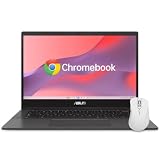
- - EFFICIENT EVERYDAY PERFORMANCE: Powered by the MediaTek Kompanio 520 8-core processor, 4GB RAM, and 64GB storage, delivering smooth multitasking for online classes, school projects, web browsing, and daily family use.
- - CLEAR 14-INCH FULL HD DISPLAY: Features a 14.0-inch FHD (1920 x 1080) NanoEdge anti-glare screen that reduces eye strain, offering comfortable viewing for homework, document editing, and movie streaming.
- - FAMILY-FRIENDLY HYGIENE: Treated with ASUS Antimicrobial Guard on high-touch areas to inhibit bacterial growth by up to 99% over 24 hours, helping keep the laptop clean when shared among family members.
- - MILITARY-GRADE DURABILITY: Engineered to meet US MIL-STD 810H military-grade durability standards, ensuring reliable protection against daily bumps, accidental drops, and everyday student wear-and-tear.
- - SPILL-RESISTANT KEYBOARD: Built with a spill-resistant keyboard capable of handling accidental liquid spills up to 13 oz (300 ml), providing peace of mind during study sessions and mealtime snacking.
Rank #3

- [Superior Display] This Renewed product is tested and certified to look and work like new, with limited to no signs of wear. The refurbishing process includes functionality testing, inspection, and repackaging. The product comes with 90-day warranty
- [Powerful Performance] Stunning, Crystal Clear Image: Enjoy beautiful images on a 14.0" and a FHD (1920x1080) (16:9 Aspect Ratio) resolution for dazzling visuals with brilliant colors
- [High Speed and Multitasking] Fast Response Time: With a 60Hz refresh rate and a response time of, enjoy smoother and more reactive content from business applications, games, videos, and other forms of media
- [Enormous Storage] Customizable Comfort: With a viewing angle , this display can be adjusted to fit any home, office, or gaming setup
- Quick Connections:Comes with plenty of ports (HDMI) for connecting any and all your devices easily Additional Features: Brightness: 250 NIT VESA Compatible; ; ,
Product prices and availability are accurate as of the date/time indicated and are subject to change. Any price and availability information displayed on Amazon at the time of purchase will apply.

