
iTechGuides is reader-supported. When you buy through links on our site, we may earn an affiliate commission. As an Amazon Associate I earn from qualifying purchases. Learn more
A days-scale patch window holds up only when four things are written down: when the clock starts, what counts as finished, which devices cannot meet the window, and what stops a bad rollout. The most specific published limit is Microsoft’s recommendation for Windows update-compliance policy, which puts a quality update’s full path from publication to completion at no more than 7 days, counting deferral, deadline and grace period together. That figure governs Windows client update policy. Microsoft’s and NIST’s published guidance does not set a universal edge-device patch deadline, so the response plan has to be built from the update mechanism, support lifecycle and connectivity facts of each device class.
What the seven-day figure measures
Microsoft’s update-policy guidance treats the window as the sum of intervals that begin when an update is published. Each interval is set in your own update policy, so the total is only as tight as the values you configure. The figures below are Microsoft’s recommended values in its Policies for update compliance and user experience guidance (last updated 2026-07-02 at the time of review).
| Component | Microsoft recommended value | What it means in practice |
|---|---|---|
| Deferral | Not stated in the reviewed figures; it counts toward the 7-day total | Time an update is held back before it is offered. Every day spent here reduces what remains for installation. |
| Quality-update deadline | 1 day | The point at which the update is enforced on the device. |
| Quality-update grace period | 2 days (the same 2-day value is listed for the feature-update deadline) | Additional time after the deadline before the update is forced. |
| Total, publication to completion | 7 days maximum | Combined deferral, deadline and grace period. In this plan, “complete” means verified installation, as set out in Step 1 below. |
The figure is a vendor recommendation for Windows quality updates, not a regulatory requirement. It does not carry over to Linux gateways, real-time controllers or vendor firmware, and a Windows device that falls outside it has not broken a law or standard.
Which numbers apply to which devices
Edge fleets usually mix several update mechanisms. The table separates the published values by source so that a Windows policy number is never applied to a device that the policy does not cover.
#1 Best Overall
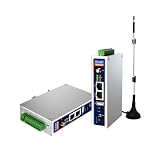
- IPC Based ARM: Cortex-A7@1.2GHz, RAM 512M, ROM 8G
- Ubuntu OS: Ubuntu 22.04 environment, original Node-RED
- Edge Computing: WukongEdge engine, multiple fieldbus protocol
- Diverse I/O interface: 2* RS485, 2*CAN FD, 2*Ethernet port, 1*USB
| Source | What it sets | Applies to | Published value |
|---|---|---|---|
| Microsoft Learn, update-compliance policies | Quality-update deadline, grace period and total interval | Windows update-compliance policy | 1-day deadline; 2-day grace period; 7-day maximum total |
| Microsoft Learn, Windows IoT FAQ | Monthly security update schedule | Windows IoT Enterprise | Second Tuesday of each month (undated FAQ, accessed October 2026) |
| Microsoft Learn, Windows IoT FAQ | Support horizon, modern lifecycle | Windows IoT Enterprise non-LTSC versions | 3 years from general availability |
| Microsoft Learn, Windows IoT FAQ | Support horizon, LTSC | Windows IoT Enterprise LTSC releases | 10 years from each release |
| Microsoft Learn, Device Update for Azure IoT Hub deployments | Scheduled starts, retries, and rollback thresholds | Devices managed through Device Update for Azure IoT Hub | Thresholds are set by the operator; no ring size or rollout schedule is prescribed |
| NIST Federal Profile for IoT, Software and Firmware Update | Installation period and post-update testing | Federal IoT guidance; applies to manufacturer-supplied IoT updates | No number; the organization defines the installation period |
| NIST SP 800-40 Rev. 4 | Enterprise patch management lifecycle, including verification | Enterprise patch management generally | No time figure stated |
Building the response plan, step by step
NIST SP 800-213A treats software update as a core part of vulnerability management: “Software update is central to vulnerability management by allowing for software to be changed when vulnerabilities are found and remediated.” (NIST SP 800-213A, “SU – Software Update”.) The steps below turn that principle into a schedule that can be audited.
Step 1: Set the start point and the finish line
- Start: for Windows updates, use the vendor’s publication date as day zero. For components whose vendor publishes on a different schedule, have the policy name the start date and record it.
- Finish: a device is complete when the target version is confirmed on that device. An update that is approved, assigned or downloaded does not count.
- Exceptional releases: Microsoft’s reviewed material separates scheduled monthly releases from exceptional out-of-band releases. Microsoft publishes no deadline for out-of-band fixes on edge platforms, so set an internal target and have the risk owner approve it.
Step 2: Segment the fleet before setting the clock
NIST notes that update requirements can depend on form factor, use case, organization and security controls. Segment devices on the axes below. This segmentation is an editorial synthesis of that guidance, not a NIST tier model.
Rank #2

- Made for the Industrial Pro: Works with the Pro Label Tool app1 for professional industrial label designs
- Hands-Free Printing: Attach to belt, ladder, or rack with optional accessories3—ideal for tight spaces on the jobsite.
- Database Accuracy: Use existing databases2 to print industrial labels, barcodes and QR codes quickly while reducing errors.
- Durable Labels: Laminated labels up to ~1 inch wide withstand industrial environments.
- PC Connectivity: Use micro-USB to charge the Li-ion battery or connect to a PC to design and print from P-touch Editor4.
| Axis | Question to answer | Evidence to record |
|---|---|---|
| (a) Exposure and exploit urgency | Is the device reachable from outside the network, and is the flaw being exploited? | Exposure map; vendor advisory status |
| (b) Operational impact and maintenance window | When can the device go down, and what stops when it does? | Shift schedule; sign-off from the process owner |
| (c) Connectivity and update path | Can it reach the update source online, or does it need local media? | Last-contact timestamp; network path |
| (d) Validation and rollback | Can you test the update, and can you roll back or recover the device? | Test result; recovery procedure |
| (e) Support lifecycle | Is the OS and hardware still supported, and how fast does the vendor respond? | Support end date; device-maker statement |
| (f) Verifiability | Can you confirm the installed version remotely or on site? | Reporting source; version field |
Step 3: Roll out in stages with stop conditions
- Schedule the first deployment inside an agreed maintenance window. Device Update for Azure IoT Hub supports scheduled deployments (Device Update deployment documentation).
- Start with a representative group that includes every device model and firmware pairing in production, not a single lab unit.
- Define health checks in terms of the device’s mission function before expanding. For a point-of-sale terminal, that might mean completing a test transaction; for a sensor gateway, delivering a test reading to the back end.
- Set failure thresholds. Device Update supports percentage and minimum-failure thresholds that trigger automatic rollback. The documentation does not prescribe values, so base them on how many failed devices your operation can absorb in one group.
- Retry failed devices, and escalate any device that still fails to the owner named for its site.
If your fleet is managed by tools without these controls, write the same three things into procedure: the pilot group, the condition that pauses the rollout, and the person authorized to stop it.
Quick wins for a faster PC:
Scan for outdated or missing drivers - takes under a minuteDriver Scan →Clear out junk files and repair common Windows errorsFree Scan →Fix the driver behind crashes, sound loss and screen glitchesFind Drivers →Step 4: Test before rollout and verify after
- Before rollout: test the update on representative devices for effectiveness and side effects, and record the behavior you expect afterward. NIST’s federal IoT guidance calls for testing IoT software updates and for procedures that govern installation time and post-update testing (NIST Federal Profile for IoT, Software and Firmware Update).
- Interruption paths: rehearse power loss and loss of connectivity during the update. NIST’s device catalog discusses fault tolerance for interrupted updates and verification of the update source (NIST SP 800-213A).
- After rollout: confirm the installed version on each device, then run the mission-function check. A successful installation does not prove that the workflow works.
Devices that cannot meet the window
A Windows device that cannot reach the internet cannot determine when Microsoft published an update, so it cannot enforce the deadline the policy sets. Microsoft also states that a Windows device typically needs six hours of activity and internet connectivity, including two continuous hours, to complete a system update. The reviewed text does not say over what period those six hours must accrue, so confirm the behavior on a test device before using it as a planning figure.
Rank #3

- Fanless compact PC: Thermal reference design, wider temperature support -20 ~ 60°C with 0.7m/s airflow
- Designed for industrial interfaces: 2* RJ-45 GbE(1 for POE-PSE 802.3 af); 1* RS-232/RS-422/RS-485; 4* DI/DO; 1* CAN; 3* USB3.2; 1* TPM2.0 (Module optional)
- Hybrid connectivity: Support 5G/4G/LTE/LoRaWAN/GPS(Module optional) with 1* Nano SIM card slot
- Flexible mounting: Desk, DIN rail, wall-mounting, VESA
- Certifications: FCC, CE, RoHS, UKCA
When a device misses its window, work through these checks in order:
- Is the last contact older than your threshold? Treat the device as unreachable. The first task is to restore connectivity or confirm that the device has been retired.
- Is contact recent but the update has not installed? Check whether the device stays powered and connected long enough for two continuous hours. A kiosk that powers down between shifts is a typical case.
- Is the device connected and eligible, but the install failed? Read the failure reason, retry through the normal path, then escalate.
- Still not patchable? Choose one of three outcomes: a scheduled local maintenance visit, a change to power or connectivity, or a documented exception with a named owner and an expiry date.
Lifecycle and support dates
Support status can shorten the window you can plan for. Microsoft’s Windows IoT FAQ publishes the following horizons for Windows IoT Enterprise.
Rank #4

- Supercharged AI Performance: Powered by NVIDIA Jetson Orin NX 16GB, delivers up to 157 TOPS in MAXN Super Mode — ideal for vision AI, robotics, autonomous machines, and generative AI workloads.
- Advanced Thermal Engineering for Full-Power Operation: Equipped with a vacuum copper heat pipe system, ultra-low thermal resistance medium, and high-emissivity black-coated surface combined with high-performance active cooling — ensuring stable full compute power even at 60°C ambient temperature.
- Energy-Efficient & Flexible Power Modes: Adjustable power profile from 10W to 40W, enabling a perfect balance between performance and efficiency for edge AI computing in diverse environments.
- Industrial-Grade Reliability & Design: Ruggedized for operation from -20°C to 60°C at 40W (up to 65°C at 25W), providing dependable performance in industrial automation and outdoor AI deployments.
- Rich Connectivity & AI-Ready Platform: Features 2×RJ45, SIM slot, 4×USB 3.2, HDMI 2.1, CAN, M.2 Key E/M, Mini-PCIe, and 4×CSI camera ports — supporting multi-camera vision, IoT, and robotics projects. Pre-installed with JetPack 6.2 and 128GB NVMe SSD, fully compatible with NVIDIA Isaac, ROS 1/2, and Hugging Face frameworks.
| Release track | Support horizon | Counted from | Verify before planning |
|---|---|---|---|
| Modern lifecycle (non-LTSC) | 3 years | General availability of the version | The exact general-availability date for your version, and the device maker’s support statement |
| LTSC | 10 years | Release of each LTSC version | The release history for your device; Microsoft states that moving to a new LTSC release requires a new OS and license |
Microsoft’s FAQ states that Windows IoT Enterprise monthly security updates are published on the second Tuesday of each month. Use that date as the calendar anchor for Step 1, not the day your team happens to notice the release.
The Tool Desk
Outbyte PC Repair FREEClear out junk files and repair common Windows errorsFree Scan →Outbyte Driver Updater FREEFix the driver behind crashes, sound loss and screen glitchesFind Drivers →Defining “patched” and closing the cycle
NIST SP 800-40 Rev. 4 describes enterprise patch management as identifying, prioritizing, acquiring, installing and verifying patches (NIST SP 800-40 Rev. 4). Verification is the step most plans leave implicit, so make it a required record. A cycle is closed only when the record contains:
Best Value

- We make the World's Only Surface Pro Stands to Lift Your Surface Pro without removing the keyboard. Compatible with all Surface Pros.
- 【Ideal for Reducing Neck Pain】Looking down at the Surface Pro Screen can cause severe Neck Pain. Lifting your screen reduces the pressure on your neck.
- 【Look Better in Online Meetings】Lifting your camera and screen gives you a more flattering angle reducing the unwanted double chin effect.
- 【Compact & Travel Friendly | Lightweight | Height Adjustable】Weighing in at less than 10 oz and folding down to the size of the Surface Pro, its great for life on the on. Adjustable to 10 different height positions.
- 【Now even Stiffer and more Robust】We took the Surface Pro Stand and made it 400% stiffer for those that want to type WITHOUT a Bluetooth Keyboard. Its time you got a Laptop Stand for your Surface Pro.
- the targeted device population and day zero for the cycle
- the target version, the version confirmed on each device, and the time of verification
- the validation outcome for each device’s mission function
- failed and unreachable devices, each with an owner and a status
- rollback events and their causes
- approved exceptions, each with an owner and an expiry date
A patch does not establish that a device was clean before it was patched. If you suspect compromise, start incident response on that device; patching it is not a substitute.
Quick Recap
What the evidence does not establish
Three limits should shape any target you set:
- No universal edge-device deadline. Microsoft’s 7-day figure applies to Windows client update policy. NIST leaves the installation period for manufacturer-supplied IoT updates to each organization to define.
- No published fleet-wide measurements. The sources do not report how long edge patches take to complete or how often they fail. The 7-day, 1-day, 2-day and six-hour figures are published policy values, not measured outcomes, and they do not prove that a given update can be finished within them.
- No exploit timelines or patch success rates. Set exposure urgency from vendor advisories and your own asset data.
Product prices and availability are accurate as of the date/time indicated and are subject to change. Any price and availability information displayed on Amazon at the time of purchase will apply.

