
iTechGuides is reader-supported. When you buy through links on our site, we may earn an affiliate commission. As an Amazon Associate I earn from qualifying purchases. Learn more
Voice controls on onn soundbars depend on the exact model. For model 100043851, the user guide says to press and hold the indicated buttons on the soundbar or remote at the same time for five seconds to disable its voice prompt. Because the button labels are not legible in the available guide excerpt, check the guide for your unit before trying the procedure; do not guess at a button combination.
First identify which device is speaking
A brief “Power On” or input announcement is likely a soundbar status prompt. If speech continuously describes highlighted menus or video content, it may be audio narration enabled on the TV or streaming device instead. Those are different features and require checking settings on the device producing the speech. Menu paths vary, and the available secondary guidance does not establish an official path for every TV or streaming device.
Turn off the prompt on model 100043851
-
Check the label on the soundbar or its product documentation and confirm that the model is 100043851, the onn 36-inch 2.1 Soundbar System.
DriversOutdated Drivers Are Slowing You DownPerformanceWindows Errors? Fix Them Before They SpreadDriversCrashes, No Sound, or Screen Glitches?Special offer. See more information about Outbyte and uninstall instructions. Please review EULA and Privacy policy. -
Open the guide for that exact model and locate the voice-prompt instruction. The reproduced onn 100043851 36 2.1 Soundbar System User Guide describes pressing and holding the indicated buttons simultaneously on the soundbar or remote for five seconds to disable the prompt. Use the button labels shown in your guide; they are not clear enough in the available excerpt to name safely.
#1 Best Overall
 Replacement Remote for Onn 20 Inch 100075108 Black Soundbar
- ✅【Compatible Models】 Suitable for Onn 20 Inch 100075108 Black Soundbar. Please make sure your old remote is exactly the same as ours before placing an order.
- ✅【Out of Box】Don't need any programming or pairing. Just put in batteries and it's good to go.
- ✅【High Performance】Engineered with next-gen smart chip, this remote delivers instant button response and reliable 8m/26ft range coverage.
- ✅【Durable Construction】Manufactured from premium materials to guarantee long-lasting performance and withstand daily usage.
- ✅【Quality Assurance & Support】Package Contains: 1x Remote Control (2xAAA batteries are not included). Enjoy peace of mind with our comprehensive after-sales service. Contact us via email for any assistance, we'll get back to you within 12 hours on weekdays.
-
If the prompt continues, stop rather than trying guessed combinations. Check the guide for your exact model or use the support contact identified in its product documentation.
If the procedure does not work
Do not assume that a sequence reported for one onn soundbar works on another. In a user discussion, some reports say a volume-button combination worked, while another says it did not; these reports are anecdotal and do not verify a universal method. A secondary Manuals+ Q&A also says that some manuals it discusses do not document a voice-off setting, but that does not establish that all onn models lack one. The matching model guide is the best available reference.
Rank #2

- ✅【Compatible Models】 100043851 Fits for ONN 2.1 Soundbar System 100043851
- ✅【Out of Box】Don't need any programming or pairing. Just put in batteries and it's good to go.
- ✅【High Performance】Engineered with next-gen smart chip, this remote delivers instant button response and reliable 8m/26ft range coverage.
- ✅【Durable Construction】Manufactured from premium materials to guarantee long-lasting performance and withstand daily usage.
- ✅【Quality Assurance & Support】Package Contains: 1x Remote Control (2xAAA batteries are not included). Enjoy peace of mind with our comprehensive after-sales service. Contact us via email for any assistance, we'll get back to you within 12 hours on weekdays.
If the speech narrates menus or shows
When the voice reads menu items or describes video content instead of announcing soundbar status, check the TV or streaming device’s accessibility settings for narration or audio description. The control may be on that device rather than the soundbar. A secondary Q&A about the onn 36-inch 2.1 Soundbar raises this distinction, but it does not verify a single settings path for all devices.
Quick Recap
Best Value

- New Replacement Remote Control Applicable for Onn Soundbar 100004120 ONA18SB001 ONA19SB003 Sound Bar Speaker System
- No programming is required.
- Please feel free to contact us if you have any query, thanks!
Rank #4
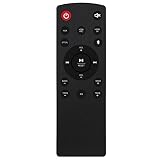
- Replacement Remote Control Commander fit for Onn Soundbar 100008866 100027812 100015717 100023515
- No programming is required. Insert new alkaline batteries and works.
- This remote control use 2 x AAA size alkaline batteries. Battery not included.
- Should you have any questions, please don't hesitate to contact us.
Rank #3

- New Replacement Remote Control Applicable for ONN Soundbar 100027812 100015717 100008866
- No programming is required. Just install new Alkaline batteries and it is ready for use.
- Power Supply: 2X 1.5V AAA Alkaline Battery. Batteries and manual are not included.
- Please feel free to contact us if you have any query, thanks!
Product prices and availability are accurate as of the date/time indicated and are subject to change. Any price and availability information displayed on Amazon at the time of purchase will apply.

