
iTechGuides is reader-supported. When you buy through links on our site, we may earn an affiliate commission. As an Amazon Associate I earn from qualifying purchases. Learn more
In StorageReview’s same-server vLLM test, the NVIDIA RTX PRO 4500 Blackwell Server Edition delivered a median 2.7× the L4’s output throughput across 18 workload combinations at 8–32 concurrent requests. At 32 concurrent requests, however, the RTX PRO 4500 system drew about 301W versus about 196W for the L4 system. The result is a substantial serving improvement in this specific setup—not a universal performance multiplier for every model or deployment.
What StorageReview tested
StorageReview tested an NVIDIA RTX PRO 4500 Blackwell Server Edition and an NVIDIA L4 in the same HPE ProLiant DL145 Gen11 chassis, using vLLM and the Metrum AI Bench Platform. The main throughput sweep used BF16 and two small models, Qwen3.5-4B and Gemma 4 E4B.
The 18 benchmark combinations varied the input/output shapes across those models. StorageReview reports that the RTX PRO 4500’s median output-throughput advantage was 2.7× at 8–32 concurrent requests. At 256 concurrent requests, the reported advantage was 3.0×–3.2×. These figures describe that benchmark, server, software stack, models, precision, and request mix; they do not establish the same ratio for other workloads. StorageReview’s test report was published September 24, 2026.
BF16 result versus FP4 capability
The 2.7× result is a BF16 comparison. The RTX PRO 4500 supports FP4, while the L4 does not, but a result using a different precision is not a like-for-like extension of the BF16 figure. StorageReview separately tested Gemma 4 26B-A4B in NVFP4 on the RTX PRO 4500; that result should be considered a distinct workload, not folded into the L4 comparison.
#1 Best Overall

- EXACT-MATCH UPGRADE — 128GB (2X64GB) kit DDR5-4800 (PC5-38400), 2Rx4 Registered ECC, 1.1V, CL40, 288-pin. The precise rank, voltage, and timing your server's memory controller expects, so it's recognized at full capacity and runs at its rated speed.
- VERIFIED FITMENT — Compatible with Sapphire Rapids, Xeon Scalable, PowerEdge, ThinkSystem, Supermicro. Spec-matched to your board's memory-population rules.
- ENTERPRISE STABILITY — Registered (buffered) architecture offloads the memory controller so every slot runs fully populated at full capacity, while ECC catches and corrects single-bit errors on the fly — stopping silent data corruption and unplanned reboots before they reach production.
- CHECK YOUR CONFIG — Server and motherboard memory support varies by model. Consult your system or motherboard manual for supported capacities, approved DIMM population order, and installation steps before purchase.
- LIFETIME SUPPORT — Backed by a lifetime replacement warranty and free US-based technical support.
StorageReview relays NVIDIA’s broader “over 5x” claim as dependent on FP4 and NIM. Because the precision and software conditions differ from the BF16 vLLM sweep, that marketing claim and the 2.7× result should not be treated as directly comparable measurements.
Throughput is only part of the difference
Under the tested loads, the advantage was also visible in generation speed and queuing. StorageReview reports generation at 12–15 ms per token on the RTX PRO 4500 versus 35–40 ms on the L4. At 256 concurrent requests, median time to first token on the RTX PRO 4500 was 264–650 ms for the cited 256-token prompts. The L4’s median rose to 9 seconds and 39 seconds in the cited conditions. These are results for the report’s specific models and prompt/load configurations, not general latency guarantees.
The practical distinction is that higher aggregate output can matter even more when many requests arrive together: users may wait less for their first generated token as the queue builds. For a deployment, compare time to first token and inter-token speed at the concurrency and prompt lengths it actually expects, rather than relying on a throughput ratio alone.
Quick wins for a faster PC:
Fix the driver behind crashes, sound loss and screen glitchesFind Drivers →Clear out junk files and repair common Windows errorsFree Scan →More output came with higher system power
At 32 concurrent requests, StorageReview measured approximately 196W of whole-server draw with the L4 and 301W with the RTX PRO 4500—about 105W more for the system in that test. These are system-level measurements, not GPU board-power readings.
Despite the higher system draw, the review reports improved output tokens per system watt: on Qwen3.5-4B, the figure rose from 2.7 to 5.1; on Gemma 4 E4B, from 2.9 to 5.6. The RTX PRO 4500 therefore used more power at the wall in the reported configuration while producing more output per measured system watt. Those efficiency values are specific to the same benchmark conditions.
Rank #2

- 2.80 GHz processor speed ensures efficient operation with consistent reliability
- Intel Xeon 2.80 GHz processor provides enterprise-grade performance with built-in security and remote management capabilities
- Quad-core (4 Core) processor core helps server process data quickly and reliably for maximum productivity
- 1 processors supported for faster processing and improved access to data, optimizing performance under heavy loads
- With 16 GB memory, you can multitask between applications seamlessly, keeping productivity high and response times quick
One RTX PRO 4500 versus multiple L4 cards
StorageReview says the tested DL145 configuration can support up to three L4 cards. In its comparison, three L4s serving 32 sessions each came close to one RTX PRO 4500 on throughput. That is the publication’s result for its configuration and workload, not a general equivalence between the cards.
The single-card option may still be attractive when the goal is faster response for individual users, lower queueing, a single 32GB memory pool, or access to FP4. The trade-off is higher system draw than the one-L4 setup and the need to verify the exact server configuration. Multi-card density, slot availability, and how memory is divided across GPUs can matter as much as aggregate throughput.
DL145 Gen11 compatibility and installation checks
HPE QuickSpecs list the HPE NVIDIA RTX PRO 4500 Blackwell Server Edition 32GB PCIe Accelerator, SKU S6W30C, as supported in the DL145 Gen11’s 1U heatsink configuration at the listed 35°C, 40°C, and 45°C support categories. The HPE ProLiant DL145 Gen11 QuickSpecs compatibility entry is the relevant starting point, but a listing does not confirm that a particular server has the required riser, cabling, thermal configuration, or regional SKU.
NVIDIA’s product specifications describe the Server Edition card as a passive, single-slot full-height, full-length (FHFL) PCIe 5.0 x16 accelerator with 32GB GDDR7, a maximum power rating of 165W, and one 16-pin PCIe CEM5 power connector. NVIDIA lists up to two MIG instances of 16GB each. These are manufacturer specifications, not measurements from StorageReview’s benchmark. NVIDIA’s RTX PRO 4500 Blackwell Server Edition page states that the product is available.
- Confirm the exact accelerator: DL145 compatibility refers to the HPE-qualified Server Edition SKU S6W30C; do not assume another similarly named card has the same fit or cooling.
- Check the riser and power feed: verify the installed riser, available slot, and 16-pin power connection before ordering. StorageReview’s test unit had the full-length riser and power cable.
- Check cooling and ambient conditions: the card is passively cooled, so its operating fit depends on the supported server configuration and airflow. Match the system’s heatsink and ambient-temperature category to the applicable HPE documentation.
- Verify the server revision and regional configuration: support and availability should be confirmed for the specific machine and market, not inferred from another listing.
In StorageReview’s longest runs, the RTX PRO 4500 reached an average GPU temperature of 84°C and the L4 reached 86°C; the publication reports both were within their limits in its test chassis. That observation does not substitute for validating airflow and thermal behavior in a different deployment.
Rank #3
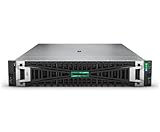
- HPE PROLIANT DL380 GEN11 SERVER – MODEL P72982-005: Configured with 1x Intel Xeon Silver 4514Y (16 cores, 2.00 GHz), delivering scalable performance for virtualization, hybrid cloud, and data-intensive tasks
- 128 GB HIGH-SPEED DDR5 MEMORY: Comes with 4x 32 GB Dual Rank DDR5 Smart Memory for enhanced throughput, power efficiency, and future-proofing your compute investment
- BALANCED STORAGE WITH PERFORMANCE & DURABILITY: Preinstalled with 2x 480GB SATA 6G Mixed Use SFF SSDs and supports up to 8 SFF drives, ideal for high IOPS and reliable workload execution
- MR408I-O GEN11 CONTROLLER WITH PCIE GEN5 I/O: Features HPE’s Gen11 4GB Cache OCP SPDM storage controller and PCIe Gen5 expansion for superior data bandwidth and device support
- BUILT-IN SECURITY & POWER REDUNDANCY: Integrated with iLO 6, TPM 2.0, and dual 1000W Titanium PSUs; includes 4 standard fans to ensure enterprise-grade reliability under pressure
What this result establishes—and what it does not
This is one publication’s comparison on one server platform using its vLLM and Metrum AI Bench setup. It provides useful evidence that the RTX PRO 4500 can increase throughput and reduce queueing versus an L4 in the tested workloads, with higher system power draw. The principal multiplier is based on two small BF16 models; it does not establish performance across larger models, other quantizations, serving frameworks, or every edge workload.
Recommended Free Tools
Nor does the comparison rank the RTX PRO 4500 against the full current inference-GPU lineup. StorageReview scoped its report to the L4 comparison and treated broader testing as a separate subject. HPE separately said in an April 2026 release that a version of the DL145 Gen11 based on the RTX PRO 4500 Blackwell Server Edition was validated in MLPerf Inference v6.0 results. That is HPE’s platform statement, not a validation of StorageReview’s 2.7× measurement. HPE’s April 2026 release provides that context.
Who should consider the upgrade?
The result is most relevant to operators already evaluating a DL145 Gen11 deployment who need more serving throughput or better response under concurrent load, and whose models fit the RTX PRO 4500’s memory and software requirements. For an existing L4 installation, the benchmark supports considering the upgrade when per-user latency and a larger single memory pool matter enough to justify higher system draw and a hardware-compatibility check.
Before making a purchase decision, reproduce the comparison with the intended model, precision, prompt and output lengths, concurrency, serving stack, and power boundary. A workload that differs materially from the BF16 small-model sweep may produce a different advantage.
Quick Recap
Product prices and availability are accurate as of the date/time indicated and are subject to change. Any price and availability information displayed on Amazon at the time of purchase will apply.

