
iTechGuides is reader-supported. When you buy through links on our site, we may earn an affiliate commission. As an Amazon Associate I earn from qualifying purchases. Learn more
The Mushkin Enhanced Chronos MKNSSDCR240GB-7 is a genuine 240GB, 2.5-inch, 7mm SATA III SSD designed for older laptops and desktops. Its original listing promised up to 560MB/s sequential read and 552MB/s sequential write, but that specification belongs to a product first listed by Newegg on November 21, 2012—not to a new 2026 drive. The exact model is now out of stock at Newegg, and surviving units are likely used, refurbished, or old stock.
It can be a practical, inexpensive replacement for a mechanical hard drive when the drive is tested and returnable. It is not a strong general purchase at modern SATA-SSD prices because capacity is limited, the warranty is no longer a realistic benefit, and age and unknown usage history make remaining life uncertain.
What the MKNSSDCR240GB-7 is
This is a consumer internal solid-state drive in the Mushkin Enhanced Chronos family. The model suffix identifies the 7mm-thick version: it is not an M.2, NVMe, PCIe, mSATA, IDE/PATA, or external USB drive.
Do these 3 things before closing this tab:
1Repair Windows errors before they cause bigger problems2Scan for outdated or missing drivers - takes under a minute3Clear out junk files and repair common Windows errors- Nominal capacity: 240GB (decimal)
- Form factor: 2.5-inch
- Height: 7mm
- Interface: SATA III / SATA 6Gb/s
- Approximate dimensions: 100.5mm deep × 69.85mm wide × 7mm high
- Controller and flash listed: SandForce SF-2281 with asynchronous NAND
These details come from the historical Newegg product listing. The listing does not establish a modern NAND type, DRAM-cache design, endurance rating, total bytes written, or firmware revision.
#1 Best Overall
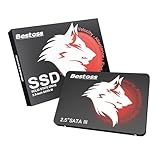
- Launch as Fast as Sirius: Replace slow HDDs with this internal SSD. 550MB/s read speeds boot systems at least 50% faster than HDDs. Open office files in seconds and load games faster with this SATA SSD for your computer storage.
- Long-Lasting Durability: Your Tough & Reliable Sky wolf Guardian: TLC chips offer longer write life than QLC. This internal SSD ensures reliable internal hard drive performance for vital data.
- Full Coverage for Multi-Scenario Use: Perfect for office, content creation, and home/ NAS systems. This 2.5 inch SSD accelerates boot times and file transfers as your trusted PC hard drive.
- Versatile Capacity Storage: Enjoy Freedom: 120GB-4TB options. This SSD internal stores files, photos, videos, games - ideal hard drive for PC storage needs.
- Multi-Device Compatibility & Plug & Play: SATA III SSD compatible with Windows/Linux laptops, desktops. A high-performance internal sata SSD solution for your pc storage.
Historical specifications
The following are listed or advertised values, not independent 2026 benchmark results:
| Specification | Listed value |
|---|---|
| Sequential read | Up to 560MB/s |
| Sequential write | Up to 552MB/s |
| 4KB random read | Up to 92,000 IOPS |
| 4KB random write | Up to 80,000 IOPS |
| Seek time | Less than 0.1ms |
| Controller | SandForce SF-2281 |
| NAND description | Asynchronous NAND |
| MTBF | 2,000,000 hours, a historical vendor/listing metric |
| Features listed | TRIM, S.M.A.R.T., BCH ECC, user-upgradeable firmware |
| SATA support | SATA 6Gb/s, 3Gb/s and 1.5Gb/s |
The same listing describes BCH error correction of up to 55 bits per 512-byte sector and a maximum shock rating of 1500G. Neither figure predicts the condition of an individual drive more than a decade later.
Compatibility with older laptops and desktops
SATA link compatibility
A SATA III SSD normally works with SATA II (3Gb/s) and SATA I (1.5Gb/s) hosts; the connection negotiates at the computer’s lower speed. Random-access latency can still be far better than a mechanical disk even when sequential throughput is limited by the older controller.
Recommended Free Tools
Rank #2

- 256GB M.2 (2280) PCIe 3 x4 NVM Express 1.4 SSD
- Compatibility: Desktop PC / Laptop Notebooks
- Max Read: 3,100MB/s ; Max Write: 1,400MB/s
- InnoGrit Controller: IG5216
- 3-Year Limited Warranty
Physical fit
The host must provide a standard 2.5-inch SATA data and power connection and enough clearance for a 7mm drive. A laptop designed around a 9.5mm hard drive may need a spacer or correctly sized caddy so the SSD cannot move. A desktop may need a 2.5-to-3.5-inch mounting bracket. SATA compatibility alone does not guarantee that a particular bay, connector, caddy, or BIOS supports the installation.
What it cannot replace
It is not a drop-in substitute for an M.2 or NVMe drive. A computer with an M.2 slot may support a faster NVMe alternative, but that requires a different connector, protocol, mounting arrangement, and sometimes BIOS or boot-mode support.
Performance you should expect
The 560/552MB/s figures are favorable maximums from the original product generation. SATA 6Gb/s protocol overhead makes results in the mid-500MB/s range plausible under suitable test conditions, but a SATA II system imposes a lower ceiling. SandForce-era write behavior also varied with data compressibility, workload, free space, firmware, and drive health.
Rank #3

- SATA-III 2.5" 6Gbit/s 3D-TLC 7mm SSD
- Compatibility: PC / Mac / Linux / PlayStation / Xbox
- Max Read: 560MB/s ; Max Write: 515MB/s
- Silicon Motion Controller: SMI SM2259XT
- 4KB Random Read: Up to 75,000 IOPS ; Write: Up to 75,000 IOPS
A used or nearly full SSD may be slower than a new sample. Do not compare the advertised IOPS directly with modern SSD reviews that use different test platforms and workloads. For an old PC, the most noticeable improvement is usually faster booting, application launches, and small-file access compared with a hard drive.
What’s actually slowing this PC down?
Pick the symptom - the matching free tool is one click away.
TRIM, S.M.A.R.T. and drivers
The listing says the drive supports TRIM and S.M.A.R.T., but support on a particular system depends on the operating system, storage-controller driver, firmware, and connection path. USB enclosures often do not pass TRIM through.
A normal SATA SSD does not usually need a proprietary driver merely to appear as a disk. Check BIOS/UEFI detection first. If BIOS sees the drive but Windows does not show it in File Explorer, use Disk Management to initialize, partition, and format it. Do not initialize a disk that contains data you need to recover. AHCI is generally preferred where supported, but changing controller mode on an existing installation can cause boot failure.
Rank #4
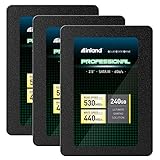
- SSD Capacity 240GB. Sequential Read/Write Speed up to 530MB/s and 440MB/s respectively
- Random Read/Write 4K: up to 42,000 IOPS and 80,000 IOPS respectively
- SATA III 6Gb/s interface, faster boot-up, shutdown, application loading and file tranfer
- 3D TLC NAND flash, resistant to shock, vibration, and movement. No overheat, No noise
- 3 Year Limited Parts and Labor Warranty. Ideal for mainstream PCs, laptops and ultrabooks for personal, gaming and business use
Reliability and age-related risk
Historical Newegg feedback and forum discussions include both successful use and reports of early failures or SMART-related problems. These are anecdotes, not a controlled failure-rate study; they do not prove that every Chronos drive is unreliable. They do show why condition matters when buying one now.
Age is the larger 2026 concern. A surviving unit may have unknown power-on hours, worn NAND, outdated firmware, or previous heavy use. The original three-year limited warranty has long expired for 2012-era units, and a marketplace seller may provide no meaningful coverage. The listed two-million-hour MTBF is a population-level reliability metric, not a lifespan promise for one old SSD.
240GB capacity in practice
240GB is a decimal capacity, so the operating system reports less after conversion and formatting. Usable space also depends on partitioning, filesystem overhead, and any reserved area. It is suitable for an operating system and basic applications, but restrictive for a modern game library, video archive, or large photo collection. Leave free space on an aging SSD rather than filling it to the limit.
Best Value

- Easy upgrade for faster boot-up, shutdown, application load and response (As compared to 5400 RPM SATA 2.5” hard drive. Based on published specifications and internal benchmarking tests using PCMark Vantage scores.)
- Boosts burst write performance, making it ideal for typical PC workloads
- The perfect balance of performance and reliability
- Read/write speeds of up to 530MB/s/440MB/s (Based on internal testing; performance may vary depending upon drive capacity, host device, OS and application.)
- Shock-resistant for proven durability —even if you drop your computer (Shock resistant (up to 1500G) and vibration resistant (5gRMS, 10-2000 HZ/4.9 gRMS, 7-800 HZ), Temperature (from 0 degrees Celcius to 70 degrees Celcius))
Installing or cloning to the drive
- Back up the source system and verify that the data to be cloned fits within the SSD’s usable capacity.
- Confirm whether the source uses UEFI/GPT or legacy BIOS/MBR, and preserve the appropriate boot, recovery, and system partitions.
- Connect the SSD directly by SATA when possible. A SATA-to-USB adapter or enclosure may be needed, but the historical listing does not say one was included.
- Expect cloning software to erase the destination. Keep the original drive untouched until the clone boots successfully.
- After installation, check BIOS/UEFI detection, boot order, partition layout, and operating-system TRIM status.
Used-drive inspection checklist
- Verify the label: It must say
MKNSSDCR240GB-7. Do not confuse it with the separate MKNSSDCR240GB-G2 MLC listing. - Inspect the hardware: Reject cracked boards, corrosion, burn marks, bent connectors, or damaged mounting holes.
- Save a S.M.A.R.T. report: Record power-on hours, power cycles, percentage used, reallocated or uncorrectable errors, unsafe shutdowns, and media errors when exposed by the utility.
- Run a non-destructive read test: Confirm that the full addressable capacity can be read without errors.
- Use write verification only after backup or intentional erasure: Full tests take time and add writes.
- Confirm returns: An old Newegg page mentioned a 30-day return period, but that does not establish a current marketplace seller’s policy.
Never make this drive the only copy of important files. A clean S.M.A.R.T. status cannot rule out sudden controller or electronic failure.
When buying it makes sense
- The target computer specifically needs a 2.5-inch SATA drive.
- The unit is substantially cheaper than a current, warrantied SATA SSD.
- The seller supplies health information and accepts returns.
- Capacity and performance are adequate for a low-risk legacy PC, temporary system, experiment, or disposable upgrade.
When to avoid it
- The price approaches a modern 500GB or 1TB SATA SSD.
- The seller cannot provide S.M.A.R.T. data or sells it “as-is.”
- You need dependable long-term storage, a server/NAS disk, or frequent large writes.
- The computer supports NVMe and has an available M.2 slot.
- You expect an active manufacturer warranty or current firmware support.
Modern alternatives
| Category | Example | Why consider it |
|---|---|---|
| 2.5-inch SATA | Crucial MX500 | Current-category SATA replacement with larger capacity options and newer support; verify live stock, warranty and price. |
| 2.5-inch SATA | Samsung 870 EVO | Mainstream product family with broad consumer support; verify availability and capacity in your market. |
| 2.5-inch SATA | WD Blue SATA SSD | Conventional laptop and desktop upgrade; check the exact model, warranty and seller. |
| M.2 NVMe | Modern NVMe drive | Potentially much faster, but not compatible with a SATA bay and subject to different connector, BIOS and mounting requirements. |
Verdict
If you already own the MKNSSDCR240GB-7, keep using it for non-critical work when its S.M.A.R.T. data is clean, testing passes, and backups exist. If you find a tested unit at a very low price with a credible return policy, it can still revive an older SATA laptop or desktop. At ordinary current SATA-SSD pricing, skip it: a newer 2.5-inch SATA model offers more capacity, less uncertainty, and meaningful warranty support.
Quick Recap
Product prices and availability are accurate as of the date/time indicated and are subject to change. Any price and availability information displayed on Amazon at the time of purchase will apply.

