
Quick wins for a faster PC:
Repair Windows errors before they cause bigger problemsFix Now →Scan for outdated or missing drivers - takes under a minuteDriver Scan →iTechGuides is reader-supported. When you buy through links on our site, we may earn an affiliate commission. As an Amazon Associate I earn from qualifying purchases. Learn more
Midjourney V1 is an image-to-video model: start with a still image, choose or describe its motion, and generate a short clip. It is not a text-to-video system in which a prompt alone creates the starting scene. Midjourney launched V1 on June 18, 2025; its documented workflow makes a five-second video from one image, with controls for motion, looping, and extending a clip.
What Midjourney V1 does
V1 adds video generation to Midjourney’s image workflow. You provide the starting frame by making an image in Midjourney or using an uploaded image, then animate it. The text prompt primarily guides what happens in the image—such as movement in the subject or scene—rather than generating the initial scene from scratch.

At launch, the product was web-only. Midjourney’s launch configuration returned four five-second videos for each job. Its announcement also described extending a selected clip in roughly four-second increments, up to four times. These are launch-era details; the current video documentation describes generating a five-second video from a single image.
How to make a video
- Choose a starting image. Generate one in Midjourney or upload an external image to use as the opening frame.
- Start animation. In the launch workflow, select the image and press Animate.
- Set the motion direction. Use automatic motion prompting or write a manual motion prompt describing how the scene should move.
- Choose motion intensity. Select low or high motion. The choice sets the intended degree of movement; it does not guarantee that every element will move as specified.
- Generate and review the clips. A standard documented video is five seconds. At launch, a job produced four clips; later controls allow smaller batches.
- Extend or adjust the result if needed. The launch announcement described extensions of about four seconds per selection, up to four times. Video parameters also include options for looping and specifying an end frame.
Video controls and what they mean
Midjourney’s video documentation lists these video-specific parameters. Exact behavior can depend on the interface and the settings used.
#1 Best Overall

- Enhanced Screen Recording - Capture screen & webcam together, export as separate clips, and adjust placement in your final project.
- Color Adjustment Controls - Automatically improve image color, contrast, and quality of your videos.
- Frame Interpolation - Transform grainy footage into smoother, more detailed scenes by seamlessly adding AI-generated frames. (feature available on Intel AI PCs only)
- AI Object Mask - Auto-detect & mask any object, even in complex scenes, to highlight elements and add stunning effects.
- Brand Kits - Manage assets, colors, and designs to keep your video content consistent and memorable.
| Control | Purpose |
|---|---|
--motion low |
Requests lower motion. |
--motion high |
Requests higher motion. |
--raw |
A listed video-generation control; the documentation names it but the available information here does not specify its detailed effect. |
--loop |
Requests a looping video. |
--end |
Specifies an end frame. |
--bs # |
Sets the batch size. |
Batch size matters because generating fewer videos can reduce the GPU cost of a job. In an August 13, 2025 announcement, Midjourney said batches of one or two videos could cost two or four times less, respectively, than the default four-video batch. Those are reductions relative to that default batch, not a stated fixed dollar price.
Which plans include video, and what does it cost?
Midjourney’s plan comparison lists video on all four subscription tiers. Basic includes SD video; Standard, Pro, and Mega include SD and HD video. Video generations use more GPU time than regular image jobs, so the plan’s mode and batch size affect how quickly included GPU time is used.
Rank #2

- ✔️ Create, Edit & Export Videos & Slideshows: Effortlessly create, edit, and export high-quality videos in HD, 4K, and 8K with powerful editing tools, templates, and effects.
- ✔️ Multi-Track Video Editing & AI Media Management: Edit multiple tracks with a timeline, advanced effects, and AI-driven tools to manage and optimize your media.
- ✔️ Over 1000 Templates & Effects: Apply creative filters, transitions, titles, and animations with just a few clicks for professional-quality videos.
- ✔️ Green Screen (Alpha Channel), PiP Effects & Motion Tracker: Use advanced Green Screen and Picture-in-Picture (PiP) features along with Motion Tracking to add stunning visual effects.
- ✔️ Lifetime License for 1 PC | No Subscription Fees: Enjoy a one-time purchase with lifetime access, fully compatible with Windows 11, 10. No hidden costs or subscriptions.
| Plan | Monthly billing | Annual billing | Video listed | Video Relax access |
|---|---|---|---|---|
| Basic | $10/month | $96/year | SD | Not listed |
| Standard | $30/month | $288/year | SD and HD | Not listed |
| Pro | $60/month | $576/year | SD and HD | Unlimited SD video Relax is listed |
| Mega | $120/month | $1,152/year | SD and HD | Unlimited SD video Relax is listed |
The listed annual totals are 20% below paying month by month for 12 months. The plan comparison also lists extra GPU time at $4 per hour. These are the prices and features in Midjourney’s current plan comparison; availability and plan details can change.
Free tools Windows power users keep installed
One-click scans. No signup required.
Fast and Relax modes
All plan tiers can generate video in Fast mode. Pro and Mega can generate SD video in Relax mode; the plan comparison lists unlimited video Relax for those two tiers. Standard, Pro, and Mega can generate HD video in Fast mode. Image Relax access is a separate benefit: the plan comparison lists unlimited image Relax for Standard, Pro, and Mega, but that does not mean those plans all include video Relax.
Rank #3
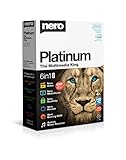
- ✔️ Multimedia Powerhouse: 6 apps in one! Edit videos, burn DVDs/Blu-rays, manage media, back up files, and more with Nero Platinum 2019.
- ✔️ Video Editing Mastery: Create professional-grade videos and slideshows in any format, with top-tier effects like Tilt-Shift, Chroma Key, and more. Edit in stunning 4K resolution.
- ✔️ Complete Media Management: Organize and stream your media on OneDrive with Nero MediaHome. Supports music, videos, photos, and slideshows.
- ✔️ Disc Burning & Backup: Copy and burn data to CD, DVD, and Blu-ray with advanced security standards using SecurDisc 4.0. Backup to cloud services like OneDrive & Google Drive.
- ✔️ Backup: The easy 1-Click BackUp solution: Rapidly keep everything safe and secure, even your cloud data.
HD video uses more GPU time
Midjourney announced HD video at native 720p on August 7, 2025, and said HD generation cost about 3.2 times as much as normal video. The announcement initially limited HD to Pro and Mega and said it was unavailable in Relax mode. On August 13, Midjourney announced HD availability for Standard users as well. The current plan comparison lists HD for Standard, Pro, and Mega; it lists no HD video for Basic. The available information does not establish that HD became available in Relax, so do not assume that it did.
Launch-era cost comparison
At V1’s June 2025 launch, Midjourney described a video job as costing about eight times as much as an image job. That is a relative launch-era comparison, not a fixed price for every video today. The number of videos per batch, resolution, plan, and generation mode all affect GPU use; the available figures do not translate into one universal dollar cost per clip.
Rank #4
![Roxio Creator NXT Pro 9 | Multimedia Suite + Photo Editor and CD/DVD Disc Burning Software [PC Download]](https://m.media-amazon.com/images/I/51ZWiA7A2nL._SL160_.jpg)
- Complete multimedia suite with 25+ applications to capture, edit, and convert video, photo, and audio files, burn, copy, and encrypt your data, author DVDs, and more
- Edit your media with easy-to-use tools to modify your video, audio, and photos, create slideshows and movies, layer tracks with transparency controls, create split screen videos, and more
- Enjoy Pro-exclusive extras that include advanced video editing tools, photo animation creation with PhotoMirage Express, and photo editing and graphics functionality with PaintShop Pro 2021
- Organize your hard drive and identify long-forgotten, duplicate, or unnecessary files, and convert your media to popular formats, which is now easier than ever with the new easy file converter
- Create audio CDs or custom DVDs using drag-and-drop functionality to burn, copy, encrypt, and author discs, now with the new Template Designer to fully customize menu templates to your preferences
Is V1 text-to-video?
No. V1’s core workflow is image-to-video: the still image supplies the first frame, while a motion prompt describes how the scene should move. You can use an image generated by Midjourney or an uploaded image, but a text prompt by itself is not the documented starting point for V1 video generation.
What V1’s launch does—and does not—establish
The launch marked Midjourney’s entry into AI video generation, with short image-based clips, motion controls, and clip extension. The cited Midjourney announcements and documentation do not provide a controlled comparison establishing that V1 is better or worse than Sora, Veo, Kling, or another video generator. A reliable head-to-head verdict would require comparable prompts, settings, output conditions, and evaluation criteria; the available material does not supply those results.
Quick Recap
Product prices and availability are accurate as of the date/time indicated and are subject to change. Any price and availability information displayed on Amazon at the time of purchase will apply.

