
iTechGuides is reader-supported. When you buy through links on our site, we may earn an affiliate commission. As an Amazon Associate I earn from qualifying purchases. Learn more
If your Logitech G502 registers one press as two clicks, start with Logitech’s reversible troubleshooting checks and confirm your warranty before opening the mouse. A no-solder switch repair is not established as a reliable fix: the documented G502 LIGHTSPEED switch replacement requires soldering, while reports of manipulating a switch internally are anecdotal.
What a G502 double-click can—and cannot—tell you
A single press registering twice can be consistent with a worn mechanical switch, but the symptom alone does not prove the switch is at fault. Logitech recommends checking the computer, button cleanliness, USB connection and double-click settings before treating the issue as hardware failure. These checks may help identify a software, settings or connection issue; they are not proof of a lasting hardware repair. See Logitech’s double-click troubleshooting steps.
Try these reversible checks first
- Test the mouse on another computer. If the same button still registers two clicks there, the issue is less likely to be limited to the original computer’s settings or software.
- Clean around the affected button with air. Logitech recommends cleaning the button. Avoid liquids or forceful disassembly as a first step.
- Connect directly to another USB port. Bypass any USB hub and test the mouse from a different port.
- Adjust the operating system’s double-click sensitivity. This setting affects how quickly two separate clicks are recognized as a double-click. It does not repair a worn switch.
Check warranty support before opening the mouse
Find your purchase date and check the warranty terms for your country and exact G502 variant before removing screws or feet. Logitech’s US support listing for the G502 HERO specifies a two-year limited hardware warranty; that duration should not be assumed for every region or G502 model. Logitech’s general warranty terms exclude damage resulting from unauthorized repair, modification or disassembly, and warranty rights can vary by location. Review the applicable Logitech warranty information or contact local support before proceeding.
Identify which G502 you own before considering repair
Repair guidance does not automatically transfer between G502 generations. Logitech’s comparison describes traditional mechanical switches in the G502 HERO and original G502 LIGHTSPEED, while G502 X models use LIGHTFORCE hybrid optical-mechanical switches. Confirm the model on the mouse or its product information and use instructions specific to that version. See Logitech’s G502 comparison.
#1 Best Overall

- HERO Gaming Sensor: Next generation HERO mouse sensor delivers precision tracking up to 25600 DPI with zero smoothing, filtering or acceleration
- 11 programmable buttons and dual mode hyper-fast scroll wheel: The Logitech wired gaming mouse gives you fully customizable control over your gameplay
- Adjustable weights: Match your playing style. Arrange up to five 3.6 g weights for a personalized weight and balance configuration
- LIGHTSYNC technology: Logitech G LIGHTSYNC technology provides fully customizable RGB lighting that can also synchronize with your gaming (requires Logitech Gaming Software)
- Mechanical Switch Button Tensioning: A metal spring tensioning system and metal pivot hinges are built into left and right computer gaming mouse buttons for a crisp, clean click feel with rapid click feedback
Does a no-solder switch repair work?
The available documented switch-replacement procedure for the G502 LIGHTSPEED is not solder-free: it removes the original Omron switches by desoldering and installs replacements. The iFixit G502 LIGHTSPEED switch-replacement guide therefore does not support a no-solder switch replacement.
Some community accounts describe opening a switch housing and manipulating its internal contact. That is an anecdotal workaround, not a verified repair method. Its reliability, safety across G502 variants and durability are not established, so there is no sound basis for promising that it will fix the double-click problem.
Rank #2

- Icon reinvented: From the legacy of Logitech’s most popular G502 design, G502 X PLUS is reimagined and redesigned with the latest innovations in gaming technology; available in black and white
- LIGHTFORCE switches: All-new hybrid optical-mechanical switch technology for incredible speed and reliability, as well as precise actuation with crisp response, for hours of performance gaming
- LIGHTSYNC RGB: This RGB gaming mouse features glowing 8-LED lighting that’s customizable and adapts as you game with startup/power-down effects and battery optimisation through active play detection
- LIGHTSPEED wireless: This wireless mouse features pro-grade connectivity, with an updated protocol achieving 68 percent faster response rate than the previous generation and improved reliability
- HERO 25K gaming sensor: Incredibly precise down to the sub-micron for high-precision accuracy with zero smoothing/filtering/acceleration for high gaming performance every time on the computer
Post-warranty options
If support cannot resolve the problem and you want to explore repair, check the Logitech Repair Hub on iFixit for your exact model and current part availability. Logitech announced G502 HERO support through the hub, but that announcement does not guarantee that a particular switch, replacement part or guide is currently available. The hub is a starting point, not confirmation of stock: Logitech Repair Hub.
Opening the mouse is a separate choice from replacing its switches. The iFixit G502 HERO disassembly guide lists a Phillips #0 screwdriver and opening tools. Those tools may let you open and inspect the mouse; they do not make switch replacement solder-free.
Quick Recap
Best Value

- The next-generation optical HERO sensor delivers incredible performance and up to 10x the power efficiency over previous generations, with 400 IPS precision and up to 12,000 DPI sensitivity
- Ultra-fast LIGHTSPEED wireless technology gives you a lag-free gaming experience, delivering incredible responsiveness and reliability with 1 ms report rate for competition-level performance
- G305 wireless mouse boasts an incredible 250 hours of continuous gameplay on just 1 AA battery; switch to Endurance mode via Logitech G HUB software and extend battery life up to 9 months
- Wireless does not have to mean heavy, G305 lightweight mouse provides high maneuverability coming in at only 3.4 oz thanks to efficient lightweight mechanical design and ultra-efficient battery usage
- The durable, compact design with built-in nano receiver storage makes G305 not just a great portable desktop mouse, but also a great laptop travel companion, use with a gaming laptop and play anywhere
Rank #4
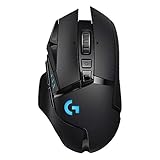
- Selling Wireless Gaming Gear Brand - Based on independent sales data (FEB ‘19 - FEB’20) of Wireless Gaming Keyboard, Mice, and PC Headset in units from: US, CA, CN, JP, KR, TW, TH, IN, DE, FR, RU, UK, SE, TR
- PowerPlay wireless charging: Never worry about your battery life again. Add the power play wireless charging system to keep your G502 Lightspeed Wireless Mouse and other compatible G mice charged while at rest and at play. Powerplay wireless charging system sold separately
- Light speed wireless gaming mouse: Exclusive Logitech G ultra-fast wireless technology used by Pro gamers in competitions worldwide
- Hero 25K sensor through a software update from G HUB, this upgrade is free to all players: Our most advanced, with 1:1 tracking, 400plus ips, and 100 - 25,600 max dpi sensitivity plus zero smoothing, filtering, or acceleration
- 11 customizable buttons and hyper fast scroll wheel: Assign custom macro and shortcut commands to the buttons for each game with Logitech G hub software. Use hyper fast scrolling to rapidly review menus, long web pages and more
Rank #3
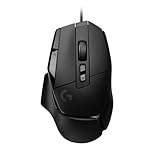
- Icon reinvented: From the legacy of Logitech's most popular G502 design, the G502 X wired gaming mouse is reimagined and redesigned with the latest innovations in gaming technology
- LIGHTFORCE switches: All-new hybrid optical-mechanical switch technology for incredible speed and reliability, as well as precise actuation with crisp response, for hours of performance gaming
- HERO 25K gaming sensor: Incredibly precise down to the sub-micron for high-precision accuracy with zero smoothing/filtering/acceleration for high gaming performance every time on the computer
- Redesigned DPI-shift button: This wired optical gaming mouse features a reversible and removable DPI-shift button for precise customisation depending on your grip and preference
- Redesigned hyperfast scroll wheel: Switch between hyper-fast free spin and precise ratcheting mode, and tilt left and right for two additional personalisable controls
Product prices and availability are accurate as of the date/time indicated and are subject to change. Any price and availability information displayed on Amazon at the time of purchase will apply.

