
iTechGuides is reader-supported. When you buy through links on our site, we may earn an affiliate commission. As an Amazon Associate I earn from qualifying purchases. Learn more
The Synology RT6600ax is a tri-band Wi-Fi 6 router whose strongest case is not a promise of a particular speed, but the combination of three wireless bands with SRM software for separating networks and controlling access. It may suit a home or small office that wants distinct guest, IoT, or work networks and the option to add compatible Synology mesh points. Its advertised radio rates are specifications, not expected internet speeds.
What the RT6600ax offers
Synology lists three maximum wireless link rates: 4,800 Mbps on 5 GHz-1, 1,200 Mbps on 5 GHz-2, and 600 Mbps on 2.4 GHz. These make up the router’s AX6600 class designation; they are theoretical rates across separate bands, not a single client’s expected speed or a measure of internet throughput. Actual performance varies with the environment, usage, and configuration, and no independent RT6600ax throughput test is established here. Synology’s specifications also note that 160 MHz channel width is not supported in Canada and Australia.
Synology lists a quad-core 1.8 GHz processor and 1 GB of DDR3 memory. For wired connections, it provides one configurable 2.5GbE WAN/LAN port, three Gigabit Ethernet ports, and USB 3.2 Gen 1. The role of the 2.5GbE port depends on configuration; do not assume all Ethernet ports support 2.5GbE or that the port can serve two roles simultaneously. Check the port and dual-WAN requirements in Synology’s port specifications before planning a specific wired layout.
Quick wins for a faster PC:
Clear out junk files and repair common Windows errorsFree Scan →Scan for outdated or missing drivers - takes under a minuteDriver Scan →Wireless security options listed by Synology include WPA/WPA2, WPA3-Personal and WPA3-Enterprise, and Enhanced Open (OWE). Available options do not by themselves guarantee that a network is configured securely.
#1 Best Overall

- Expanded 5.9 GHz spectrum support enables additional high-speed 80 and 160 MHz channels
- 2.5GbE port enables support for the fastest ISPs and can optionally be configured as a LAN port
- Create and define up to 5 separate networks to segregate and contain vulnerable devices
- Parental controls, web filtering, traffic control, and threat prevention put you in control over your network
- Comprehensive VPN server solution with remote desktop and site-to-site tunneling provides flexible and secure remote connectivity
What SRM can do with multiple networks
SRM supports up to five separate networks and 15 Wi-Fi SSIDs. Network separation can help keep devices such as guests, smart-home equipment, and office devices on different networks instead of placing everything on one shared LAN. Synology lists VLAN tagging, network isolation, and one-way access rules among the router’s capabilities. These are policy tools: the result depends on how the networks and rules are configured.
SRM 1.3 release notes describe multiple local networks and VLAN configuration, independent network settings and firewall rules, trunk ports on the primary network, and mapping SSIDs to networks. The same release notes record that WDS repeater mode and Smart Connect Scheme were unsupported in that release, and that configurations could not be restored between SRM 1.2 and 1.3. Those are version-specific release-note statements, not a complete inventory of current SRM limitations. Review the applicable SRM release notes for the software version you intend to use.
Rank #2

- Dual-band and tri-band WiFi 6 routers supporting up to 160MHz bandwidth and 6.6Gbps wireless throughput to enable fast file transfers.
- Comprehensive network security through VLAN segmentation, WPA3 support, threat prevention and parental controls.
- 2.5Gbps ethernet ports allow support for fast wired and internet connections.
- Flexible VPN connectivity, multiple SSIDs and traffic control provide advanced networking capabilities.
Access controls with Safe Access
Synology’s Safe Access controls include profiles, schedules, quotas, and web filtering. They can be used to define access policies for people or devices, but they require configuration and should not be treated as proof that the router will block every unwanted connection by default. For a network-separation plan, decide which devices need to communicate before creating isolation or one-way rules; an overly restrictive policy can interrupt legitimate local access.
How to set up the router
Synology’s setup guide describes an initial SRM wizard. Its steps assume you can join the router’s local network; your ISP equipment or existing network may require additional configuration not covered by this general flow.
Rank #3
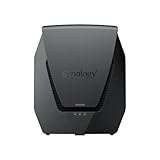
- Dual-band Wi-Fi 6 with 5.9 GHz support and configurable WAN/LAN 2.5GbE port enable fast wireless and wired transfers
- Comprehensive network security provided through Threat Prevention, VLAN segmentation, and WPA3 support
- Standalone router that can be incorporated into a mesh system for whole home coverage
- Parental controls and web filtering keep your family protected
- DS router app provides easy-to-follow setup and network management through your mobile device
- Connect a computer or wireless device to the RT6600ax’s local network.
- Open router.synology.com or browse to 192.168.1.1:8000.
- Start the SRM setup wizard, create an administrator account, and configure the Wi-Fi network when prompted.
For the model’s official instructions, see Synology’s setup guide. The wizard does not determine how your particular modem, ISP, or existing home network should be configured.
Expanding coverage with Synology mesh
The RT6600ax can be used as a primary point in a Synology mesh setup. Synology’s compatibility guide lists RT6600ax, WRX560, RT2600ac, and MR2200ac as possible additional points. Mesh expansion can be useful when one router does not cover the area you need, but the guide’s compatible-model list is not a guarantee that every software version or configuration will work unchanged. Verify current model and SRM compatibility before buying an older device or resetting one you already own.
Rank #4

- The RT6600ax router provides expanded 5.9 GHz spectrum support for additional high-speed 80 and 160 MHz channels (Synology RT6600ax).
- 2.5GbE port on the RT6600ax router enables support for fast internet speeds and can be configured as a LAN port (Synology RT6600ax).
- The MR2200ac mesh router offers dedicated tri-band 2.13 Gbps (400+867+867 Mbps) bandwidth optimized for performance and reliability (Synology MR2200ac).
- Both routers provide comprehensive parental controls, web filtering, and threat prevention to help manage your network.
- The MR2200ac mesh router provides seamless roaming with 802.11 k/v/r support and single Wi-Fi name (Synology MR2200ac).
Synology describes mesh setup through a browser or the DS router app. Its product FAQ explains the concept and setup in its entries “What is mesh Wi-Fi and what are the benefits of using it?” and “How do I set up a Wi-Fi mesh network?” See the RT6600ax product page and compatibility guide for current details.
Who is it a good fit for?
- Consider it if: you want tri-band Wi-Fi 6 alongside router software that can separate several networks, map SSIDs to networks, and apply access rules.
- Consider it if: you expect to extend coverage using compatible Synology mesh points and are willing to verify model and software compatibility.
- Check the wired layout first if: you need a 2.5GbE connection for a particular WAN or LAN device. Only one port is configurable for that role; the other listed Ethernet ports are Gigabit.
- Check the wireless rules first if: you are in Canada or Australia and need 160 MHz channels, which Synology says are unsupported there.
- Look elsewhere or compare carefully if: your decision depends mainly on independently measured speed or range. The available figures are manufacturer specifications, not comparative real-world test results.
Software support horizon
Synology’s regional store listing accessed in 2026 scheduled software updates through December 30, 2027, while noting that extended support may be provided. This is a dated support statement rather than a guarantee of what will be available indefinitely; check Synology’s current listing before making a purchase decision. Synology RT6600ax product page.
Quick Recap
Best Value

- Dedicated Tri-band 2.13 Gbps (400+867+867 Mbps) bandwidth optimized for performance and reliability
- Easy setup and remote management from web client or mobile app
- Comprehensive parental management and easy-to-use inter face with Safe Access
- Single Wi-Fi name and seamless roaming with 802.11 k/v/r support
- Create advanced VPNs with WebVPN, Synology SSL VPN, and SSTP VPN capability
Product prices and availability are accurate as of the date/time indicated and are subject to change. Any price and availability information displayed on Amazon at the time of purchase will apply.

