

iTechGuides is reader-supported. When you buy through links on our site, we may earn an affiliate commission. As an Amazon Associate I earn from qualifying purchases. Learn more
Lenovo V130 15IGM: At First Glance
Choosing a laptop to purchase has become a big problem for most people these days. This is because there are numerous laptop manufacturers on the market, each with a diverse range of products, either expensive or cheap.
Therefore, competition between laptop manufacturers has become intense, with all of them making sure to come up with something new to meet users’ demands. In that regard, Lenovo released the V130 15IGM in 2020.

The Lenovo V130 15IGM is a reliable laptop that offers decent performance and a sturdy build. Furthermore, this laptop has some amazing features, such as a spill-resistant keyboard and a long battery life.
Free tools Windows power users keep installed
One-click scans. No signup required.
However, there are some important areas where this laptop lacks. Facts about these areas and more about the laptop are what is in store for you in the remaining sections of this review.
#1 Best Overall

- Battery type: Li-ion; Voltage: 7.6V/7.5V; Capacity: 30Wh; Cells: 2-cell
- Compatible Models: Fit for Lenovo V130-15IGM V130-15IKB V330-15IKB V330-15ISK V530-14IKB V530-15IKB Series; Fit for Lenovo V130-15IGM 81HL Series; Fit for Lenovo V130-15IKB 81HN Series; Fit for Lenovo V330-14ISK 81AY Series; Fit for Lenovo V330-15IKB 81AX Series; Fit for Lenovo V330-15IKB 81DE Series; Fit for Lenovo V330-15ISK 81AW Series; Fit for Lenovo V130-15IKB 81HN00T4AU 81HN00NNGE 81HN00H1GE
- Replace Part Numbers: L17C2PB3 L17L2PB3 L17M2PB3 L17C2PB4 L17L2PB4 L17M2PB4 5B10P53995 5B10W67318 5B10P54000 5B10P53999 5B10W67362 5B10P53998 5B10P54004 5B10P54005 5B10R32998 5B10R38759 5B10W67297 5B10W67381 5B10W67423 2ICP6/54/90
- 100% New from Manufacturer. Up to 500 recharge cycles over the life of the battery. The actual operation time will depend on how much electricity is required by the device and how you use it
- For first use, please discharge the battery to 5%(not to 0%) and then charge to 95%, and cycle 3-4 times.
Thus, kindly continue reading.
Lenovo V130 15IGM: Design, Dimension, and Weight
The Lenovo V130 15IGM features a simple yet neat design. To be descriptive, this laptop offers a plastic body that has a sleek-looking iron-gray finish.
As most people know, devices with plastic bodies tend to be fragile. However, that’s not the case with the Lenovo V130 15IGM, as it is quite solid and rigid.
In fact, this laptop is so sturdy that it can withstand rough handling. Besides, the lid and base of the laptop are attached by a sturdy plastic bar-hinge.
What’s actually slowing this PC down?
Pick the symptom - the matching free tool is one click away.
Focusing more on the lid, the Lenovo V130 15IGM’s lid features a patterned texture that adds to the laptop’s overall beauty. Also, the lid houses a “Lenovo” logo with a shiny silver finish at the top left corner.
Impressively, the laptop’s bar-hinge allows this lid to be opened up to 180-degree. Moreover, when you open the lid, you will be greeted by a graceful-looking 15.6-inch display.
Although not a touchscreen, this display is available with two resolution options. These resolution options are HD (1366 x 768) and FHD (1920 x 1080).
However, this review is based on the Lenovo V130 15IGM, which features a 15.6-inch display with FHD (1920 x 1080) resolution. Due to the FHD resolution, this display offers colorful and sharp picture quality.
The Tool Desk
Outbyte Driver Updater FREEFix the driver behind crashes, sound loss and screen glitchesFind Drivers →Outbyte PC Repair FREERepair Windows errors before they cause bigger problemsFix Now →Besides, the laptop with the FHD resolution display option should have better picture quality than the HD resolution display option. This is because FHD resolution has roughly 2 times the amount of pixels that an HD resolution has.
Hence, if you are particular about colors or how detailed an image is, I advise you to purchase the Lenovo V130 15IGM with the FHD resolution display option. Nevertheless, with either resolution option, this laptop’s 15.6-inch display features a TN (Twisted Nematic) panel.
Due to this TN panel, the display should offer good contrast and bright colors. However, TN panel displays are known to have bad viewing angles, and this laptop’s display isn’t an exception.
Hence, watching the display off-center isn’t ideal because images will appear blurry, and colors will look washed out. On the bright side, the Lenovo V130 15IGM’s display features an anti-glare coating that reduces reflection on its surface.
However, the display offers an average maximum brightness of 200 nits. Due to this, the laptop isn’t ideal for outdoor usage but good for moderately-lit rooms.
That said, the Lenovo V130 15IGM’s 15.6-inch display is surrounded by thick bezels with a plastic build and matte-black finish. At the center of the top bezel, you will find an HD webcam that is good for video calls and regular skyping.
However, the webcam isn’t ideal for taking selfies as it delivers grainy and blurry images. That aside, the bottom bezel features a silver “Lenovo” logo on the left side.
Moving on, the deck/base of the Lenovo V130 15IGM comes with a full-sized ergonomic keyboard. The keys on this keyboard feature a black finish and white lettering on top.
Rank #2

- Specification: Battery type: Li-ion. Color: Black. Voltage: 7.6V. Capacity: 30Wh/ 4030mAh. Package includes 2 professional screwdrivers. No extra tools needed. Swap your old battery in minutes.
- Replace Part Number: L17M2PB3 L17M2PB4 L17C2PB3 L17C2PB4 L17L2PB3 L17L2PB4 SB10W67170 SB10W67227 5B10P53995 5B10P53998 5B10P54005 5B10P53999 5B10P54000 5B10P54004 5B10R33563 5B10R38760 5B10W67297 5B10W67381 5B10W67423 5B10R32998
- Compatible Models: Replacement for Lenovo V130-15IGM V130-15IKB V330-15IKB V530-14IKB V530-15IKB Series
- Safety Certified: UL certified for safety and FCC certified for compliance. Multi-layer protection against short circuits and overcurrent.
- Activation Tip: If the battery is not recognized after installation, reinstall and check the connection. Discharge to 10-20% (not 0%), then charge fully. Repeat 3-4 cycles to wake up and calibrate the battery.
Furthermore, the keys are spacious and offer adequate accuracy for a comfortable typing experience. Moreover, although not backlit, this laptop’s keyboard is spill-resistant.
Hence, you don’t need to be scared about accidental water spills when typing on the Lenovo V130 15IGM. Beneath this laptop’s keyboard is a spacious touchpad with a smooth surface that is very responsive and accurate.
Also, this touchpad features two integrated click buttons and supports multi-touch gestures like two-finger scrolling.
In terms of ports, the Lenovo V130 15IGM comes with a sufficient amount of ports. Particularly, on the left side of the laptop, you will find a DC power-in port, an HMDI port, an Ethernet port, and a USB 3.1 port.
PC Slower Than It Used to Be?
A free scan shows the junk files, broken settings and background clutter dragging Windows down - then fixes them in one click.Free scan · Windows 10 & 11Crashes, No Sound, or Screen Glitches?
Random freezes, missing sound and display glitches usually trace back to one bad driver. Find and replace yours safely.Free scan · under a minuteMeanwhile, on the right side, the laptop features an optical drive and a 4-in-1 (SD, SDHC, SDXC, MMC) card reader. That’s not all; the right side of this laptop also houses a headphone/microphone combo jack and a USB 2.0 port.
In terms of wireless connectivity, the Lenovo V130 15IGM features Bluetooth 4.2 and an in-built 802.11ac 1×1 WIFI.
For dimension and weight, this Lenovo laptop measures 375 x 253 x 22.3 mm (W x D x H) and weighs 1850 g. In comparison with the Dell Inspiron 15 5000 5570, the Lenovo V130 is thicker but weighs less.
Specifically, the Dell Inspiron 15 5000 5570 measures and weighs 380 x 258 x 19.9 mm (W x D x H) and 2300 g, respectively.
Taking everything discussed in this design review section into consideration, I will rate the Lenovo V130 15IGM an eight out of ten.
Lenovo V130 15IGM: Processor (CPU) Performance
For the processor, Lenovo equipped the V130 15IGM with an Intel Pentium Silver N5000 processor. This processor is a quad-core processor that features a cache memory of 4 MB.
Furthermore, it runs on a base frequency of 1.10 GHz and a maximum frequency of 2.70 GHz. Performace-wise, this processor is a low-end CPU that is best suited for handling basic operations like word processing and web browsing.
Hence, with this CPU, the Lenovo V130 15IGM won’t be able to handle demanding tasks like heavy multitasking and video editing. Also, the laptop might not be able to effectively run intensive applications like Adobe Photoshop.
Recommended Free Tools
That said, to further verify this laptop’s processor performance, I will now be sharing its result on a Geekbench 4 test. For clarity, the Geekbench 4 test is a benchmark tool that measures a computer’s processor performance by simulating real-world workloads and applications.
Furthermore, a high score/points on this test implies a great processor performance. Hence, based on the Geekbench 4 test results, the Lenovo V130 15IGM scored 5,460 points.
In comparison with the Acer Aspire 1 A115-32, which happens to use the same processor, this Lenovo laptop fared far better. To be more specific, the Acer Aspire 1 A115-32 was only able to deliver a score of 3,349 points on the Geekbench 4 benchmark test.
Rank #3
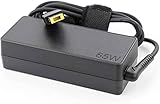
- Compatible with Lenovo V330-15ISK V330-15IKB V130-15IGM V130-15IKB 81AW 81AX 81HL 81HN Laptop
- Input: 100-240V 50-60Hz Output: 20V 3.25A
- Connector:Square Yellow Tip
- What you get:1 x 65 Watt Charger & 1 x 3 Prong Power Cord.
- 12 Months Warranty
Overall, after duly consideration, I will rate the Lenovo V130 15IGM an eight out of ten in this processor review section.
Do these 3 things before closing this tab:
1Scan for outdated or missing drivers - takes under a minute2Repair Windows errors before they cause bigger problems3Fix the driver behind crashes, sound loss and screen glitchesLenovo V130 15IGM: Memory (RAM) Performance
The Lenovo V130 15IGM comes with a DDR4-2400 MHz memory type and a single memory slot. Furthermore, this laptop offers a standard memory of 4 GB in its single memory slot.
Also, the laptop can take up to a maximum memory of 8 GB. Hence, you can upgrade the laptop’s memory by removing the 4 GB standard memory on the single slot and inserting an 8 GB RAM stick.
Although both the standard and maximum memory of the laptop are quite limited for heavy-duty tasks, they are sufficient for basic computing operations. In fact, with a maximum memory of 8 GB, the Lenovo V130 15IGM should be able to decently multitask.
Specifically, the laptop will be able to operate smoothly when it has about 15 Chrome tabs running concurrently. Impressively, even with these Chrome tabs running, the laptop should be able to open a few apps like Skype without lagging.
Quick wins for a faster PC:
Scan for outdated or missing drivers - takes under a minuteDriver Scan →Clear out junk files and repair common Windows errorsFree Scan →To further validate the laptop’s performance with 8 GB RAM, I will now be discussing its result on a PCMark 8 test. However, before proceeding, let me emphasize a bit about the PCMark 8 test.
The PCMark 8 test is a benchmark test tool for evaluating a computer’s memory performance by simulating office-related tasks like web surfing. Also, a high score on this test means a good memory performance.
So, from the results obtained on the test, the Lenovo V130 15IGM scored 1766 points. Sadly, this laptop’s score is below the 1934 points attained by one of its closest competitors, the Acer Aspire 1A115-32.
Hence, I will rate the Lenovo V130 15IGM a seven out of ten in this memory review section.
Lenovo V130 15IGM: Storage Options and Performance
For storage, the Lenovo V130 15IGM offers two storage options. Specifically, you can purchase this laptop with either a 2.5-inch SATA HDD or a 2.5-inch SATA SSD storage.
In terms of storage capacity, the 2.5-inch SATA HDD option supports a maximum storage capacity of 1 TB. Meanwhile, the 2.5-inch SATA SSD option supports a maximum storage capacity of 256 GB.
Obviously, the HDD storage option has a larger storage space than the SSD option. However, the SSD storage option offers speed.
Specifically, SSDs are the fastest storage drive available; they offer fast boot time and fast transfer speed. Hence, if you value speed rather than storage space, you can purchase the Lenovo V130 15IGM with the SSD storage option.
However, if storage space is your main priority, you should get the laptop with the HDD storage option. Besides, the Lenovo V130 15IGM offers a 4-in-1 (SD, SDHC, SDXC, MMC) card reader for storage expansion.
Having said all that, it is important to note that this review is based on the Lenovo V130 15IGM with the SSD storage option. Hence, to ascertain the laptop’s storage performance, we will now be discussing its result on the CrystalDiskMark test.
Rank #4

- ⭐【Upgraded】We sell computers professionally upgraded to 16GB RAM | 256GB SSD. ORIGINAL SEAL IS OPENED FOR UPGRADE ONLY. With 16GB RAM and 256GB PCIe SSD storage, Lenovo V15 laptops let you experience instant boot-up, seamless software performance, and ample storage for all your critical files. Ideal for executives, developers, and business users.
- ⭐【Stunning FHD Anti-Glare Display】Lenovo premium business PC is equipped with a 15.6-inch Full HD (1920x1080p) anti-glare screen, ensuring crisp and vivid visuals while reducing eye fatigue during long working hours. The narrow bezel design maximizes screen space, perfect for presentations, financial modeling, or video conferences.
- ⭐【Powerful Performance for Professionals】Equipped with the 12th Gen Intel 8-Core i5-13420H Processor (12 threads,12 MB Cache, Up to 4.6GHz), this Lenovo V15 G4 laptop delivers blazing-fast speeds for multitasking, data analysis, and business applications. Plus intel UHD Graphics, whether you're working or playing, you'll enjoy powerful performance.
- ⭐【Advanced Connectivity & 6-in-1 Accessory Bundle】Stay connected with 802.11AX WiFi 6 (2x faster speeds) and Bluetooth 5.1 for seamless wireless peripherals. Bundle 5AVE 6-In-1 Accessory Kit: Mousepad, 32GB USB Drive, Laptop Sleeve,3-in-1 Data Cable, Cleaner Kit, Hub.
- ⭐【Windows 11 Home】Lenovo 15.6" business computer comes pre-installed with Windows 11 Home, enjoy a secure, user-friendly operating system and regular updates. Ports: 1x USB-A 2.0, 1x USB-A 3.2 Gen 1, 1x USB-C 3.2 Gen 1, 1x HDMI 1.4b, 1x Ethernet (RJ-45), 1x Headphone / microphone combo jack (3.5mm), 1x Power connector.
In brief, the CrystalDiskMark test is a benchmark test used for evaluating the read and write speeds of a computer’s storage drive. For clarity, read speed is the time it takes a storage drive to open a file.
Meanwhile, write speed is the exact opposite – it is the time it takes a storage drive to save a file. Moreover, the higher the “MBps” value on the CrystalDiskMark test, the faster the read and write speed of the computer’s storage drive.
Crashes, No Sound, or Screen Glitches?
Random freezes, missing sound and display glitches usually trace back to one bad driver. Find and replace yours safely.Free scan · under a minutePC Slower Than It Used to Be?
A free scan shows the junk files, broken settings and background clutter dragging Windows down - then fixes them in one click.Free scan · Windows 10 & 11Therefore, based on the test results, the Lenovo V130 15IGM delivered a sequential read and write speed of 1268 MBps and 628.7 MBps, respectively. Comparatively, this laptop has a faster read and write speed than the Acer Aspire 3 A315-56, which also uses SSD.
Specifically, on the CrystalDiskMark test, the Acer Aspire 3 A315-56 delivered a sequential read speed of 900 MBps. Additionally, this laptop delivered a sequential write speed of 600 MBps.
In conclusion, the Lenovo V130 15IGM offers two storage options including a super-fast SSD. Also, the laptop comes with a media card reader for storage expansion.
Hence, I will rate the Lenovo V130 15IGM a nine out of ten in this storage review section.
Free tools Windows power users keep installed
One-click scans. No signup required.
Lenovo V130 15IGM: Graphics Card Performance
For the graphics card, the Lenovo V130 15IGM offers an Intel UHD Graphics 605. This graphics card features a base and boost frequency of 200 MHz and 750 MHz, respectively.
Sadly, the graphics card doesn’t come with a dedicated VRAM because it is an integrated graphics card. As an integrated graphics card, it means that it is embedded into the laptop’s processor.
Hence, in order to perform graphics-associated tasks, the GPU has to share the system memory with the processor. For this reason, with this GPU, the Lenovo V130 15IGM will not be able to effectively run graphics-demanding apps or games.
However, the GPU is powerful enough for the laptop to smoothly run outdated and low-end games. For example, while playing Sims 4, the laptop delivered an impressive frame rate of 96.9 fps (frame per second).
What’s actually slowing this PC down?
Pick the symptom - the matching free tool is one click away.
That said, to further verify this laptop’s graphics performance, I will now be sharing its result on a 3DMark test. For clarity, the 3DMark test is a benchmark test tool that determines the graphics rendering capabilities of a computer.
Furthermore, a high score on this test means good graphics performance. Hence, based on the test result, the Lenovo V130 15IGM delivered a score of 450 points.
In comparison, this laptop performed better than the Acer Aspire 3 A315-56, which uses the same graphics card. To be more specific, the Acer Aspire 3 A315-56 delivered a score of 367 points on the 3DMark benchmark test.
To end this graphics review section, I will rate the Lenovo V130 15IGM an eight out of ten. This rating is due to the fact that the laptop beat one of its closest rivals on a GPU benchmark test.
Do these 3 things before closing this tab:
1Fix the driver behind crashes, sound loss and screen glitches2Repair Windows errors before they cause bigger problems3Scan for outdated or missing drivers - takes under a minuteLenovo V130 15IGM: Battery life and Performance
In terms of battery, the Lenovo V130 15IGM is powered by a 30 Whr Li-Polymer battery. This battery was advertised by Lenovo to last up to 6 hours.
However, we won’t just blindly believe a manufacturer’s claim. Hence, in order to validate the claim, I will now be discussing the laptop’s performance on a battery rundown test.
To clarify, this battery rundown test involves continuous web surfing on the laptop via a WIFI connection. Also, the laptop’s brightness will be set to 120 nits.
Thus, at the conclusion of the test, the Lenovo V130 15IGM delivered a battery life of 6 hours and 40 minutes. Impressively, this battery life is more than the 6 hours that Lenovo initially claimed.
In fact, compared to the Lenovo G50-80, the laptop has longer battery life. Specifically, on the same battery rundown test, the Lenovo G50-80 delivered a battery life of 3 hours and 10 minutes.
Therefore, I will rate the Lenovo V130 15IGM a nine out of ten in this battery review section.
Frequently Asked Questions
The Lenovo V130 15IGM weighs 1850 g.
Yes, the Lenovo V130 15IGM comes with an optical drive.
No, the Lenovo V130 15IGM lacks a touchscreen display, meaning it isn’t a touchscreen laptop.
Yes, the Lenovo V130 15IGM features one HDMI port.
Yes, the Lenovo V130 15IGM comes with a keyboard that is spill-resistant.
Conclusion
The Lenovo V130 15IGM is a simple laptop that is best suited for handling basic computing tasks. To give more details, this laptop comes with a good number of ports as well as a spill-resistant keyboard.
Also, the laptop offers multiple resolution and storage options. In addition to that, the battery life of the laptop is top-notch.
However, this Lenovo laptop offers limited memory, and its display has bad viewing angles. Nevertheless, if you need a laptop for basic computing operations, the Lenovo V130 15IGM might just be your best pick.
I hope you found this Lenovo V130 15IGM review helpful. If you found the review helpful, we would love to hear from you.
Kindly spare two minutes to share your thoughts with our community using the comments form below.
Alternatively, simply respond to the “Was this page helpful” question below and provide us with your feedback.
Finally, for more laptop reviews, visit our Laptop Reviews page. You may also find our Laptop Specs page very helpful.
The Tool Desk
Outbyte Driver Updater FREEScan for outdated or missing drivers - takes under a minuteDriver Scan →Outbyte PC Repair FREEClear out junk files and repair common Windows errorsFree Scan →Quick Recap
Product prices and availability are accurate as of the date/time indicated and are subject to change. Any price and availability information displayed on Amazon at the time of purchase will apply.


