
iTechGuides is reader-supported. When you buy through links on our site, we may earn an affiliate commission. As an Amazon Associate I earn from qualifying purchases. Learn more
Yes, this is a legitimate high-end ThinkPad P53 specification—but the phrase usually describes Lenovo’s maximum or near-maximum option set, not one universal factory SKU. Lenovo documented the Core i9-9880H, Quadro RTX 5000 Max-Q, up to 128GB of DDR4 memory and an optional 15.6-inch 4K OLED touchscreen. On a used machine, verify that the individual unit actually contains all four components.
In 2026, the P53 makes sense mainly as an affordable, expandable used workstation for CAD, 3D, rendering, simulation, virtual machines and memory-heavy development. Its age, weight, heat, battery wear and mobile Max-Q GPU mean it is not a modern replacement for a current ThinkPad P16, Dell Precision or HP ZBook.
Is the Core i9/128GB/RTX 5000/OLED configuration real?
Lenovo’s official P53 documentation supports each headline feature. The P53 PSREF lists the Core i9-9880H, Quadro RTX 5000 Max-Q and four SO-DIMM slots supporting up to 128GB. Lenovo’s P53 datasheet lists the optional 4K OLED touchscreen.
Recommended Free Tools
Those documents describe the platform’s available options. They do not prove that every country or machine type shipped from the factory with Core i9, RTX 5000, 128GB, OLED and maximum storage together. A listing can represent a factory-built configuration, a used P53 upgraded with memory or SSDs, or a seller who copied options from several variants. Check the machine type, serial number, BIOS and physical hardware before treating the specification as confirmed.
#1 Best Overall

- Intel Core i7-9750H 2.6 GHz Up to 4.5 GHz 6-Core Processor/32GB DDR4 RAM/512GB M.2 PCIe NVMe SSD/No Optical Drive/15.6-inch Full HD 1920 x 1080 IPS Display
- NVIDIA Quadro T1000 Graphics (4GB)/Stereo speakers 2W x 2, Dolby Atmos/HD 720p Camera 1280 x 720/Dual array microphone/3-button TrackPoint pointing device
- 3-button multi-touch touchpad/4-in 1 Card reader (MMC, SD, SDHC, SDXC)/LED backlight keyboard with numeric keypad/Fingerprint reader/1 x USB-C 3.1 Gen 1 (support data transfer, Power Delivery and DisplayPort)
- 2 x USB 3.1 Gen 1 (one Always On)/2 x USB-C 3.1 Gen 2/Thunderbolt 3/1 x HDMI 2.0 port/1 x Gigabit LAN (RJ-45) port/Microphone and Headphone Combo Jack/Wi-Fi 6 AX200, 802.11ax 2x2 Wi-Fi and Bluetooth 5.1
- Li-Polymer Battery/AC adapter power/Windows 11 Pro/Black color
Lenovo called the P53 “the world’s most powerful 15-inch mobile workstation” at launch; that was contemporary marketing, not a claim about performance in 2026. See the Lenovo launch announcement for the original positioning.
Verified hardware specifications
| Component | P53 specification | Important qualification |
|---|---|---|
| Processor | Intel Core i9-9880H, 8 cores/16 threads, 2.3GHz base, up to 4.8GHz Turbo, 16MB cache, Intel UHD Graphics 630 | A 2019-era mobile CPU; “Core i9” does not indicate current-generation performance. |
| Professional GPU | NVIDIA Quadro RTX 5000 Max-Q with 16GB GDDR6 | Max-Q is the power- and thermally constrained mobile implementation, not a desktop RTX 5000. |
| Memory | Four DDR4 SO-DIMM slots; Lenovo maximum 128GB | Usually four 32GB modules. Core i9 systems should normally be treated as non-ECC; ECC support is associated with Xeon configurations and ECC DIMMs. |
| Display | Optional 15.6-inch 3840×2160 OLED touchscreen, Dolby Vision HDR, 100% DCI-P3, listed 100,000:1 contrast ratio | OLED was optional. A 4K resolution alone does not prove that the panel is OLED. |
| Storage | Multiple PCIe NVMe arrangements, with Lenovo advertising up to 6TB in some configurations | Drive count, RAID mode and bay availability vary by chassis and installed hardware. |
Use Lenovo’s PSREF and datasheet as specification references rather than assuming that a seller’s title describes the actual unit.
What the Core i9-9880H is still good at
The eight-core, 16-thread i9-9880H can handle sustained office multitasking, compiling, CPU rendering, engineering calculations and virtual machines better than older quad-core mobile workstations. However, its 2019 architecture and power limits make it substantially slower and less efficient than current mobile workstation CPUs. Compare exact newer processors and sustained cooling—not the Core i9 badge.
Lenovo also offered Xeon E-2200-series processors. A Xeon P53 can be preferable when ECC memory is a requirement, but “Xeon” does not automatically mean faster. Compare the exact Xeon model, memory type, GPU and cooling condition.
Rank #2

- Lenovo ThinkPad E16 Gen 2 Business Laptop Computer, AMD 8-Core Ryzen 7 7735HS, 16GB DDR5, 512GB PCIe SSD, 16" FHD+, WiFi 6, Windows 11 Professional
- AMD Radeon 680M Graphics; 16GB DDR5 RAM; 512GB SSD M.2 PCIe NVMe
- 16" WUXGA (1920x1200) IPS 300nits Non-Touch Anti-glare, 45% NTSC
- High Definition (HD) Audio; 720P HD RGB with Privacy Shutter; Wi-Fi 6, 2x2 + Bluetooth 5.3
- Operating System: Windows 11 Pro 64, English; Black; Weight: 3.9 lbs; Bundled with 5-in-1 HUB
Why the RTX 5000 Max-Q matters
The Quadro RTX 5000 Max-Q combines 16GB of GDDR6 VRAM with hardware ray tracing, Tensor cores and professional NVIDIA drivers. Lenovo positioned the P53 for engineering, architecture, design, AR/VR, AI-related and other ISV-certified workloads. Its 16GB capacity remains useful for large CAD assemblies, high-resolution textures, GPU-rendering scenes, professional visualization and CUDA workloads that exceed lower-VRAM cards.
Max-Q changes the comparison. The GPU is tuned for a laptop’s power and cooling envelope, so performance depends on power mode, temperatures, graphics switching, driver version and system condition. Do not compare it directly with a desktop RTX 5000 or assume that 16GB of VRAM makes it equivalent to a current professional GPU. Newer GPUs generally deliver better speed, ray tracing, AI acceleration, efficiency and software support.
Workloads that can justify RTX 5000
- Large CAD, BIM and engineering assemblies.
- GPU-assisted rendering and complex visualization.
- VR development and high-resolution 3D assets.
- CUDA or AI jobs that fit within 16GB of VRAM.
- Professional applications that benefit from certified workstation drivers.
When a lower P53 GPU is enough
For ordinary CAD, moderate modeling, office work and lighter creative projects, an RTX 4000 or T2000 configuration may cost less and produce less heat. Pay for the RTX 5000 when your scenes, textures, rendering or CUDA workload actually use its extra VRAM.
What’s actually slowing this PC down?
Pick the symptom - the matching free tool is one click away.
What 128GB of RAM changes
Four 32GB DDR4 modules can provide 128GB, subject to processor and DIMM compatibility. Four matched modules are preferable for predictable dual-channel operation. A used seller may have installed the memory after purchase, so capacity alone does not establish a factory 128GB configuration.
Rank #3

- EXCEPTIONAL BUSINESS VALUE - The Lenovo V15 combines a sleek design, dependable everyday performance, and MIL-STD-810H tested durability with business-ready security features. Offering many of the essential business capabilities of the ThinkPad E16 at a more affordable price, it's an ideal choice for professionals, students, and small businesses.
- POWERFUL PERFORMANCE - Powered by the AMD Ryzen 3 7320U processor with integrated AMD Radeon 610M Graphics, this laptop delivers responsive performance for everyday computing. Combined with 16GB LPDDR5 5500MHz memory for smooth multitasking and 512GB PCIe NVMe M.2 SSD for fast boot-ups, quick file access, and ample storage, it keeps your workflow efficient from start to finish.
- IMMERSIVE VISUAL EXPERIENCE - Enjoy sharp, vibrant visuals on the 15.6" FHD (1920 × 1080) anti-glare display, designed for comfortable viewing during work or entertainment. HDMI and USB-C support up to two external 4K monitors at 60Hz without a docking station, providing an expanded workspace for efficient multitasking. An HD webcam with a privacy shutter ensures clear video calls while protecting your privacy when the camera is not in use.
- VERSATILE CONNECTIVITY - Stay connected with one USB-C port supporting Power Delivery and DisplayPort 1.2, two USB-A ports, HDMI 1.4, Ethernet (RJ-45), and an audio combo jack for seamless connections to monitors, peripherals, and wired networks. A full-size keyboard with a Numeric Keypad enhances data entry and everyday productivity, while built-in Wi-Fi 6 and Bluetooth 5.3 deliver fast, stable wireless connectivity for work, streaming, and daily use.
- OPERATING SYSTEM - Preinstalled with Windows 11 Pro 64-bit and AI Copilot, this system delivers a modern, intuitive user experience with advanced security and productivity features. Built-in tools such as BitLocker encryption, Remote Desktop, and enhanced device management help protect data and simplify system administration. Seamless compatibility with a wide range of applications, peripherals, and business software ensures reliable performance for everyday computing.
128GB is valuable for multiple virtual machines, large BIM or CAD projects, simulation, local databases, containers, software-development environments and large video or 3D projects. It is excessive for browsing, office applications and most gaming. Confirm whether the system uses ECC only when the processor and DIMMs are a Xeon/ECC-supported combination.
OLED display: excellent image quality with real compromises
The optional 3840×2160 OLED touchscreen offers deep blacks, very high contrast, wide-gamut 100% DCI-P3 coverage and Dolby Vision HDR. It is attractive for design, photography and video work, but gamut is not the same as factory calibration and HDR support does not specify sustained full-screen brightness.
- Power: OLED can consume more than lower-resolution IPS panels, especially with bright content, reducing unplugged runtime.
- Reflections: The glossy touch surface is less comfortable than a matte panel in bright offices or outdoors.
- Image retention: Static taskbars and application chrome create a long-term retention risk; vary content and use sensible display timeouts.
- Scaling: Windows scaling is normally needed at 4K on a 15.6-inch screen.
Confirm 3840×2160 resolution, touch support and panel identification in Windows or BIOS. A black-screen photograph can suggest OLED characteristics but is not conclusive, and the presence of OLED says nothing about which GPU is installed.
Free tools Windows power users keep installed
One-click scans. No signup required.
Storage, ports and docking
Depending on the chassis and parts installed, the P53 can contain multiple M.2 PCIe NVMe drives, optional RAID and additional storage or battery hardware. Inspect SSD model, health, power-on hours, capacity, RAID status, encryption and storage passwords; a seller may have removed the original drive.
Rank #4

- Windows 11 Professional | WiFi 6E 802.11AX (2 x 2) with Bluetooth 5.3 | 65W AC Adapter | Standard Keyboard with Trackpoint
- 2 x USB-A 3.2 Gen 1 | USB-C 3.2 Gen 2 | USB-C 3.2 Gen 1 | HDMI 2.1 supporting resolution up to 4K@60Hz | RJ45 Headphone / mic combo | MicroSD card reader
- AMD Ryzen 5 7530U Processor (2.00 GHz, up to 4.50 GHz Max Boost, 6 Cores, 12 Threads, 16 MB Cache) | 256GB PCIe SSD | 16GB DDR4 3200Mhz RAM
- Lenovo ThinkPad L14 Gen 4 with Ryzen PRO 7530U for Business and Gaming! | Amazon Renewed, Certified Refurbished
Connectivity includes two USB 3.1 Gen 1 ports, USB-C, two Thunderbolt 3 ports, HDMI 2.0, Ethernet and SD-card support, with optional WWAN and smart-card hardware. Lenovo states that the platform can support up to five independent displays—its internal panel plus four external screens—depending on the connection method and configuration. Thunderbolt docks, USB-C chargers and display adapters are not interchangeable by default. Sustained RTX 5000 loads may require the original high-wattage Lenovo adapter.
Performance, heat and battery reality
This configuration is strongest when plugged in. Dust, dried thermal compound, blocked exhausts, worn fans or an undersized adapter can cause thermal throttling, making a short benchmark look better than sustained work. Test a long render or workload while monitoring clocks, temperatures and throttling rather than relying on burst scores.
Lenovo’s datasheet claims up to 13 hours with the 90Wh battery, but that is a manufacturer “up to” result under specified conditions—not expected runtime for a used Core i9/RTX 5000/OLED machine. Bright OLED output, discrete-GPU activity, workload and battery age can reduce it substantially. Check design versus full-charge capacity, cycle count, idle GPU activity, runtime on integrated graphics and any swelling or physical damage.
Used-buying verification checklist
- Capture BIOS evidence: Request photographs showing machine type, processor, installed memory and graphics identification.
- Confirm the operating system inventory: Windows System Information or a reputable hardware utility should identify the Core i9-9880H, 128GB RAM, Quadro RTX 5000 Max-Q and every SSD.
- Verify the panel: Confirm 3840×2160, touch and OLED identification; do not infer OLED from resolution alone.
- Inspect the chassis: Check OLED retention, keyboard wear, hinges, USB-C/Thunderbolt ports, fans, exhausts, cracks and battery swelling.
- Test sustained load: Look for fan faults, overheating and throttling during a lengthy CPU/GPU workload.
- Check the adapter: Confirm the genuine Lenovo high-wattage charger and correct connector. A low-wattage USB-C charger may not support full performance.
- Check ownership controls: Verify BIOS supervisor-password status, Computrace/Absolute status where relevant, drive-encryption or enterprise-management locks and a clean operating-system handover.
- Run memory and storage checks: Mismatched DIMMs can work but may reduce reliability or performance; run a memory diagnostic and inspect SSD health.
How it compares with buying newer
The P53’s advantages are used-market affordability, four memory slots, large possible RAM capacity, a professional GPU, ThinkPad keyboard and serviceability. Its disadvantages are a heavy chassis, high power draw, older CPU/GPU architecture, limited battery life, older webcam and reduced certainty about warranty and driver longevity.
Best Value
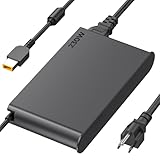
- 【Technical Specifications】230W Laptop Charger Input: 100-240V/50-60Hz Output: 20V, 11.5A, 230W (Compatible with 20V, 11.5A, 230W/20V, 8.5A, 170W/20V, 6.75A, 135W, incompatible with 300W and 330W) Maximum Output Power: 230W. Plug Specification: Square Yellow Plug
- 【Compatible Lenovo Model】 Lenovo Legion Charger compatible with Legion 5-15ACH6 5-15ACH6A 5-15ACH6H 5-15ARH05H 5-15IMH05H 5-15IMH6 5-15ITH6 5-15ITH6H 5-17ACH6 5-17ACH6H, 5-17ARH05H, 5-17IMH05H, 5-17ITH6, 5-17ITH6H, Legion 5Pro-16ACH6, 5Pro-16ACH6H, 5Pro-16ITH6, 5Pro-16ITH6H, 5P-15ARH05H 5P-15IMH05H
- 【Compatible Lenovo Model】Lenovo 230W Charger Compatible With Lenovo Legion Y540-15IRH, Y540-17IRH, Y540-17IRH-PG0, Y720-15IKB, Y740-15ICHg, Y545-PG0, Y520, Y730, Y740, Y900, Y910, Y920, Y7000, Y7000P, Y9000K, R720 series, 7-15IMH05, 7-15IMHg05, C7 15IMH05, S7 15ACH6, S7 15ARH5, S7 15IMH5, Compatible With Lenovo ThinkPad P1 P15 P16 P73 P72 P71 P70 P53s P53 P52s P52 P51s P51 P50 P50s W540 W541 W550S W550
- 【Compatible with P/N】ADL230SDC3A ADL230NLC3A ADL230SCC3A ADL230NDC3A ADL230SLC3A ADL230SCC2A 4X20E75113 4X20E75124 4X20E75117 4X20E75122 4 X20E75114 4X20E75120 4X20E75125 4X20E75112 4X20E75119 4X20E75111 4X20E75123 4X20E75116 4X20E75115 4X 20E75118 4X20E75121 4X20S56717 4X20S56713 4X20S56726 4X20Z83991 4X20E7511 GX20Z46307 GX20L29347 SA10R168 90 SA10E75804 SA10M42756 SA10E75805 SA10H28356 00HM626 00HM627 01FR046 01FR044 02DL144 02DL143 02DL142 00PC782
- 【Safety and Service】The Lenovo Legion 5 charger undergoes rigorous quality testing to ensure outstanding performance. It complies with safety standards and features multiple protections, including overvoltage, overload, overheating, and short-circuit protection. Lenovo laptop chargers come with a 12-month worry-free refund or replacement guarantee
Comparison targets include the newer Lenovo ThinkPad P16 family, Dell Precision mobile workstations and HP ZBook systems. They generally offer newer processors and GPUs, better performance per watt, newer platform features, warranty options and longer support horizons. Current prices for those alternatives vary and should be checked at purchase.
For historical context only, Notebookcheck reviewed a top P53 configuration with Xeon, RTX 5000, OLED, three SSDs and 128GB at nearly €8,000 (approximately $8,816 at the time). That launch-era review price is not a 2026 used-market valuation.
Who should buy this P53?
Buy when
- You need 128GB RAM or 16GB VRAM at a used-workstation price.
- Your applications benefit from professional drivers, large scenes or CUDA capacity.
- You value ThinkPad serviceability, keyboard quality and abundant ports.
- The unit has healthy cooling, battery, display and the correct charger.
- You accept an older, heavy workstation and mostly work near an outlet.
Avoid when
- The price approaches a newer workstation with warranty.
- You mainly need office work, casual gaming or a light travel laptop.
- The seller cannot prove the OLED panel, GPU, memory or machine type.
- The battery is exhausted, the hinge or ports are damaged, or the adapter is missing.
- Your software requires current GPU features, current CUDA support or the latest platform security features.
Frequently Asked Questions
Does every ThinkPad P53 with a Core i9 have 128GB RAM, RTX 5000 and OLED?
No. Lenovo documented these as separate platform options. Verify the individual machine’s BIOS, hardware inventory and display before buying.
Do these 3 things before closing this tab:
1Scan for outdated or missing drivers - takes under a minute2Repair Windows errors before they cause bigger problems3Fix the driver behind crashes, sound loss and screen glitchesIs the P53’s RTX 5000 the same as a desktop RTX 5000?
No. It is the mobile Quadro RTX 5000 Max-Q, with 16GB GDDR6 and laptop power and thermal limits.
Can a Core i9 P53 use ECC memory?
ECC support is associated with Xeon-based configurations and compatible ECC DIMMs. Do not assume that a 128GB Core i9 system is ECC-capable.
The Bottom Line
Buy this P53 only when its verified condition and price reflect a 2019-era used workstation. The 128GB memory ceiling and 16GB RTX 5000 Max-Q remain compelling for specialized workloads, but a newer workstation is usually the better choice for mobility, efficiency, warranty and long-term software support.
Quick Recap
Product prices and availability are accurate as of the date/time indicated and are subject to change. Any price and availability information displayed on Amazon at the time of purchase will apply.

