
iTechGuides is reader-supported. When you buy through links on our site, we may earn an affiliate commission. As an Amazon Associate I earn from qualifying purchases. Learn more
Notebookcheck reported on October 8, 2026 that Lenovo’s US store was selling the Tab Plus Gen 2 for 35% off, bringing the 8 GB RAM / 128 GB configuration to just under $257 with the coupon code EXTRASAVEAFF. The offer is the reason to look at this tablet now, but the more useful question is whether its design suits you once the discount is set aside. The short answer: it is a strong pick for someone who wants a large, loud, media-first tablet and can accept a heavy, thick body. It is a poor pick for anyone who needs something light to carry.
What the discount actually covers
The headline’s $143 saving implies a reference price of roughly $400. Notebookcheck’s deal report states the 35% discount and the just-under-$257 price, but it does not print the original price in the parts of the article that describe the offer, so treat the $143 figure as arithmetic on those two numbers rather than a separately reported markdown.
Three details define the offer:
- Retailer: Lenovo’s US online store, not a third-party seller.
- Configuration: 8 GB RAM and 128 GB storage. The price does not apply to a 256 GB model.
- Condition: The coupon EXTRASAVEAFF must be applied at checkout. Notebookcheck notes that deal prices and availability can change without notice.
Because the report is dated October 8, 2026, confirm the price on Lenovo’s US product page before you buy. Stock for a sale configuration can run out, and the coupon may expire or be limited to certain items.
Hardware at a glance
The table below uses the specifications from Notebookcheck’s September 18, 2026 review, which tested the tablet in the 8 GB / 128 GB configuration. The review states that Lenovo Deutschland provided the test unit.
#1 Best Overall

- SMARTER BEATS, GREATER JOY – The Lenovo Tab Plus Gen 2 brings together a pro speaker system, vivid 12.1" 2.5K Dolby Vision display, and AI-powered features like Live Transcript for immersive entertainment you can enjoy anywhere.
- SMOOTH MOTION, MORE ROOM – Games and videos load buttery-smooth thanks to the MediaTek Dimensity 7400 processor and zippy 120Hz refresh rate.
- VISUALS BUILT TO PULL YOU IN – Watch your favorite scenes come to life with sharper detail and brighter contrast. The large 12.1” 2.5K display glitters with 800nits brightness, HDR10 support, and Dolby Vision that enhances media with more highlights and depth.
- FLEXES TO FIT YOUR MOMENT – The Tab Plus Gen 2 has a 360ᵒ spin kickstand that allows you to tilt and rotate freely so you can comfortably watch or scroll.
- SOUND THAT FILLS YOUR SPACE – Experience clearer vocals and cinematic sound with the 9-unit Pro speaker system powered by JBL. Wi-Fi 6 and Bluetooth 5.4 effortlessly connect the tablet to your phone so you can turn every room into a dance party, lecture hall, and everything in between.
| Feature | Lenovo Tab Plus Gen 2 (as tested by Notebookcheck) |
|---|---|
| Display | 12.1-inch IPS, 2560 × 1600 resolution, 120 Hz refresh rate |
| Processor | MediaTek Dimensity 7400 |
| Memory | 8 GB RAM |
| Storage | 128 GB UFS 3.1, expandable with microSD |
| Speakers | Nine-speaker system: four tweeters, three subwoofers, two passive radiators |
| Battery | 10,200 mAh |
| Stand | Integrated |
| Weight | 775 g |
| Maximum thickness | 22.7 mm |
| Operating system | Android 16 preinstalled |
The 120 Hz panel is the feature to look for if you plan to watch fast-moving content or use the tablet for smooth scrolling. The 2560 × 1600 resolution gives a sharp image at 12.1 inches.
How good is the sound?
The speaker array is the tablet’s main selling point and the reason Lenovo’s design stands out in this price range. Notebookcheck counts nine drivers in total: four tweeters for higher frequencies, three subwoofers for bass, and two passive radiators that add low-end output without their own amplifiers.
Rank #2

- BUILT TO THINK FORWARD – The Lenovo Idea Tab Pro Gen 2 is built for smart, focused study with AI-powered tools that help you organize, visualize, and absorb more. It has a vivid 13” 3.5K display and is optimized for powerful performance everywhere you go.
- SMARTER READER, SMARTER NOTES – Read papers, mark notes in the margins, and organize PDFs with Smart Capture to stay ready for meetings and classes alike.
- SHARPER VIEWS AND BRIGHTER FOCUS – The 13” 3.5K LTPS display offers stunning detail and 800 nits brightness for impeccable viewing outside and in. The Idea Tab Pro Gen 2 is certified with TÜV Rheinland Low Blue Light and Flicker Free technology to minimize eye fatigue and maximize visual splendor.
- NOTHING SLIPS, EVERYTHING STICKS – Lenovo AI Live Transcript takes continuous notes for you during meetings and class so you can stay present and study them later. They’re saved automatically to Notepad where you can create summaries and identify key takeaways to create structured notes that actually stick.
- LEARN VISUALLY – Long press on an image to activate Smart Capture and pull key visuals straight into Lenovo Notepad. Clean up hand-drawn ideas with Sketch to Image, or sharpen blurry details when clarity matters. From quick capture to classroom- ready notes, learning becomes easier to understand and simpler to share.
That layout is a sound design choice, and it is what most buyers will notice first. The sources available for this article do not include a listening-test verdict that rates the speakers against other tablets, so this article does not claim that the audio beats any particular competitor. If audio is your deciding factor, read the speaker section of the full Notebookcheck review and listen to the device in a store if one is available to you.
The Tool Desk
Outbyte PC Repair FREEClear out junk files and repair common Windows errorsFree Scan →Outbyte Driver Updater FREEScan for outdated or missing drivers - takes under a minuteDriver Scan →For video calls, music, and films, a nine-speaker tablet will generally deliver more volume and bass than a typical slim tablet with two small speakers. For headphone-only use, the array adds nothing.
Rank #3

- A VIBRANT, SLIMMER BUILD FOR SHARPER MINDS – Engage in AI-powered smart learning on the stylish Lenovo Idea Tab Plus. The svelte tablet packs a powerful punch with quad speakers, sharp graphics, and all-day battery life.
- CARRY LIGHT, FEEL BRIGHT – Weighing just over a pound, the Idea Tab Plus is light enough to carry from morning to night and thin enough to easily slip between your notebooks. The Luna Grey color is soft, fresh, and designed to feel just right anywhere.
- CIRCLE TO SEARCH – Stay focused and use your Lenovo Tab Pen or fingertip to circle items for instant search results or to translate other languages without switching apps. Circle to Search is powered by Google.
- LET YOUR LEARNING CLICK – Write, organize, sketch, and calculate with four learning apps built to match your flow. Lenovo Notepad, Squid, Nebo, and MyScript Calculator help you stay clear, focused, and ready for every study session.
- MORE TO SEE, MORE TO ENJOY – The 12.1″ 2.5K display delivers rich color and sharp detail. With TÜV Rheinland Low Blue Light and up to 800 nits brightness, the display keeps every frame clear in any light.
Battery life and the test conditions behind it
Notebookcheck reported nearly 29 hours in its Wi-Fi web-browsing test. That is a single publication’s measurement under its own settings, brightness, and workload. It is not a guarantee of runtime for your use. Video playback at high brightness, gaming, or heavy speaker use will drain the battery faster than light browsing does.
The 10,200 mAh battery is the reason for the long test result, but the large cell also contributes to the tablet’s weight and thickness.
Rank #4
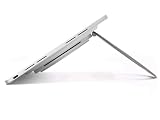
- 12.1" 2.5K (2560 x 1600), IGZO, Multi-Touch, AF Coating, 800 nits, 120Hz
- 128 GB UFS 3.1
- 8 GB LPDDR5 (Soldered)
- Android 16 or Later
The size and weight trade-off
At 775 g and 22.7 mm at its thickest point, this is a heavy tablet. Many thin tablets weigh well under 600 g, so the Tab Plus Gen 2 feels more like a small laptop slate than a light reading device. The bulk comes from the battery, speakers, and integrated stand.
Recommended Free Tools
The trade-off has three practical effects:
- Holding it in one hand for long periods, such as reading in bed, becomes tiring.
- Carrying it in a bag adds noticeable weight compared with a slim tablet.
- The stand makes it suitable for propping up on a desk or table, which is where the speakers and large display work best.
Software support window
Notebookcheck’s review states that Android 16 comes preinstalled, that two major Android upgrades are planned, and that security updates are expected through 2030. These are Notebookcheck’s reading of Lenovo’s plans, not a written guarantee from Lenovo in the sources reviewed here. Plan around the stated window: two major upgrades and security patches through 2030, with no promise of longer support.
Best Value

- Quality tempered glass screen protector exclusively designed for 12.1" Lenovo Idea Tab Plus Gen2(2026)/Gen1(2025) / Lenovo Tab K12 (TB361FU/TB361ZU) 2025. Not compatible with any other devices
- 9H hardness surface with Super HD transparency
- True touch sensitivity; Ultra thin (0.33mm thickness); Rounded edge integration
- Bubble-free installation, only take seconds; Advanced silicon adhesive, no residue when removing
- Scratch resistant; Shock-resistant; Anti-oil
Storage and accessories
The 128 GB configuration can be expanded with microSD, which matters for offline films and music libraries. Notebookcheck lists the Lenovo Tab Pen Plus stylus as sold separately. Check the stylus model and any microSD card you plan to buy against Lenovo’s current compatibility information before purchase, because the review does not establish compatibility for specific third-party cards or cases.
The review’s Amazon listing points to a 256 GB model. That is a different configuration from the 128 GB unit in the deal, so check the storage size on any product page before you assume the price applies.
Who it suits
The Tab Plus Gen 2 makes sense for a buyer who:
- Uses the tablet mainly for films, music, and video calls, and wants speakers that work without earbuds.
- Keeps the tablet on a desk or stand rather than carrying it everywhere.
- Is comfortable with an Android update window that runs to 2030 with two major upgrades.
It is a weaker fit for someone who wants a light, pocketable tablet, a long software support commitment beyond what Lenovo has stated, or a tablet to take on public transport every day.
Do these 3 things before closing this tab:
1Clear out junk files and repair common Windows errors2Fix the driver behind crashes, sound loss and screen glitches3Repair Windows errors before they cause bigger problemsChecking the deal before you buy
- Open Lenovo’s US online store and search for “Tab Plus Gen 2”.
- Confirm the product page lists 8 GB RAM and 128 GB storage. If it shows 256 GB, the deal price does not apply.
- Enter EXTRASAVEAFF at checkout and confirm the total is just under $257 before tax and shipping.
- Check stock on the configuration you want. Sale stock can sell out.
- If the coupon fails, compare the current price on the product page with the reported price and decide whether the remaining discount is worth buying at.
Prices and coupons in the October 8, 2026 report may not match the page you see later. If the code no longer works, the tablet may still be worth considering at whatever price Lenovo lists, provided the specifications and weight suit your use.
The discount is real on the day Notebookcheck reported it, but it is a time-limited offer, not a permanent price. Judge the tablet by its speakers, weight, and software window, and treat the coupon as a bonus rather than the reason to buy.
Quick Recap
Product prices and availability are accurate as of the date/time indicated and are subject to change. Any price and availability information displayed on Amazon at the time of purchase will apply.

