
iTechGuides is reader-supported. When you buy through links on our site, we may earn an affiliate commission. As an Amazon Associate I earn from qualifying purchases. Learn more
The Lenovo System x3850 X6 review verdict is conditional: this withdrawn 4U, four-socket server remains useful for highly parallel workloads and very large memory configurations, but it is a poor general-purpose or quiet home server in 2026 unless power, rack space, compatible parts, and software support are already available.
The x3850 X6 was designed for enterprise virtualization, databases, analytics, and other workloads that could exploit multiple Intel Xeon E7 processors and large NUMA memory configurations. A used unit can deliver substantial aggregate throughput for little upfront money, but the purchase price is only one part of ownership. Electricity, cooling, noise, shipping, proprietary modules, aging components, and operating-system support can dominate the real cost.
Key takeaways
- The later machine type 6241 supports up to four Compute Books, four Xeon E7 v4 processors, 96 physical cores, 96 DIMM sockets, and a Lenovo-documented maximum of up to 12 TB of memory in the appropriate configuration.
- The earlier machine type 3837 is an E7 v2 platform and should not be treated as equivalent to an E7 v4-based 6241 system.
- Lenovo documented a 6.6-bels operating-noise rating, a maximum heat output of 3,200 W, and a maximum weight of approximately 54.7 kg, making the x3850 X6 a data-center-class machine rather than a quiet home server.
- Historical Lenovo benchmark results demonstrate high aggregate throughput, but those results used unusually powerful processors, large memory configurations, enterprise software, and—in the TPC-E test—extensive external storage.
- A used x3850 X6 is worth considering only when the workload scales across many cores or needs unusually large memory and the buyer can verify the Compute Books, DIMMs, RAID hardware, power supplies, firmware, and support requirements.
What is the Lenovo System x3850 X6?
The Lenovo System x3850 X6 is a withdrawn 4U, four-socket enterprise rack server built around Intel Xeon E7 processors. Lenovo’s System x3850 X6 6241 product guide identifies the later platform as supporting Xeon E7-4800 v4 and E7-8800 v4 Compute Books, while the earlier 3837 product guide covers the E7 v2 generation.
Do these 3 things before closing this tab:
1Scan for outdated or missing drivers - takes under a minute2Clear out junk files and repair common Windows errors3Fix the driver behind crashes, sound loss and screen glitchesThe “X6” name does not identify one uniform used-server configuration. A listing described only as “x3850 X6” could contain one or two Compute Books, older E7 v2 processors, DDR3 memory, or a later E7 v4 configuration with DDR4 memory. Storage Books, I/O Books, RAID controllers, power supplies, and memory population also vary substantially.
#1 Best Overall

- Hynix Original 64GB ( 32GBx2 ) 2400 MHz ECC Registered/Buffered 288pin Standard Voltage DDR4 Dual Rank Random Access Memory Module.
- Every module is backed by a lifetime limited warranty from the manufacturer. We always have hundreds in stock!
- Free technical support from our experienced technicians
- Every single module is fully tested by the manufacturer and certified.
- Compatible with most major brand servers. Not sure if your server is compatible? Feel free to contact us. Our experienced techniciaQQ can verify if these parts will work for you.
Lenovo marks the product and its models as withdrawn from marketing. That means a used x3850 X6 should be evaluated as legacy enterprise hardware, not as a discounted current Lenovo server with current-generation warranty and platform support.
What are the x3850 X6 3837 and 6241 differences?
The machine type is the first identification step because the 3837 and 6241 generations use different processor and memory eras.
| Machine type | Processor generation | Memory generation | Buying implication |
|---|---|---|---|
| 3837 | Intel Xeon E7 v2 | Earlier DDR3-based Compute Books | Older CPU features, platform support, and memory technology; do not assume E7 v4 upgrade compatibility. |
| 6241 | Intel Xeon E7 v3 or E7 v4 | DDR3 with compatible earlier Compute Books or DDR4 with supported E7 v4 Compute Books | Preferable when the buyer specifically needs the final documented E7 v4 generation, but the exact Compute Book still determines compatibility. |
Ask the seller for a photograph of the machine-type label, every Compute Book label, and the installed processor model numbers. A 6241 chassis does not automatically contain E7 v4 processors, and an advertised “96-core” capability does not describe the configuration actually being sold.
Free tools Windows power users keep installed
One-click scans. No signup required.
What are the Lenovo System x3850 X6 specifications?
The following specifications apply primarily to the later 6241 generation and must be qualified by configuration. Lenovo’s official 6241 documentation is the authority for the supported combinations.
| Component | Documented capability | Important qualification |
|---|---|---|
| Form factor | 4U rack server | Requires substantial rack space and suitable rails. |
| Processor sockets | Up to four | One processor is installed per Compute Book. |
| CPU family | Xeon E7-4800 v4 or E7-8800 v4 on supported 6241 configurations | Older 3837 systems use E7 v2 processors; E7 families are not interchangeable without checking the platform rules. |
| Compute Books | Two or four supported in normal configurations | Three Compute Books are not supported. |
| Maximum physical cores | Up to 96 | Requires four 24-core processors, not merely an x3850 X6 chassis. |
| DIMM sockets | Up to 96, or 24 per processor | Population rules affect compatibility, performance, and operating speed. |
| Memory | Lenovo documents up to 12 TB in the appropriate 6241 configuration | Other Lenovo material describes 6 TB; the figures refer to different documented generations or configurations. |
| Memory technology | DDR4 up to 1866 MHz with supported E7 v4 Compute Books; DDR3 up to 1600 MHz with compatible earlier Compute Books | DDR3 and DDR4 cannot be mixed, and RDIMM/LRDIMM combinations are restricted. |
| Power supplies | Up to four redundant hot-swap 900 W or 1400 W AC supplies; 750 W DC options existed through CTO | AC and DC supplies cannot be mixed, and exact pairing rules apply. |
| Dimensions | 173 mm high × 482 mm wide × 804 mm deep | Depth can reach 921 mm with the full-length I/O Book. |
| Weight | Approximately 35.9 kg minimum, 46.4 kg typical, and 54.7 kg maximum | Packaging and shipping must suit a roughly 50 kg-class rack server. |
| Acoustics | 6.6 bels operating and 6.4 bels idle | These are data-center noise levels, not quiet-office or bedroom-server levels. |
| Maximum documented heat output | 3,200 W / 10,912 BTU per hour | This is a documented maximum configuration figure, not a typical measured consumption value. |
How do the Compute Books and memory affect a used x3850 X6?
Compute Books are modular processor-and-memory assemblies, and each Compute Book contains one processor and 24 DIMM slots. The modular design makes the x3850 X6 serviceable and scalable, but it also makes used-market listings easy to misunderstand.
A seller may offer the same chassis with one Compute Book, two Compute Books, or four Compute Books. The processor model, core count, memory generation, DIMM rank, and firmware must be considered together. A random Xeon E7 processor or a random memory kit is not a safe upgrade plan.
Lenovo documents restrictions involving RDIMMs, LRDIMMs, DDR3, DDR4, rank, voltage, and memory operating modes. DDR3 and TruDDR4 cannot be mixed. RDIMM and LRDIMM combinations are also restricted. Check the exact machine type and Compute Book documentation before purchasing additional memory.
The 6 TB and 12 TB capacity figures deserve special caution. Lenovo’s 6241 guide describes support for up to 12 TB, while Lenovo benchmark material often presents the x3850 X6 as a 6 TB platform. Those figures should be treated as generation- and configuration-dependent limits rather than combined promises. The buyer must identify the Compute Book generation and DIMM technology that support the desired capacity.
How fast is the Lenovo System x3850 X6?
The x3850 X6 can still provide strong aggregate throughput when a workload scales across many older Xeon E7 cores, but the platform is much less compelling for single-thread performance, latency, and performance per watt than a modern server. Lenovo’s published results are historical vendor benchmarks, not independent tests of an arbitrary used listing.
| Benchmark | Published result | Configuration and interpretation |
|---|---|---|
| SPECvirt_sc2013 | 4,377 at 247 VMs | Lenovo reported this result on November 8, 2016, using four Xeon E7-8890 v4 processors, 96 cores, 2 TB of TruDDR4 memory, four 10GbE adapters, Red Hat Enterprise Linux 7.2, and KVM. See Lenovo’s SPECvirt result. |
| TPC-E | 9,068.00 tpsE at $139.85 per tpsE | Lenovo reported the result on June 6, 2016, using four E7-8890 v4 processors, 96 cores and 192 threads, 4 TB of memory, ten external E1024 storage enclosures, more than 80 SAS SSDs, and RAID-5. The TPC-E result document describes a complete database environment, not a bare chassis. |
| SPEC CPU2006 | SPECint_rate_base2006 score of 1,840 | Lenovo reported this score for a two-processor configuration using two E7-8894 v4 processors. See the SPEC CPU benchmark result. |
The benchmark evidence proves that a fully populated x3850 X6 could deliver considerable multi-socket throughput in its era. The benchmark evidence does not prove that a low-memory two-socket unit will match those results, that the server is efficient by 2026 standards, or that the server will respond as quickly as a newer system with fewer but faster cores.
The four-socket design also creates multiple NUMA memory domains. Applications and virtual machines that access remote memory can incur locality penalties. NUMA-aware VM sizing, sensible CPU pinning, and keeping a virtual machine’s vCPUs and memory within appropriate domains can matter more than simply assigning the largest possible virtual machine.
Outdated Drivers Are Slowing You Down
One free scan finds every outdated or missing driver and matches the right update for your exact hardware.Free scan · exact hardware matchWindows Errors? Fix Them Before They Spread
Repair common Windows errors and clear accumulated junk for a smoother, more stable PC - no reinstall needed.Free scan · no reinstallWhich workloads suit the x3850 X6?
The x3850 X6 is most suitable when total parallel throughput or memory capacity matters more than per-core speed and operating efficiency.
Rank #2
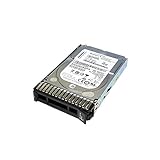
- 1TB Lenovo System X 7.2K 6Gbps NL SAS 2.5'in G3HS HDD; compatible with x3850 X6, x3650 M5, x3550 M5, x3500 M5
- Design that delivers high availability, scalability, and for maximum flexibility and price/performance
- Made in China
| Workload | Fit | Reason |
|---|---|---|
| Large-scale VM consolidation | Conditional to good | Many parallel, CPU-capable VMs can use the sockets, but NUMA placement and hypervisor support must be checked. |
| Legacy enterprise applications | Conditional | Large memory and RAS may help, but application licensing and supported operating systems can be limiting. |
| In-memory databases | Conditional to good | Large memory configurations are attractive, but database licensing, storage latency, and current vendor support may outweigh the hardware cost. |
| Scientific, engineering, and batch compute | Good when highly parallel | Long-running parallel jobs can use aggregate cores, although newer hardware may deliver better performance per watt. |
| Compilation, rendering, and simulation | Conditional | Good parallel scaling can make the server useful; single-threaded stages remain limited by older cores. |
| NAS or file serving | Poor | A 4U, high-power four-socket server is excessive for ordinary storage duties. |
| Game servers or a few light VMs | Poor | Low utilization leaves the buyer paying for idle power, noise, and rack space. |
| Modern AI or GPU computing | Poor to highly conditional | Documented support for up to two GPUs or co-processors in particular configurations does not make the platform a modern GPU server. |
What enterprise features does the x3850 X6 provide?
The x3850 X6 has a substantially more serviceable design than an ordinary desktop or tower server. Lenovo documents hot-swap drives, power supplies, fans, and optional I/O Books, along with redundant fan packs and fan zones.
Management and diagnostics include IMM2, Light Path Diagnostics, Predictive Failure Analysis, Automatic Server Restart, hardware monitoring, proactive platform alerts, and Lenovo XClarity integration. Lenovo’s mission-critical X6 overview describes the platform’s RAS, scalability, serviceability, and virtualization positioning.
These features are valuable in a correctly configured rack deployment. They do not make an unknown, decade-old used server reliable by default. Fans, capacitors, power supplies, RAID batteries, flash-backed cache modules, and storage devices can all be aged or failed. Enterprise RAS describes the original platform design; it is not a guarantee about the health of a particular used machine.
Recommended Free Tools
The lid-less, tool-less design was intended to provide front and rear service access without removing the system from the rack. That advantage matters most when the buyer has the correct rails, replacement modules, redundant power, and working IMM2 access.
How much power, heat, rack space, and noise does the x3850 X6 require?
The x3850 X6 requires data-center-style infrastructure. Lenovo documents up to four 900 W or 1400 W AC power supplies, a maximum approximate input of 2.0 kVA with 900 W supplies or 3.2 kVA with 1400 W supplies, 6.4 to 6.6 bels of noise, and maximum heat output of 3,200 W. These figures are configuration and environmental limits, not a claimed continuous consumption measurement.
The chassis occupies 4U and is 804 mm deep before the full-length I/O Book can extend the depth to 921 mm. Cable clearance, rear airflow, rail depth, and rack-door compatibility need to be checked before delivery. The maximum documented weight is approximately 54.7 kg, so installation and movement should be planned as a two-person job.
Many high-density deployments will also be easier to operate on 208–240 V power, although the correct supply arrangement depends on the installed power supplies and local infrastructure. Noise isolation is essential if the system is located outside a server room.
Calculate energy cost from a measured value for the exact configuration:
annual energy cost = average measured watts × 8,760 ÷ 1,000 × electricity price per kWhDo not substitute Lenovo’s maximum input figure for measured average power. Measure the proposed server at idle and under representative load, then include cooling, rack, shipping, replacement parts, and expected downtime in a three-year ownership estimate. A cheap chassis can become an expensive server when it runs continuously at residential electricity rates.
What storage and expansion options does the x3850 X6 have?
Storage depends on the installed Storage Book, backplane, drive bays, RAID controller, cache-protection module, and any external SAS equipment. The chassis model alone does not establish a fixed drive count or storage capacity.
Lenovo documented support for external drive enclosures such as the E1012 and E1024, as well as RAID and SAS controller options. The TPC-E benchmark used ten external E1024 storage enclosures and more than 80 SAS SSDs, so that result must not be interpreted as the storage capability of a bare used x3850 X6.
Quick wins for a faster PC:
Repair Windows errors before they cause bigger problemsFix Now →Scan for outdated or missing drivers - takes under a minuteDriver Scan →Clear out junk files and repair common Windows errorsFree Scan →Before buying, confirm whether the listing includes the drive trays, backplane, RAID controller, SAS cables, cache battery or flash-backed write-cache module, and external enclosure hardware. A server can boot with a failed or missing cache-protection module, but write-back performance may be reduced and certain storage configurations may be unsafe or unsuitable.
Rank #3

- Hynix Original 512GB ( 32GBx16 ) 2400 MHz ECC Registered/Buffered 288pin Standard Voltage DDR4 Dual Rank Random Access Memory Module.
- Every module is backed by a lifetime limited warranty from the manufacturer. We always have hundreds in stock!
- Free technical support from our experienced technicians
- Every single module is fully tested by the manufacturer and certified.
- Compatible with most major brand servers. Not sure if your server is compatible? Feel free to contact us. Our experienced techniciaQQ can verify if these parts will work for you.
Inspect RAID health through IMM2 and the controller management tools. A listing that does not provide controller model numbers or cache-health information should be discounted as an unverified parts system.
Which operating systems and hypervisors does the x3850 X6 support?
Official support depends on the machine type, Compute Book generation, RAID controller, network adapters, firmware, and operating-system version. Lenovo’s documentation lists Microsoft Windows Server, Red Hat Enterprise Linux, SUSE Linux Enterprise Server, and VMware ESXi, but the detailed matrix is not a blanket statement for every x3850 X6.
For documented E7 v4 configurations, Lenovo’s matrix includes VMware ESXi through version 6.7. Older Compute Books have older support boundaries. A platform that once supported ESXi 6.7 should not be assumed to meet the requirements of a current hypervisor release.
What’s actually slowing this PC down?
Pick the symptom - the matching free tool is one click away.
| Support category | What it means | What the buyer must verify |
|---|---|---|
| Lenovo-tested or supported | The exact platform and software combination appears in Lenovo’s interoperability documentation. | Machine type, Compute Book, adapter, controller, firmware, and operating-system version. |
| Technically bootable | An operating system may start on generic x86 hardware even when Lenovo does not list it. | Drivers, storage management, network support, firmware tools, Secure Boot, TPM, and troubleshooting options. |
| Suitable for production | The complete stack has current security updates, vendor support, compatible drivers, and an acceptable recovery path. | Current software lifecycle, hardware support status, replacement parts, and the organization’s risk tolerance. |
A modern Linux distribution may boot, but booting is not evidence of Lenovo certification, complete device-driver support, or a practical vendor-support path. Check the exact distribution hardware policy and the models of every RAID and network adapter before committing production workloads. The Lenovo x3850 X6 support portal is the appropriate starting point for firmware, manuals, and machine-type-specific resources.
What should you inspect before buying a used x3850 X6?
Require a complete configuration record and diagnostic evidence before treating a used x3850 X6 as a working server rather than a chassis or parts donor.
Configuration evidence
- Machine type: 3837 or 6241.
- Number of Compute Books and the exact E7 processor model in each one.
- Installed RAM capacity, DDR3 or DDR4 generation, RDIMM or LRDIMM type, rank, and population.
- Storage Book, drive backplane, drive-bay count, and included drive trays.
- RAID controller model and the health of its battery or flash-backed cache module.
- I/O Book configuration, network adapters, SAS adapters, and required cables.
- Number, wattage, and type of power supplies.
- Rails, bezel, power cords, and any proprietary mounting hardware.
Operational evidence
- POST or diagnostic video showing the machine completing startup.
- IMM2 access with no unexplained active faults.
- Fan, temperature, memory, power-supply, storage, and cache-health status.
- Firmware versions and evidence that the seller can access the management interface.
- Confirmation that the system has been tested under load, not merely powered on.
Questions for the seller
- Is the machine type 3837 or 6241?
- Which E7 processors are installed, and are all processors supported and matched?
- How much memory is installed, and is it DDR3, DDR4 RDIMM, or LRDIMM?
- Which RAID controller and cache-protection module are included?
- Are all fans and power supplies present and healthy?
- Does IMM2 report any active faults?
- Are rails, caddies, and power cables included?
- Has the unit been tested under load?
- What are the shipping weight and packaging method?
Reject or heavily discount the listing when
- The seller cannot identify the machine type.
- The listing claims “up to 96 cores” without identifying the installed CPUs.
- A Compute Book, Storage Book, I/O Book, RAID cache module, or proprietary cable is missing.
- DIMMs are mixed, unknown, or populated without evidence of compatibility.
- Only one power supply is included in a configuration intended for redundant pairs.
- IMM2 faults, fan faults, memory errors, or RAID-cache failures are undisclosed.
- The seller cannot package a roughly 50 kg, more-than-80-cm-deep server safely.
- The buyer cannot provide suitable rack space, power, airflow, and noise isolation.
What are the x3850 X6’s important failure modes?
NUMA locality problems
Four-socket operation creates multiple memory domains. Oversized virtual machines, poor memory placement, and unnecessary cross-socket traffic can reduce performance. Use NUMA-aware VM sizing, CPU pinning where appropriate, and memory locality rather than assuming that assigning more vCPUs always improves results.
Processor asymmetry
Mixed processor models, differing core counts, or mismatched Compute Books can cause compatibility problems or uneven performance. Verify Lenovo’s supported combinations instead of relying on generic Xeon socket compatibility.
Memory population errors
Incorrect DIMM population can prevent booting, reduce memory speed, disable a performance mode, or create intermittent errors. DDR3, DDR4, RDIMM, LRDIMM, rank, voltage, and Compute Book generation must be checked together.
Power-supply pairing
Lenovo documents pairing rules for x3850 X6 power supplies and does not permit AC and DC supplies to be mixed. Check the exact PSU combination before adding or replacing a supply.
RAID cache failure
A failed battery or flash-backed cache module can disable write-back caching or change the safety and performance characteristics of the storage array. Controller health should be part of the pre-purchase inspection.
Firmware and management access
IMM2 is central to checking temperature, fan, memory, power, and storage health. A seller who cannot provide working management access makes it harder to distinguish a healthy server from an unstable one.
GPU compatibility
Lenovo documents support for up to two GPUs or co-processors in particular configurations, but the x3850 X6 is not automatically a modern GPU server. PCIe generation, power delivery, physical clearance, cooling, and driver support must be validated for the exact adapter.
Rank #4

- 384GB ( 24x16GB ) DDR4 2400 MHz ECC Registered/Unbuffered 288pin Standard Voltage Dual Rank Random Access Memory Module.
- Every module is backed by a limited lifetime warranty from the manufacturer. We always have hundreds in stock!
- Free technical support from our experienced technicians. Not compatible with desktop PCs. Will only work with servers and select workstations
- Every single module is fully tested by the manufacturer and certified.
- Compatible with most major brand servers. Not sure if your server is compatible? Feel free to contact us. Our experienced technicians can verify if these parts will work for you.
Is the Lenovo System x3850 X6 worth buying in 2026?
The Lenovo System x3850 X6 is worth buying in 2026 only for a specialized workload and a verified configuration. The strongest case is a low-cost enterprise or research deployment that needs many physical cores, large memory, or substantial parallel throughput and already has inexpensive power, suitable rack infrastructure, and a support plan for legacy hardware.
| Buyer or workload | Recommendation | Why |
|---|---|---|
| Legacy enterprise application with large-memory requirements | Buy conditionally | RAS and memory scale can help, but application licensing and software support must be confirmed. |
| Highly parallel batch, simulation, compilation, or rendering | Buy conditionally | Aggregate E7 throughput can be useful when purchase and electricity costs are favorable. |
| Large virtualization lab | Maybe | Useful for NUMA, RAS, and enterprise-management experimentation if noise and power are acceptable. |
| Ordinary home lab or a few low-utilization VMs | Avoid | The 4U chassis, noise, idle energy, and parts risk are disproportionate to the workload. |
| NAS or basic file server | Avoid | A dedicated storage platform is a better fit than a high-power four-socket server. |
| Modern GPU workstation or AI server | Avoid | Documented GPU support does not provide modern GPU compatibility or efficiency. |
| Environment requiring current hypervisor and vendor support | Avoid unless separately validated | The documented software matrix is centered on older releases and varies by Compute Book. |
Do not buy the x3850 X6 solely because the chassis is inexpensive or because a listing repeats the 96-core maximum. Buy only after confirming that the installed hardware, software stack, power budget, noise tolerance, and replacement-parts plan match the intended workload.
What alternatives should you compare with the x3850 X6?
The right alternative depends on the bottleneck. A newer two-socket server may provide better per-core speed and performance per watt with fewer sockets. A newer four-socket platform is more appropriate when memory scale-up is genuinely required. A workstation-class tower is better for quiet local use, several smaller servers may be better for distributed virtualization, and a current cloud instance may be cheaper for intermittent workloads.
The Tool Desk
Outbyte Driver Updater FREEScan for outdated or missing drivers - takes under a minuteDriver Scan →Outbyte PC Repair FREERepair Windows errors before they cause bigger problemsFix Now →| Alternative direction | Best reason to choose it | Compare against the x3850 X6 on |
|---|---|---|
| Newer two-socket server | Higher per-core performance and better efficiency | Purchase price, measured idle/load power, memory capacity, NUMA behavior, and current hypervisor support. |
| Current four-socket server | Large memory and scale-up requirements remain central | Memory ceiling, vendor support period, warranty, licensing, performance per watt, and three-year cost. |
| Workstation or tower server | Quiet local operation and simpler ownership | Noise, expandability, memory ceiling, storage features, and GPU support. |
| Several smaller servers | Distributed workloads, lab resilience, and flexible scaling | Aggregate power, network overhead, management complexity, and failure-domain design. |
| Current cloud instance | Intermittent utilization or no desire to own hardware | Three-year usage pattern, storage and network charges, data-egress costs, and required memory size. |
| Dedicated current storage platform | NAS, file serving, or shared-storage duties | Drive support, data protection, power, management, and storage software lifecycle. |
Specific modern models and prices require a current market search because availability, support status, and regional pricing change. Lenovo’s product-guide resources point to current ThinkSystem external-storage families and the Lenovo Power Configurator, but a buyer should obtain a current configuration quote rather than infer a price from legacy documentation.
Lenovo XClarity Administrator may still be relevant for supported Lenovo infrastructure and the x3850 X6 guide identifies premium features requiring an optional Pro license. Lenovo’s support portal and the machine-type-specific firmware and driver resources should be checked before depending on XClarity or any management feature in production.
Final verdict
Buy: when a highly parallel or large-memory workload benefits from four older Xeon E7 processors, the used configuration is fully documented, and power, rack space, cooling, and replacement parts are inexpensive or already budgeted.
Maybe: when the x3850 X6 is unusually cheap and intended for a homelab or research project. Treat the machine as an experiment, measure its power, and verify every proprietary module before expanding it.
The Tool Desk
Outbyte PC Repair FREEClear out junk files and repair common Windows errorsFree Scan →Outbyte Driver Updater FREEScan for outdated or missing drivers - takes under a minuteDriver Scan →Avoid: when the goal is a quiet home server, low electricity use, a basic NAS, a few light services, modern GPU acceleration, current hypervisor support, or a current vendor warranty.
The Lenovo System x3850 X6 remains technically impressive, but its value in 2026 comes from a narrow combination of capacity and parallelism—not from being a broadly economical server. The exact Compute Books, memory, storage, power supplies, firmware, and software-support path matter more than the x3850 X6 name on the front bezel.
Frequently Asked Questions
Does every Lenovo System x3850 X6 have 96 cores?
No. The 96-core maximum requires four 24-core processors installed in four supported Compute Books. Many used x3850 X6 systems have fewer Compute Books or lower-core-count Xeon E7 processors, so the installed CPU models must be verified.
Can a Lenovo System x3850 X6 use 12 TB of memory?
Some later 6241 configurations are documented by Lenovo as supporting up to 12 TB, but memory capacity depends on the Compute Book generation and DIMM technology. Lenovo benchmark material also describes a 6 TB configuration, so buyers must identify the exact memory generation rather than treating both figures as universal.
Recommended Free Tools
Is the Lenovo System x3850 X6 suitable for a home lab?
The Lenovo System x3850 X6 is suitable for a home lab only when noise, power, rack space, and heat are acceptable and the hardware is verified. Lenovo documents 6.4 to 6.6 bels of noise, a 4U form factor, and a maximum weight of approximately 54.7 kg, making the server unsuitable for many residential environments.
Does the x3850 X6 support modern Linux or VMware?
A modern Linux distribution may boot, but booting does not establish Lenovo certification or complete driver support. Lenovo’s documented E7 v4 VMware matrix includes versions through ESXi 6.7, while exact support depends on the Compute Book, controller, adapters, firmware, and operating-system version; current support must be checked separately.
The Bottom Line
Bottom line: The x3850 X6 is a specialized used-server purchase, not a general bargain. Choose it for verified large-memory or highly parallel workloads with favorable power and rack economics; choose newer, smaller, or distributed hardware for quiet operation, low energy use, current software support, or ordinary home-server duties.
Quick Recap
Product prices and availability are accurate as of the date/time indicated and are subject to change. Any price and availability information displayed on Amazon at the time of purchase will apply.

