
iTechGuides is reader-supported. When you buy through links on our site, we may earn an affiliate commission. As an Amazon Associate I earn from qualifying purchases. Learn more
The Juno Tab 3 is an overpriced Linux tablet with an Intel N100 processor and 12GB RAM if judged as ordinary computer hardware, but its $699 launch price was more defensible as a ready-to-use x86 Linux tablet. In August 2026, the Tab 3 is listed as EOL, so buying one makes sense only at a substantial discount or with strong remaining warranty coverage.
The distinction matters. A cheaper N100 Windows tablet can provide similar basic performance, while a used business 2-in-1 may provide more performance for less money. The Juno Tab 3’s premium paid for a specialist Linux configuration, a high-resolution 3:2 touchscreen, a detachable keyboard, and the convenience of avoiding hardware compatibility experiments.
Key takeaways
- The Juno Tab 3 launched on September 11, 2024, at $699 with an Intel N100, 12GB of soldered LPDDR5-4800 memory, and a 512GB SSD; a 2TB configuration was reported at $799.
- The Intel N100 is suitable for browsing, office work, coding, media playback, and ordinary Linux desktop use, but it is not intended for demanding gaming, serious video production, large builds, or multiple virtual machines.
- The 12.1-inch 2160×1440 3:2 display and included detachable keyboard are meaningful advantages, while the approximately five-hour launch battery estimate, basic cameras, and soldered RAM weaken the hardware value.
- Ubuntu 24.04 LTS, Kubuntu 24.04 LTS, and Mobian Phosh were offered as operating-system choices, but Linux compatibility does not guarantee iPad-like touch usability.
- Juno’s current shop labels the Tab 3 EOL, and the former Tab 3 product URL now redirects to the Tab 4, making a new Tab 3 difficult to recommend in August 2026.
What is the Juno Tab 3?
The Juno Tab 3 is an x86 PC in a tablet form factor, designed for Linux users who want a preconfigured system rather than an ordinary Windows or Android tablet that requires a trial-and-error Linux installation. Juno offered Ubuntu 24.04 LTS, Kubuntu 24.04 LTS, and Mobian Phosh at launch, alongside a detachable US-English keyboard.
Tom’s Hardware’s launch coverage reported the September 11, 2024 launch, a $699 starting configuration, and a $799 model with 2TB of storage. The product was aimed at Linux enthusiasts who valued a conventional desktop application environment, x86 compatibility, and vendor-prepared hardware more than mass-market tablet pricing.
#1 Best Overall

- [Drawing tablet for PC &Computer support Mac/Windows/Android/Chrome】:Compatible with multiple operating systems: Works with Windows, macOS, Chrome OS, and Android 6.0 or later devices Supports popular creative software: Compatible with ibis Paint X, FlipaClip, MediBang Paint, Autodesk SketchBook, ZenBrush, ArtRage, and other major drawing applications. Note: This is a graphics input device that requires connection to a computer or compatible mobile device to function; it does not operate as a standalone tablet
- 【Drawing Pad for PC and Computer,Compatible with PC Multiple Systems】 This graphics tablet is compatible with Windows 7/8/10/11or later, Chrome OS 88 or later and Linux, Mac OS 10.12 or above after download latest driver from UGEE official website, Creative software and Driver Program works: for example: Adobe Photoshop/Photoshop CC/Illustrator/LightRoom/Corel Painter/Autodesk MAYA/Pixologic ZBrush/ Macromedia Flash/Comic Studio/SAI and etc.drawing software. [Note: NOT SUPPORT iPhone]
- [New Version 16384 level Passive Stylus Technology,Papery Drawing Experience]: The Pen of Ugee drawing tablet M708 with 8192 levels pressure sensitivity, the harder you press, the thicker and darker lines would be,the lines transition from thin to thick will be fluid and precisely under your control.The paper-like surface of the graphic tablet provides users with a more.
- [Large Active Drawing Area]: UGEE M708 Android Version Upgrade,10 x 6.25-inch working area allows to release your inspiration on enough space and slim, sleek, super lightweight panel with compact design and delicate craftsmanship, For your digital artwork Creation, offers a no delay or no chopping excellent drawing experience. Create delightful moments, make joy last
- [Ergonomically Design Shortcults with 8 customizable and Innovative Tilt Control System]: M708 V2 Own 8 customizable express keys on the side for short cuts like eraser, zoom in and out, scrolling and undo, provide more for convenience and helps to improve the productivity and efficiency when creating with the drawing tablet; supports up to 60 degrees of tilt brush effect and delivers smoother and more natural lines and strokes, while also giving you the ability to add shading to your creation.
That positioning makes the Juno Tab 3 closer to a detachable Linux laptop than to an iPad replacement. The touchscreen allows tablet-style use, but Ubuntu and Kubuntu remain desktop operating systems. Mobian Phosh is more touch-oriented, although its application ecosystem and workflow differ from both mainstream desktop Linux and iPadOS.
What are the Juno Tab 3 specifications?
The Juno Tab 3 combines entry-level Intel hardware with a relatively high-quality productivity display. The following specifications come from the launch specifications and launch coverage; battery life is an estimate rather than a guaranteed runtime.
| Component | Juno Tab 3 specification | What it means |
|---|---|---|
| Processor | Intel N100, 4 cores and 4 threads | Efficient entry-level x86 performance |
| CPU platform | Intel Alder Lake-N; up to 3.4GHz | Designed for low power consumption rather than high sustained performance |
| Graphics | Intel UHD Graphics, 24 execution units | Suitable for desktop graphics and media playback, not demanding 3D workloads |
| Memory | 12GB LPDDR5-4800, soldered | Useful capacity for Linux, but not upgradeable |
| Storage | 512GB, 1TB, or 2TB SSD | More flexible than the memory; the SSD is removable |
| Display | 12.1-inch IPS touchscreen, 2160×1440, 60Hz | Sharp, spacious 3:2 workspace for documents and terminals |
| Weight | Approximately 1.74lb or 790g for the tablet | Portable, but heavy compared with many ARM tablets |
| Wireless | Intel AX101 Wi-Fi 6 | A modern wireless chipset for the product’s class |
| Battery | Approximately 38Wh or 5,000mAh | Moderate capacity for a 12-inch x86 tablet |
| Launch battery estimate | About five hours | Use-case-dependent and not a universal runtime guarantee |
| Keyboard | Detachable US-English keyboard included | Improves the value for desktop Linux work |
| Cameras | 2MP front and approximately 3.7MP rear | Basic video-call and documentation hardware |
| SSD format | M.2 2242 SATA SSD | Storage can be replaced or upgraded; RAM cannot |
TechSpot’s launch summary also identified the device as a roughly 790g Linux tablet and highlighted the mismatch between its specialist positioning and its relatively high price.
Do these 3 things before closing this tab:
1Repair Windows errors before they cause bigger problems2Fix the driver behind crashes, sound loss and screen glitches3Clear out junk files and repair common Windows errorsHow fast is the Intel N100 in the Juno Tab 3?
The Intel N100 is fast enough for everyday Linux productivity but too limited for workloads that need sustained CPU or GPU performance. The four-core, four-thread processor is an efficient low-power chip, not a substitute for a modern Core i5, Core Ultra, or Ryzen laptop processor.
Workloads the Juno Tab 3 should handle well
- Web browsing with ordinary numbers of tabs.
- Email, word processing, spreadsheets, and PDF reading.
- Terminal work, SSH, system administration, and moderate software development.
- Video streaming and local media playback.
- Note-taking and light photo management.
- Remote desktop use.
- Lightweight emulation and coding education.
Where the N100 becomes a poor fit
- Modern AAA games and demanding 3D applications.
- Serious Blender work or complex 3D rendering.
- Large video-editing projects in applications such as Kdenlive or DaVinci Resolve.
- Large software builds where compile time matters.
- Several virtual machines running simultaneously.
- AI workloads that require substantial CPU or GPU resources.
- High-end digital painting with demanding brushes and large canvases.
The 12GB memory capacity helps desktop Linux multitask more comfortably than an 8GB system, but the soldered LPDDR5-4800 RAM cannot be expanded. The removable SSD is therefore the more important long-term upgrade feature: a user can replace storage, but cannot increase memory when future desktop environments and applications become more demanding.
Is the Juno Tab 3 a real tablet or a laptop without a fixed keyboard?
The Juno Tab 3 is physically a tablet, but the software experience is closer to a detachable Linux PC. The 12.1-inch 3:2 touchscreen is well suited to documents, terminals, web pages, and portrait-oriented reading, while the detachable keyboard makes conventional desktop work practical.
A touchscreen alone does not create a polished tablet interface. On Ubuntu or Kubuntu, the user may encounter small controls, desktop applications that expect a pointer, inconsistent gesture support, and an on-screen keyboard that does not appear reliably in every application. Fractional scaling can also make some legacy applications blurry or awkwardly sized.
The Tool Desk
Outbyte PC Repair FREERepair Windows errors before they cause bigger problemsFix Now →Outbyte Driver Updater FREEFix the driver behind crashes, sound loss and screen glitchesFind Drivers →Rank #2

- Innovative Touch Pad for Effortless Control: Stand out with the VEIKK A30 graphic tablet's unique touch pad featuring 4 customizable touch keys and a gesture pad – perfect for young artists and designers seeking a modern, intuitive experience that delivers stable, responsive performance for seamless digital creation
- Pro-Level 8192 Pressure Sensitivity with Battery-Free Pen: Achieve natural, precise strokes on this drawing tablet with 8192 levels of pressure sensitivity, ensuring smoother lines and lifelike details; the included battery-free stylus eliminates interruptions, allowing endless drawing sessions without charging or replacements
- Versatile Compatibility Across Devices and Software: Designed for drawing, graphic design, online teaching, e-signatures, and photo/video editing, this pen tablet works flawlessly with Windows 7+, macOS 10.12+, Android 6.0-13.0 (via OTG connector for phones – note: iPhone/iPad not supported), Linux, and top programs like Photoshop, Illustrator, SAI, Clip Studio, Krita, and more
- Spacious 10x6 Drawing Area with User-Friendly Type-C Port: Unlock expansive creativity on the A30 digital art tablet's ultra-large 10x6-inch active area, ideal for detailed work; the reversible Type-C port ensures quick, stable connections in either direction, while ambidextrous design suits both left- and right-handed users for ultimate comfort
- Exceptional Value with 1-Year Warranty and Free Accessories: Get everything you need right out of the box – including 8 replacement nibs, OTG connector, artist glove, and pen pocket – backed by VEIKK's top-rated customer service, lifetime free driver updates, and a full hardware warranty to support your artistic journey without extra costs
Mobian Phosh offers a more touch-oriented interface, but Phosh is not simply “Ubuntu with larger buttons.” The workflow, application model, and available software differ from a standard Ubuntu or KDE Plasma installation. Buyers should select a distribution based on whether they prioritize touch interaction or the broadest traditional Linux desktop compatibility.
Linux hardware support also needs to be evaluated feature by feature. Wi-Fi, touchscreen input, screen rotation, suspend and resume, audio routing, cameras, brightness controls, power management, and on-screen keyboard behavior can vary by kernel, desktop environment, Wayland or X11 session, and distribution update. These are compatibility risks to check rather than confirmed universal Juno Tab 3 failures.
Which Linux distributions came with the Juno Tab 3?
The launch operating-system choices were Ubuntu 24.04 LTS, Kubuntu 24.04 LTS, and Mobian Phosh, according to 9to5Linux’s launch report.
| Distribution | Best suited to | Important compromise |
|---|---|---|
| Ubuntu 24.04 LTS | Users who want mainstream desktop Linux, GNOME, and a broad application ecosystem | GNOME is usable on a touchscreen but is not a complete iPad-style replacement |
| Kubuntu 24.04 LTS | Users who prefer KDE Plasma, customization, and a traditional desktop workflow | Desktop flexibility does not automatically solve touch ergonomics |
| Mobian Phosh | Users who prioritize a more phone- and tablet-oriented interface | Different application model and potentially more desktop-software compromises |
Installing a different distribution can change the experience. A distribution upgrade may bring a newer kernel that improves one feature while changing suspend, rotation, audio, or touchscreen behavior. Buyers who depend on a specific feature should test the exact distribution and kernel combination before treating the Juno Tab 3 as a reliable production device.
Why did the $699 launch price feel excessive?
The Juno Tab 3 was expensive when compared with the components alone. A quad-core Intel N100 system with 12GB of soldered memory, basic cameras, a modest battery, and entry-level graphics does not offer especially strong raw performance per dollar at $699.
Tom’s Hardware characterized the pricing as difficult to justify against cheaper tablets with similar specifications. The comparison is particularly unfavorable when $699 can also buy a more powerful conventional Windows laptop or a used business-class 2-in-1 with a Core i5-class processor, better cooling, and a larger repair ecosystem.
The Juno Tab 3 also asks the buyer to accept several hardware limitations:
Rank #3
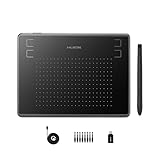
- Huion H430P supports Linux(Ubuntu), MacOS 10.11 and above, Windows 7 and above, and Android 6.0 and above. It can easily connect to your PC, laptop via USB cable for both left and right handed users.
- Digital pen PW201 is battery-free, no need to be charged. 4096 levels of pressure sensitivity with 233pps report rate provides you responsive and natural drawing and handwriting experience with control. 8 replacement nibs are included.
- 135g in weight,6.3mm in thickness,H430P graphics tablet is portable and compact. 4.8x3 inch active area offers perfect creative space for limited desktop areas.4 express keys on the top can be programed to your favourite shortcuts such as Scroll,Undo,Eraser.It will help you work more smoothly and efficiently.
- Compared with computer mouse,it couldn't be easier to draw,edit photos,annotate document,take notes,write formulas and equations with a digital pen. H430P is ideal for collegers and teachers to collaborate, share,interact in online class and video conferencing. No need to install driver for basic writing, annotation and OSU playing.
- H430P pen tablet is compatible with most mainstream drawing softwares like Corel Painter, Adobe Photoshop,Illustrator, SAI and so on. It also work with most softwares for education and business meeting such as Word, PowerPoint, OneNote,Google slides,Zoom,Skype and more.
- The RAM is soldered, so the useful 12GB capacity cannot be expanded.
- The approximately 38Wh battery is not large for a 12-inch x86 tablet.
- The cameras are adequate for basic tasks but not a selling point.
- The N100 graphics are not aimed at modern gaming or creative workloads.
- The tablet-only weight is approximately 790g, before adding the keyboard.
- The included keyboard is useful, but the product is not as flexible as a complete laptop with a rigid hinge and larger cooling system.
On that comparison, calling the Juno Tab 3 overpriced is reasonable. The more precise conclusion is that the Tab 3 was overpriced as an N100 computer, not necessarily as a niche Linux appliance.
What’s actually slowing this PC down?
Pick the symptom - the matching free tool is one click away.
What did the Juno premium buy?
The premium bought convenience and scarcity rather than exceptional processing power. Juno supplied a Linux-ready system with a supported operating-system choice, firmware and driver preparation, a touchscreen, a detachable keyboard, and a conventional x86 architecture capable of running ordinary desktop Linux software.
A cheaper N100 Windows tablet may have similar nominal specifications, but installing Linux can require researching Wi-Fi firmware, touchscreen support, rotation, suspend, audio, cameras, scaling, and the on-screen keyboard. A technically successful installation can still produce a poor tablet experience. The Juno’s appeal was avoiding much of that initial investigative work.
Specialist hardware also has a smaller production market than Windows laptops or Android tablets. Lower volume can make it difficult for a Linux vendor to match commodity pricing, even when the processor is inexpensive. That explains part of the premium; it does not turn the N100 into a high-performance chip or make $699 a strong specification-based bargain.
For a buyer who values privacy, control, repairable storage, an open desktop environment, and Linux out of the box, the premium could be rational. For a buyer who only wants the fastest computer or the lowest-cost tablet, the premium was difficult to defend.
Is the Juno Tab 3 still worth buying in August 2026?
The 2026 recommendation is weaker because availability has changed. Juno’s current shop lists the Tab 3 as EOL, and the former Juno Tab 3 product URL now redirects to the Juno Tab 4. The $699 figure should therefore be treated as the historical launch price and a current listing signal, not proof that normal new Tab 3 stock is available.
A used or clearance Juno Tab 3 can still be sensible, but the price must reflect its age and EOL status. Near the original $699 price, the buyer would be paying too much for an N100 machine with uncertain future vendor support. A discounted unit is more interesting if it includes the original keyboard and charger, has a healthy battery, and comes with a return policy or meaningful warranty.
Rank #4

- COMPACT SIZE, COMPACT FUN – The Lenovo Tab One is compact, efficient, and provides non-stop entertainment everywhere you go. It’s lightweight and has a long-lasting battery life so the fun never stops.
- SIMPLICITY IN HAND - Add a touch of style with a modern design that’s tailor-made to fit in your hand. It weighs less than a pound and has an 8.7” display that’s easy to tuck in a purse or backpack.
- NON-STOPPABLE FUN – Freedom never felt so sweet with all-day battery life and up to 12.5 hours of unplugged YouTube streaming. It’s designed to charge 15W faster than previous models so you can spend less time tethered to a power cable.
- PORTABLE MEDIA CENTER - Enjoy vibrant visuals, immersive sound, and endless entertainment anywhere you go. The HD display has 480 nits of brightness for realistic graphics and dual Dolby Atmos speakers that provide impressive sound depth.
- ELEVATED EFFICIENCY - Experience the MediaTek Helio G85 processor and 60Hz refresh rate that ensure fluid browsing, responsive gaming, and lag-free streaming.
Before buying used, verify:
- The exact RAM and SSD configuration.
- That the removable SSD is present and healthy.
- That the detachable keyboard, charger, touchscreen, Wi-Fi, cameras, speakers, and ports work.
- That suspend, resume, screen rotation, brightness adjustment, and audio work with the intended Linux distribution.
- Whether the seller can provide the original operating-system recovery media or installation guidance.
- How much warranty coverage remains and whether Juno still services EOL units in the buyer’s region.
- Whether battery wear makes the approximately five-hour launch estimate unrealistic.
What are the best alternatives to the Juno Tab 3?
The best alternative depends on whether the buyer prioritizes low cost, minimal Linux setup, newer hardware, or tablet polish. No alternative is identical to the Tab 3.
| Option | Why choose it | What to accept | Best for |
|---|---|---|---|
| Cheap N100 Windows tablet | Lower hardware cost and similar entry-level x86 performance | Linux installation and feature compatibility may require troubleshooting | Price-sensitive users comfortable testing Linux |
| Used Surface Pro, Dell Latitude, HP Elite x2, or ThinkPad X12 Detachable | Potentially faster Core i5-class hardware, better docks, and lower used prices | Battery degradation, missing accessories, firmware quirks, and uncertain touchscreen, camera, pen, or suspend support | Bargain hunters who can research a specific model |
| Juno Tab 4 | Direct successor with listed Core Ultra processors, a 13-inch 1600×2560 display, removable NVMe storage, pen support, and a 65W charger | Preorder status and uncertain fulfillment timing | Buyers who want a newer specialist Linux tablet |
| Star Labs StarLite | Core 3 N350, 16GB LPDDR5X, Coreboot, optional keyboard, and five years of open-source firmware updates through LVFS | The listed US configuration was sold out and started at $1,042 before optional keyboard and pen costs | Premium Linux hardware buyers |
| iPad or Android tablet | More polished touch interfaces, gestures, and tablet application ecosystems | Not a conventional Linux desktop and less control over the operating system | Readers who value tablet ergonomics over desktop Linux |
The Star Labs StarLite specification and buying page listed a starting price of $1,042 for a configuration with a Core 3 N350, 16GB LPDDR5X memory, and 512GB storage. The page also listed a $101 US keyboard option, a $43 active pen option, a one-year limited warranty, and five years of firmware updates, while showing the US configuration as sold out when checked. The StarLite is therefore a newer premium alternative, not a cheaper replacement for the Tab 3.
Recommended Free Tools
The Juno Tab 4 is the more direct successor, but its official page describes it as a preorder and gives an estimated dispatch timeline of approximately 90–100 days after the preorder campaign ends. That timing should be treated as uncertain rather than equivalent to buying an in-stock product.
Who should buy the Juno Tab 3?
Buy a Juno Tab 3 if Linux out of the box is the overriding priority, the device is substantially discounted, the keyboard and charger are included, and the buyer accepts a desktop-style touchscreen experience.
The Tab 3 is especially defensible for a Linux enthusiast who wants:
- A conventional x86 Linux environment in a tablet chassis.
- A 3:2, 2160×1440 display for documents, terminals, and reading.
- An included detachable keyboard.
- Replaceable SSD storage.
- A system that avoids starting with an untested Windows tablet installation.
Who should skip the Juno Tab 3?
Skip the Juno Tab 3 if raw performance per dollar, long battery life, modern gaming, or polished touch interaction matters more than preinstalled Linux.
Windows Errors? Fix Them Before They Spread
Repair common Windows errors and clear accumulated junk for a smoother, more stable PC - no reinstall needed.Free scan · no reinstallCrashes, No Sound, or Screen Glitches?
Random freezes, missing sound and display glitches usually trace back to one bad driver. Find and replace yours safely.Free scan · under a minuteThe Tab 3 is a poor choice when the seller asks close to $699 without strong warranty coverage. At that price, a used business 2-in-1 may offer a faster processor and better laptop ergonomics, while a newer Linux 2-in-1 may provide longer support. A cheap N100 Windows tablet is also a better value if the buyer is comfortable researching Linux compatibility and fixing problems independently.
Best Value

- 【Multi-Device and Multi-OS】Both keyboard and mouse are fully multi-device and multi-os friendly for powering through projects on 4 devices at the same time --- driver-free, plug and play.【The USB receiver is located in the battery compartment on the back of the mouse】
- 【Reliable Wireless Connectivity】Featuring 2.4GHz/Bluetooth 5.0/4.0, this wireless keyboard and mouse combo open up new ways to type on your PC, tablet, phone or a second computer.
- 【Adjustable DPI】Includes optical 800/1000/1200/1600/2400 resolution mouse for silky prominent movement on different sized displays.
- 【Silent Click and Dual System Hotkey】The low-profile chiclet scissor keys provide comfortable, quiet typing experience for hours at your desk; Support Windows and Mac OS dual system shortcuts to 12 widely used functions keys like play/pause, volume+/- and more.
- 【Refined Details from Customer Voice】The latest version has added device and capitalization indicator lights for making it easier to find which device you are typing on, and eliminating the inconvenience caused by not knowing the uppercase or lowercase; The Bluetooth 5.0/4.0 is upgraded from Bluetooth 5.0/3.0 in order to extend battery life, what’s more, we’ve also replaced the alkaline batteries with name brand ones for prolonged use.
Final verdict: was the Juno Tab 3 overpriced?
Yes, the Juno Tab 3 was overpriced as a collection of N100 computer components. The $699 launch price bought modest low-power performance, soldered memory, basic cameras, and a moderate battery, while similarly priced conventional laptops could offer more processing capability.
No, the price was not automatically irrational for the small audience seeking a ready-to-use x86 Linux tablet. The included keyboard, high-resolution 3:2 display, removable SSD, Linux choices, and specialist support addressed problems that cheaper Windows tablets leave to the buyer.
The practical August 2026 verdict is less favorable: the Tab 3 is EOL, the old product page redirects to the Tab 4, and new-stock availability is unclear. Consider a Tab 3 only when the price is well below launch pricing and the unit’s accessories, battery, Linux features, and warranty are verified. Otherwise, compare a used business 2-in-1, a newer dedicated Linux 2-in-1, or a mainstream tablet based on the experience you actually need.
Frequently Asked Questions
Can the Juno Tab 3 RAM be upgraded?
No. The Juno Tab 3’s 12GB LPDDR5-4800 memory is soldered and cannot be upgraded. The M.2 2242 SATA SSD is removable, so storage can be replaced or expanded.
Which Linux distributions were available for the Juno Tab 3?
The Juno Tab 3 launched with Ubuntu 24.04 LTS, Kubuntu 24.04 LTS, and Mobian Phosh as operating-system choices. Linux features can vary by distribution, kernel, desktop environment, and session type, so Wi-Fi, rotation, suspend, audio, cameras, and on-screen keyboard behavior should be tested individually.
Is the Juno Tab 3 still available new in 2026?
Juno’s current shop lists the Juno Tab 3 as EOL, and the former Tab 3 product page redirects to the Juno Tab 4. A new Tab 3 should not be assumed to be normally orderable; check stock, warranty, and support directly before paying.
Is the Juno Tab 3 good for gaming or video editing?
The Intel N100 and its Intel UHD Graphics are suitable for ordinary desktop use, media playback, and light workloads, but the Juno Tab 3 is not a strong choice for modern AAA gaming, demanding 3D work, serious video editing, large software builds, or multiple virtual machines.
Free tools Windows power users keep installed
One-click scans. No signup required.
The Bottom Line
Bottom line: The Juno Tab 3 was overpriced for its N100 hardware but understandable as a rare, preconfigured x86 Linux tablet. In August 2026, its EOL status changes the decision: buy only a well-tested, meaningfully discounted used or clearance unit with its keyboard, charger, and support situation confirmed.
Quick Recap
Product prices and availability are accurate as of the date/time indicated and are subject to change. Any price and availability information displayed on Amazon at the time of purchase will apply.

