
Crashes, No Sound, or Screen Glitches?
Random freezes, missing sound and display glitches usually trace back to one bad driver. Find and replace yours safely.Free scan · under a minuteWindows Errors? Fix Them Before They Spread
Repair common Windows errors and clear accumulated junk for a smoother, more stable PC - no reinstall needed.Free scan · no reinstalliTechGuides is reader-supported. When you buy through links on our site, we may earn an affiliate commission. As an Amazon Associate I earn from qualifying purchases. Learn more
The Intel Xeon E-2288G is a discontinued, 2019-generation workstation/server processor with 8 cores, 16 threads, and a maximum turbo frequency of 5.00 GHz. Intel’s specifications make it a capable-looking option on paper, but they do not establish sustained clock speeds or real-world performance. Today, its value depends less on the headline frequency than on finding a compatible motherboard, confirming the BIOS and memory support, and getting a fair deal on a used or refurbished system.
Intel Xeon E-2288G specifications
Intel identifies the E-2288G as a Coffee Lake Xeon E processor. Its product specification page lists the following core specifications; these are vendor ratings, not independent test results.


| Specification | Intel-listed value |
|---|---|
| Cores and threads | 8 cores, 16 threads |
| Base frequency | 3.70 GHz |
| Maximum turbo frequency | Up to 5.00 GHz; this is not an all-core or sustained-clock guarantee |
| Intel Smart Cache | 16 MB |
| Thermal design power (TDP) | 95 W |
| Socket | FCLGA1151 |
| Processor configuration | 1S only (single socket) |
| PCI Express | PCI Express 3.0, up to 16 CPU lanes |
Intel’s circa-2019 Xeon workstation selling guide also lists two-channel DDR4-2666 memory, ECC support, and integrated Intel UHD Graphics P630. The guide lists vPro and Optane support flags as well. These are family-level vendor specifications and feature listings: they do not guarantee that a particular board implements every feature or accepts every memory configuration. Check the motherboard or system documentation.
Quick wins for a faster PC:
Fix the driver behind crashes, sound loss and screen glitchesFind Drivers →Repair Windows errors before they cause bigger problemsFix Now →What does “5 GHz” mean for this Xeon?
The 5.00 GHz figure is Intel’s maximum turbo frequency. It should not be read as the frequency the processor will hold across all eight cores, or as a sustained speed under a particular workload. Intel’s specification page does not provide independent application or gaming benchmarks, temperature and noise results, or workload-specific power measurements. Without such testing, core counts and clock ratings alone cannot establish how the E-2288G compares in actual use.
#1 Best Overall
Is the Xeon E-2288G a server or workstation CPU?
Intel labels the product’s vertical segment “Server,” while its workstation selling guide includes the E-2288G in the stationary workstation lineup. Those descriptions are compatible: the Xeon E family can be used in workstation and server systems, subject to the design and support of the specific system. The E-2288G is a single-socket part, so it is not intended for a dual-processor configuration.
Its integrated UHD Graphics P630 may be useful in a system that needs display output without a separate graphics card, provided the motherboard exposes the graphics outputs. The processor’s PCIe 3.0 support is up to 16 lanes from the CPU; the overall expansion options also depend on the board.
Which motherboard supports the Xeon E-2288G?
Do not choose a motherboard by socket name alone. Intel lists FCLGA1151 and warns that support for up to 128 GB of system memory may require a BIOS update. A matching socket does not prove that a board supports this CPU, its firmware, or a desired memory setup.
- Find the exact motherboard or complete system model, then open its CPU support list.
- Confirm that the list names “Xeon E-2288G” specifically and check the minimum required BIOS revision.
- Verify the installed BIOS version before buying or installing the processor; update it using the board maker’s supported procedure if needed.
- Check memory type, capacity, channel configuration, and ECC support against the board or system documentation.
- Confirm power and cooling support for a 95 W processor and check whether integrated graphics outputs are available if you need them.
Intel’s compatible-products listing names the M10JNP2SB server board, which Intel describes as FCLGA 1151 and 95 W capable; Intel also marks that board discontinued. This is a specific compatibility listing, not evidence that every LGA1151 board works with the E-2288G.
How the E-2288G compares with nearby Xeon E models
Intel’s workstation guide places the E-2288G alongside the E-2286G and E-2278G. The table compares Intel-listed specifications only; it does not show tested workload performance.
| Processor | Cores / threads | Base frequency | Maximum turbo | Cache | TDP |
|---|---|---|---|---|---|
| Xeon E-2286G | 6 / 12 | 4.0 GHz | 4.9 GHz | 12 MB | 95 W |
| Xeon E-2288G | 8 / 16 | 3.7 GHz | 5.0 GHz | 16 MB | 95 W |
| Xeon E-2278G | 8 / 16 | 3.4 GHz | 5.0 GHz | 16 MB | 80 W |
On paper, the E-2288G adds two cores and four threads over the E-2286G, while the E-2278G has the same core and thread counts and maximum turbo rating at a lower listed base frequency and TDP. Those differences do not prove which CPU is faster in a real application. Compare the complete platform cost, board and BIOS support, memory requirements, cooling capacity, graphics needs, and the condition and availability of each option.
Rank #4
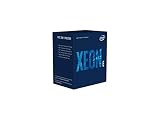
- INTEL CPU BX80684E2224 XEON E-
Is the Xeon E-2288G still worth buying?
Intel lists a Q2 2019 launch, marks the processor discontinued, and gives June 30, 2025 as its end of servicing updates date. Intel’s ordering record marks the tray part retired/discontinued. The specification and ordering pages list a $539 recommended customer price; that is Intel’s reference price, not a current retail quote, proof of stock, or a used-market valuation.
A purchase may make sense if the E-2288G is a supported replacement for an existing system or is available as part of a compatible workstation at a price that works for you. It is a less straightforward choice when building from scratch: discontinued processor and board availability can constrain upgrades, and the total cost of a suitable motherboard, memory, and cooling may outweigh the appeal of the CPU’s specifications.
- For a used or refurbished listing, confirm the exact processor model and whether the item is a CPU alone or a complete system.
- Check seller reputation, return terms, and any warranty that applies to the actual item.
- Verify the exact motherboard CPU support list and BIOS revision before committing.
- Assess the processor, board, memory, and cooling as one platform rather than comparing CPU prices alone.
Intel’s records do not establish current retailer stock, the condition or reliability of second-hand units, or present market prices. Treat any available listing as a separate seller offer and evaluate its terms directly.
Quick Recap
Product prices and availability are accurate as of the date/time indicated and are subject to change. Any price and availability information displayed on Amazon at the time of purchase will apply.

