
iTechGuides is reader-supported. When you buy through links on our site, we may earn an affiliate commission. As an Amazon Associate I earn from qualifying purchases. Learn more
If your Samsung oven’s display works but the oven will not heat, it may be in Demo Mode, sometimes called test mode. The exit sequence depends on the model: for the NE63*6511S*2 electric range, Samsung’s 2025 U.S./Canada English manual says to hold Options for 3 seconds, press 0, select 2 (Off), then press START/SET. For other models, check the manual for the complete model number before trying a button sequence.
What Samsung Demo Mode does
Samsung describes Demo Mode as an option for retail display. On the NE63*6511S*2 range covered by its 2025 English manual, the heating element does not operate while the mode is enabled. The display and controls may still appear to work, so the mode can be mistaken for an oven fault.
Samsung’s manual states, “This option is for use by retail establishments for display purposes only.” The instructions below are specific to the models named; Samsung uses different settings buttons on different control panels.
Turn off Demo Mode on the NE63*6511S*2 range
Use this procedure only if your range’s complete model number matches the NE63*6511S*2 family and its controls match the manual. Samsung’s 2025 U.S./Canada English manual gives this sequence:
#1 Best Overall
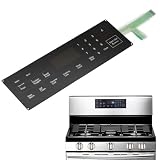
- Part Number:This Membrane Switch Touch Panel Part Number is DG34-00025A, replacement for Samsung PS8764897 AP5800759 Range Oven.
- Compatible Models:DG34-00025A Range Membrane Switch Touchpad fits for Various Samsung Model Range Ovens # NX58F5300SS/AA, NX58F5500SB/AA, NX58F5500SS/AA etc.
- Package includes: 1 x DG34-00025A Membrane Switch Touchpad.Note:Please confirm the product model and applicable model before you buy.
- Button Sensitivity:The DG34-00025A series membrane switch touchpad contains 25 highly sensitive buttons, each of which responds quickly and precisely to the function you need.
- Easy to Install:Direct Replacement, plug and play. Installation typically takes around 15 minutes.
- Press and hold Options for 3 seconds to open the settings menu.
- Press 0 on the number pad.
- Select 2 (Off).
- Press START/SET to save the setting.
This is a settings change; the manual does not call for a tool, replacement part, or purchase to disable Demo Mode.
Why another Samsung oven may use different buttons
Do not assume the NE63 sequence applies to every Samsung oven or range. Samsung Community moderator guidance gives different entry buttons for other models:
Rank #2

- Samsung DE92-02588G Range Oven Main Control Board + Clock monitors the oven temperature and controls the oven heating functions in the range, and includes the digital display for the time and temperature settings
- Samsung DE92-02588G is a genuine Original Equipment Manufacturer (Authorized OEM) part. Compatible Brands: Samsung
- Samsung DE92-02588G is a perfect fit within various supported Samsung brand models
- Samsung DE92-02588G is quality tested for excellent performance as per Samsung's standards
- It is recommended to either refer to your appliance service manual, contact your appliance manufacturer, or contact a service professional to validate the needed part number for your appliance prior to purchasing
| Model | Documented sequence | Source and scope |
|---|---|---|
| NE63*6511S*2 | Hold Options for 3 seconds → press 0 → select 2 (Off) → press START/SET. | Samsung 2025 English user manual for the U.S./Canada model family. |
| NE63T811 | Hold Options for 3 seconds → choose 0 → select ON or OFF → press START/SET. | Samsung Community moderator guidance; verify against the manual for your exact model. |
| NX60A6511SS | Hold Clock for 3 seconds → press 0 → choose 2 (Off) → press START/SET. | Samsung Community moderator guidance; verify against the manual for your exact model. |
Find the complete model number on the appliance label, then search Samsung Support for that model’s user manual. Follow the manual’s Demo Mode or settings instructions and match the button labels on your control panel. The cited manual is for U.S./Canada models; models, labels, and service options can vary by region.
If the oven still will not heat
If you have used the procedure for the exact model and the oven still does not heat, the symptom alone does not establish which component, if any, has failed. Avoid treating a control-board replacement as a diagnosis. Samsung’s manual says repairs should be performed by qualified service personnel and directs owners to an authorized Samsung service center.
Quick Recap
Rank #4
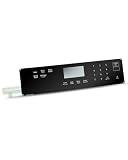
- 1.Applicable Model: Fit for Samsung Gas Ranges Ovens NX60A6311SS/AA-00, NX60A6311SG/AA-00, NX60A6311SG/AA-02, NX60A6311SG/AA-01
- 2. Replaces Models: DG96-00850D, AP7032883, PS16634292, EAP16634292
- 3. Responsive Touchpad Interface: The touchpad control panel uses high-quality membrane switches to ensure fast, precise input, allowing you to easily adjust settings. Whether you are cooking at low or high temperatures, this control panel will provide consistent performance
- 4. Durable and Long-Lasting: The control panel is made of high-quality polyester film material to withstand daily use and resist wear and tear, ensuring a long service life. It is designed to withstand high temperatures and frequent use, and it can maintain its functionality even in demanding kitchen environments
- 5. Responsive: With a responsive touch-sensitive design, this control panel has an intuitive, user-friendly touch interface for precise adjustment of cooking settings, making it easier to manage temperature
Rank #3
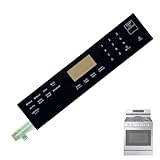
- 【OE Number】 This DG96-00850B range oven touch pad part fit for this part AP7032881,PS16634290,EAP16634290.
- 【Compatible with Samsung models】This DG96-00850B range oven touch pad compatible with various models of range ovens. NX60A6511SS/AA-01,NX60A6511SS/AA-00,NX60A6511SG/AA-00,NX60A6511SB/AA-00,NX60A6511SS/AA-02.Please check the buttons and words details same as your orignial one.
- 【Enhanced Touch Sensitivity】The DG96-00850B Touchpad Overlay Features Advanced Touch Technology That Offers Enhanced Sensitivity And Precise Touch Response.Whether You're Setting The Cooking Temperature,timer,or Other Settings,the Touchpad Responds Promptly And Accurately,enhancing Your Overall Cooking Experience.
- 【best performance】With This DG96-00850B Control Panel Dependable Replacement,Once Installed,it Seamlessly Integrates With Your Oven's Controls,restoring Full Functionality And Ensuring A Consistent Cooking Experience,you Can Rely On Your Samsung Stove Oven To Perform At Its Best.
- 【Ensure Compatibility】Please Carefully Check The Compatibility Between The Product Model And Your Oven Control Board Before Purchasing.
Product prices and availability are accurate as of the date/time indicated and are subject to change. Any price and availability information displayed on Amazon at the time of purchase will apply.

