
iTechGuides is reader-supported. When you buy through links on our site, we may earn an affiliate commission. As an Amazon Associate I earn from qualifying purchases. Learn more
You can record a game session onto VHS, but that is not the same as porting a playable game to tape. A VCR records the picture and sound coming from a console or computer; it does not save the game code, controls, or interactive response. If you want a VHS copy of gameplay, connect a compatible video source to a VCR’s inputs, record a short test, and check the result from the tape.
What “porting a game to VHS” means
In ordinary use, “porting” means adapting software to run on another platform. VHS is a recording medium, not a typical interactive game platform. The Library of Congress distinguishes game software distributed on formats such as cartridges and discs from “video of software in use,” which can serve as a separate preservation material: Library of Congress: Sustainability of Digital Formats—Video Game Formats.
| # | Preview | Product | Price | |
|---|---|---|---|---|
| 1 |

|
Panasonic PV-9450 4-Head Hi-Fi VCR | $150.00 | Buy on Amazon |
| 2 |

|
Magnavox MWD2206 DVD/VCR Combination Player | $168.00 | Buy on Amazon |
| 3 |

|
Sony VHS/DVD Combo Player (Renewed) | $249.00 | Buy on Amazon |
| 4 |
|
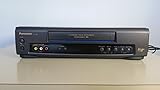
Panasonic VCR VHS Transfer w/Remote, USB Adapter, HDMI Converter (Renewed) (Renewed) | $284.99 | Buy on Amazon |
| 5 |

|
Philips DVD/VCR Combo (Renewed) | $249.00 | Buy on Amazon |
A VHS tape can show and sound like a session of gameplay. It cannot reproduce the original game’s code or let someone control what happens next. The Strong National Museum of Play describes gameplay recordings as a way to document games running on original hardware and help viewers understand play; footage complements preservation of the game and platform rather than replacing them: The Strong: Video Game Capture Project.
Quick wins for a faster PC:
Repair Windows errors before they cause bigger problemsFix Now →Scan for outdated or missing drivers - takes under a minuteDriver Scan →Clear out junk files and repair common Windows errorsFree Scan →What you need to record gameplay to VHS
- A working VHS VCR with video and audio inputs. Many standard VCRs accept composite RCA connections: yellow for video and red/white for stereo audio. Check the labels on your deck; not every VCR has the same inputs.
- A game system or computer with an output that can be connected to the VCR, directly or through compatible conversion equipment.
- Cables or converters that match the source’s output to the VCR’s input and preserve a video standard the deck supports.
- A blank VHS tape and, if you want to watch while recording, a display connection or routing arrangement that lets you see the source without interrupting the signal to the VCR.
The Canadian Conservation Institute documents composite connections for VHS and S-video connections on S-VHS equipment in its transfer guidance. These are useful examples of signal-chain types, not a universal console-to-VCR recipe: Canadian Conservation Institute: Video Tape Digitization Workflow.
#1 Best Overall
- VHS hi-fi stereo
- MTS/SAP broadcast reception
- Multibrand universal remote
- Auto clock set with backup, trilingual on-screen programming and setup
- Limit 2 per customer
How to connect a game system to a VCR
- Identify the source output. Check the console or computer for its video and audio outputs, and consult its documentation for the supported signal and regional video standard.
- Check the VCR input. Look for labeled video/audio inputs, commonly yellow composite video and red/white audio. If the deck is S-VHS, it may also have S-video; use it only when the source and signal chain support it.
- Match the entire signal path. Connect source output to compatible VCR input, using conversion only where needed. Do not assume that a cable or adapter will convert signal formats or make an unsupported standard compatible.
- Set the VCR to the correct input. Select the deck’s corresponding line or AV input, insert a tape, and record a brief test while the game is running.
- Play back the test tape. Check picture, audio, synchronization, and whether the image is stable. If you also need a live display, verify that your routing setup feeds both the VCR and display as intended; do not assume every splitter or converter will work with every console and deck.
Signal quality depends on the source, VCR, connections, and any devices between them. A capture account in Game(play) Archives describes audio problems, image misalignment, and visual artifacts when game and display frame rates did not match. Those experiences are not universal performance measurements, but they illustrate why a test recording matters and why capture methods may need to suit the platform: Game(play) Archives.
VHS recording versus digital preservation
Choose the method that fits the purpose. Recording directly to VHS creates a physical tape and can produce an analog look, but it does not by itself make a durable archival master. Digitizing an existing VHS tape is a different workflow: the Canadian Conservation Institute describes a path from VCR output through an optional time-base corrector (TBC) to a digitizer and computer. The TBC in that setup stabilizes video timing; it does not process audio, which passes through.
Rank #2
- Plays these formats: DVD, DVD-R/RW, CD-R/-RW, MP-3, video tapes
- Component video output
- S-video output for improved picture quality
- Front audio/video input jacks; fast hookup of video games and more
- 4-head VCR for top-quality images
For preservation capture of gameplay, The Strong’s handbook recommends uncompressed capture at the device’s native video output. It also warns that many capture devices can misinterpret older-console 240p signals as 480i, so confirm that the capture hardware handles the source signal correctly: The Strong: Video Game History Preservation Handbook.
Outdated Drivers Are Slowing You Down
One free scan finds every outdated or missing driver and matches the right update for your exact hardware.Free scan · exact hardware matchWindows Errors? Fix Them Before They Spread
Repair common Windows errors and clear accumulated junk for a smoother, more stable PC - no reinstall needed.Free scan · no reinstall| Goal | Approach | Important consideration |
|---|---|---|
| Make a VHS copy or achieve an analog presentation | Record a compatible source to a VHS VCR. | Verify the source-to-deck connection and play back the tape; image and sound depend on the complete equipment chain. |
| Digitize an existing VHS tape | Use a VCR output, optionally a TBC, then a digitizer and computer, following the equipment documentation. | Capture-device software and hardware change over time; confirm compatibility with the specific signal and equipment. |
| Preserve gameplay from original hardware | Capture the device’s native video output, preferably uncompressed, with hardware that supports the signal. | Older 240p output may be misread as 480i by some capture devices. |
Analog recordings also have an access problem over time: VHS playback equipment becomes obsolete. The Strong handbook treats migration as necessary for continued access to analog audiovisual formats. If preserving a game matters, keep footage alongside preservation of the software and platform where possible; a tape of play cannot replace either.
Independent reader supportYour contribution helps us test, update, and keep practical guides available for everyone.VHS’s role in video game history
VHS has documented game culture and industry activity even when it was not the medium carrying a playable game. The Video Game History Foundation Library catalogs game-related videotapes and audio recordings, including event footage and production material. Its Cyan collection record describes more than 200 recordings associated primarily with production of Riven, interviews, and behind-the-scenes material; the collection includes examples dated 1997–1998. The catalog also lists an Acclaim at Winter CES item dated January 8, 1995: Video Game History Foundation Library.
The Strong’s capture project says it tested and recorded gameplay from thousands of games in its collection. That kind of footage helps document what games looked and sounded like on original systems, while remaining a record of play rather than an interactive copy.
Quick Recap
Best Value
- Hi Fi VCR, DVD/VCR combi
- Plays, DVD, CD, MP3, Pic CD
- Progressive Scan
Product prices and availability are accurate as of the date/time indicated and are subject to change. Any price and availability information displayed on Amazon at the time of purchase will apply.
Recommended Free Tools

