
Free tools Windows power users keep installed
One-click scans. No signup required.
iTechGuides is reader-supported. When you buy through links on our site, we may earn an affiliate commission. As an Amazon Associate I earn from qualifying purchases. Learn more
You can play a simplified version of the Astronomia tune associated with the Coffin Dance meme using an Arduino-compatible board and a passive piezo buzzer. Connect the buzzer between digital pin 7 and GND, then upload a sketch that pairs melody frequencies with note durations and plays them in sequence. The pin in your wiring must match the pin in the sketch.
What you need
- An Arduino Uno-compatible board
- A passive piezo buzzer
- Jumper wires
- A breadboard, if you want a convenient way to make the connections
These are the core parts used in community Arduino melody examples, including the Arduino Project Hub Astronomia project and its Coffin Dance Melody example. The tutorials use general component names rather than establishing one required buzzer model.
Connect the buzzer
- With the Arduino disconnected from USB or other power, place the buzzer leads in the breadboard or prepare jumper wires.
- Connect one buzzer lead to digital pin 7 on the Arduino.
- Connect the other buzzer lead to an Arduino GND pin.
- Connect the Arduino to your computer with USB after checking that the wiring is secure.
The pin-7-to-GND arrangement follows the Maker Pro buzzer example. The Arduino Project Hub code also uses pin 7. Other tutorials use different pins, so if you choose another output, change the sketch and wiring together.
Upload a melody sketch
The melody is a sequence of pitches, and each pitch has a corresponding duration. The following sketch illustrates that structure and the playback loop; its note sequence is a simplified project implementation, not an official or exact transcription of the commercial recording.
#1 Best Overall
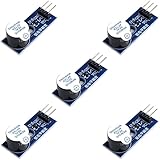
- Active Piezo Buzzer Module for Arduino, ESP32, ESP8266, Raspberry Pi
- Equipped with fixing bolt holes for easy installation
- Working voltage 3.3V-5V
- Tutorials for Arduino, ESP32, ESP8266, Raspberry Pi are provided (Search for: DIYables active piezo buzzer module)
const int buzzerPin = 7;

// Frequencies in hertz for the notes used below.
const int melody[] = {
  587, 587, 587, 494, 587, 659, 587, 494
};

// Matching note lengths in milliseconds.
const int noteDurations[] = {
  250, 250, 500, 250, 250, 500, 250, 750
};

const int noteCount = sizeof(melody) / sizeof(melody[0]);

void setup() {
  for (int i = 0; i < noteCount; i++) {
    int noteDuration = noteDurations[i];
    tone(buzzerPin, melody[i], noteDuration);
    delay(noteDuration * 1.3);
    noTone(buzzerPin);
  }
}

void loop() {
  // The tune plays once. Reset the board to play it again.
}- Open the Arduino IDE and select the board and port that correspond to your connected Arduino.
- Paste the sketch into a new sketch window.
- Choose Verify to compile it, then choose Upload.
- After upload, the sketch plays the notes once. Press the board’s reset button to play the sequence again.
How the sketch makes sound
Pitch and note length
Each number in melody[] is a pitch frequency in hertz. A higher frequency produces a higher pitch. The corresponding number in noteDurations[] sets how long that note is played in milliseconds. Keep the arrays the same length and in the same order so every pitch has its intended duration. Community examples, including Hackster’s Coffin Dance project, use this paired-array approach.
The playback loop
tone(buzzerPin, melody[i], noteDuration) asks the board to produce the selected frequency on the chosen pin for the specified time. The delay() gives a short interval before the next note, and noTone() stops the current tone. Hack Club’s Meme Songs with Arduino workshop describes the parameters to tone() as pin, frequency in hertz, and duration in milliseconds.
Rank #2
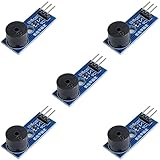
- Passive Buzzer Module: Generates sound based on input signals, perfect for custom audio alerts in various projects.
- Frequency Adjustable: Control the tone and pitch by adjusting the input frequency, ideal for creating different sound effects.
- Low Power Consumption: Operates efficiently with minimal power, compatible with 3.3V to 5V systems.
- Wide Compatibility: Tutorials for Arduino, ESP32, ESP8266, Raspberry Pi are provided => Search for: DIYables passive buzzer module.
- Compact and Easy to Use: Small form factor, ideal for integrating into compact designs and quick prototyping.
Changing the tune or rhythm
To change the melody, edit the frequency values in melody[]; to change note lengths, edit the matching entries in noteDurations[]. The gap between notes is controlled here by delay(noteDuration * 1.3). A larger multiplier creates a longer pause after each note, while a value closer to 1 shortens the gap.
Buzzer and speaker options
| Setup | Additional parts | Wiring and code |
|---|---|---|
| Direct buzzer | Arduino-compatible board, buzzer, jumper wires; breadboard optional | Connect the buzzer between the output pin and GND; use that same pin in tone(). |
| Speaker circuit | Speaker and BC547 NPN transistor, in addition to the board and connecting wires | Follow the separate transistor circuit in the Maker Pro tutorial; configure the sketch for the circuit’s signal pin. |
The speaker option uses extra components and a different circuit; it is not required for the basic buzzer build. The cited project tutorials do not provide controlled measurements of loudness, sound quality, power use, or playback accuracy, so they do not establish that one setup performs better on those measures.
Rank #3

- Product Name: Electronic Alarm Buzzer; Dimension: 0.47X0.37"/12x8.5mm(Dx H).
- Application:Suitable for electronic toys, safety equipment, development boards,etc
- Plastic housing, 3-5V input, 2 terminals, 2000HZ resonance frequency
- Feature: All multi-chip integrated circuits using gold wire ball bonding, complex production process, long life, stable performance, high rate of qualified products.
- 20PCS DC 3V Active Buzzer 2 Terminals for Arduino Raspberry Pi,Magnetic Electronic Continous Long Beep Tone Alarm Sounder
Common problems
- No sound: Check that one buzzer lead reaches GND and the other reaches the digital pin named in
buzzerPin. Confirm the sketch uploaded successfully and that the connected component is a passive piezo buzzer. - Unexpected pitch or rhythm: Check that each frequency has a matching duration in the same array position. Changing the delay multiplier also changes the spacing between notes.
- Code does not compile: Make sure the melody and duration arrays use matching braces and that each value is separated by a comma. Verify that the board selection is appropriate for the connected Arduino.
Accuracy and reuse
Arduino community examples differ in note sequence, array length, timing, and output pin, so this is one playable interpretation rather than a definitive transcription. The tutorial pages do not establish licensing or permission for commercial reuse of the melody or posted code. If you plan to publish or sell a version, determine the applicable rights separately.
Quick Recap
Best Value
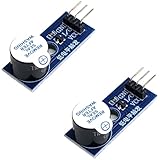
- Active Piezo Buzzer Module (2-Pack) – Simple and effective sound module that emits a tone when powered, ideal for alarms, timers, and alerts in DIY electronics.
- Works with 3.3V–5V Boards – Compatible with both 3.3V and 5V logic levels, making it suitable for Arduino, ESP32, ESP8266, Raspberry Pi, and more.
- Plug-and-Play Operation – Active design means it generates sound with just a DC signal—no need for PWM or tone generation from your code.
- Easy Mounting – Comes with built-in fixing bolt holes for secure installation in enclosures, robots, panels, and prototyping boards.
- Tutorials Available – Search “DIYables active piezo buzzer module” online to find helpful tutorials and usage examples with various microcontrollers.
Rank #4

- High-volume boosts alerts with a robust 3-decibel output alert; ideal for Arduino, DIY electronics, and safety alarms
- Alarm pinger 9*5.5mm mini piezo buzzers easy 5V plug & play operation; Works seamlessly with computers and development boards
- Compact & energy efficient design draws <250mA current for versatile project integration
- Superior Sensitivity ensures clear audible signals from electronic toys to equipment
- Mini active piezo buzzer module with 9*5.5mm size, fits snugly in tight spaces without compromising sound quality
Product prices and availability are accurate as of the date/time indicated and are subject to change. Any price and availability information displayed on Amazon at the time of purchase will apply.

