
Recommended Free Tools
iTechGuides is reader-supported. When you buy through links on our site, we may earn an affiliate commission. As an Amazon Associate I earn from qualifying purchases. Learn more
Plan a high-capacity SSD deployment as a complete server-and-rack system, not as a pile of drives. Start with the workload and usable-capacity target, select an exact drive SKU and compatible chassis, calculate drive and host power, convert the resulting IT load into heat and airflow requirements, and then verify rack density against the facility’s electrical, cooling, weight, network, and service-access limits. Vendor figures such as Micron’s 20 W 6550 ION specification or its petabytes-per-rack-unit claims are useful inputs, but they are not universal rack guarantees.
Why SSD planning must be system-level
An SSD’s label capacity and watts are only one part of deployment sizing. A rack also contains storage servers, CPUs and memory, host bus adapters, network switches, management hardware, power supplies, power-distribution units, cables, and sometimes conversion equipment. Those components consume power, occupy rack units, obstruct or redirect airflow, add weight, and determine how many drives can actually be installed and serviced.
The practical planning unit is therefore the populated system: a specified drive model, count, backplane, chassis, host configuration, network design, rack layout, and site envelope. A drive-level number can be multiplied by the installed count for an initial estimate, but it must then be combined with the rest of the system and checked against the facility design.
1. Define workload, usable capacity, and growth
Translate the application into storage requirements
Before comparing products, document the application’s requirements:
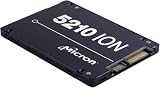
#1 Best Overall

- Compatibility: 2.5-Inch form factor size for capacity-dense storage, SATA III 6G interface
- Performance: storage space of 7680GB, qlc NAND flash Type for endurance & Performance
- Applications: real-time analytics, big data, AI data lakes, machine and deep learning
- Features: AES 256-bit encryption, power Loss protection, end-to-end data path protection
- Reliability: 24x7 availability, long-term lifespan, full Micron Warranty can be claimed through point of purchase
- Usable capacity at commissioning and at the end of the planning period.
- Expected annual data growth and the point at which expansion must occur.
- Redundancy, spare-drive, and rebuild requirements.
- Read/write ratio, block-size mix, concurrency, throughput, and latency targets.
- Retention, backup, replication, and disaster-recovery copies.
- Endurance, write-amplification expectations, and the workload’s daily drive writes.
- Any data-reduction assumption, such as compression or deduplication, and whether it is measured or merely a planning scenario.
Separate raw capacity from usable capacity. Raw capacity is the sum of the drive labels. Usable capacity is what remains after filesystem or object-store overhead, metadata, protection, hot spares, replication, and the operating reserve needed to maintain performance. Do not apply a generic usable-capacity percentage when the storage platform has not been chosen; obtain the platform’s layout and protection rules first.
Build low, expected, and high cases
Create at least three scenarios. The low case represents the minimum deployment that meets today’s requirement; the expected case includes the planned growth period; and the high case tests faster growth, heavier writes, or an additional protection copy. For each case, record raw terabytes, usable terabytes, drive count, chassis count, rack units, estimated kilowatts, and the date at which another expansion becomes necessary.
2. Select an exact drive and verify the platform
Form factor is a host constraint
Capacity alone does not tell you whether a drive will fit. E3.S, U.2, and E1.L devices use different mechanical arrangements, connectors, cooling paths, and backplanes. Micron lists the 6550 ION in E3.S, U.2, and E1.L variants, while its 6600 ION range includes E3.S and E3.L variants. These formats are not interchangeable without a compatible server or enclosure.
Quick wins for a faster PC:
Clear out junk files and repair common Windows errorsFree Scan →Scan for outdated or missing drivers - takes under a minuteDriver Scan →Repair Windows errors before they cause bigger problemsFix Now →For every candidate, record the exact capacity, form factor, interface, firmware requirements, supported power limits, and qualification status for the selected host. Confirm the backplane’s connector type, lane wiring, bifurcation support, hot-plug behavior, and maximum device count. A chassis advertised as “NVMe-ready” may still support only a subset of these forms or may require a specific riser, cable, or midplane.
Rank #2

- Matched Pair of Xeon Gold 6130 16-Core 2.10 GHz, 22.0 MB L3 Cache, Up To 3.70 GHz Turbo, TDP: 125W
- Memory: 512GB (16 x 32GB) DDR4-2666MHz PC4-21300 ECC Memory
- Storage: 61.44TB (8 x 7.68TB) Enterprise Micron SATA III 6Gb/s SSDs for Ultra-Fast Storage
- Thermal Paste included
- Compatible with ThinkSystem SR530, SR630, SR650, ST550
Examples of published high-capacity figures
| Product example | Published capacity or density figure | What the figure means for planning |
|---|---|---|
| Micron 6550 ION | 61.44 TB; Micron describes it as a 60 TB-class drive | Micron’s November 12, 2024 announcement also states 12 GB/s at 20 W for a cited configuration. Treat both as manufacturer statements, then verify the exact SKU, operating state, and workload. |
| Micron 6600 ION, E3.S | More than 2.4 PB per rack unit | Micron’s product-page figure depends on its drive, chassis, and rack assumptions; it is not a guaranteed result for every E3.S rack. |
| Micron 6600 ION, E3.L | More than 4.9 PB per rack unit | The E3.L figure uses a different physical format and configuration. Reproduce the underlying assumptions before using it in a design. |
| Solidigm D5-P5336 | Up to 122.88 TB | This is a published maximum-capacity specification. It does not establish the power, endurance, host compatibility, or usable rack capacity of a particular deployment. |
Check serviceability before maximizing slots
Populate only as many slots as can be cooled, powered, cabled, and serviced. Leave the manufacturer’s required clearance for drive replacement and fan modules. Confirm that a failed drive can be removed without blocking adjacent devices or requiring a neighboring server to be powered down. A theoretical maximum drive count is not a usable design if technicians cannot reach the carriers or if cable bends block the front-to-back air path.
3. Estimate IT power from the populated configuration
Start with drive states, not a single headline wattage
For an initial estimate, multiply the number of installed drives by the applicable power for the expected state, then model separate active, idle, startup, and recovery cases when the vendor publishes them. High-capacity enterprise SSD power varies by model, firmware, operating state, temperature, and workload. Micron’s 6550 ION announcement cites 20 W while delivering 12 GB/s; that is a product-positioning statement from Micron, not an independent benchmark and not a universal value for every 6550 configuration.
Use the selected SKU’s specification rather than substituting a similarly named capacity. If active and idle figures are unavailable, document the assumption, use a conservative engineering value supplied by the vendor or platform owner, and mark the estimate for validation during acceptance testing.
What’s actually slowing this PC down?
Pick the symptom - the matching free tool is one click away.
Add every other electrical load
| Load category | How to estimate it | Checks to perform |
|---|---|---|
| SSDs | Installed count multiplied by the applicable state-based estimate | Verify active, idle, startup, thermal-throttling, and rebuild behavior. |
| Host server | Use the complete server configuration, including CPUs, memory, fans, controllers, and accelerators | Use the vendor’s configuration-specific power tool or measured data, not an empty-chassis value. |
| Storage and network adapters | Include NVMe controllers, host bus adapters, optics, and switch ports | Count both ends of each link and account for the selected optic or cable type. |
| Management and ancillary equipment | Include management nodes, KVM equipment, telemetry devices, and rack monitoring | Check whether these devices are powered from the same rack budget. |
| Power conversion | Account for UPS, busway, PDU, and power-supply losses using their efficiency curves | Use the efficiency at the expected load, not only the nameplate peak. |
Calculate at the right boundary
Keep three numbers separate: device power, server input power, and rack input power. Device power is useful for comparing SSDs. Server input power includes the drives and the host. Rack input power adds switches, management equipment, power-distribution losses, and any other connected load. Facility engineers need the rack-input figure and its operating profile, not the SSD subtotal.
Rank #3
- Storage Capacity: 3.84 TB
- Encryption Standard: 256-bit
- Maximum read transfer rate: 540 MB/s
- Maximum write transfer rate: 350 MB/s
- Endurance (DWPD): 0.8
4. Convert electrical load into heat and cooling work
Treat IT power as heat that must be rejected
Nearly all electrical power consumed by IT equipment ultimately becomes heat in the room or liquid loop. Use the site’s approved thermal-design method to convert the expected and worst-case rack input loads into cooling capacity. State whether the calculation uses steady-state draw, a short-duration peak, or a recovery event such as a rebuild. Cooling equipment, UPS systems, and distribution losses may also contribute heat in spaces outside the white room.
As a basic engineering conversion, one kilowatt of continuous IT load is approximately 3,412 British thermal units per hour. The facility’s cooling model still determines how that heat is removed, because supply temperature, return temperature, containment, recirculation, and cooling-system efficiency affect the required equipment capacity.
Use airflow guidance only in its intended context
NVIDIA’s current DGX H100 planning guidance gives a minimum example of 157 cubic feet per minute (4.445 cubic metres per minute) per kilowatt. NVIDIA also states that airflow requirements vary with environmental conditions, altitude, and component temperature rise. That number is specific to the referenced DGX H100 design; it is not a universal airflow constant for an SSD rack. Use the selected server and facility documentation to determine fan direction, required flow, allowable pressure drop, and supply and return conditions.
The Tool Desk
Outbyte Driver Updater FREEScan for outdated or missing drivers - takes under a minuteDriver Scan →Outbyte PC Repair FREERepair Windows errors before they cause bigger problemsFix Now →Check the physical air path
- Confirm that every chassis is designed for the rack’s front-to-back, side-to-side, or other specified airflow direction.
- Prevent blanking-panel gaps, unused cable openings, and floor or ceiling bypasses from allowing hot exhaust to recirculate.
- Check that high-density E3.S or E3.L carriers do not exceed the backplane or fan wall’s thermal design.
- Include the temperature rise across the rack and the highest inlet temperature, not only the room average.
- Verify operation at the site’s altitude and at the facility’s maximum expected supply temperature.
5. Calculate rack density and rack space
Count real chassis, not theoretical drive slots
Determine how many drives fit in one qualified system, how many systems fit in the rack, and how many rack units each system consumes. Then reserve units for switches, patch panels, cable managers, power distribution, and service clearances. A server with fewer drive slots may deliver a better rack-level result if it uses less power, has better airflow, or leaves room for networking and maintenance.
Rank #4

- Storage Capacity: 7.68 TB
- Encryption Standard: 256-bit
- Maximum read transfer rate: 540 MB/s
- Maximum write transfer rate: 360 MB/s
- Endurance (DWPD): 0.8
| Rack-space input | Question to answer |
|---|---|
| Drive slots per chassis | How many of the selected form factor can the backplane physically and electrically support? |
| Chassis rack units | How many U does each populated server or enclosure consume, including required spacing? |
| Systems per rack | How many fit after reserving switch, PDU, cable, and service space? |
| Power per rack | What is the sum of server, networking, management, and conversion loads at normal and peak states? |
| Weight and floor loading | Does the populated rack remain within the rack, tile, and structural limits? |
| Service access | Can staff replace drives, fans, and power supplies without unsafe reach or rack moves? |
Interpret vendor density claims correctly
Micron reports up to 67% greater rack density in a cited comparison for the 6550 ION. That is a vendor comparison claim whose result depends on the configurations compared. Likewise, the 6600 ION page’s more-than-2.4-PB-per-rack-unit E3.S and more-than-4.9-PB-per-rack-unit E3.L figures rely on Micron’s stated drive and rack assumptions. Recalculate capacity per usable rack unit with your actual chassis, protection scheme, network equipment, and service clearances.
6. A worked first-pass estimate
The following arithmetic illustrates the method; it is not a claim about a complete production system. Suppose a design uses 24 drives and, for an initial active-state estimate, applies the cited 20 W figure for a 6550 ION configuration. Drive power is 24 × 20 W = 480 W. If the selected server, memory, controllers, and fans are estimated at 600 W, and the attached networking and management equipment at 300 W, the pre-loss IT total is 1,380 W.
If the power path is estimated at 10% losses for this planning case, the rack-input estimate becomes 1,518 W. The corresponding continuous heat load is approximately 5,180 BTU/h using the standard 3,412-BTU/h-per-kilowatt conversion. The example must still be replaced with the exact server power profile, PDU and UPS efficiency data, inlet conditions, and facility cooling calculation. Do not use the example’s airflow or power result as a design limit.
7. Validate the design with facilities and platform owners
Electrical review
- Confirm circuit voltage, phase, breaker rating, redundancy mode, and PDU receptacle availability.
- Check normal, startup, failover, and rebuild loads against the branch-circuit and rack limits.
- Verify that A/B feeds remain within their independent limits when one feed is unavailable.
- Include power-factor and efficiency assumptions required by the facility.
Thermal and airflow review
- Compare calculated rack heat with the room, row, and cooling-unit capacity.
- Verify containment, supply temperature, return temperature, altitude, and allowable inlet temperature.
- Check fan redundancy and the thermal behavior of a failed fan or blocked filter.
- Confirm that the server manufacturer’s airflow and pressure requirements match the rack layout.
Physical and operational review
- Check rack dimensions, weight, floor loading, seismic restraints where applicable, and delivery route.
- Reserve space for switches, patch panels, cable bend radius, PDUs, and service access.
- Document drive replacement procedures, spare inventory, and maintenance clearances.
- Confirm monitoring for inlet temperature, exhaust temperature, power, fan speed, and thermal throttling.
NVIDIA’s DGX H100 guidance emphasizes that rack density can be customized to available power and cooling; reducing density may increase the number of racks required. Apply the same principle to storage: a lower-density arrangement can be the correct design when it preserves electrical redundancy, airflow margin, or serviceability.
Best Value

- Micron Ion 5210 Enterprise Solid State Drive and HPE ProLiant Server 2.5” Drive Tray, made for production environments and compatibility with most Dell PowerEdge servers!
- Comes With 2.5" (SFF) Dell Compatible Tray
- 7.68TB SATA SSD Capacity
- Compatible with Dell PowerEdge R440, Dell PowerEdge R640, Dell PowerEdge R740, Dell PowerEdge R740XD, Dell PowerEdge R840, Dell PowerEdge R940, and Dell PowerEdge T640 Servers
8. Compare candidate designs on the same axes
Build a comparison sheet in which every option uses the same workload, protection, growth period, and rack boundary. Include:
| Axis | What to compare | Why it changes the decision |
|---|---|---|
| Capacity | Raw and usable capacity per drive, chassis, and usable rack unit | Raw petabytes can overstate what the application can consume after protection and reserve space. |
| Power | Drive active and idle behavior plus complete-server and rack-input power | A low drive wattage does not guarantee a low rack load if chassis or networking overhead is high. |
| Performance | Throughput, latency, concurrency, and recovery behavior under the target workload | Peak sequential specifications may not represent application performance. |
| Endurance | Write workload, rated endurance, warranty conditions, and replacement interval | A capacity advantage is not useful if the workload exhausts the endurance budget. |
| Compatibility | Form factor, connector, firmware, backplane, lane topology, and host qualification | Mechanical or electrical incompatibility can eliminate an otherwise attractive drive. |
| Density and serviceability | Drives per chassis, rack units, weight, cable routing, and replacement access | The densest theoretical layout may be difficult to cool or maintain. |
| Facility fit | Rack kilowatts, heat rejection, airflow, power redundancy, and floor capacity | Site constraints determine whether the design can actually be deployed. |
9. Common planning mistakes and fixes
Using drive watts as rack watts
Symptom: the SSD arithmetic fits the rack budget, but the populated server trips a power or thermal limit. Fix: add host, adapter, switch, management, and conversion loads, then check normal and peak states at the rack input.
Assuming every NVMe bay accepts every form factor
Symptom: a selected E3.S, U.2, or E1.L device cannot be inserted, wired, cooled, or enumerated by the planned chassis. Fix: obtain the exact backplane and qualification matrix for the SKU, including firmware and lane requirements.
Copying a vendor PB-per-rack figure into a site design
Symptom: the calculated capacity ignores switches, spare space, protection overhead, or the vendor’s different chassis. Fix: reproduce the vendor’s assumptions, label the figure as a manufacturer claim, and recalculate with the actual rack bill of materials.
Applying a system-specific airflow number universally
Symptom: a rack appears to have enough nominal cubic feet per minute but runs hot at altitude or at a higher inlet temperature. Fix: use the selected equipment’s airflow and pressure data with the facility’s environmental conditions. The 157 ft³/min-per-kilowatt NVIDIA example is not a general SSD standard.
Designing to maximum slot count
Symptom: there is no room for cable management, failed-drive replacement, or thermal margin. Fix: model a serviceable population and reserve rack units, power, and cooling headroom.
10. Procurement and design handoff checklist
- Write the usable-capacity, growth, redundancy, performance, and endurance requirements.
- List each candidate’s exact SKU, capacity, form factor, interface, firmware, and power data.
- Obtain the selected server or enclosure’s backplane, slot-count, airflow, and qualification documentation.
- Build normal, active, idle, startup, failover, and recovery power cases.
- Add host, network, management, PDU, UPS, and conversion loads to obtain rack-input power.
- Convert the electrical estimate into heat using the facility’s approved method.
- Verify airflow direction, pressure, inlet temperature, altitude, containment, and fan redundancy.
- Calculate chassis count, rack units, weight, cable space, service clearances, and usable capacity per rack.
- Compare the result with branch-circuit, PDU, cooling, floor-loading, and network limits.
- Have facilities, platform, networking, and operations owners sign off before ordering drives or racks.
The final design should identify which numbers are measured, which are vendor specifications, which are calculated assumptions, and which still require site validation. That traceability prevents a product headline from becoming an unverified facility commitment.
Free tools Windows power users keep installed
One-click scans. No signup required.
Quick Recap
Product prices and availability are accurate as of the date/time indicated and are subject to change. Any price and availability information displayed on Amazon at the time of purchase will apply.

