
Free tools Windows power users keep installed
One-click scans. No signup required.
iTechGuides is reader-supported. When you buy through links on our site, we may earn an affiliate commission. As an Amazon Associate I earn from qualifying purchases. Learn more
If you mean telephone numbers used by Teams Phone, moving them to a new Microsoft 365 tenant is a PSTN-provider transfer—not a routine mailbox or Teams data migration. The exact process depends on how your organization gets phone service: Microsoft Calling Plans, Operator Connect, Teams Phone Mobile, or Direct Routing. Microsoft documents how to port numbers into Calling Plans, but its reviewed guidance does not give a direct, universal tenant-to-tenant transfer procedure. Confirm the target and source arrangements with Microsoft Telephone Number Services or the relevant carrier before scheduling a cutover.
What “tenant-to-tenant telephone number migration” means
A Microsoft 365 tenant migration moves workloads such as users, identity, and data. A Teams Phone number is tied to a PSTN service arrangement, so it requires a separate plan for the provider, number ownership, and assignment in the destination tenant. Microsoft says Teams Phone licenses do not include telephone numbers; the tenant needs a phone-number services agreement and integration with one or more PSTN providers. See Microsoft’s overview of acquiring phone numbers.
Microsoft lists four broad PSTN connectivity options: Calling Plans, Operator Connect, Teams Phone Mobile, and Direct Routing. Number acquisition and management differ among them. A number port through Microsoft Calling Plans is not automatically the same as transferring a number between tenants, and the published Calling Plan port guidance does not establish a universal cross-tenant runbook. Microsoft’s July 2019 tenant-to-tenant migration guide is broad workload-planning material, not current authority for Teams Phone number cutover instructions.
Identify the PSTN model and numbers involved
Before choosing a transfer route, make an inventory of every number and what it serves. Include user numbers, auto attendant and call queue numbers, conference numbers, toll-free numbers, and any other service numbers. Record the country or region, current provider, number type, account details, and the current PSTN model.
#1 Best Overall

- Item Package Quantity - 1
- Product Type - LANDLINE PHONE
- Memory - 0. GB
- Accessories may not be original, but will be compatible and fully functional. Product may come in generic box.
| Current or target model | What to confirm for the move |
|---|---|
| Microsoft Calling Plans | Whether the number is eligible to port into the target tenant’s Calling Plan service; who submits the port order; and which carrier records and country-specific documents are required. Microsoft’s published process describes a carrier-mediated port into Calling Plans. |
| Operator Connect | Whether the operator supports the intended tenant transfer or port, its release and onboarding process, and when the number can be assigned in the target tenant. Follow the operator’s process alongside Microsoft’s Operator Connect configuration guidance. |
| Teams Phone Mobile | How the mobile operator manages the number, releases it from the existing tenant, and connects it to the destination tenant. Consult the operator and Microsoft’s Teams Phone Mobile number guidance. |
| Direct Routing | Which numbers are managed by the organization or operator, whether numbers are online or synchronized from on-premises Active Directory, and what must change in the SBC, routing, and tenant configuration. Do not assume that a Calling Plan port process applies. |
For each number, capture the current carrier’s account number, billing telephone number (BTN), service address, authorized account contact, and any required PIN or paperwork. Note which numbers are being moved together and which belong to voice applications rather than individual users. The exact requirements vary by provider, number type, and country.
Prepare the destination tenant before requesting a transfer
Make the new tenant ready to provide voice service before the operator’s cutover window. Microsoft’s Calling Plan setup guidance covers country availability, setup prerequisites, licensing, and number assignment; the exact steps differ if the destination uses another PSTN model. See Set up Microsoft Calling Plans.
Rank #2

- Power Adapter NOT Included
- Android 13
- 4 inch (480 x 800) capacitive touch screen
- Optimal HD audio, Yealink Noise Proof Technology
- Magnet Handset
- Confirm country and number eligibility. Verify that the target service supports the organization’s country, number type, and intended use. Check local regulatory and emergency-calling requirements.
- Complete identity and compliance requirements. Submit any required customer verification or KYC information and wait for approval before relying on the service.
- Set up the target PSTN connection. Establish the Calling Plan, Operator Connect, Teams Phone Mobile, or Direct Routing arrangement with the provider responsible for the new tenant.
- Assign the required licenses. Ensure users have the Teams Phone and, where applicable, Calling Plan licenses needed for the target setup.
- Configure emergency locations. Set emergency addresses and any location information required for users and numbers under the applicable service and local rules.
- Prepare voice applications. Create and license resource accounts for auto attendants and call queues. If callers must dial a voice application directly, plan for a number to be assigned to its resource account. Microsoft explains this in Manage resource accounts for voice applications.
- Prepare assignments and routing. Know which target users and resource accounts will receive each number, and ensure the target configuration is ready to use those assignments when the provider releases or activates the numbers.
Coordinate the number transfer with the provider
Ask the source and destination providers to confirm the transfer method in writing. If porting numbers to Microsoft Calling Plans, Microsoft submits the order to the current provider. That losing provider approves or rejects it; after an approved firm order commitment, the carrier releases the numbers and Microsoft directs them to the tenant. Microsoft cannot control the losing provider’s approval decision. A request date is not a guaranteed completion date.
Microsoft says a Calling Plan port typically takes 7–14 days from request to processing completion and may take up to 30 days, depending on the current provider. These are Microsoft’s operational estimates, not a guarantee. Its examples of losing-provider response times—3–5 business days in the United States and 5–7 business days in Canada—are specific to those countries and should not be applied elsewhere. A rejected request must be corrected and resubmitted, which restarts the response SLA. See Microsoft’s port-order overview.
Rank #3
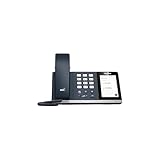
- 4.0 inch (480 x 800) Capacitive Touch Screen
- 3-ports USB 3.0 Hub
- Supports Bluetooth Headset
- Supports BT50 Dongle for PC
- Supports Busylight
For an Operator Connect, Teams Phone Mobile, or Direct Routing change, ask the relevant operator to explain its release, port, onboarding, and tenant-assignment steps. Microsoft warns that some transitions from Direct Routing to Operator Connect or Teams Phone Mobile can leave a number out of service during migration. Agree on the cutover window, escalation contacts, service impact, and recovery options with the operator rather than assuming the number will remain continuously reachable.
Use this migration sequence
- Inventory and classify. List each number, its country and type, current provider and PSTN model, current account details, and whether it serves a user, conference function, or voice application.
- Select the destination service. Decide whether the new tenant will use Calling Plans, Operator Connect, Teams Phone Mobile, or Direct Routing. Confirm country support and have the responsible operator explain how the numbers can be released, ported, or reassigned.
- Make the destination voice-ready. Complete required KYC, tenant/provider integration, licenses, emergency locations, user preparation, and resource-account setup before the transfer window.
- Validate the losing provider’s records. Have the provider confirm the exact legal business name, authorized contact, account number, BTN, service address, and other required details. Correct mismatches before submitting a port request.
- Submit and track the provider request. For a Calling Plan port, follow Microsoft’s port-order process. For other models, follow the operator’s process and track the order with the party that owns it. Do not treat a requested date as confirmation of approval or completion.
- Cut over and assign. Coordinate the release and activation time with both providers. Assign numbers to the intended target users or resource accounts when the provider and tenant are ready, and update any required routing or voice-application configuration.
- Test service before closing the change. Verify inbound and outbound calls, emergency calling, auto attendant and call queue behavior, and number assignment in Teams admin center or the provider’s appropriate management surface. Keep the provider escalation path available until the tests pass.
Protect service and avoid common porting failures
- Do not cancel the old service early. Microsoft says inactive or disconnected numbers cannot be ported. Keep the existing service active until the port or provider transfer is complete.
- Match the carrier’s records exactly. Differences in business name, account number, BTN, or service address are common sources of errors and delay. Use the losing carrier’s records rather than assuming the details on an internal spreadsheet are current.
- Plan for approval uncertainty. The losing carrier can reject a request. Allow time for corrections and resubmission, and avoid commitments that depend on a requested date being met.
- Do not promise zero downtime. Some provider transitions may make a number unavailable during the change. Ask the operator whether temporary routing, a staged cutover, or another contingency is possible for the specific arrangement.
- Include non-user numbers. If you inventory only employee lines, callers may lose access to conference numbers, auto attendants, or call queues. Track each voice application’s resource account and number assignment.
- Check local obligations. Number eligibility, paperwork, KYC, emergency calling, and timing depend on country, number type, provider, and service model. A U.S. porting example is not a global rule.
What to do if the number is rejected or unavailable
If a Calling Plan port is rejected
Ask the losing carrier which account record failed validation. Correct the request using the carrier’s exact details, then resubmit through the applicable process. Microsoft notes that resubmission restarts the provider-response SLA, so revise the cutover plan rather than assuming the original date still applies.
Rank #4

- Audio Quality: Eliminate distracting background noise at the source with Poly Acoustic Fence technology. Hear every nuance with premium sound quality featuring Poly HD Voice.
- Easy-to-Use: Poly CCX 400 combines an attractive ergonomic design with an intuitive user touchscreen interface.
- Convenience: Robust provisioning and management of telephony deployment and support make setup a snap.
- Ideal For: Entry-level phone best suited for common areas.
- Compatibility: USB-A, RJ9 and EHS ports allow you to connect a compatible Poly headset to suit any working style, in addition to the traditional handset.
If the number is not active in the target tenant after cutover
Contact the party handling the order—the carrier, operator, or Microsoft for a Calling Plan port—and verify whether the number has been released, routed, and assigned. Check that the destination user or resource account is licensed and ready, and confirm emergency-location and voice-application configuration. For Direct Routing, also check the provider and routing configuration rather than relying only on Teams number assignment.
What’s actually slowing this PC down?
Pick the symptom - the matching free tool is one click away.
If the old service has already been disconnected
Contact the former carrier immediately to determine whether the number can be restored or released for transfer. Microsoft’s porting guidance says disconnected numbers cannot be ported, so recovery depends on the carrier and the number’s status; do not assume a new tenant can reclaim it automatically.
Quick Recap
Best Value

- Power Adapter NOT Included
- Android 13 OS
- 7 inch (1024 x 600) capacitive touch screen
- Optimal HD audio, Yealink Noise Proof Technology
- Magnet Handset
Product prices and availability are accurate as of the date/time indicated and are subject to change. Any price and availability information displayed on Amazon at the time of purchase will apply.

