
iTechGuides is reader-supported. When you buy through links on our site, we may earn an affiliate commission. As an Amazon Associate I earn from qualifying purchases. Learn more
To make a quiz for friends with AI, give a quiz tool a shared topic, audience, difficulty, question count and preferred format. Treat its output as a draft: check the answers, tailor the wording to your group, then save and share the quiz. Kahoot! and Google Forms with Gemini both document quiz-generation workflows, but access and available options depend on the account or plan.
What to decide before you generate questions
Start with something your group already shares: a favorite show, a trip, a hobby, a celebration or an inside joke. Then decide what will make the quiz enjoyable rather than merely long. A focused prompt gives the AI clearer boundaries and gives you a draft that is easier to review.
- Audience: who is playing, and what background knowledge can you assume?
- Topic: name a specific subject or event instead of asking for a general trivia quiz.
- Difficulty: choose easy, mixed or challenging questions to suit the group.
- Length: specify an approximate number of questions.
- Format and tone: say whether you want multiple choice or another available format, and whether the mood should be playful, competitive or relaxed.
For example: “Create 12 multiple-choice questions for six friends who watched the same season of [show name]. Use medium difficulty, a playful tone and four answer choices per question. Avoid spoilers beyond that season, and mark the correct answer.” Replace the bracketed text with your topic. If you have source material, such as notes or slides, you can use it where the tool supports that input.
The Tool Desk
Outbyte PC Repair FREERepair Windows errors before they cause bigger problemsFix Now →Outbyte Driver Updater FREEFix the driver behind crashes, sound loss and screen glitchesFind Drivers →Choose a quiz tool that fits your source and format
The documented options differ mainly in what you can provide as input and the kind of quiz workflow they offer. Neither source establishes that one is objectively better for a group of friends.
#1 Best Overall

- THE ULTIMATE PARTY CARD GAME: Turn any gathering into an unforgettable experience with Hitster, a thrilling party card game for adults combining music and fun. Groove to the biggest hits of the last 100 years.
- AMPLIFY THE EXCITEMENT: Add the Hitster tokens to the mix and elevate the game to new heights. Prepare for an electrifying experience, with over 300 iconic hits, that will keep everyone on their toes.
- QUICK & EASY SETUP: Start the fun in no time. Simply choose a music card, scan the QR code on the free Hitster app and take the party to the next level, with laughter, singing and memories to cherish.
- MULTIPLE GAMEPLAY OPTIONS: From competitive showdowns, cooperative teamwork, or solo challenges, Hitster delivers a variety of game modes for all music lovers, and offers a diverse playlist.
- EVERYTHING YOU NEED: Unbox the ultimate entertainment package. Hitster includes over 300 music cards with QR codes, 37 chips for increased chances of winning, and useful instructions for seamless gameplay.
| Option | Documented inputs | Output and review | Availability caveat |
|---|---|---|---|
| Kahoot! AI quiz creation | Topic, PDF, URL, Wikipedia article or synced slides; Department for Education material is documented for teachers in Great Britain. | Offers quiz, workshop and presentation formats. You can review suggested questions and answers, remove items and edit the rest. | Available formats and features may vary by account and subscription. |
| Google Forms with Gemini | A prompt, with optional Google Drive files such as Docs, Slides or PDFs. | Generates a quiz in Forms that you can preview and adjust. | Google’s July 30, 2026 announcement lists specified business, enterprise, education and consumer plans; it does not describe access for every account. |
Sources: Kahoot!’s AI quiz guide and Google Workspace’s Gemini in Forms announcement. Check the current feature availability for your account before planning around a particular input or format.
Create and refine the quiz in Kahoot!
Kahoot!’s guide, updated September 30, 2026, documents this workflow. Labels and choices may vary by account.
Rank #2

- ❓ The true or false quiz about movies. Is Holes (2003) set at Camp Green Lake? Is Catwoman the highest grossing female superhero?
- 🥇 Great value. Contains big triangular cards AND thirty discs to bet whether the answer is TRUE or FALSE (lose a token if you get it wrong!).
- 🎁 Gorgeous 'mountain' box makes a striking gift.
- 🎉 Fun for families or enormous groups (up to 30!). Perfect for travel, after dinner, playdates or birthday parties.
- 👪 You don't have to be a movie buff to play. After all, you have a 50:50 chance to get it right!
- Log in and choose Create. Select the AI creation flow.
- Give it a starting point. Enter a topic or use a supported source such as a PDF, URL, Wikipedia article or synced slides. Teachers in Great Britain can also use Department for Education material.
- Set the quiz shape. Choose an available format, length and difficulty.
- Review the suggestions. Remove questions that do not fit your group; edit the remaining questions and answers.
- Save the quiz. Check that the saved version reflects your edits before using it with friends.
For current steps and input options, see Kahoot!’s guide to generating a kahoot with AI.
Recommended Free Tools
Create a quiz in Google Forms with Gemini
Google Workspace’s July 30, 2026 announcement describes creating a quiz by writing a specific prompt in Forms. You can optionally reference Drive files, including Docs, Slides or PDFs, then preview and adjust the generated quiz. The announcement names eligible business, enterprise, education and consumer plans, so confirm that the feature is available to your account before relying on it.
Rank #3
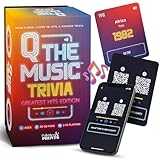
- The Ultimate Music Trivia Experience – Q the Music combines the excitement of music games, card games, and QR code technology for a modern twist on trivia games for adults. Scan, listen to the first 30 seconds of a song, and answer questions about lyrics, artists, and throwback hits from the past century.
- Perfect for Any Group Size – Supports 2–10 players and works for 2 player games, small groups, or large parties. Play individually or in teams for nonstop competition at your next family game night, birthday party, or get-together. A versatile choice for adult games for parties and family games alike.
- 312 Greatest Hits Across Decades – From the 70s classics to 90s pop, 90s hip hop, and new music, this game is packed with the most iconic songs of the last 100 years. A true throwback lyrics game 90s and 2000s that also highlights today’s chart-toppers.
- Party Game Energy – Whether you want a 30 second dance party, a chance to grab the mic like karaoke mic night, or just test your knowledge of misheard music game moments, Q the Music delivers. It’s fast, flexible, and keeps the energy going for 30 minutes to hours of fun.
- A Fun Gift for Music Lovers – Great for adult games for game night, card games for adults, birthday party games, or as unique music gifts. Perfect for fans of pop music, hip hop, and trivia cards, this game makes a standout pick for fun gifts, birthday games, or party games for adults.
See Google Workspace’s announcement about creating quizzes with Gemini in Forms for the documented workflow and plan categories.
Independent reader supportYour contribution helps us test, update, and keep practical guides available for everyone.Check the questions before friends play
AI can draft questions quickly, but it cannot decide whether the quiz is accurate or appropriate for your particular group. Kahoot!’s Help & Resource Center advises: “Please carefully review any AI-generated content for accuracy before using it.” Its guidance also states that the quiz author remains responsible for the accuracy and suitability of AI-generated content. Read the Kahoot! AI tools guidance for that responsibility.
Rank #4

- TRIVIA FOR EVERYONE: NEW! UPDATED FOR 2026. Unique to Amazon, we’ve created a game for both trivia and non-trivia people alike. We’ve taken feedback from people that both love and hate trivia, designing a game with classical general knowledge questions, like “How many hearts does an Octopus have?” and fun entertaining questions like “Who lives in a pineapple under the sea?” Questions are meticulously curated so subject matter is suitable for adults, teens, and families.
- 1500+ QUESTIONS: While most other Amazon quiz games have a paltry 400-500 questions, we supercharge the fun with over 1500 questions spanning an incredibly large array of topics! Trivia For Everyone contains 190 cards with 1520 questions, requires 2 or more players, and is suitable for those 14 years and older.
- 2 DIFFICULTIES: Unlike other Amazon trivia games that have one level of difficulty, we provide 2! Party Mode is for more accessible questions with lower difficulty and Expert Mode covers more obscure and challenging topics. Trivia for Everyone allows you to play the game the way you want to!
- 3 WAYS TO PLAY: Rather than just having one set way to play like most Amazon games, Trivia for Everyone includes three different modes of play. Free-For-All is designed for fast, competitive play. Question Master is more suited for relaxed play that can take place while socializing. Teams allows you to combine with your friends in a group to take out the competition.
- INNOVATIVE CARD DESIGN: Unlike other Amazon card games which use drab cards that spoil the answer for the reader, we’ve engineered beautiful multi-colored cards that don’t immediately give away the answer and allow for smooth play. It’s simple. Easier questions are in blue; their answers are on the other side of the card, also in blue. Harder questions are in red; their answers are on the other side of the card, also in red. No learning curve required!
- Verify factual answers. Check claims against a dependable source, especially if the quiz is based on source material or includes specific dates, names or plot details.
- Check the answer choices. Confirm that the marked answer is actually correct and that distractors do not accidentally create multiple valid answers.
- Fit the questions to the group. Remove obscure or awkward items, adjust difficulty and tone where the tool permits, and rewrite questions to reflect shared context or inside jokes.
- Check the occasion and audience. Replace anything that could spoil a story, embarrass a friend or rely on assumptions the group does not share.
- Preview the finished version. Read it as a player would, not just as the person who generated it.
Kahoot!’s guidance covers accuracy and suitability; editing for your friends’ context is your own final judgment.
Quick wins for a faster PC:
Scan for outdated or missing drivers - takes under a minuteDriver Scan →Clear out junk files and repair common Windows errorsFree Scan →Fix the driver behind crashes, sound loss and screen glitchesFind Drivers →Quick Recap
Best Value

- Celebrate the Sound of the 70s: Test your knowledge of disco, classic rock, pop, and iconic artists with trivia questions inspired by 1970s music culture and unforgettable hits
- Easy-to-Play Trivia Card Game: Each card features a 70s music question with the answer and bonus fun fact printed on the card, making gameplay fast, social, and more fun after every guess
- Answers Include Bonus Fun Facts: Each card includes the correct answer plus an extra music fact, so every round gives players more than just a right-or-wrong reveal
- Variable Point Scoring with 102 Questions on 52 Cards: This trivia deck includes 102 multi‑level questions spread across 52 cards, each worth different point values to add strategy, variety, and friendly competition to every round
- Fun Gift for Music Lovers: A nostalgic gift idea for fans of 70s music, retro games, and pop culture—ideal for birthdays, holidays, stocking stuffers, or themed party displays
Product prices and availability are accurate as of the date/time indicated and are subject to change. Any price and availability information displayed on Amazon at the time of purchase will apply.

