
iTechGuides is reader-supported. When you buy through links on our site, we may earn an affiliate commission. As an Amazon Associate I earn from qualifying purchases. Learn more
Load a local font in Puppeteer by declaring it with @font-face and giving Chromium a URL it can actually fetch. Use an absolute HTTP(S) URL, or embed the font as a Base64 data URL. Apply that family to the document, then wait for font readiness before a screenshot. For PDFs, current Puppeteer waits for fonts by default, although you can set waitForFonts: true explicitly.
The reliable loading patterns
Chromium cannot resolve an arbitrary Node.js filesystem path from CSS. The src value in @font-face must be a URL visible to the page: normally an HTTP(S) URL or a data: URL. The two approaches below cover almost every deployment.


Serve the font from a real page origin
Serving your HTML and font over HTTP is the most maintainable option for a site, report service, or test fixture. Relative URLs have a meaningful base, and the browser’s normal cache, MIME handling, CSP, and CORS rules apply.
import puppeteer from 'puppeteer';

const browser = await puppeteer.launch();
const page = await browser.newPage();

await page.goto('http://127.0.0.1:3000/report.html', {
  waitUntil: 'load'
});

await page.addStyleTag({
  content: `
    @font-face {
      font-family: 'BrandFont';
      src: url('/fonts/BrandFont.woff2') format('woff2');
      font-weight: 400;
      font-style: normal;
      font-display: block;
    }
    body { font-family: 'BrandFont', sans-serif; }
  `
});

await page.evaluate(() => document.fonts.ready);
await page.pdf({
  path: 'report.pdf',
  format: 'A4',
  waitForFonts: true
});

await browser.close();
page.addStyleTag() injects CSS after navigation. You can instead put the same @font-face rule in the page’s stylesheet. The important details are that /fonts/BrandFont.woff2 is reachable from the page origin and that the declared weight and style match the text you render.
#1 Best Overall
Embed a local file as a Base64 data URL
Embedding is useful when you generate a document with page.setContent(), run in a sandbox without a web server, or need one self-contained HTML string. Read the file in Node.js, encode it, and interpolate the result into CSS.
import { readFileSync } from 'node:fs';
import puppeteer from 'puppeteer';

const encoded = readFileSync('./fonts/BrandFont.woff2').toString('base64');
const html = `
  <!doctype html>
  <html>
    <head>
      <meta charset="utf-8">
      <style>
        @font-face {
          font-family: 'BrandFont';
          src: url(data:font/woff2;base64,${encoded}) format('woff2');
          font-weight: 400;
          font-style: normal;
          font-display: block;
        }
        body { font-family: 'BrandFont', sans-serif; }
      </style>
    </head>
    <body><p>Rendered with BrandFont</p></body>
  </html>`;

const browser = await puppeteer.launch();
const page = await browser.newPage();
await page.setContent(html, { waitUntil: 'load' });
await page.evaluate(() => document.fonts.ready);
await page.screenshot({ path: 'font-test.png', fullPage: true });
await browser.close();
Use the correct MIME prefix for the file: font/woff2 for WOFF2, font/woff for WOFF, and an appropriate OpenType MIME type for other formats. WOFF2 is generally the best bundle format for Chromium output.
Use local() only when the environment is controlled
@font-face {
  font-family: 'BrandFont';
  src: local('Brand Font'),
       url('/fonts/BrandFont.woff2') format('woff2');
  font-weight: 400;
  font-style: normal;
}
local() asks Chromium to use an installed face before downloading the URL. That can be fast, but output now depends on which fonts are installed in the machine or container. Bundling the WOFF2 file is more deterministic for CI, Docker, and production rendering.
Waiting for fonts before capture
Screenshots
For screenshots, explicitly wait for the Font Loading API promise. This prevents a capture made during fallback layout from preserving Arial or another system face.
await page.evaluate(() => document.fonts.ready);
await page.screenshot({ path: 'page.png', fullPage: true });
The promise fulfills after loading and layout operations for fonts used by the document complete. A declared but unused face may remain unloaded, so test the actual family, weight, and style used by visible text.
Rank #2
PDFs
Puppeteer’s PDF guide states: “By default, the Page.pdf() waits for fonts to be loaded.” The PDF option reference exposes waitForFonts, whose current default is true. Set it explicitly when you want the behavior to be obvious to future maintainers:
await page.pdf({
  path: 'report.pdf',
  format: 'A4',
  printBackground: true,
  waitForFonts: true
});
An explicit document.fonts.ready wait is still harmless when the same page may produce both screenshots and PDFs.
Free tools Windows power users keep installed
One-click scans. No signup required.
page.setContent() and relative font paths
page.setContent(html) assigns the supplied markup; it does not make your project directory the document’s base URL. A rule such as url('../fonts/BrandFont.woff2') therefore commonly fails or resolves somewhere unexpected. Use one of these fixes:
- Serve the HTML from a local HTTP origin and use a root-relative or absolute URL.
- Use a fully qualified URL that the Chromium process can reach.
- Embed the font as a Base64 data URL, as shown above.
If you must use relative URLs with generated markup, add a <base href="http://127.0.0.1:3000/"> element that points at the server hosting the assets. A real origin is usually easier to debug than relying on a synthetic base.
The current setContent wait options use load as the default lifecycle event and do not include networkidle0 or networkidle2. Font readiness is a separate condition, so wait on document.fonts.ready when the typeface matters.
Rank #3
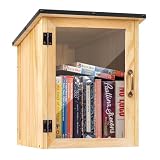
- Weatherproof Outdoor Protection: Built with durable solid wood and a protective coating, this book library box is designed to withstand rain, sun, and outdoor conditions. Keeps books dry, safe, and well-protected for long-term outdoor use
- Spacious & Functional Storage: Provides ample space to store books, magazines, and small items. Sized at 12.99 x 11.22 x 16.93 inches, the thoughtfully designed interior allows organized placement for easy browsing and book selection
- Clear Front Window Design: Features a transparent acrylic window that allows easy visibility of books inside without opening the door. Helps attract readers and encourages sharing within your neighborhood or community space
- Easy Assembly & DIY Friendly: Comes with pre-drilled holes and necessary hardware for quick assembly. Smooth wooden surface allows you to paint or customize your little library box outdoor to match your personal style or community theme
- Community Sharing & Engagement: Perfect for neighborhoods, schools, parks, and community spaces. Create a welcoming book-sharing station that promotes reading, connection, and the joy of giving and exchanging books freely
Matching faces, weights, and styles
Browsers select a face by family, weight, and style. If you provide only a 400 normal face but render font-weight: 700 or font-style: italic, Chromium may synthesize the appearance or fall back to another installed face.
Do these 3 things before closing this tab:
1Repair Windows errors before they cause bigger problems2Scan for outdated or missing drivers - takes under a minute3Clear out junk files and repair common Windows errors@font-face {
font-family: 'BrandFont';
src: url('/fonts/BrandFont-Regular.woff2') format('woff2');
font-weight: 400;
font-style: normal;
}
@font-face {
font-family: 'BrandFont';
src: url('/fonts/BrandFont-Bold.woff2') format('woff2');
font-weight: 700;
font-style: normal;
}
@font-face {
font-family: 'BrandFont';
src: url('/fonts/BrandFont-Italic.woff2') format('woff2');
font-weight: 400;
font-style: italic;
}
.heading { font-family: 'BrandFont', sans-serif; font-weight: 700; }Keep family names consistent, including capitalization and spaces. If your CSS uses a generic fallback, ensure it is intentional; otherwise a missing face can look like a Puppeteer problem when it is simply a font matching problem.
Verifying that Chromium used the font
Check readiness and the browser’s matching decision before capturing:
const result = await page.evaluate(() => ({
  ready: document.fonts.status,
  regularLoaded: document.fonts.check('400 16px "BrandFont"'),
  boldLoaded: document.fonts.check('700 16px "BrandFont"'),
  bodyFamily: getComputedStyle(document.body).fontFamily
}));
console.log(result);
document.fonts.check() is useful for a specific family and descriptor, but it does not prove every glyph exists in the file. For multilingual content, verify that the font contains the scripts you render and provide deliberate fallback families for missing characters.
Diagnosing common failures
The page renders Arial or a system font
- Confirm the
@font-facerule is present in the final DOM and the element actually uses that family. - Call
document.fonts.readybefore the screenshot. - Run
document.fonts.check('400 16px BrandFont')and inspect the computedfont-family. - Verify the declared weight and style correspond to a real file.
The font request returns 404 or the wrong bytes
Open the URL from the page’s origin, not from your Node.js working directory. Confirm the server returns the WOFF2 bytes with a suitable font MIME type and that the URL is case-sensitive on Linux. Browser console and network logs reveal the exact request and status.
CORS or CSP blocks the font
A cross-origin font needs a server policy that permits the requesting page. A Content Security Policy must also allow the font source (for example, the relevant font-src origin or data: when embedding). Fix the policy or serve the asset from the same origin; do not disable security flags as a production workaround.
setContent() cannot find a local file
This is the relative-path/base-URL issue, not a limitation of WOFF2. Use a data URL, a reachable absolute URL, or serve the generated document.
The PDF is correct but the screenshot is not
PDF generation waits for fonts by default, while screenshot code often captures immediately after navigation. Add await page.evaluate(() => document.fonts.ready) to the screenshot path and avoid taking the shot immediately after injecting CSS.
It works locally but not in CI or Docker
Check the Chromium version, font files copied into the image, network access, and installed system fonts. Remove reliance on local() when reproducibility matters and bundle WOFF2 files with the application. Also check that the container user can read the files.
Performance and reliability choices
- HTTP-served WOFF2: best for many pages because normal caching avoids embedding the same bytes repeatedly.
- Base64 WOFF2: self-contained and independent of network timing, but increases HTML size by roughly the encoding overhead and consumes memory per page.
- One browser, many pages: reuse a Chromium process and page pool, while keeping font CSS deterministic for every page.
- Capture timing: use
waitUntil: 'load'for navigation, then wait fordocument.fonts.ready; do not assume network-idle means fonts are ready. - Failure handling: log console messages and failed requests, set a sensible navigation timeout, and close the browser in a
finallyblock.
CSS local() versus the Local Font Access API
These names describe different features. CSS local() is merely a source in an @font-face declaration. The Local Font Access API is a separate, permission-gated browser API for enumerating installed fonts through window.queryLocalFonts(); Chrome documents it for desktop Chromium. Ordinary Puppeteer rendering of a bundled WOFF2 file does not require that API.
Best Value

- 1040 Alphabet Stickers for Easy Organization: You’ll receive 20 sheets with 52 stickers each — 26 letters × 2 sets per sheet, for a total of 1,040 colorful alphabet stickers. Enough quantity to label hundreds of books, folders, or classroom bins, keeping your reading or filing system organized and easy to navigate
- Color-Coded Design for Quick Identification: Each letter comes in bright, easy-to-read colors, helping students, teachers, and kids quickly find where a book belongs. Perfect for creating a color-coded classroom library or organizing your home bookshelves.(Each letter in a different color — no repeated color blocks like other sets, making your book organization visually clear and fun!)
- Strong Adhesion That Lasts: Made of high-quality adhesive material that sticks firmly to book spines, folders, or bins. These stickers won’t peel easily, even with frequent handling — and you can add clear tape for extra protection in busy classrooms
- Versatile Use Beyond Books: Not just for book spines — these self-adhesive alphabet labels also work great for labeling folders, drawers, student files, classroom supplies, and even craft projects. A practical helper for schools, libraries, homes, and offices
- Perfect for Classrooms & Learning Spaces: Designed with both letters and bright colors, these stickers make alphabetical sorting easier and more engaging for kids. A fun, effective way to help students learn organization skills while keeping every shelf or bin neat and tidy
Or skip the browser setup
ScreenshotNeo provides a website screenshot API when you do not need to manage Chromium, asset hosting, or font-loading waits yourself. Its endpoint accepts a URL and returns PNG, JPEG, WebP, or PDF. The one-call examples below use the documented API; see the ScreenshotNeo docs for parameters.
curl -G "https://api.screenshotneo.com/v1/shot" -d access_key=YOUR_API_KEY --data-urlencode url=https://stripe.com -o shot.webpimport requests
r = requests.get("https://api.screenshotneo.com/v1/shot", params={"access_key": "YOUR_API_KEY", "url": "https://stripe.com"}, timeout=90)
open("shot.webp", "wb").write(r.content)const q = new URLSearchParams({ access_key: 'YOUR_API_KEY', url: 'https://stripe.com' });
const res = await fetch(`https://api.screenshotneo.com/v1/shot?${q}`);Before capture, it accepts cookie or consent banners and removes more than 60 known consent platforms, newsletter popups, and chat widgets; each cleanup step can be disabled. Bot checks or CAPTCHAs, blank pages, timeouts, failed loads, and cache hits are not billed, and response headers report the page verdict and billing status. Its MCP server includes take_screenshot, get_page_info, and capture_pdf tools for Claude, Cursor, and other MCP clients. The Free plan includes 1,000 screenshots a month with no card; paid plans start at $5 for 3,000 shots. Create a free ScreenshotNeo account.
Frequently Asked Questions
Can I load a TTF or OTF file instead of WOFF2?
Yes. Use a correct data MIME type or a URL in the src descriptor, but WOFF2 is usually the smallest and most portable choice for Chromium rendering.
Outdated Drivers Are Slowing You Down
One free scan finds every outdated or missing driver and matches the right update for your exact hardware.Free scan · exact hardware matchPC Slower Than It Used to Be?
A free scan shows the junk files, broken settings and background clutter dragging Windows down - then fixes them in one click.Free scan · Windows 10 & 11Should I set font-display to block for screenshots?
It can reduce the chance of capturing fallback text during the short swap period, but it does not replace waiting for document.fonts.ready.
Why does a font pass document.fonts.check() yet some characters look wrong?
The face may load successfully but lack glyphs for those characters. Add a fallback family that covers the required script or use a font build with the needed glyph coverage.
Do I need Local Font Access to use a font file in Puppeteer?
No. Local Font Access is for enumerating installed fonts. A bundled URL or Base64 @font-face source is sufficient for normal rendering.
Quick Recap
Product prices and availability are accurate as of the date/time indicated and are subject to change. Any price and availability information displayed on Amazon at the time of purchase will apply.
What’s actually slowing this PC down?
Pick the symptom - the matching free tool is one click away.

