
iTechGuides is reader-supported. When you buy through links on our site, we may earn an affiliate commission. As an Amazon Associate I earn from qualifying purchases. Learn more
Start with the Ring app’s Device Health reading for Signal Strength. If it shows a weak RSSI, improve the router’s position and reduce obstacles before buying a Wi-Fi extender. If the doorbell still disconnects, check its power, internet connection, and router setup too: a weak Wi-Fi signal is only one possible cause.
Check your Ring doorbell’s Wi-Fi signal in the app
- Open the Ring app dashboard and tap Devices.
- Select your doorbell, then open Device Settings.
- Tap Device Health and find Signal Strength.
Ring uses RSSI (Received Signal Strength Indicator) to describe the connection between the doorbell and your Wi-Fi network. Its current guidance, accessed October 4, 2026, categorizes readings as follows:
| RSSI reading | Ring’s label | What it can mean |
|---|---|---|
| 0 to -60 | Great | Strong performance. |
| -60 to -70 | Okay | There may be room to improve the connection. |
| -70 to -80 | Poor | Delays or interruptions may occur. |
| -80 or worse | Very poor | Service may be intermittent or the device may lose its connection. |
These are Ring’s diagnostic categories, not guarantees of a particular experience. RSSI measures signal strength; it does not by itself show whether your internet provider is having a problem. Ring also says a doorbell needs 2 Mbps in the context of internet speed, which is a different measure from RSSI. Ring’s Wi-Fi recommendations explain both signal and connectivity considerations.
Improve the signal without buying equipment
Distance and obstacles can weaken the path between your router and doorbell. Ring identifies brick, stucco, or metal walls, large appliances, electronics, and mirrors as potential sources of signal reduction. Move the router to an open, elevated location if practical, rather than leaving it on the floor or behind furniture. Ring specifically advises: “Make sure your wifi router isn’t blocked behind a sofa or in a cupboard.” See Ring’s router placement guidance.
#1 Best Overall

- Hear when someone's there — Receive notifications when motion is detected by your cameras or someone rings your doorbell.
- Real-time alerts, clear as a bell — With an upgraded speaker, get notified throughout your home with louder, clearer alerts.
- Set up in a snap — Simply plug Chime (3rd Gen) into a standard wall outlet for easy setup.
- Sleek, elegant design — Curved edges and slim profile create a modern look that fits your space.
- Customizable sound profiles — Personalize tones, volume, and snooze settings.
- Keep the router out of cupboards and away from sofas or other furniture that blocks it.
- Where feasible, avoid placing it beside large appliances, metal surfaces, or mirrors.
- Reduce dense walls and other major obstructions between the router and the doorbell where you can.
- After moving the router, check Device Health again to see whether the reading changes.
Ring’s general advice is to move the Ring device closer to the router. When moving the doorbell is not practical, improving the router’s location may make the route between them less obstructed.
Choose an extender or mesh for the size of the coverage gap
If placement changes do not help, choose equipment based on whether the problem is limited to the doorbell area or affects several parts of the home. An extender can only relay a usable signal; it cannot repair a weak broadband connection or a problem with the main router.
Rank #2
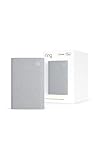
- Sound the alarm on all your devices — Sync Chime Plus with Ring sensors built on Amazon Sidewalk, cameras, and doorbells for comprehensive security you can hear from anywhere. (Coverage may vary by location and is subject to change or interruption.) (Chime Plus is designed to integrate with Ring Sensors connected to Amazon Sidewalk. Please verify your Ring device compatibility before purchase.)
- Set custom schedules for Chime audio alerts and lighting — Control when you hear alerts and when the night-light activates to match your daily routine.
- Personalized tones. Precision audio alerts. — Set a custom tone for each of your Ring devices so you know exactly which one was triggered the moment your Chime Plus sounds.
- Enhanced audio for true sound — Hear every alert no matter where you are with improved audio for crisp clarity and loudness.
- A guiding light that’s easy on the eyes — Illuminate hallways, rooms, and more with the built-in night-light.
| Option | Best fit | Placement and trade-off |
|---|---|---|
| Ring Chime Pro | A localized weak spot near a Ring device, with Ring-specific setup guidance. | It needs a good signal from the router and a position that can also reach the doorbell. Use the Ring app’s placement test to help find a suitable outlet. |
| Generic Wi-Fi extender | One localized area with weak coverage. | Place it between the router and the doorbell where it still receives a usable router signal. No particular third-party model is established as the right choice for every home. |
| Mesh Wi-Fi system | Weak coverage across multiple rooms or areas. | Mesh is intended to provide broader home coverage; Ring points to eero mesh. It does not guarantee a fix for an internet-service or device-power problem. |
Set up and place a Chime Pro
Ring recommends Chime Pro for extending coverage to a Ring device. Use its app placement test to assess where the unit can receive a good connection from the router while still reaching the doorbell. The test can order connected devices from weakest to strongest and guide outlet changes. Details are in Ring’s Chime Pro placement instructions.
Know when mesh makes more sense
If several rooms or areas have weak Wi-Fi, addressing the broader coverage problem with a mesh system may be more suitable than adding a single extender for the doorbell alone. Ring points to eero mesh Wi-Fi; that recommendation is not a promise that mesh will resolve an unrelated broadband, power, or setup issue.
Rank #3
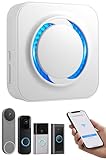
- 【Smart Doorbell Chime Universal Compatibility | 2.4GHz Network Stable Connection】Works with all Ring, Blink, Google Nest Video Doorbell models—wired & wireless versions. Network connectivity bridges outdoor doorbells to indoor spaces, delivering crystal-clear audio alerts and bright visual notifications with zero signal lag.
- 【Plug & Play Doorbell Extender | 5-Minute No-Wiring Installation】 Tool-free, drill-free setup—no electrician required! Simply plug the wireless doorbell chime into a standard power outlet, connect via SmartLife/Alexa/doorbell official app, and sync with your video doorbell in 5 minutes or less. Note: Printed manual may differ from latest app interface; contact us for a matched guide & 1:1 setup assistance.
- 【Customizable Doorbell Alerts | 58 Chimes + 5 Volume Levels (0-110dB)】 58 premium doorbell ringtones (classic ding-dong, Christmas/Halloween holiday tunes, fun sound effects) + 5 adjustable volume levels (0-110dB). Supports Sound Only/Flash Only/Sound+Flash modes—0dB silent mode for baby’s nap time, 110dB loud alert for noisy areas, LED flash for the hearing impaired. Tip: Set 0dB via Alexa app for silent mode.
- 【Unlimited Range Whole Home Coverage | 99+ Expandable Doorbell Chime Extenders】 No distance limits within your 2.4GHz network zone—covers bedroom, garage, basement, backyard & all home corners. Expand up to 99+ wireless doorbell extender units per doorbell, with customizable tones/names for each—perfect for multi-story homes, detached garages & large properties. Never miss a delivery or visitor!
- 【100% Free No Subscription | Alexa Compatible Smart Doorbell Chime】 No hidden fees, no monthly subscriptions—all core smart doorbell functions work free forever. Fully Alexa compatible for seamless smart home integration; create custom routines for one-click linkage with your video doorbell & other smart home devices.
Check your doorbell’s Wi-Fi band before changing router settings
Ring models differ: some support only 2.4 GHz, while others support both 2.4 GHz and 5 GHz. Support for particular 5 GHz channels can also vary by model and region. Check the exact model’s requirements and local Ring guidance before changing bands or router channels. Do not assume every Ring doorbell requires 2.4 GHz or that 5 GHz is always the better choice. See Ring’s setup guidance.
Independent reader supportYour contribution helps us test, update, and keep practical guides available for everyone.Troubleshoot repeated disconnections beyond signal strength
If the RSSI is acceptable but the doorbell still goes offline, or improving coverage does not stop disconnects, check other parts of the connection. Open Device Health and follow any error instructions shown in the Ring app; reconnecting or changing the network may be appropriate if the app indicates a network issue.
Rank #4

- [UPGRADE WIRED TO WIRELESS IN MINUTES] Transform your traditional mechanical doorbell chime box into a modern wireless alert system without tearing down walls or replacing existing wiring. Simply. Retain your nostalgic bell sound while broadcasting crisp chime alerts across your entire home.
- [INSTANT APP NOTIFICATIONS & NO RANGE LIMIT] Never miss a critical delivery or visitor again, whether you are in the backyard or business. Powered by 2.4GHz Wi-Fi, the transmitter delivers zero-latency push alerts directly to your smartphone via Tuya / Smart Life. Review visitor history logs at any time and share device access with family members with a single tap.
- [656 FT ULTRA-LONG RF PENETRATION] Engineered with robust 433.92MHz RF transmission, this doorbell extender kit easily penetrates thick walls, floors, and metal doors up to 656 feet (200m) in open space. It eliminates inaudible dead zones in multi-story houses, home offices, detached garages, basements, and noisy workshops.
- [58 CHIME, 0–110 dB & LED FLASH] Tailor your alert experience with 58 polyphonic tunes and 5 adjustable volume settings. Use the ultra-loud 110 dB level to overpower loud lawnmowers and power tools, or activate the 0 dB mute mode with a bright flashing LED ring to protect sleeping babies and distraction-free remote meetings.
- [CONTINUOUS TYPE-C POWER & BROAD COMPATIBILITY] Designed with an adaptive 3V–24V AC/DC sensing input and continuous USB Type-C transmitter power, eliminating dead button batteries. Fully compatible with standard mechanical chimes. Plug-and-play receiver fits standard 100V–240V US AC wall outlets.
Check power and the internet connection
- For a battery-powered doorbell, check the battery charge. For a wired model, confirm that its power supply is correct.
- Restart the modem and router, inspect their cables, and make sure the router software is current.
- Check internet access and upload speed at the relevant location. A doorbell may have a strong Wi-Fi signal but still struggle if the internet connection or upload capacity is inadequate.
Ring distinguishes a device’s local transmit speed from the internet plan’s speed. In Ring’s transmit-speed guidance, more than 20 Mbps is labeled “GOOD,” 10 to 20 Mbps “OKAY,” and less than 10 Mbps “POOR.” Those figures describe the speed between the device and local network while uploading data, not the advertised speed of your internet plan. See Ring’s device transmit-speed guide.
Do these 3 things before closing this tab:
1Fix the driver behind crashes, sound loss and screen glitches2Repair Windows errors before they cause bigger problems3Scan for outdated or missing drivers - takes under a minuteLook for router setup problems
Ring warns that multiple routers can cause setup problems. If your home network has more than one, check whether they are both acting as routers; ask your internet provider or router maker about using bridge mode where appropriate. Do not change this setting without understanding how it affects your network.
Best Value

- COMPATIBLE WITH GOOGLE NEST, RING, BLINK DOORBELL – Works seamlessly with Ring Video Doorbell (1st-4th Gen), Blink Video Doorbell, and Google Doorbell (Wired/Battery), making it the only chime extender you need for all major smart doorbell brands. No hub required. Perfect replacement for existing indoor chimes in any smart home setup.
- WIRELESS INSTALLATION IN UNDER 3 MINUTES – No drilling, no wiring, no electrician needed. Simply plug in and complete setup through the Smart Life and Amazon Alexa app (for Blink/Ring users)/Google Home app(for Google Nest users) in 3 easy steps. Ideal for renters, apartments, and anyone who wants a hassle-free doorbell chime extender without complex installation. Works right out of the box.
- EXPANDABLE SYSTEM FOR LARGE HOMES – One video doorbell supports 99+ wireless chime extenders simultaneously via stable 2.4GHz WiFi connection. You can also rename each doorbell extender and customize its melody,No dead zones – works anywhere your WiFi reaches, covering every room in large houses, villas, multi-unit apartments, and commercial properties. Eliminate missed visitors no matter where you are in the building.
- 5-LEVEL VOLUME CONTROL FROM 0 TO 110dB WITH 3 ALERT MODES – Adjust volume across 5 levels to suit any environment, from quiet nurseries to noisy workshops. Choose from 3 customizable alert modes: Sound + Light, Light Only, or Sound Only – perfect for the hearing impaired, light sleepers, noisy offices, or households with babies. LED visual flash ensures you never miss a visitor even with sound off.
- 32 CUSTOMIZABLE MELODIES INCLUDING FESTIVE HOLIDAY TUNES – Choose from 32 built-in ringtones featuring everyday chimes and special holiday melodies including Christmas, Halloween, and other fun seasonal tunes. Easily switch melodies anytime via app to match the season or your mood. Makes a great gift for homeowners, families, and smart home enthusiasts who want both functionality and personality in their doorbell system.
Leave a factory reset until later
A factory reset means setting up the doorbell again. Try the app’s error guidance, power and internet checks, and router troubleshooting first. Ring’s steps for resolving a device that is offline are available in its offline troubleshooting guide.
Quick Recap
Product prices and availability are accurate as of the date/time indicated and are subject to change. Any price and availability information displayed on Amazon at the time of purchase will apply.

