
iTechGuides is reader-supported. When you buy through links on our site, we may earn an affiliate commission. As an Amazon Associate I earn from qualifying purchases. Learn more
An HTML form cannot send email by itself. It collects named fields and submits them to a receiver; a hosted form service or server-side endpoint must process the request and send or trigger an email. For a static site, a hosted form handler is usually the simplest route. If you need custom validation, routing, storage, or integrations, use a server-side handler you control.
How the form-to-email process works
The browser sends a form submission to the URL in the form’s action attribute. The receiver processes the submitted values and handles notifications. The form markup does not send mail on its own. See the official guides for HTML forms with Formspree and Netlify form setup.
There are two common ways to provide that receiver:
- Hosted form service: The service provides an endpoint and submission management, so you do not have to operate your own form backend.
- Your own server-side endpoint: Your server or serverless function validates the request and uses an email delivery mechanism. This offers more control but makes you responsible for operating and securing the endpoint and delivery.
Option 1: Send submissions to a hosted form service
This approach suits static sites and projects that do not need a custom backend. Create and configure an account with the provider, copy the endpoint it assigns to your form, and use method="POST". Give each field you want submitted a name attribute. The provider’s documentation explains its current endpoint and notification setup; for example, see Formspree’s HTML form instructions and its guide to building an HTML form.
#1 Best Overall

- Wireless Number Pad for Laptop: Speed up number input and calculation compared to using the number row above the letters.
- User-friendly Ergonomics: Place this numeric keypad on the left/right side, or in front of your laptop/TKL keyboard, and input numbers in a comfortable way. Reduce shoulder and hand strain while improving overall efficiency, especially for left-handed users where there are less keyboard options specially designed for them.
- Lower Latency & Greater Stability: Featuring 2.4G wireless connectivity with 1000Hz polling rate, this numpad responds 8x faster than Bluetooth ones (125Hz polling rate), making zero input lag, dropouts or missing numbers - ideal for professional data entry or accounting at workplaces with lots of wireless signal interference.
- Built-in Calculator & Email for Windows: Open your computer calculator or Microsoft Outlook with one-button clicks, streamlining calculations and emails without switching between applications. Note: the Calculator and Email function keys may not work on other OS.
- Plug and Play: No drivers required, just simply plug the receiver into a USB-A port on your computer and the keypad is ready to use. The built-in USB storage compartment makes it highly portable for use with laptops. For devices that only have type-c ports, you’ll need a USB hub or a USB-A to USB-C adapter (excluded in the box).
<form action="YOUR_ASSIGNED_ENDPOINT" method="POST">
  <label for="name">Name</label>
  <input id="name" name="name" required>

  <label for="email">Email</label>
  <input id="email" name="email" type="email" required>

  <label for="message">Message</label>
  <textarea id="message" name="message" required></textarea>

  <button type="submit">Send</button>
</form>
Replace YOUR_ASSIGNED_ENDPOINT with the actual endpoint provided for your account. It is illustrative text, not a working URL. A field without a name is not identified as a submitted value in the usual form data. Check the service’s documentation for its endpoint format, notifications, spam controls, file handling, data retention, and account limits.
Option 2: Receive submissions with Netlify Forms
If your site is deployed on Netlify, its form feature can detect forms at deploy time and manage submissions. Follow the provider’s current form setup instructions; the basic sequence is:
Rank #2

- Effortless Setup – Wired USB Number keypad is plug-and-play, requiring no drivers or batteries, ensuring a quick and stable connection for immediate use
- Quiet & Comfortable Typing – The 23-key USB numeric keypad features an integrated ergonomic tilt for improved comfort and reduced wrist strain. Enjoy a quiet, soft-touch experience with low-noise keystrokes, perfect for long hours of use
- USB Number Pad Keyboard – With a compact size, this keypad enhances speed and accuracy, making it easier to locate and press the numbers you need. It also supports NumLock for reliable performance
- Lightweight & Compact – This black USB numpad wired is suitable for tasks like working on spreadsheets, making it an excellent choice for home, office, school, business trips, or daily use, providing convenient and efficient number input for accounting, calculation and more
- Broad Compatibility – USB number pad for laptop, Windows 2000, XP, Vista, Windows 7/8/10/11, Mac, MacOS, iOS, inux, and Android operating systems. Works with PC, desktop, notebook, Chromebooks, tablets, and other devices with USB-A ports
- In your site’s Forms settings, enable form detection.
- Add
data-netlify="true"or thenetlifyattribute to the form, and give it a unique form name, such ascontact. - Add a
nameattribute to each field that should be submitted. - Deploy the site so Netlify can parse the form.
- In Netlify, open Forms > Submission notifications and configure where notifications should go.
<form name="contact" method="POST" data-netlify="true">
  <label for="name">Name</label>
  <input id="name" name="name" required>

  <label for="email">Email</label>
  <input id="email" name="email" type="email" required>

  <label for="message">Message</label>
  <textarea id="message" name="message" required></textarea>

  <button type="submit">Send</button>
</form>
Configure notifications separately from the form markup. Netlify sends the notification from its service; including a field named email is recommended if you want the submitter’s address used as the notification’s reply-to value. That lets you reply to the visitor, but it does not automatically send a confirmation email to them. See Netlify’s notification documentation.
What’s actually slowing this PC down?
Pick the symptom - the matching free tool is one click away.
AJAX submissions and uploads
Netlify documents AJAX submission as well. The form still needs the Netlify attribute. If JavaScript generates the form and there is no hidden form-name field, include the form name in the request body. For file uploads, use the provider’s specific upload instructions rather than assuming a regular URL-encoded form example covers the file data.
Rank #3

- Easy to Use - Our USB wired numpad does not require any driver or battery; easy to install, plug and play, gives you a stable connection.
- Quiet & Soft Touch - Integrated ergonomic tilt provides comfortable typing, helps reduce the wrist strain. Low noise of the 19-key USB numeric keypad gives you a quiet and soft touch.
- USB Wired Number Pad - Full-size 19mm keys improve speed and accuracy by making it easier to locate and press the numbers you are looking for. Numeric keypad supports NumLock.
- Lightweight & Portable - The black numeric keypads are perfect for working on spreadsheet, you can works household, school, business trips, or daily use, very convenient number use.
- Wide Compatibility - Compatible for Windows 2000, XP, Vista, or Windows 7/8/10, Android operating systems. Works with PC, desktop, notebook and other devices with USB ports.
Option 3: Build a server-side handler
Use a server-side route or serverless function when you need project-specific validation, routing, storage, or integrations. The browser posts the values to your endpoint; the handler checks and processes them, then uses an email delivery mechanism. The framework and email provider determine the implementation details, so there is no single code example that applies to every stack.
Keep SMTP credentials and secret API keys on the server, never in HTML or browser-side JavaScript. Anything delivered to a visitor’s browser can be inspected and should not be treated as secret.
Rank #4
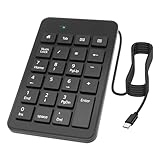
- This wired Type-C numeric keypad allows your laptop to access all the additional keys typically found on a full-sized keyboard. The 23-key layout is specifically designed for professionals in finance, banking, accounting, and other fields requiring frequent numeric input, enabling enhanced productivity and efficiency.
- The USB C mumeric keypad features high-quality ABS keys that offer a comfortable tactile feel, precise actuation, excellent resilience, and minimal key noise. These characteristics make it suitable for use in quiet environments such as libraries or offices, where noise reduction contributes to a more focused work atmosphere and improved efficiency. The bottom of the device includes anti-slip pads to protect your desk surface.
- The Type-C wired number pad is ergonomically designed with a 15-degree tilt, reducing finger travel distance and the amount of force required for typing. This design promotes a more relaxed typing posture and helps prevent wrist strain.
- The device supports plug-and-play functionality, requiring no additional software installation. Simply connect and begin using it immediately. Its compact and lightweight design incorporates several frequently used shortcut keys, such as Home,Tab,Email , Calculator , Backspace, Delete, Home, Page Up, Page Down, and directional arrows, making it a comprehensive solution for all your numeric input needs.
- This black USB numeric keypad cable is compatible with PCS, desktops, laptops, Chromebooks, tablets, and other devices equipped with USB Type-C ports. Designed for enhanced data entry efficiency, it is ideal for spreadsheet work and other number-intensive tasks, making it a practical choice for home, office, school, business travel, or daily use.
Choose a route that fits the project
| Approach | Best fit | Main trade-off |
|---|---|---|
| Hosted form service | Static sites or projects where avoiding backend operations is more important than custom processing. | Behavior, storage, notifications, file handling, and limits depend on the provider and account. |
| Server-side handler | Projects requiring custom validation, routing, storage, or integrations. | You must operate and secure the endpoint and its email delivery. |
| Netlify Forms | Forms on sites deployed to Netlify that fit its setup and submission workflow. | Requires form detection, deployment-time parsing, and separately configured notifications. |
Before choosing a hosted service, check that it supports your hosting setup and review how it handles notifications, spam, stored submissions, retention, file uploads, and account limits. Current prices and quotas are not established here; consult the provider’s current plan documentation rather than assuming a particular allowance.
Crashes, No Sound, or Screen Glitches?
Random freezes, missing sound and display glitches usually trace back to one bad driver. Find and replace yours safely.Free scan · under a minuteWindows Errors? Fix Them Before They Spread
Repair common Windows errors and clear accumulated junk for a smoother, more stable PC - no reinstall needed.Free scan · no reinstallQuick Recap
Best Value

- Reliable 2.4GHz Wireless & Dual Adapters – Enjoy stable, lag-free connection with the included USB receiver and USB-C adapter, effortlessly switching between devices with different ports.
- Full 28-Key Layout with Shortcuts – Dedicated number keys, tab, esc, backspace, = + - * /, % () $, and more streamline financial accounting, spreadsheets, and data entry tasks, boosting your workflow.
- Universal Plug-and-Play Compatibility – Works right out of the box with Windows, PC, laptop, desktop, Surface Pro, and notebook; no driver installation required.
- Slim, Lightweight & Portable – The ultra-slim profile easily slips into a laptop bag or pocket, making it a perfect on-the-go companion for accountants, analysts, and students.
- Important System Note – All keys and hotkeys work seamlessly on Windows system. While on iOS and macOS, all number keys, = + - * / % () $ function perfectly, but hotkeys/shortcut like Numlock, Home, End, Pgup, PgDn,↑←↓→ keys are not supported due to system limitations; this does not affect standard numeric entry.
Protect the form and its submissions
- Validate on the receiving side. Browser-side required fields and input types help visitors, but they do not replace checks by the receiver.
- Plan for spam. Netlify documents spam filtering and optional reCAPTCHA; see its spam filter guidance. Other providers have their own controls.
- Collect only what you need. Avoid asking visitors for sensitive information without a clear reason. A visitor-entered email address is useful for replying, but does not verify the person’s identity.
- Set a data-handling policy. Netlify’s submission guidance recommends regular export and deletion of personally identifiable information (PII) submissions and additional protection for PII in uploads. Netlify also describes sanitizing submitted code. These are platform-specific practices, not a general compliance determination.
- Treat uploads separately. Review where uploaded files are stored and who can access them. A notification email alone is not a file-data policy.
Check that delivery is working
- Confirm that the form has the correct provider endpoint or the required Netlify attributes and a unique name.
- Check that each value you expect to receive has a
nameattribute. - Submit a test entry and check the provider’s submission area as well as the configured notification inbox.
- If a notification is missing, verify the notification settings and check spam or filtering in the destination inbox. For Netlify, review the form’s setup and notification configuration in its official setup and notification guides.
Product prices and availability are accurate as of the date/time indicated and are subject to change. Any price and availability information displayed on Amazon at the time of purchase will apply.

