
iTechGuides is reader-supported. When you buy through links on our site, we may earn an affiliate commission. As an Amazon Associate I earn from qualifying purchases. Learn more
To enable monitor mode on a TP-Link TL-WN722N V2 or V3, confirm the adapter revision and driver first, then stop services that may control Wi-Fi, switch the interface to monitor type, bring it up, and select a channel. The commands only work if the loaded driver exposes monitor-mode support; they cannot add a capability the driver lacks.
1. Check the adapter revision and identify its driver
Read the hardware version printed on the adapter label before installing or changing drivers. V2, V3, V3.20, and V4 are not interchangeable assumptions. The common V2/V3 configurations are associated with the Realtek RTL8188EUS chipset and the 8188eu/rtl8188eus driver family, but check your own device rather than relying on its product name alone.
Connect the adapter and run:
lsusb
 iw dev
 iw list
lsusb lists USB devices and their IDs; iw dev shows wireless interfaces and their names; iw list reports wireless capabilities, including supported interface modes. Use the interface name shown by iw dev in the commands below. It may be wlan0, but names vary.
What’s actually slowing this PC down?
Pick the symptom - the matching free tool is one click away.
Look in the iw list output for monitor under “Supported interface modes.” If it is absent, the current driver does not advertise monitor mode, and changing the interface type will not create that support. A different driver may be needed.
#1 Best Overall
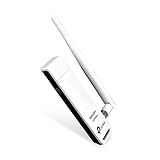
- TP-LINK TL-WN722N NT WIRELESS 150Mbps HIGH GAIN USB ADAPTER 2.4GHZ 802.11N B G RETAIL
2. Choose a driver that fits your Linux system
TP-Link’s V3 Linux beta package, TL-WN722N(EU)_V3_180510_Linux_beta, was published on 2018-05-10. TP-Link lists it for TL-WN722N V3/TL-WN725N V3, describes monitor-mode support on Ubuntu and Mint, and gives a kernel range of 2.6.18–4.4.3. That is an old, explicitly beta package; a modern distribution may require a maintained third-party driver compatible with its kernel.
For RTL8188EUS, Aircrack-ng documents a driver project and monitor-mode workflow at its RTL8188EUS project page. Check the project’s current compatibility and installation guidance against your hardware revision, distribution, and kernel before installing anything. Do not copy a repository or blacklist a module until lsusb and iw dev identify the actual device and active interface.
3. Switch the interface to monitor mode
NetworkManager or wpa_supplicant may reclaim the wireless interface and switch it back to managed mode. The Aircrack-ng workflow first stops processes that could interfere, then changes the interface type:
Rank #2

- USB WiFi Adapter: Exceptional wireless speed up to 150 Mbps brings the best experience for video streaming or internet calls
- Ultimate Range: High gain antennas ensure superior range and stability. Version 2. 0
- Secure: Easy wireless security encryption at a push of the WPS button
- Industry Leading Support: 2-year and free 24/7 technical support
- Compatibility: Windows (XP/7/8/8. 1/10) Mac OS (10. 9 -10. 15) Linux Kernel (2. 6. 184. 4. 3)
-
Stop interfering processes:
sudo airmon-ng check kill -
Bring the interface down:
sudo ip link set <interface> down -
Set monitor type:
sudo iw dev <interface> set type monitor -
Bring it back up:
sudo ip link set <interface> up
Replace <interface> with the name from iw dev. Verify the result with iw dev. If the driver supports it, select a channel before capturing; this example selects channel 1:
sudo iw dev <interface> set channel 1Channel availability depends on the adapter, regulatory settings, and local rules. To create a separate monitor interface instead of changing the existing one in place, Linux Wireless documents this approach:
Rank #3

- 𝐅𝐚𝐬𝐭 𝐖𝐢𝐅𝐢 𝐀𝐝𝐚𝐩𝐭𝐞𝐫 𝐟𝐨𝐫 𝐃𝐞𝐬𝐤𝐭𝐨𝐩 𝐏𝐂: AC1300 dual-band WiFi ensures your device will run at fast speeds (867 Mbps on the 5 GHz band or 400 Mbps on the 2.4 GHz band)
- 𝐔𝐩𝐠𝐫𝐚𝐝𝐞 𝐘𝐨𝐮𝐫 𝐂𝐨𝐦𝐩𝐮𝐭𝐞𝐫'𝐬 𝐖𝐢-𝐅𝐢 - All USB WiFi adapters are designed to add or upgrade your computer’s Wi-Fi. Actual speeds cannot exceed the connecting router’s maximum speed.
- 𝐌𝐔-𝐌𝐈𝐌𝐎 𝐓𝐞𝐜𝐡𝐧𝐨𝐥𝐨𝐠𝐲: Improves the throughput and efficiency of the whole network with MU-MIMO technology.
- 𝐃𝐮𝐚𝐥-𝐁𝐚𝐧𝐝 𝐖𝐢𝐫𝐞𝐥𝐞𝐬𝐬: The 2.4 GHz and 5 GHz bands provide flexible connectivity, giving your devices access to the latest dual-band WiFi router for faster speed and extended range.
- 𝟓 𝐝𝐁𝐢 𝐇𝐢𝐠𝐡-𝐆𝐚𝐢𝐧 𝐀𝐧𝐭𝐞𝐧𝐧𝐚𝐬: Advanced external high-gain antennas greatly enhance the reception and transmission signal strength of the USB adapter.
sudo iw phy phy0 interface add mon0 type monitor
sudo iw dev mon0 set channel <channel>
Replace phy0 and <channel> with values applicable to your device. The wireless interface’s physical identifier can be checked with iw dev; the channel must be supported and lawful for your location.
Recommended Free Tools
4. Understand what monitor mode does
Linux Wireless defines monitor mode as passive: it transmits no packets and hands incoming packets to the host without filtering. It is used to receive and inspect wireless frames, not to connect to an access point as an ordinary Wi-Fi client. Monitor mode by itself does not mean packet injection is supported; that depends on the hardware and driver.
Use wireless capture or injection tools only on networks and equipment you own or are authorized to test.
Rank #4

- 𝐋𝐨𝐧𝐠 𝐑𝐚𝐧𝐠𝐞 𝐀𝐝𝐚𝐩𝐭𝐞𝐫 – This compact USB Wi-Fi adapter provides long-range and lag-free connections wherever you are. Upgrade your PCs or laptops to 802.11ac standards which are three times faster than wireless N speeds.
- 𝐒𝐦𝐨𝐨𝐭𝐡 𝐋𝐚𝐠 𝐅𝐫𝐞𝐞 𝐂𝐨𝐧𝐧𝐞𝐜𝐭𝐢𝐨𝐧𝐬 – Get Wi-Fi speeds up to 200 Mbps on the 2.4 GHz band and up to 433 Mbps on the 5 GHz band for upgraded web surfing, gaming, and streaming. Performance varies by conditions, distance to devices, and obstacles such as walls.
- 𝐃𝐮𝐚𝐥-𝐛𝐚𝐧𝐝 𝟐.𝟒 𝐆𝐇𝐳 𝐚𝐧𝐝 𝟓 𝐆𝐇𝐳 𝐁𝐚𝐧𝐝𝐬 – Dual-bands provide flexible connectivity, giving your devices access to the latest routers for faster speeds and extended range. Wireless Security - WEP, WPA/WPA2, WPA-PSK/WPA2-PSK
- 𝟓𝐝𝐁𝐢 𝐇𝐢𝐠𝐡 𝐆𝐚𝐢𝐧 𝐀𝐧𝐭𝐞𝐧𝐧𝐚 – The high gain antenna of the Archer T2U Plus greatly enhances the reception and transmission of WiFi signal strengths.
- 𝐀𝐝𝐣𝐮𝐬𝐭𝐚𝐛𝐥𝐞, 𝐌𝐮𝐥𝐭𝐢-𝐃𝐢𝐫𝐞𝐜𝐭𝐢𝐨𝐧𝐚𝐥 𝐀𝐧𝐭𝐞𝐧𝐧𝐚: Rotate the multi-directional antenna to face your router to improve your experience and performance
5. Troubleshoot common failures
-
iwreports an invalid interface or device: Runiw devagain and substitute the current interface name. Do not assume it iswlan0. -
Monitor mode is missing from supported modes: Check that the adapter is the revision you think it is and identify the loaded driver. The current driver may not support the mode; a command cannot add it.
Quick wins for a faster PC:
Scan for outdated or missing drivers - takes under a minuteDriver Scan →Repair Windows errors before they cause bigger problemsFix Now →Fix the driver behind crashes, sound loss and screen glitchesFind Drivers →Special offer. See more information about Outbyte and uninstall instructions. Please review EULA and Privacy policy. -
The interface returns to managed mode: A network-management service may have taken control again. Temporarily stop or disable NetworkManager or
wpa_supplicantwhile testing, then verify the interface type withiw dev.Best Value
 TP-Link USB WiFi Adapter for PC(TL-WN725N), N150 Wireless Network Adapter for Desktop - Nano Size WiFi Dongle for Windows 11/10/7/8/8.1/XP/ Mac OS 10.9-10.15 Linux Kernel 2.6.18-4.4.3, 2.4GHz Only
- USB Wi-Fi Adapter: Upgrade your Wi-Fi speeds up to 150 Mbps for lag free video streaming and Internet calls
- Stronger Wi Fi Coverage: 2.4GHz band Wi Fi covers your house everywhere
- Mini Design: allows you to plug it in and forget it is even there; Wireless modes ad hoc/ infrastructure mode; Wireless security supports 64/128 WEP, WPA/WPA2, WPA psk/WPA2 psk (TKIP/AES), supports IEEE 802.1x
- Industry leading support: 2 Year and Free 24/7 technical support
- Compatibility: Compatible with Windows (XP/7/8/8.1/10/11) Mac OS (10.9 - 10.15) Linux Kernel (2.6.18 - 4.4.3)
-
The TP-Link package will not compile on a newer kernel: Its published kernel range ends at 4.4.3. A build failure outside that range does not, by itself, show that the adapter is defective.
6. Restore ordinary Wi-Fi
When you are finished capturing, return the interface to managed mode and restart NetworkManager if your distribution uses it:
sudo ip link set <interface> down
sudo iw dev <interface> set type managed
sudo ip link set <interface> up
sudo systemctl restart NetworkManager
If your system does not use NetworkManager, restart the network service it uses instead.
Do these 3 things before closing this tab:
1Scan for outdated or missing drivers - takes under a minute2Repair Windows errors before they cause bigger problems3Fix the driver behind crashes, sound loss and screen glitchesWhen a replacement adapter makes sense
If your revision’s chipset or available driver does not provide the capabilities you need, compare a replacement by its exact hardware revision and USB ID, explicit monitor-mode support, kernel and distribution compatibility, band support (2.4 GHz versus dual-band), driver maintenance, and injection support if your authorized work requires it. Verify those details in the listing or vendor documentation; a TL-WN722N name or a claim about V3.20 or V4 does not establish that a V2/V3 unit behaves the same way.
Quick Recap
Product prices and availability are accurate as of the date/time indicated and are subject to change. Any price and availability information displayed on Amazon at the time of purchase will apply.

