
iTechGuides is reader-supported. When you buy through links on our site, we may earn an affiliate commission. As an Amazon Associate I earn from qualifying purchases. Learn more
To connect an older Bose system to a smart TV, match the TV’s audio output to an audio input on the Bose console. If both have optical ports, connect the TV’s optical OUT to the Bose optical IN, then select that Bose input and set the TV to send sound through its optical or external-audio output. The exact method depends on the Bose model and its ports; an HDMI cable alone may not return sound from the TV to every older console.
Check the ports before choosing a cable
“Old Bose system” covers different consoles with different inputs, so identify the exact model and read the labels on both devices before buying anything. Look for audio jacks marked OUT on the TV and IN on the Bose. The direction matters: the TV sends audio out, and the Bose receives it.
- On the TV, check for optical (sometimes labeled Digital Audio Out), coaxial digital audio, RCA stereo audio OUT, or an HDMI port specifically labeled ARC.
- On the Bose console, check for the corresponding audio input and note any source or input-assignment controls.
- Consider where the sound originates: a TV app or antenna, an external device connected to the TV, or a device connected directly to the Bose. An older console may need a separate audio cable to play sound from TV apps or devices routed through the TV.
Use the manual for the exact Bose model to confirm whether its HDMI connection returns TV audio or only handles video and connected sources. Bose’s SoundTouch 520 owner’s guide and SoundTouch 130 owner’s guide describe secondary audio connections for some non-ARC setups; those instructions do not establish that every Bose console has the same ports.
Choose the connection that fits both devices
Optical ports on the TV and Bose
Connect a digital optical audio cable (TOSLINK) from the TV’s optical OUT to the Bose console’s optical IN. Select the Bose source for that input; on some systems, you must assign the input to a remote button or configure it first. In the TV sound menu, choose optical or external audio output, or enable the optical output if the TV requires it.
#1 Best Overall
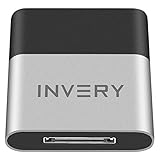
- [UPGRADE BLUETOOTH FOR YOUR BOSE Sounddock]: Using DockLinQ to add bluetooth for your Original Bose SoundDock, Bose SoundDock I, SoundDock II, Portable SoundDock, SoundDock 10 and other 30 pin Music Docking Stations. Plug, Pair, and Play, no more actions, rescue your old docks, enjoy music wirelessly. Support any version of iOS and Andriod devices including iPhone, iPad, Samsung Galaxy, Google Pixel, LG, HTC etc.
- [SIMPLE TO USE]: Instant installation, easy setup! Just plug, pair and play! No more action, seamlessly enjoy music streaming! DockLinQ bluetooth range is 70 feet in open air while other brand is 15-30 feet. DockLinQ supports 2 devices paring which enables you to pair bluetooth with your iPhone and iPad simultaneously.
- [ROBUST ALUMINIUM SHELL DESIGN]: Elegant and Simplism, Better Sturdy 30 pin Plug. Aluminium shell design makes nice tactile. IMPORTANTLY our aluminium shell is much more robust while many buyers complained other brand's 30 pin plug is loosen and plastic case is easy to be broken if falling on ground.
- [WORKS WITH VOICE COMMANDS]: Pair our bluetooth receiver with your Echo Dot via Bluetooth on the Alexa app, it is easy to control your music with voice commands by Echo Dot. Listen through Amazon Music or XBOX music; stream live radio, listen to YouTube or through your favorite applications, such as Spotify or SoundCloud.
- [NOT COMPATIBLE FOR ALL DOCKS]: Please refer to #5 picture to check compatible docks. IMPORTANTLY please refer to #6 picture to check uncompatibile docks before order. DOESN'T WORK WITH AUDI,VW,MERCEDES,BMW,INFINITI,NISSAN. We have Airdual powered by CSR and apple MFI chip for car ipod connectors which support original steering wheel control and head unit control. We strongly recommend buy Airdual for car iPod connector.
Bose’s CineMate 120 connection guidance describes using the matching console input and assigning it when needed. Confirm the procedure against your own model’s manual.
HDMI ARC ports on both devices
If the TV has an HDMI jack labeled ARC and the Bose manual identifies a compatible TV/ARC jack, connect those ports and enable ARC, HDMI-CEC, or external audio as required by the devices. Use the exact Bose manual to identify the correct HDMI jack; not every HDMI port is an ARC port.
Rank #2

- Amplify and enjoy your home audio experience in the comfort of your home.Frequency band : 2,400 MHz – 2,483.5 MHz, Maximum output power : ≤ 5.0 dBm..Connector Type: Bluetooth
- 100 watts x 2 (8 ohms, 1 Kilo Hertz). Speaker impedance - 6–16 ohms
- Phono input, 4 stereo RCA audio inputs, 3.5 millimeter input, stereo RCA output
- Built in Bluetooth lets you wirelessly stream your favorite music service, podcasts, and more from other Bluetooth devices.
- Connect up to 4 speakers; A/B switching to play all at once, or in separate zones
ARC and CEC behavior can vary between brands and models. Bose notes that compatibility problems can cause HDMI audio to fail or work intermittently, and documents optical as an alternative where the necessary ports are available.
Quick wins for a faster PC:
Fix the driver behind crashes, sound loss and screen glitchesFind Drivers →Repair Windows errors before they cause bigger problemsFix Now →Scan for outdated or missing drivers - takes under a minuteDriver Scan →Bose console without ARC, or sound from TV apps
If the Bose console lacks HDMI ARC, or HDMI does not return audio from TV apps or devices connected to the TV, connect a separate audio cable from the TV’s audio OUT to a matching Bose audio IN. Depending on the two models, that may be optical, coaxial digital, or analog stereo. Check the manuals for the required connection and whether the TV’s panel separates audio IN and OUT jacks.
Rank #3

- The smallest speakers designed by Bose so the focus can remain on your home entertainment not your speakers
- Designed to bring music movies and TV to life with full immersive surround sound
- Simply plug the adapters into a power source and wirelessly connect the receivers to the Bose Soundbar and enjoy your entertainment in minutes
- Looking for more pulse-pounding impact? Add the Bose Bass Module 700 to experience the difference between hearing bass and feeling the thunder.
- Standing less than 4 inch tall Both bass modules have a wireless range of 30 feet
TV and Bose have different audio formats
If the TV has a digital output but the Bose has only an analog input—or the reverse—a converter may be needed. For example, optical digital OUT to RCA analog IN requires an active digital-to-analog converter; a passive cable cannot perform that conversion. Verify the signal direction and supported audio format in both manuals before choosing one.
Set the TV and Bose inputs
- Connect the cable in the correct direction. Go from the TV audio OUT to the Bose audio IN, or between the documented ARC jacks for an HDMI connection.
- Select the Bose input. Choose the source that corresponds to the connected jack. If the console requires input assignment, follow the model-specific instructions.
- Set the TV’s sound output. In the TV’s sound or audio menu, select optical, ARC, or external audio as appropriate. Menu wording varies by TV; consult its manual if the setting is unclear.
- Play a TV source and check for sound. Test the app, broadcast, or device you intend to use. A connection that plays audio from a device connected directly to the Bose does not necessarily confirm that the TV is returning audio.
Fix missing or intermittent sound
- Confirm the selected Bose source. Make sure the console is set to the input where the TV cable is connected. Check whether that input needs assignment.
- Check the TV output setting. Confirm the TV is sending audio to the connected external output rather than only to its built-in speakers. Bose’s Lifestyle V25 troubleshooting guidance includes checking the TV’s speaker or audio-output setting.
- If ARC/CEC is unreliable, try optical. When both devices have the matching optical ports, connect TV optical OUT to Bose optical IN, select the Bose input, and set the TV’s output accordingly. Bose identifies optical as a fallback for some HDMI-CEC/ARC compatibility problems.
- Check whether your setup needs a second audio cable. Use the Bose manual to verify that HDMI returns audio from the TV on your specific model. Some older systems require a separate optical, coaxial, or analog connection, particularly for TV apps or sources connected to the TV.
- Reseat the cable and test another input if available. Confirm both ends are fully connected, then try another suitable input or cable to help isolate the problem.
What to provide for a model-specific answer
If the ports do not match or the setup remains silent, note the Bose model from the console or system label and list the audio-jack labels on the TV and Bose. Those details determine whether you need a direct cable, a separate TV-audio connection, or a format converter.
Quick Recap
Best Value

- ★UPGRADE BLUETOOTH FOR YOUR BOSE Sounddock:Add bluetooth for your Bose SoundDock I, SoundDock II, Portable SoundDock, SoundDock 10 and other 30 pin Music Docking Stations. Plug, Pair, and Play, no more actions, rescue your old docks, enjoy music wirelessly. Support any version of iOS and Andriod devices.
- ★Innovative Design:Built-in 3.5mm Aux Jack for connection, it fits most 30 pin Music Docking Stations like Sony, JBL, Yamaha, Philips,ect. The Switch Can Easy to Control your speaker device,No need to insert or remove frequently.
- ★Instant Sound:Low Latency technology eliminate Bluetooth audio delay, so you can listen to high-clarity sound in perfect synchronization.
- ★Super Compatibility: Aux Jack and 3.5mm Audio Cable: The SOUL 2 bluetooth adapter comes with a 3.5mm audio cable, which can be perfectly used for your no-bluetooth functions speakers(Not for cars)
- ★What You Get:ZIOCOM SOUL 2 Bluetooth Adapter, 3.5mm Audio Cable, User Manual, 12-months manufacture warranty and friendly customer service.
Rank #4

- 【Function】: Easily switch between TX mode, which connects non-Bluetooth audio sources such as TVs, MP3 players, or in-flight entertainment systems to Bluetooth speakers and headphones, and RX mode, which uses a 3.5mm AUX cable to stream audio from your smartphone to wired speakers or car stereos.
- 【Transmission Distance】Enhanced audio transmission with Bluetooth 5.3 technology to ensure a fast and stable connection. Enjoy seamless audio connectivity from non-Bluetooth to Bluetooth devices with a range of up to 390 inches, perfect for travel or home use. (The transmission distance will vary depending on the environment)
- 【How to use】: Simplify your audio experience with our auto-pairing feature. Once powered on, the device enters pairing mode and can be easily connected to your favorite device. A useful reset button allows you to easily switch connections. For the best pairing, consider turning off the Bluetooth devices around you.
- 【Audio Transmission】: Say goodbye to tangled wires by wirelessly streaming audio from a variety of devices, such as in-flight entertainment, game consoles, gym equipment, or TVs via any 3.5mm audio jack. Easily enjoy your favorite playlist with earbuds or wireless headphones.
- 【Compatibility note】: Please make sure that your Bluetooth headphones/speakers also support low-latency technology to reduce latency. This Bluetooth adapter works without the need for a volume control button.
Product prices and availability are accurate as of the date/time indicated and are subject to change. Any price and availability information displayed on Amazon at the time of purchase will apply.

