
PC Slower Than It Used to Be?
A free scan shows the junk files, broken settings and background clutter dragging Windows down - then fixes them in one click.Free scan · Windows 10 & 11Crashes, No Sound, or Screen Glitches?
Random freezes, missing sound and display glitches usually trace back to one bad driver. Find and replace yours safely.Free scan · under a minuteiTechGuides is reader-supported. When you buy through links on our site, we may earn an affiliate commission. As an Amazon Associate I earn from qualifying purchases. Learn more
To change the CR1000A’s local network range, update its LAN address and subnet mask, then set a DHCP start and end address that fit that subnet. If you only want to change which addresses the router leases, edit the DHCP pool without changing the LAN address.
Understand which range you want to change
The router’s LAN address is its local gateway address. The DHCP start and end addresses define the pool of addresses the router can lease to devices configured to use DHCP. These are separate settings in the CR1000A interface.
- Change only the DHCP pool if your goal is to limit or adjust the addresses handed to devices while keeping the existing network subnet.
- Change the LAN subnet if you want the router and local devices to use a different network range. In that case, coordinate the router’s LAN address, subnet mask, DHCP pool, and any manually configured client addresses.
Verizon warns that network changes can affect the router and local network. Record the existing values before editing, and change only what you need. Verizon CR1000A user guide.
The Tool Desk
Outbyte PC Repair FREEClear out junk files and repair common Windows errorsFree Scan →Outbyte Driver Updater FREEScan for outdated or missing drivers - takes under a minuteDriver Scan →Sign in to the CR1000A
- Connect to the router’s current network, then open myfiosgateway.com or browse to its current LAN address. Verizon lists
192.168.1.1as the default address; if you previously changed it, use the new address. - Sign in with username
adminand the unique default password printed on the rear of the router, unless you changed the credentials. Verizon CR1000A user guide.
Change the LAN address and subnet mask
- In the router interface, go to Advanced > Network Settings > Network Connections.
- Select Network (Home/Office), then click Settings.
- Set the router’s LAN address and the corresponding subnet mask for the network you intend to use. The appropriate values depend on your chosen private subnet and any other router on the network; do not assume one alternate range works for every setup.
- Apply or save the change. The router’s management address changes with its LAN address, so use the new address for the next admin session.
These are Verizon’s documented LAN connection settings. The manual cautions: “Changes could adversely affect the operation of your Verizon Router and your local network.” Verizon CR1000A user guide.
#1 Best Overall

- IPv4 / IPv6 Dual Stac
- IP sharing for LAN with up to 253 users
- Firewall function with Access Control List (ACL)
- Dynamic and Static IP
- Guest Wi-Fi (2.4 GHz)
Set the DHCP address pool
- Open IPv4 Address Distribution in the router interface.
- Keep DHCP enabled if you want the CR1000A to lease addresses to client devices.
- Enter a start and end address that fall within the router’s LAN subnet. Verizon defines the start as the first address the router assigns and the end as the last.
- Apply or save the changes.
Check manually configured device addresses and static connections so they remain reachable and do not conflict with the address plan. Devices may need to reconnect or renew their DHCP leases after the change. Verizon CR1000A user guide.
CR1000A default values and a manual typo
Verizon’s internally consistent documented defaults are a router LAN address of 192.168.1.1 and a DHCP pool from 192.168.1.2 through 192.168.1.254. The guide identifies 192.168.1.254 as the documented maximum DHCP end address; its troubleshooting section also gives the subnet mask as 255.255.255.0. These are the guide’s defaults, not requirements for every custom network. Verizon CR1000A user guide.
Rank #2

- NAT support, NAPT support, IGMP snooping, DiffServ support, Wi-Fi Multimedia (WMM) support, Access Control List (ACL) support, Quality of Service (QoS), virtual server support, Wi-Fi Protected Setup (WPS), DNS proxy, reset button, Type of Service (ToS), Self Organizing Network (SON) technology, band steering, virtual DMZ, seamless roaming
- The latest Wi-Fi generation, Wi-Fi 6 (802.11 ax) with speeds averaging 60% faster on 2.4 GHz and 38% faster on 5 GHz than previous Verizon Wi-Fi routers
- Tri-band 4x4 antennas, increasing Wi-Fi coverage by an average of 63%
- Self-Organizing Network technology for automatic band steering and single Wi-Fi Network name
- Multiple queue processing for different packet types: DNS proxy, NAT/NAPT, Virtual Server and DMZ, Firewall function with Access Control List (ACL), Firewall function with Hacker pattern detection DOS
One passage in the manual says the default DHCP start is 192.162.1.2, but that conflicts with the guide’s other passages, which give 192.168.1.2. Use 192.168.1.2 as the documented default; the isolated 192.162.1.2 entry appears to be a typo. Verizon CR1000A user guide.
Quick wins for a faster PC:
Scan for outdated or missing drivers - takes under a minuteDriver Scan →Repair Windows errors before they cause bigger problemsFix Now →Fix the driver behind crashes, sound loss and screen glitchesFind Drivers →Quick Recap
Rank #4

- 1. This bracket is specially designed for Verizon Fios router CR1000A & CR1000B & CE1000A, and the wall bracket fits the equipment perfectly, so as to realize a more concise and firm installation. Please confirm your router model before ordering.
- 2. This bracket has reserved enough space for wiring, which can keep the cables in the home, office, living room and other places organized in order. Make the whole more tidy and reduce potential safety hazards.
- 3. The wall-mounted installation method helps to save the space of the desktop or shelf, and the simple and firm fixing method can be installed in a place with better signal. Better heat dissipation can prolong the service life of equipment.
- 4. Provide all accessories required for installation, including: 1* bracket, 1* tool-free locking thumb screw (M10), 2* drywall screw, and 2* drywall anchor (not required for the installation plane with strong bite such as wooden board wall).
- 5. The product is made by 3D printing, with accurate size, close to the equipment, similar in color and consistent in style.
Rank #3
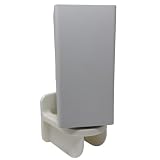
- 1. Compatibility / Fit Wall mount bracket compatible with Verizon Fios Router CR1000A & CR1000B for a clean, secure setup (please confirm your router model before ordering). 2. Cleaner Setup + Better Organization Mount your router on the wall to free up desk/shelf space, reduce clutter, and keep cables organized in home offices, living rooms, and media panels. 3. What’s Included In the box: (1) bracket, (1) tool-free locking thumb screw (M10), (2) drywall screws. Drywall anchors not included (use wall-appropriate anchors if needed).
If you lose access to the router
- Check that your device is connected to the router’s network.
- Check whether the device received an address in the subnet you configured, then open the router at its new gateway address.
- If the device is on a different network segment from the router, local management will not work until the device is connected to the correct segment.
- Use factory restore only as a last resort: Verizon says restoring defaults removes previously saved settings. Verizon CR1000A user guide.
Product prices and availability are accurate as of the date/time indicated and are subject to change. Any price and availability information displayed on Amazon at the time of purchase will apply.

