
iTechGuides is reader-supported. When you buy through links on our site, we may earn an affiliate commission. As an Amazon Associate I earn from qualifying purchases. Learn more
In Google Sheets on a computer, open File > Settings > Calculation, choose Automatic or Manual under Calculation Mode, then select Save settings. To allow formulas with circular references to calculate, enable iterative calculation in the same settings panel and configure its limits. These settings apply to the entire spreadsheet, so collaborators are affected too.
How do I change calculation settings in Google Sheets?
-
Open the spreadsheet in Google Sheets on a computer.
-
Select File > Settings > Calculation.
-
Under Calculation Mode, choose Automatic or Manual.
Special offer. See more information about Outbyte and uninstall instructions. Please review EULA and Privacy policy. -
Select Save settings to apply the change.




The setting is stored with the spreadsheet rather than just your account. Anyone working in that file is subject to the selected calculation mode.
Automatic vs. Manual calculation
|
Mode |
When results update |
Practical trade-off |
|---|---|---|
|
Automatic |
Sheets applies changes as you make spreadsheet actions. |
Results update during normal editing without a separate recalculation step. |
|
Manual |
Sheets waits until an editor selects Calculate at the top of the screen. Windows Errors? Fix Them Before They SpreadRepair common Windows errors and clear accumulated junk for a smoother, more stable PC - no reinstall needed.Free scan · no reinstallOutdated Drivers Are Slowing You DownOne free scan finds every outdated or missing driver and matches the right update for your exact hardware.Free scan · exact hardware matchSpecial offer. See more information about Outbyte and uninstall instructions. Please review EULA and Privacy policy.
|
You control when calculation runs, but values may remain out of date until you calculate. |
Manual calculation is available to spreadsheet editors and is not available in the Google Sheets mobile app. If you use Manual mode, select Calculate before relying on formula results that may have changed.
How do I turn on iterative calculation?
Iterative calculation is for formulas involving circular references—where a formula depends, directly or indirectly, on its own result. In File > Settings > Calculation, use the Iterative calculation control to enable it, then set the maximum number of iterations and the convergence threshold for the formula. Save the settings.
Rank #4
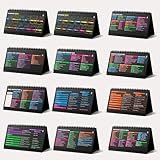
- Funny Kawaii Cat Calendar 2026: 12-Month Fun Art + 12-Page Productivity System: Step into a complete productivity + aesthetic experience with this 10x5 spiral-bound desktop set that merges adorable seasonal artwork with powerful dark-mode cheat sheets. The front half features twelve beautifully illustrated Kawaii cat scenes. Each monthly layout offers a clean desk calendar 2026 structure designed for quick planning at a glance.
- Excel Shortcut Desk Pad: The second half includes twelve richly colored, productivity cheats designed like a high-contrast Excel cheat sheet desk pad set. These include the full Excel cheat sheet with clearly labeled categories for formulas, navigation, formatting, and time-saving commands. Additional pages contain Google Sheets hotkeys, Gmail shortcuts, Windows key combinations, Python references, and Photoshop workflow accelerators, giving you a complete command center.
- Printed on thick 270 gsm stock in 10x5 in with soft themed illustrations inspired by modern workspace aesthetics and subtle “cat-style” accents similar to trending funny desk calendar 2026 designs. Crisp lines, rich color, and sturdy material ensure long-lasting durability throughout the entire year of daily flipping.
- Every cheat-sheet spread includes a QR code linking to exclusive productivity hacks, planning templates, routines, and efficiency tips. Works perfectly alongside the mini desk calendar 2026 style design, giving you fast, accessible guidance that elevates your time management, study habits, and project planning.
- Compact 10" x 5" spiral-bound flip format built from heavy 270 gsm stock for daily use; the top-bound coil allows clean page turns and upright placement on any counter or workstation — perfect as a mini desk calendar, small desk calendar 2026-2027, or mini desk calendar 2026 that fits beside keyboards and laptops.
What the two limits mean
-
Maximum iterations sets the ceiling on the number of calculation rounds Sheets can run for a circular reference.
Recommended Free Tools
Special offer. See more information about Outbyte and uninstall instructions. Please review EULA and Privacy policy. -
Convergence threshold lets Sheets stop earlier when successive results differ by less than the threshold, even if the maximum has not been reached.
Google described these controls in its December 6, 2016, iterative calculation announcement. The appropriate values depend on the formula and the output you need; validate results for your spreadsheet rather than assuming one set of numbers works for every circular calculation. Check the current Calculation panel for the available controls and values.
Independent reader supportYour contribution helps us test, update, and keep practical guides available for everyone.Why is my formula not recalculating?
Changing calculation mode affects local formula recalculation; it does not guarantee that every result sourced from outside the spreadsheet refreshes immediately. Google documents separate refresh intervals for several data functions:
|
Function |
Documented refresh timing |
|---|---|
|
|
Every 30 minutes |
|
|
Every 1 hour |
|
|
May be delayed by up to 20 minutes |
These are the refresh timings listed in Google Docs Editors Help; they are not an immediate-update guarantee. A formula can also require substantial work to recalculate: Google notes that editing a cell can cause Sheets to evaluate that cell and its dependent cells. Volatile functions such as TODAY, NOW, and RAND, along with long dependency chains, can add calculation work. See Google’s guidance on improving spreadsheet performance.
What’s actually slowing this PC down?
Pick the symptom - the matching free tool is one click away.
Quick Recap
Product prices and availability are accurate as of the date/time indicated and are subject to change. Any price and availability information displayed on Amazon at the time of purchase will apply.

