
Recommended Free Tools
iTechGuides is reader-supported. When you buy through links on our site, we may earn an affiliate commission. As an Amazon Associate I earn from qualifying purchases. Learn more
To change a JPEG file’s extension from .jpeg to .jpg, rename the filename suffix in File Explorer on Windows or Finder on Mac. This changes the name only—not the image data. Do it when the file is already a JPEG and a site or app requires the shorter extension; to change a PNG, HEIC, or other image into a JPEG, export or convert it instead.
Before you rename: check what the change does
.jpg and .jpeg are both extensions used for JPEG images. Microsoft lists both as Joint Photographic Experts Group photo extensions, and Apple’s developer documentation lists both for JPEG (JFIF) (Microsoft Support; Apple Developer Documentation).
The extension is part of a filename. Changing photo.jpeg to photo.jpg does not re-encode, compress, or otherwise convert the picture. Microsoft Support puts it plainly: “You can change a file name extension, but that won’t convert the file to another format or change anything else about it except the file name.”
The Tool Desk
Outbyte Driver Updater FREEFix the driver behind crashes, sound loss and screen glitchesFind Drivers →Outbyte PC Repair FREEClear out junk files and repair common Windows errorsFree Scan →| Your goal | What to do | What changes |
|---|---|---|
A receiving site requires .jpg, and the image is already JPEG |
Rename the final suffix from .jpeg to .jpg |
The filename only |
| You need a PNG, HEIC, or another image format to become JPEG | Open it in an image app and use its JPEG export or Save As option | The image file’s format and usually its encoded data |
Change .jpeg to .jpg in Windows 10 or Windows 11
- Open File Explorer.
- Choose View > Show > File name extensions. The full suffix will now be visible, so you can distinguish
photo.jpegfrom a name where the extension is hidden. - Select the JPEG file and rename it, changing only the final
.jpegto.jpg. For example, renameholiday.jpegtoholiday.jpg; leave the rest of the name unchanged. - If Windows warns that changing the extension might make the file unusable, confirm only if you know the file is already a JPEG.
- Open the renamed image to check that the app you need recognizes it.
If the file does not open as expected, rename it back to .jpeg. If the goal was to make a non-JPEG image into a JPEG, use an image app’s export or Save As feature instead of changing the suffix.
#1 Best Overall

- Excellent photo results with vibrant colors.
- Pack of 50 Sheets
Change .jpeg to .jpg on a Mac
Show extensions in Finder
- In Finder, choose Finder > Settings.
- Select Advanced, then enable Show all filename extensions.
- Find the image and rename only the ending
.jpegto.jpg. - If a confirmation appears, proceed only when the image is already JPEG.
Change the name for one file
- Select the image in Finder and choose File > Get Info, or press Command-I.
- Expand Name & Extension.
- Edit the final suffix from
.jpegto.jpg, keeping the rest of the filename intact. - Open the image to verify that the app or service you need accepts it.
Apple cautions: “When you rename a file or folder, don’t change its filename extension, or you may no longer be able to open the file with the app that was used to create it.” That warning is a reason to change an extension only when it matches the file’s actual format—not evidence that .jpg and .jpeg differ as JPEG suffixes. See Apple’s guidance on showing or hiding filename extensions.
When renaming is not enough
If the image is actually PNG, HEIC, or another format, changing its name to end in .jpg leaves the contents in the original format. The extension then misidentifies the file and may confuse the app, operating system, or upload service. Open the image in an image editor or another app that can export images, choose JPEG as the output format, and save a new file. Adobe likewise recommends opening an image in an image app and saving it as JPEG when its extension does not match its format (Adobe Help).
Rank #2

- Create affordable photo projects with a bright, glossy finish
- Customize photos with easy-to-use editing tools and print from your phone with HP Smart app
- Handle durable, quick-dry photos right from the printer
- Make memories last with photos that resist fading for decades when printed with Original HP Ink
If you are unsure whether the file is JPEG, do not rely on its current suffix alone. Try opening it in an image app that identifies or imports the image, and use that app’s export function if you need a guaranteed JPEG output. Renaming is appropriate only when the underlying image is already JPEG and the problem is that a workflow expects the shorter spelling.
Quick wins for a faster PC:
Fix the driver behind crashes, sound loss and screen glitchesFind Drivers →Clear out junk files and repair common Windows errorsFree Scan →Troubleshooting
- You cannot see “.jpeg” in the filename: Windows may be hiding extensions; enable View > Show > File name extensions. In Finder, enable Finder > Settings > Advanced > Show all filename extensions, or inspect the individual file through File > Get Info > Name & Extension.
- The renamed file will not open: Change the suffix back to
.jpegand try again. The content may not be JPEG, or the app may not handle the renamed extension as expected. Use an image app to export a real JPEG if conversion is needed. - The upload still fails: Check the exact file name and confirm that the receiving service accepts
.jpg. If the image itself is not JPEG, renaming cannot satisfy a format requirement; export it as JPEG. - The name now appears to end in
.jpg.jpegor.jpg.jpg: Undo the rename or edit the full name after showing extensions. Change only the final suffix once.
Or skip the browser setup
ScreenshotNeo captures webpages; it does not rename or convert a JPEG file on your computer. If what you actually need is a screenshot of a webpage, its one-request API can return an image or PDF. See the ScreenshotNeo API documentation for options.
Rank #3

- Photo Paper Package: 36 sheets of glossy photo paper, 8.5×11 inch, industry standard 180gsm/48lb, single-sided printing and blank back side for recording or writing something; compatible with inkjet printers and dye ink
- Glossy Finish: our glossy photo paper features its a reflective finish, that adds a professional and attractive touch and makes every picture look like a work of art; the printed photos and graphics are so outstanding
- Leave Vivid Colors: thanks to the good ink absorption of the picture paper, the printed photos come out vibrant colors and sharp details that truly come to life; remain beautiful landscapes and impressive moments forever
- Instant Dry: due to the advanced super cast coating, the ink on prints dry quickly without smearing and jamming; plus, the prints retain their vibrant color over time; makes your memories and designs shine in their full glory
- Wide Application: perfect for printing photos to record important and sweet moments, and also ideal for printing detailed graphics, various greeting cards, posters, chip bags, flyers, brochures, calendars, baby book
For example, this cURL request captures a webpage to a WebP file:
curl -G "https://api.screenshotneo.com/v1/shot" -d access_key=YOUR_API_KEY --data-urlencode url=https://stripe.com -o shot.webpScreenshotNeo removes cookie banners, newsletter popups, and chat widgets before the shot; bot checks, blank pages, and failed loads are not billed. Its MCP server lets AI agents take screenshots. The Free plan includes 1,000 screenshots a month with no card, and paid plans start at $5 for 3,000.
Sign up for ScreenshotNeo’s free plan if you need webpage screenshots.
Quick Recap
Best Value

- Reliable quality and large capacity: Made from high-quality 180GSM/48lb paper, with uniform thickness and a smooth surface. Standard letter size (8.5 x 11 inches / 216 x 279 mm), 40 sheets per pack
- Fast Ink Absorption & Smudge-Proof Performance:Features advanced coating technology for ultra-fast ink absorption. It prints without smudging and reduces waiting time. Ensures crisp images right after printing, ideal for high-efficiency office and home use
- Vibrant, True-to-Life Color Reproduction:Optimized for dye ink to deliver rich, vivid colors and accurate color matching. With outstanding color fidelity, it accurately captures every image detail, ensuring precise and vivid presentation of photos, flyers, and other printed materials
- Single-Sided Glossy Finish for Stunning Visuals:Boasts a premium single-sided glossy surface that enhances color vibrancy and image clarity. Ink Absorbent Coating prevents ink penetration and ensures stable stacking, perfect for creating professional-looking prints without bulk.The blank back provides handy space for your notes or explanations
- Versatile Application Scenarios for All Your Needs:Ideal for a wide range of uses, including photo printing, promotional flyers, product brochures, classroom handouts and home crafts (like DIY chip bags). Compatible with most inkjet printers, meeting both professional and personal printing demands
Rank #4
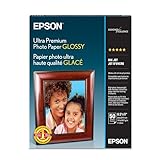
- Long lasting, professional quality prints
- Ultra smooth, bright white, heaviest weight paper
- Fast drying, smudge and water resistant surface
- The new standard for extraordinary images
Product prices and availability are accurate as of the date/time indicated and are subject to change. Any price and availability information displayed on Amazon at the time of purchase will apply.

