
Free tools Windows power users keep installed
One-click scans. No signup required.
iTechGuides is reader-supported. When you buy through links on our site, we may earn an affiliate commission. As an Amazon Associate I earn from qualifying purchases. Learn more
A browser-based F1–F12 tester can show which keyboard events reach the page, but it cannot directly test the Fn switch or prove that a physical key is electrically sound. A useful tester keeps the physical key identity (code) separate from the event’s reported meaning (key), records presses and releases, and tests ordinary and Fn-modified states separately.
What an F1–F12 tester can—and cannot—tell you
A browser tester observes keyboard events delivered to its page after the keyboard firmware, operating system, and browser have handled the input. It can display the event’s code, key, modifiers, and whether a release arrived. It cannot inspect the electrical state of a switch or see a key that the keyboard, operating system, or browser handles before the page receives it.
Fn is commonly handled inside the keyboard rather than sent as a separate key event. The W3C specification notes that Fn and FnLock generally do not produce their own codes, and that the primary functions assigned to the top-row keys vary by manufacturer. See the W3C Function section and its Fn key definition. A tester should therefore report the resulting event from Fn+F1, for example, rather than claim it detected Fn itself.
Why the same top-row key can produce different results
Media or system action as the primary function
On some laptops and compact keyboards, a top-row key’s default action may be a system or media function, while holding Fn requests the F-key action. Other keyboards use the reverse arrangement, or offer a mode that changes the row’s behavior. The mapping is manufacturer- and model-specific; there is no universal Fn+Esc toggle.
#1 Best Overall

- Test 100 Switches in One Tool: The Keychron Switch Tester 100 Max Edition includes a curated 100-switch collection: 27 Keychron, 31 Gateron, 40 Kailh, and 2 Huano switches. It’s the definitive solution for comparing tactile, linear, and clicky feels side-by-side.
- Upgraded with 12 Hall Effect Magnetic Switches: Includes 12 magnetic Hall effect switches (4 Keychron + 8 Gateron), making it an ideal Hall effect switch tester for exploring rapid trigger, adjustable actuation, and modern HE keyboard switch technology.
- Realistic Keyboard-Like Structure: Built with a steel plate, acoustic foam, bottom case, and silicone foot pads to better simulate real keyboard feel during switch evaluation. (Note: No PCB; cannot connect to devices.)
- Black Transparent ABS Keycaps Included: Comes with black transparent ABS keycaps, and each keycap is printed with its corresponding switch name for quick identification and consistent testing, making sound, travel, and feedback evaluation easier.
- Ergonomic Two-Stage Kickstand: Features an adjustable two-stage kickstand that offers multiple typing angles. This ensures a stable, comfortable, and realistic testing experience that mirrors your actual desk setup.
For example, the Dell Latitude 5455 manual documents Fn+Esc as a toggle between multimedia and function-key behavior. That example applies to that model, not all keyboards. The HHKB Studio guide also describes profile-specific behavior for Windows and macOS.
Key location and reported value are different fields
Record both KeyboardEvent.code and KeyboardEvent.key. The W3C code identifies the physical key location/name, such as F5; key reports the value associated with the event, which can differ by platform or keyboard mode. MDN documents function-key values across platforms in its keyboard event key values reference.
Use code to highlight the expected physical position in the tester’s F1–F12 row. Show key as the value the page received. If the user presses a physical top-row key and the page receives a different value—or none—this distinction makes the outcome visible without guessing what the keyboard intended.
Rank #2

- Wide Kailh Variety: Discover 35 curated Kailh mechanical switches arranged in a plate. This comprehensive sampler lets you instantly compare classics like Box Red, White, Brown, and Jade alongside performance variants like Super Speed Silver, Box Heavy, and Silent series in one compact kit.
- Hands-On Feel Testing: Feel the difference firsthand—each switch sits securely in a holder, so you can push, hear, and judge actuation characteristics precisely rather than relying on videos or spec sheets alone.
- Use Your Own Keycaps: Swap in your favorite keycaps to test dialed-in aesthetics and compatibility. This flexibility helps you understand how each switch performs visually and tactually in your actual typing setup.
- Portable & Accessible – Lightweight switch sampler lets you easily explore Kailh’s lineup at your desk or share with friends, offering a convenient way to enjoy the mechanical keyboard hobby.
- Image-Based Layout Guide: The premium base is left unlettered for a sleek, minimalist desk aesthetic. No physical manual is included—please refer directly to our high-definition color layout chart in the product images to easily identify and track each switch during your testing.
Build the tester around what the page actually receives
Capture and display useful event details
Give the page a focused test surface and an obvious listening indicator. For every received event, show:
- Event type:
keydownorkeyup. codeandkey, displayed separately.location, when provided.- Modifier flags such as
shiftKey,ctrlKey,altKey, andmetaKey. - Whether a matching release event arrived for the press.
Render all twelve function-key positions even when a key produces no event. Light a position based on code, while keeping the reported key value visible in the event log. This avoids treating a changed event value as though the physical position had changed.
Make shortcut-sensitive testing deliberate
Some keys or key combinations are intercepted by the operating system or browser, so page scripts may never receive them. Warn users before testing shortcut-sensitive keys, and make any attempt to capture them an explicit, focused test rather than silently promising that every press will appear. Microsoft’s Keyboard Input Overview explains Windows keyboard messages and how scan codes and HID input are mapped into Windows input.
Rank #3

- Try before you buy – MonsGeek x Akko acrylic 16-key switch tester - With a wide range of different switches including tactile and linear and clicky key switches from 3 different brands for users to test at minimal cost.
- Durability – Not only is our tester affordable, but it's also built to last. Based on laboratory durability tests, our switch has an approximate lifespan of 60 million keystrokes.
- Simple and easy to use – Try out our switch tester and find the perfect mechanical keyboard switch for your needs! Simply test each switch and use keycap puller to easily switch between them.
- Compact and portable – Small enough to fit in your pocket, our switch tester is perfect for on-the-go testing. Try it out today and elevate your typing experience
- Compatibility – Akko CS switches and the other switches come with MX style structure so they would fit most keycap sets with (X) cross stem. Note: switch opener is not included.
Keep separate passes for each keyboard state
- Bare top-row pass: Focus the tester and press F1 through F12 without holding Fn. Record the event details for each key.
- Fn-modified pass: Hold Fn and press each function-row key. Record the event delivered for each combination; do not expect a separate Fn event.
- Keyboard-mode pass: If the device has Fn Lock, a firmware setting, or a keyboard profile, test the row in each relevant mode and label the mode used.
For a useful diagnostic record, include the keyboard model, operating system, connection type, browser or application, and current keyboard mode. Without that context, a missing event is difficult to distinguish from a mode difference or an input intercepted before it reaches the page.
Windows Errors? Fix Them Before They Spread
Repair common Windows errors and clear accumulated junk for a smoother, more stable PC - no reinstall needed.Free scan · no reinstallOutdated Drivers Are Slowing You Down
One free scan finds every outdated or missing driver and matches the right update for your exact hardware.Free scan · exact hardware matchHow to interpret a missing or unexpected event
“Why does Fn+F5 change brightness instead of sending F5?”
The keyboard may be configured so the top-row key’s primary action is brightness control, or the combination may be handled as a system action before an F5 event reaches the browser. Check the keyboard’s manual or firmware settings for that model’s Fn-layer and Fn Lock behavior. The key combination is not a universal way to request F5.
“How do I test F1–F12 without triggering browser shortcuts?”
Use a focused tester and treat shortcut-sensitive keys as an explicitly warned test. A browser page cannot override every browser or operating-system shortcut, so a key that fails to appear there may still work in another application or diagnostic environment.
Rank #4

- Stylish Design: Showcases a vibrant color scheme with shades of purple, orange, yellow, and gold, adding a touch of elegance to your mechanical keyboard
- Interchangeable Switches: Comes with 24 detachable Kailh switches, allowing you to test and compare different switch types for a personalized typing experience
- Premium Quality: Features an acrylic base and blank keycaps, ensuring durability and longevity, perfect for gaming or everyday use
- Versatile Compatibility: Designed to be compatible with various devices, including gaming consoles and keyboards, providing flexibility and convenience
“Why do some keys not register on this keyboard tester?”
A missing event means only that the page did not receive it in that configuration. The key may be intercepted, mapped to a system action, or affected by a keyboard mode; a browser test alone does not establish that the physical key is dead. Retry in another browser or application and, if possible, on another computer. A hardware tester or operating-system diagnostic can help isolate whether the issue is specific to the browser test.
Independent reader supportYour contribution helps us test, update, and keep practical guides available for everyone.When to use a diagnostic beyond the browser
A browser tester is convenient for checking page-visible events, but it is not a hardware-level test. For Windows scan-code and transition testing, PassMark describes its KeyboardTest software as supporting BIOS and Windows scan codes, key-down/key-up display, custom layouts, and USB, wireless, and PS/2 keyboards. PassMark lists version 4.0, Build 1003, dated 3 April 2024; see its KeyboardTest product page for the software’s stated capabilities.
Do these 3 things before closing this tab:
1Repair Windows errors before they cause bigger problems2Scan for outdated or missing drivers - takes under a minute3Clear out junk files and repair common Windows errorsFor bench or production checks, PCsensor’s KMtester manual describes connecting a keyboard to a USB test module and then connecting the module to a computer. The manual says it can show pressed and released states and count presses; it also describes serial or HID-printing output modes. This is a separate hardware-testing path, not a requirement for building a browser tester.
Best Value
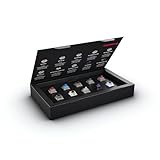
- 10 of our most popular CHERRY switches for you to try out and get to know: Experiment with the different variants to your heart’s content and find your favorite switch
- Wide selection Color Sampler (10): MX2A BLACK, MX BLACK CLEAR TOP, MX2A BLUE, MX2A BROWN, MX2A ERGO CLEAR, MX PURPLE, MX NORTHERN LIGHT, MX2A RED, MX2A SILENT RED, MX2A SPEED SILVER - each switch is included once
- Linear, tactile, and clicky: All 3 switch types are included in this box, so you can try them all out and find out which mechanical switch type you prefer for typing
- Durable and reliable: CHERRY Gold Crosspoint contacts (resistant to dust and dirt), at least 50 million actuations per switch without loss of quality, consistently reliable switching performance
- Worry-free ordering: Switches are securely held in the box, which prevents the contact pins from bending during shipping - another plus: All-cardboard packaging for reduced waste
Frequently Asked Questions
Can a browser tester tell whether the Fn key itself is working?
Usually not. Fn is commonly handled by keyboard hardware and does not arrive as a separate browser event. A page can show the event produced by Fn plus another key, not directly verify the Fn switch.
Does a missing F-key event mean the key is broken?
No. It means the page did not receive an event in that browser, operating-system, keyboard, and mode configuration. Test in another application or on another computer to narrow down where the event is being intercepted or changed.
Quick Recap
Product prices and availability are accurate as of the date/time indicated and are subject to change. Any price and availability information displayed on Amazon at the time of purchase will apply.

