
Recommended Free Tools
iTechGuides is reader-supported. When you buy through links on our site, we may earn an affiliate commission. As an Amazon Associate I earn from qualifying purchases. Learn more
“Website thumbnail” can mean either the small icon shown in a browser tab, bookmark, or sometimes a search result, or the larger image attached to a shared link. They use different files and different HTML. Use <link rel="icon"> for the site icon and Open Graph metadata, especially og:image, for a link-preview image. Adding a favicon does not reliably set the image that social and messaging services show when a page is shared.
Choose the thumbnail context first
The right implementation depends on where you want the image to appear.
| Where it appears | Asset role | Markup | Who controls the final display |
|---|---|---|---|
| Browser tab, bookmarks, and similar page-identity locations | Compact favicon or page icon | <link rel="icon"> in the document head |
The browser chooses among the icons you declare |
| Shared-link cards in social, messaging, or preview surfaces | Page-specific artwork | Open Graph properties such as og:title, og:type, and og:image |
The destination platform fetches metadata and may select a fallback or another image |
Plan for both when you need a polished result: a favicon identifies the site, while an Open Graph image represents the individual page being shared.
The Tool Desk
Outbyte PC Repair FREERepair Windows errors before they cause bigger problemsFix Now →Outbyte Driver Updater FREEFix the driver behind crashes, sound loss and screen glitchesFind Drivers →Add a favicon for tabs and bookmarks
1. Put the icon in a public location
Export an icon file and place it somewhere your web server serves without authentication. A root-level file such as /favicon.png is easy to test, but any publicly reachable path works. The browser must be able to request the file directly.
#1 Best Overall

- EASY REMOVE - The wristlet measures 3 inches in width and height. The bangle keyring allows for quick using and removing forearm and slip up your arm! It is large enough to slip on to your wrist for hands-free movement and the design makes sure no nails are broken in the process
- TOP GRADE QUALITY -Our rings are all made of grade silicone.They're comfortable,soft,smooth.
- NEVER LOSING KEY - The key ring allows you to effortlessly secure your car keys and house keys, while the round design makes it easy to find in any purse, backpack, or travel bag. Great for busy men and women, also suit for the eldersnever losing your keys
- PERFECT GIFT - This round o ring wrist keychain is a perfect gift for yourself or any woman in your life who loves fashion, minimalism and convenience!Take your keychain wristlet while walking, shopping, travelling!
2. Declare it in the document head
Add this element inside the <head> of the pages that should use the icon:
<link rel="icon" href="/favicon.png">The rel="icon" relationship identifies the resource as the current document’s icon. If you provide several icons, browsers can use the media, type, and sizes attributes when choosing a suitable resource.
<link rel="icon" href="/favicon.png" type="image/png">
<link rel="icon" href="/favicon-dark.png" type="image/png" media="(prefers-color-scheme: dark)">
<link rel="icon" href="/favicon.svg" type="image/svg+xml">
Declare only files that really exist and are served with the correct content type. A broken alternate link can make debugging harder, and support for a particular format can vary between browsers and contexts.
3. Meet Google’s crawl requirements when search eligibility matters
For a Google Search favicon to be eligible, Google documents a rel="icon" link on the home page. Googlebot must be able to crawl the home page, and Googlebot-Image must be able to crawl the icon file. Eligibility is not a command to show the icon in every result; Google still decides how a result is rendered.
Check that the home page and icon are not blocked by authentication, firewall rules, or crawler restrictions. Open the icon URL in a private browser window and confirm that it returns the intended file rather than an HTML error page.
Rank #2

- Package Included: 8 heavy duty identification silicone key rings in 8 colors: Red, Black, Yellow, Orange, Light Blue, Royal Blue, Purple and Green. A various colors key fobs allow you to personalize your keychain and easily distinguish different sets of keys.
- Large Capacity: With this multi-pack, you will have enough key rings with tags to hold all your keys. The keyrings contain a 25mm split ring for added convenience and allows you to attach multiple keys.
- Exquisite Craftsmanship: Our key rings with tags are made with exquisite craftsmanship. The key fobs with labels can hold a large number of keys to meet your various travel needs and ensure that you can keep your keys safely during your travels.
- Sturdy Material: These key fobs are designed for long-term use, and the sturdy silicone structure can withstand daily wear and tear. The key fob is designed to provide excellent organization and smooth access to items, greatly enhancing your travel experience.
- Wide Application: These silicone fobs for keys are not only suitable for keys, but can also be used to attach labels, tags or other small items. These vibrant and stylish key-rings with labels can make you stand out from the crowd.
Set a link-preview thumbnail with Open Graph
1. Add the basic properties
For a shared-page thumbnail, place Open Graph metadata in the page’s <head>. Use an absolute URL for the image so a remote crawler can fetch it:
<meta property="og:title" content="Page title">
<meta property="og:type" content="website">
<meta property="og:image" content="https://example.com/share-image.jpg">
og:title supplies the title, og:type identifies the kind of object, and og:image supplies the artwork for the rich link representation. Create artwork that represents the page being shared instead of treating a favicon as a substitute.
2. Give every important page its own metadata
Generate the tags from the page record in your template or CMS. A product page, article, and home page should not all point to an unrelated generic image. Google’s guidance cautions against using a generic logo or a text-only image for its image-preview selection. That is a Google-specific recommendation, not a promise about every social or messaging service.
3. Keep the image publicly fetchable
The URL in og:image must resolve from the public internet. Avoid a URL that depends on a logged-in session, a short-lived signed request, or a browser-only route. Check the exact URL with an unauthenticated request and verify that it returns an image, not a redirect loop or an application error.
Use both assets together without confusing their roles
A complete page can contain both declarations:
<head>
  <title>Example page</title>
  <link rel="icon" href="/favicon.png" type="image/png">
  <meta property="og:title" content="Example page">
  <meta property="og:type" content="website">
  <meta property="og:image" content="https://example.com/images/example-share.jpg">
</head>
The favicon handles compact site identity. Open Graph handles the page-level sharing card. A recipient may see the Open Graph image, the favicon, or another fallback depending on the platform and whether the platform can fetch a suitable preview.
Rank #3
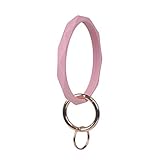
- Functional: The size of our silicone key chain bracelet is 3 inch inner diameter and 3.45inch outer diameter. It can be worn on your wrist, attached it to your bag, held in hand etc. The bangle keyring allows for quick using and removing forearm and slip up your arm! It is large enough to slip on to your wrist for hands-free movement and the design makes sure no nails are broken in the process.
- TOP GRADE QUALITY - made of high quality food grade silicone, no BPA contained,They're comfortable,soft,smooth, non-conductive and definitely safe even for sensitive skin.
- NEVER LOSING KEY - The key ring allows you to effortlessly secure your car keys and house keys, while the round design makes it easy to find in any purse, backpack, or travel bag. Great for busy men and women, also suit for the eldersnever losing your keys
- PERFECT GIFT - This round o ring wrist keychain is a perfect gift for yourself or any woman in your life who loves fashion, minimalism and convenience!Take your keychain wristlet while walking, shopping, travelling!
- colors: all of our key chain bracelet are not dyeing, it will look like new even long time usage.
Platform selection, fallback, and caching
Declaring metadata does not give a site owner complete control over the final thumbnail. Apple’s Messages guidance describes using Open Graph metadata and, when no preview image of sufficient size or quality is available, falling back to an Apple touch icon, favicon, or another specified link icon. That fallback is platform behavior; it is not evidence that a favicon becomes the sharing thumbnail everywhere.
Free tools Windows power users keep installed
One-click scans. No signup required.
Google automates image selection for its result and Discover previews. It can choose an image other than the one you expect, so inspect the result in the target surface after publishing. Preview services also cache fetched metadata. If you replace an image at the same URL, an already generated card may continue to show the old version until that platform refreshes its cache. Changing the image URL when you intentionally publish a new asset can make the change distinguishable, but each platform decides when to fetch again.
Framework and CMS implementation checklist
- Find the global document-head template or the page’s SEO/metadata component.
- Place the favicon link in the head generated for every page that should carry the site icon.
- Populate
og:title,og:type, andog:imagefrom the current page rather than hard-coding one value for the entire site. - Render the final HTML on the server or in a way that the sharing crawler can read. Do not assume a crawler will execute the same client-side code as a full browser.
- Deploy the image files and metadata together, then request the exact public URLs from outside your network.
If your platform has a visual SEO panel, it should ultimately produce the same head elements. Inspect the page source or the server response to confirm that the tags are present before relying on a preview inspector.
Verify the result in the places that matter
- Browser tab: load the page, open a new tab, and check the icon. Test a private window after deployment to reduce the effect of local cache.
- Bookmark: create a bookmark, remove it, and create it again if the old icon persists.
- HTML response: view the source and confirm the favicon link and Open Graph tags are in the head, not only in a component that appears after a client-side render.
- Image request: open the favicon URL and the
og:imageURL directly. Confirm public access, a successful response, and the intended media rather than an error document. - Target preview: share the canonical page in the service where the thumbnail will be used. Selection, caching, and fallback behavior can differ between services.
Troubleshoot common failures
| Symptom | Likely cause | Fix |
|---|---|---|
| No icon in the tab | The link is outside <head>, the path is wrong, or the file is not public. |
Use a root-relative or verified absolute path, place the element in the head, and request the URL directly. |
| The old favicon remains | Browser or intermediary caching. | Test in a private window, remove and recreate the bookmark, and verify the deployed HTML before changing files again. |
| A shared link has no image | og:image is missing, relative, blocked, or points to an error response. |
Use an absolute public URL and test it without login or special headers. |
| The wrong image appears | The platform selected another image, used a fallback, or has cached earlier metadata. | Check the rendered head, make the page artwork specific, and allow the target platform to refresh its cache. |
| Google does not show the favicon | Eligibility conditions are not met, or Google chose not to display it. | Ensure the home page and icon are crawlable by Googlebot and Googlebot-Image. Eligibility does not guarantee display. |
| The preview works in one app but not another | Each platform has its own crawler, selection logic, fallback rules, and cache. | Test in the actual destination and treat one platform’s rendering as non-portable evidence. |
Or skip the browser setup
Once your favicon and Open Graph metadata are deployed, ScreenshotNeo can capture a clean rendered screenshot for QA, documentation, or a visual thumbnail asset. It is a website screenshot API and MCP server; it does not replace the metadata declarations above, but it avoids maintaining your own browser-capture service.
One GET request returns a PNG, JPEG, WebP, or PDF. The cURL example below captures a page as WebP; the complete parameter reference is in the ScreenshotNeo documentation.
Outdated Drivers Are Slowing You Down
One free scan finds every outdated or missing driver and matches the right update for your exact hardware.Free scan · exact hardware matchPC Slower Than It Used to Be?
A free scan shows the junk files, broken settings and background clutter dragging Windows down - then fixes them in one click.Free scan · Windows 10 & 11Rank #4
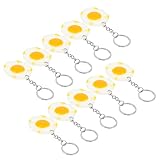
- Poached egg:perfect choice for christmas, birthday, holiday, party, halloween, festival or other special occasion,mini food keychain
- Poached egg shaped pendants:can be used as mini keychain accessories or DIY bag making pendants,Bag Hanging Pendant
- Egg pendant:handmade premium resin and metal, carefully polished it is durable for long time use,realistic food keychain
- Food keychain decor:it is a perfect pendant for your bag, backpack, car key or other decoration,breakfast keychains
- Fried eggs pendant charm:fine workmanship ensures the lifelike details for you, to your friends, family and co-worker,fake food keychain
curl -G "https://api.screenshotneo.com/v1/shot" -d access_key=YOUR_API_KEY --data-urlencode url=https://example.com -o shot.webpThe same request in Python:
import requests
r = requests.get("https://api.screenshotneo.com/v1/shot", params={"access_key": "YOUR_API_KEY", "url": "https://example.com"}, timeout=90)
open("shot.webp", "wb").write(r.content)
And in Node.js:
const q = new URLSearchParams({ access_key: 'YOUR_API_KEY', url: 'https://example.com' });
const res = await fetch(`https://api.screenshotneo.com/v1/shot?${q}`);
ScreenshotNeo accepts options useful when checking a thumbnail workflow: full-page capture with lazy images loaded, a CSS-selector element capture, dark mode, 12 device presets or a custom viewport, retina scale, custom CSS and JavaScript, click-before-capture actions, hidden selectors, waits for a selector, delay, or network idle, blocked ads and trackers, custom headers, cookies, user agent and Authorization, timezone and geolocation, transparent backgrounds, resizing, a chosen cache TTL, signed links for public image tags, asynchronous jobs with signed webhooks, bulk capture of up to 100 URLs per call, a usage API, and an OpenAPI specification. Existing parameter names used by other screenshot APIs also work.
Before capture, it accepts the cookie or consent banner like a visitor and removes more than 60 known consent platforms, newsletter popups, and chat widgets; each step can be disabled. Bot checks or CAPTCHAs, blank pages, timeouts, failed loads, and cache hits cost nothing. Each response reports the outcome in X-Page-Verdict and X-Billed headers. An MCP server exposes take_screenshot, get_page_info, and capture_pdf to Claude, Cursor, and other MCP clients.
| Plan | Included shots | Price |
|---|---|---|
| Free | 1,000 per month | $0, no card |
| Starter | 3,000 | $5 |
| Growth | 15,000 | $15 |
| Pro | 60,000 | $39 |
| Scale | 250,000 | $99 |
| Business | 1,000,000 | $249 |
Every feature is available on every plan, and yearly billing gives two months free. Create a free ScreenshotNeo account to start with 1,000 screenshots a month and no card.
Frequently Asked Questions
Can I add the favicon and Open Graph image without buying a plugin?
Yes. Both are standard document-head declarations and public image files; a CMS plugin is optional rather than required.
Do these 3 things before closing this tab:
1Repair Windows errors before they cause bigger problems2Scan for outdated or missing drivers - takes under a minute3Clear out junk files and repair common Windows errorsWhy can two services show different thumbnails for the same URL?
Preview services fetch and cache pages independently, then apply their own image-selection and fallback rules. Validate the result in the service where the link will actually be shared.
Quick Recap
Product prices and availability are accurate as of the date/time indicated and are subject to change. Any price and availability information displayed on Amazon at the time of purchase will apply.

