
What’s actually slowing this PC down?
Pick the symptom - the matching free tool is one click away.
iTechGuides is reader-supported. When you buy through links on our site, we may earn an affiliate commission. As an Amazon Associate I earn from qualifying purchases. Learn more
You can connect your case’s front USB-C port if the motherboard has a compatible internal USB-C header. If it doesn’t, a PCIe expansion card with an internal Type-E/Key-A header may provide one, provided your PC has a suitable free slot and the card matches the case cable. Check the exact motherboard and case manuals: a USB-C port’s shape alone does not establish compatibility, data speed, or charging power.
First, identify the case cable and motherboard header
A rear USB-C port is not the same as an internal front-panel header. To connect the case port, the case’s cable must plug into a matching header inside the PC.
- Find the motherboard model and consult its manual. Look for an internal front-panel USB Type-C header and note the connector name and supported USB generation.
- Find the case model and consult its manual. Confirm that it has a front USB-C port and identify the cable connector, commonly described as USB Type-E.
- Compare the two specifications. Do not rely on the words “USB-C” alone; confirm that the cable and header are designed to connect to each other.
For example, ASRock’s B650E PG Riptide WiFi manual identifies a 20-pin Front Panel Type-C USB 3.2 Gen 2×2 header. The B550 PG Riptide product documentation describes a front USB 3.2 Gen 2 Type-C header rated up to 10 Gbps. These are examples of different implementations, not specifications for an unspecified motherboard.
If the motherboard has a matching header
Connect the case’s front-panel Type-C cable to the header as directed by both manuals. Power down the PC and follow the manufacturer’s installation instructions. The header’s documented USB generation sets the available data capability; the case port cannot exceed what the connection supports.
#1 Best Overall

- USB 2.0 to USB 3.2 Gen 1 header adapter, It converts USB 2.0 9Pin into a Type-E (USB-C) port.
- Motherboard USB 2.0 9Pin can be quickly converted into a front panel connector, extending the Front Panel USB C Hub.
- USB 2.0 to USB C port converter, it does not need to be driven, plug and play.
- USB C Motherboard Adapter>>USB C port only supports the transfer rate of USB 2.0, which is the same as the rate of USB 2.0 of the motherboard 9pin.
- This adapter is the perfect solution to use the USB 2.0 connector with TYPE-C or TYPE-A, It can be easily inserted into the motherboard USB 2.0 interface without additional accessories.
Corsair’s 2800X Series case guide, for instance, identifies its front USB-C connection as USB 3.2 Gen 2×2 at 20 Gbps and uses a USB Type-E connection. Corsair also notes that bandwidth support depends on motherboard chipset support. A case’s advertised rate therefore is not a guarantee that every motherboard will deliver that rate.
If the motherboard has no matching header
One option is a PCIe USB-C expansion card that provides an internal Type-E/Key-A connector. Akasa documents the AK-PCCU3-08, which adds one internal 20-pin Key-A connector and advertises speeds up to 20 Gbps. Its specifications call for PCIe 3.0 x4 operation, list x4, x8 and x16 physical slot compatibility, and require SATA power.
Rank #2

- USB 2.0 to USB 3.2 Gen 1 header adapter, It converts USB 2.0 9Pin into a Type-E (Type-C) port.
- USB 2.0 9Pin can be quickly converted into a front panel connector, extending the Front Panel USB C Hub.
- Motherboard USB 9Pin to Type-C port converter, it does not need to be driven, plug and play.
- USB 2.0 9Pin to 20-pin Type-E Key-A Header adapter. USB C port only supports the transfer rate of USB 2.0, which is the same as the rate of USB 2.0 of the motherboard 9pin.
- This adapter is the perfect solution to use the USB 2.0 connector with TYPE-C or TYPE-A, It can be easily inserted into the motherboard USB 2.0 interface without additional accessories.
Before buying a card, check the motherboard manual for an available suitable slot and any lane-sharing restrictions. Also verify the card’s power connector, bracket height, case clearance, operating-system support and revision details, then compare its internal connector with the case cable. A card’s advertised maximum speed is not a guarantee for the complete system.
Recommended Free Tools
If you are already replacing the motherboard, choosing a board with a documented matching header is another route. The right choice depends on your case cable, desired performance and other platform requirements; there is no model-independent replacement recommendation here.
Rank #3

- 【Type C Front Panel Cable】Motherboard 9pin USB2.0 to Type C Cable, expands a front panel type C header from a motherboard 9pin USB 2.0 header. Total length 17cm/6.6inches approx.
- 【Enjoy USB-C technology】With this front panel cable, you can enjoy USB-C technology easily on the old motherboard.
- 【USB2.0 Spec.】High speed USB2.0 Spec., support maximum data transfer speed 480Mbps.
- 【Plug and Play】No drivers required, just plug and play.
- 【Note】 Does NOT compatible with 19pin USB 3.0 header. Not USB3.0 speed. Not support video/audio output.
USB-C data speed and charging are separate questions
USB-C describes the connector shape, not a single data rate or charging capability. Manufacturer examples range from ASRock’s front USB 3.2 Gen 2 header rated up to 10 Gbps to USB 3.2 Gen 2×2 implementations rated up to 20 Gbps. Check the specifications for the exact board, card and case rather than inferring capability from the port.
Likewise, do not assume a front USB-C port supports high-wattage charging just because it uses a Type-C connector. ASUS documents up to 60 W PD 3.0/QC 4+ support for a specific setup using its ROG Crosshair X670E Gene motherboard and a separately purchased front module. That configuration requires an additional 6-pin power connection, has supported-device conditions and specifies a lower limit in the soft-off state. Those claims apply to that documented setup, not to other boards or PCIe cards. See the ASUS motherboard manual for its conditions.
Rank #4
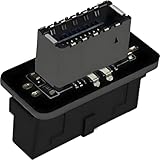
- USB 3.2 Gen 1 to USB 3.2 Gen 2 header adapter, It easily converts the motherboard's USB 3.0/3.1 19pin port into a Type-e USB C port.
- Motherboard USB 3.0 to Type C adapter and front panel connector make it easy to expand your USB C hub.
- Compatible with all of common motherboards with USB 3.0/3.1 19 pin header.(Note: Does not work with USB 2.0 header, USB 2.0 is a 9pin connector, and it is compatible with USB 2.0 to USB 3.2 Gen 1 header adapter.)
- Easily expand the USB C port for your computer, Coverts 19-pin IDC USB 3.0/3.1 female port into 20-pin USB 3.2 E Type (A-Key) port for USB 3.2 Type-C or Type-A connector port capability.
- Front panel connector adapter does not change the original transfer rate, it only changes the physical interface, and the transfer speed is still the same as the motherboard 19pin USB 3.0.
Quick compatibility check
- Motherboard: Does its manual specify an internal front USB Type-C header, and what connector and USB generation does it use?
- Case: What connector is on the front USB-C cable, and what data rate does the case manual specify?
- Expansion card, if needed: Is a suitable PCIe slot free? Check lane sharing, power, bracket height, clearance and operating-system support.
- Charging: Does the documentation for the exact hardware state a charging standard and wattage, including any extra power connection or device restrictions?
If you share your motherboard and case models, their manuals can establish whether the cable has a matching header and what capabilities the connection supports.
Quick Recap
Best Value

- 【𝐅𝐮𝐧𝐜𝐭𝐢𝐨𝐧】By insert our USB front panel adapter for motherboards without a Type-E connector to achieve full USB 3.1/3.2 Type-C (20-pin) A-key motherboard connector compatibility. This adapter converts an available USB 2.0 port to a USB 3.1 port, suitable for computer cases with USB-C front panels
- 【𝐂𝐨𝐦𝐩𝐚𝐭𝐢𝐛𝐢𝐥𝐢𝐭𝐲】This 9 pin male to usb 3.1 type-e female converter is compatible with motherboards and works seamlessly with all mainstream brands featuring USB 2.0 interfaces. It is also compatible with both Windows and Linux operating systems
- 【𝐏𝐥𝐮𝐠-𝐚𝐧𝐝-𝐏𝐥𝐚𝐲】This USB 2.0 to USB 3.2 Gen 1 header adapter is ready to use without needing drivers, making it perfect for upgrading internal USB connections with easy installation and use
- 【𝐃𝐢𝐦𝐞𝐧𝐬𝐢𝐨𝐧𝐬】13×24×8mm / 0.51×0.94×0.31in (L×W×H). With an ultra-slim 8mm design, this USB 3.2 Gen 1 to USB 3.2 Gen 2 header adapter prevents assembly interference caused by motherboard connector positions or internal case structures
- 【𝐏𝐚𝐜𝐤𝐚𝐠𝐞 𝐈𝐧𝐜𝐥𝐮𝐝𝐞】2pcs USB 9Pin to USB 3.1 Type-E Header Adapter
Product prices and availability are accurate as of the date/time indicated and are subject to change. Any price and availability information displayed on Amazon at the time of purchase will apply.

