
iTechGuides is reader-supported. When you buy through links on our site, we may earn an affiliate commission. As an Amazon Associate I earn from qualifying purchases. Learn more
An 8,000mAh rating does not tell you exactly how long a phone will take to charge. The time depends on the battery’s voltage, how much power the phone accepts over the session, the charger and cable, and conditions such as temperature and phone use. A few hours is possible, but an exact estimate requires the phone model and charging setup.
Here is a way to estimate the time without mistaking a charger’s maximum wattage for the power that reaches the battery.
How to estimate charging time from 8,000mAh
Milliamper-hours (mAh) describe electric charge, not energy. To estimate energy, convert the capacity to amp-hours and multiply by the battery’s nominal voltage. Then divide by the average power reaching the battery. The result is an idealized estimate, not a guaranteed charge time.
- Convert capacity: 8,000mAh ÷ 1,000 = 8Ah.
- Estimate stored energy: multiply 8Ah by the battery’s nominal voltage in volts. At an illustrative 3.85V, the result is 30.8 watt-hours (Wh).
- Divide by average battery-side power: hours ≈ energy to add in Wh ÷ average watts reaching the battery.
Using the entire 30.8Wh as the amount to add, a constant 10W average at the battery would give 30.8 ÷ 10 = about 3.1 hours. At a constant 20W average, the arithmetic gives about 1.5 hours. These are calculation examples based on an assumed voltage and constant battery-side power; they are not test results or predictions for a particular phone.
#1 Best Overall

- High Capacity Voltage: Delivers massive 8000mAh capacity with a stable 3.7V output. Maximum charging voltage: 4.25V for applications requiring long-lasting runtime and consistent power output
- Compact Size and Lightweight Design: Measuring 90mm x 60mm x 12mm (3.54" x 2.36" x 0.47") and weighing only 15g, this battery offers high energy density in a flat and compact design for embedded or enclosed systems
- Reliable PCM Protection Circuit: Built-in protection circuitry guards against overcharge, over-discharge, overcurrent, and short circuits. Ensures safe performance even under frequent charge/discharge cycles
- Customizable Connector Support: Customizable with 2-pin PH2.0mm or JST connectors for easy integration. Cable length and connector type can be adjusted to fit tablet PCs, portable tools, solar systems, and more
- Wide Range of Applications: Suitable for powering tablets, rechargeable floor mops, solar LED panels, wireless cameras, portable printers, e-notebooks, biometric terminals, and other high-power electronics
For a partial top-up, use the energy needed rather than the battery’s full capacity. As a rough illustration, going from 50% to 100% means adding about half the battery’s energy, assuming the percentage display tracks charge evenly. In practice, the displayed percentage and charging behavior are not precise enough to turn that shortcut into an exact time.
The calculation is most useful for understanding scale and comparing assumptions. It cannot determine the phone’s actual charging curve, and it should not be used to claim that every 8,000mAh phone takes a particular number of hours.
Why charger wattage is not the same as charging speed
A charger’s wattage indicates a power capability under supported conditions, not a promise that the phone will draw that power continuously. The phone and charger negotiate a compatible charging mode; with USB Power Delivery, the device can request the power it needs. A high-rated adapter therefore does not force a phone to accept its maximum output.
The Tool Desk
Outbyte Driver Updater FREEFix the driver behind crashes, sound loss and screen glitchesFind Drivers →Outbyte PC Repair FREERepair Windows errors before they cause bigger problemsFix Now →The phone’s own input limit and charging controls matter. The adapter, cable, and phone must also support a compatible fast-charging mode. Huawei’s global support guidance, for example, describes its categories as 5–10W for standard charging, 18–20W for fast charging, and 22.5W or higher for SuperCharge. Those are Huawei’s category descriptions, not universal definitions or guaranteed battery-side averages.
Rank #2
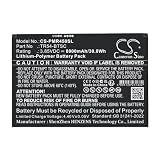
- ✅【Battery specification】Electric voltage:3.85V,Capacity:8000mAh,Weight:140g /4.94 ozg,Product type:Li-Polymer,Dimension:136.00 x 93.55 x 4.60mm,Safe and durable large capacity battery
- ✅【Battery compatibility】The battery replacement only compatible TR45,Part No.TR54-BTSC
- ✅【Safety & Reliable Quality】All replacement battery have complied with ROHS certified and standards,built-in over-charge, over-discharge, over-voltage, over-current, and over-heating protection,ensure safer use with your products.
- ✅【Install & Charge】 Replacement battery is easy to install and fits perfectly,battery technology offers extended run time with no memory effect.
- ✅【Product Guarantee】We provide 30 days Refund and 24 hours response service.Please feel free to contact us if you have any questions before or after purchase.Safety & Reliable Quality
USB Power Delivery Revision 3.1 supports up to 240W over a full-featured USB Type-C connection, according to the USB Implementers Forum. That is a standards ceiling, not a typical phone rate or an indication that an 8,000mAh phone can use 240W. The relevant figure is the maximum wired input the specific phone supports under the matching protocol, not the largest number printed on an adapter.
What changes the time during a charge
Phone model, protocol, charger, and cable
The phone determines which charging modes it supports and how much input it will accept. A charger may offer several modes, but the phone must support the mode for it to be useful. The cable also has to be suitable for the required power. Huawei states that the device must support its fast-charging protocol and that the charger and data cable must support the power used for fast charging. Motorola likewise advises using a compatible charger and warns that an unsuitable one can charge slowly or affect performance.
To assess compatibility, look up the exact phone model’s wired charging specification and supported protocol, then check that the charger and cable support that mode. “USB-C” describes a connector shape; by itself, it does not establish the charging rate a particular combination will deliver.
Battery percentage and tapering
Charging is not necessarily a constant-power process from empty to full. As the battery fills, the phone may reduce charging current to manage the battery and heat. That is one reason a simple energy-divided-by-watts calculation tends to understate a full-charge time: it assumes the same average power throughout.
Rank #3
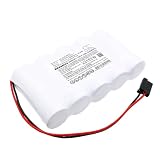
- [Battery Compatible] Replacement Battery for Kaufel 002006 . All batteries are Certificated with ISO9001, RoHS, and CE.
- [ Battery Specifications]-Capacity: 8000mAh / 48.0Wh,Voltage:6.0,Dimensions:161.80 x 92.40 x 32.80mm,Weight:905.0g,
- [New battery ]There are many installation videos available on the Internet, which are easy to install. New fully decoded chip works just like the original
- [Battery High Quality] Our batteries are made to the exact specifications as same as the original battery. Every battery is with strict spec detection and use testing, absolutely ensure the safe and durable use of the battery Overcharge, over discharge, Replacement, over voltage and short circuit protection for better battery life. The package has shock-shock foam, transport a protection battery.
- [Cameron Sino battery] Email reply within 24 hours
Sony documents one model-specific example for Xperia: charging current is gradually reduced when the battery reaches 50% to protect it, so charging becomes slower. That 50% point applies to the Sony support context described, not to every phone. The general lesson is that a charging rate or time measured early in a session should not automatically be extended to the remainder of a full charge.
Temperature, phone use, and battery age
Google’s Pixel guidance identifies usage during charging, battery age, and ambient temperature as factors that affect charging speed. Running the phone while it charges can add demand and heat; Sony also notes that background operation can affect speed and that operating the device while charging can slow charging because of heat control. An older battery may behave differently from a newer one, so results from another person’s phone are not necessarily a useful benchmark.
Temperature limits are model-specific. Motorola advises against charging its phones below -20°C or above 45°C; these are Motorola’s stated safety limits, not universal limits for all phones. Follow the guidance for your own device rather than treating another manufacturer’s limits as applicable to it.
Quick wins for a faster PC:
Scan for outdated or missing drivers - takes under a minuteDriver Scan →Repair Windows errors before they cause bigger problemsFix Now →Starting percentage and test conditions
A time from nearly empty to full is not comparable with one measured from 30% to 80%. Results also depend on the charger, cable, temperature, phone settings, and whether the screen is on or the device is being used. Google’s published Pixel tests specify starting levels and device and charger conditions, and caution that actual use may produce slower results. A time quoted without those details may be difficult to reproduce or compare.
Rank #4
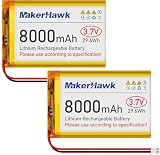
- High Capacity: Power up your devices with this 3.7V 8000mAh LiPo Battery, perfect for GPS, tablets, drones, cameras, and more.
- Built-in Protection: Features a protective circuit to prevent overcharging and overcurrent, ensuring safe and reliable use.
- Wide Compatibility: Suitable for a range of devices including portable printers, digital cameras, LED lights, Bluetooth speakers, and more.
- Long-lasting Performance: Enjoy leak-free and high-performance power that lasts, with PCM protection against overcharging, over-discharge, and overheating.
- Versatile Use: Ideal for a variety of applications, from drones to baby monitors, this LiPo battery offers stable and reliable power wherever you need it.
How to check your own phone’s charging setup
For a useful estimate, record the setup and compare charges under similar conditions. These steps will not reveal the phone’s exact battery-side power, but they help separate a normal model-specific charge curve from a compatibility or usage issue.
- Identify the phone precisely. Find the model name or model number in the phone’s settings or manufacturer information. Check that model’s stated wired charging protocol and maximum input; do not infer either from the battery capacity or connector.
- Check the adapter’s supported output modes. Read its label or specifications for the mode that matches the phone. Its headline maximum may apply only to a different protocol or device.
- Check the cable. Confirm it is suitable for the phone and the charger’s supported mode. If compatibility is unclear, try a known-compatible cable rather than assuming every cable with the same connector performs identically.
- Choose a repeatable test window. Note the starting and ending percentages and the elapsed time. A partial interval, such as 20% to 80%, can make repeated observations easier to compare than an uncontrolled empty-to-full session.
- Keep conditions similar. Use the same charger and cable, avoid demanding use during the comparison, and charge in a temperature range permitted by the phone maker. Record whether the screen is on and whether the phone is running heavy tasks.
- Compare like with like. Repeat the observation under similar conditions before drawing conclusions. A manufacturer lab result for a particular model and setup is not a prediction for another model, and day-to-day conditions can differ.
How to interpret a slow charge
If your phone takes longer than expected, first check whether the expectation came from a model-specific test or merely from dividing battery capacity by the charger’s printed wattage. Then work through likely causes in a practical order:
- Confirm the charging mode can match. Check the phone, adapter, and cable for support of the same required protocol. A mismatch can leave the phone charging in a lower-power mode.
- Compare a controlled session. Note the starting percentage, elapsed time, phone use, and temperature. If those differ from the comparison you have in mind, the times are not directly comparable.
- Observe where the slowdown occurs. A lower rate later in the session can reflect the phone changing its charging behavior as the battery fills. Do not assume a rate measured near the start will persist to 100%.
- Reduce avoidable demand and heat. If the device is being used heavily, allow it to rest during a comparison. Keep it within the maker’s temperature guidance; do not apply a different manufacturer’s limit as a universal rule.
- Recheck the cable and charger. Use compatible equipment and compare with another known-compatible combination if available. A faster charger is not automatically a solution if the phone cannot use its protocol or input level.
If charging behavior changes sharply or the phone reports a temperature or accessory warning, follow the manufacturer’s instructions for that model instead of trying to force a faster rate. A single elapsed time cannot diagnose the battery by itself; a meaningful comparison needs consistent setup and conditions.
What’s actually slowing this PC down?
Pick the symptom - the matching free tool is one click away.
How to read published charge-time claims
Before applying a quoted number to an 8,000mAh battery, check what was actually measured. Useful details include the phone model and region, the starting and ending percentages, the charger and protocol, the temperature, whether the screen was off, and whether the number comes from a manufacturer test or a calculation.
For example, Sony’s support guidance for an applicable Xperia model reports 0% to 50% in 30 minutes using a 30W USB PD charger at 25°C with the screen off. The support page was modified on 2026-05-21. This is a model- and condition-specific result, not a full-charge time and not a transferable estimate for an unspecified 8,000mAh phone.
When a source gives only battery capacity and adapter wattage, it has not established the average power reaching the battery or the phone’s full charging curve. Treat any resulting duration as an estimate based on assumptions, not as a measured universal result.
Quick Recap
Product prices and availability are accurate as of the date/time indicated and are subject to change. Any price and availability information displayed on Amazon at the time of purchase will apply.

