
The Tool Desk
Outbyte Driver Updater FREEScan for outdated or missing drivers - takes under a minuteDriver Scan →Outbyte PC Repair FREERepair Windows errors before they cause bigger problemsFix Now →iTechGuides is reader-supported. When you buy through links on our site, we may earn an affiliate commission. As an Amazon Associate I earn from qualifying purchases. Learn more
A CNC machining calculator turns chosen cutting conditions into spindle speed and feed rate: surface speed and tool diameter determine RPM, while RPM, chip load per tooth, and flute count determine milling feed. The calculator does not discover universally correct cutting data; those inputs must suit the specific tool, material, operation, and machine.
What a CNC speed-and-feed calculator calculates
For milling, the calculation is a two-step chain: choose a suitable cutting speed for the tool and material, calculate spindle revolutions per minute (RPM) from that speed and the tool diameter, then calculate table feed from RPM and the desired chip load per tooth.
| # | Preview | Product | Price | |
|---|---|---|---|---|
| 1 |
|
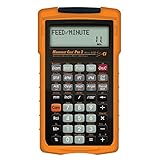
Calculated Industries 4088 Machinist Calc Pro 2 Advanced Machining Calculator | Speeds and Feeds,... | $76.93 | Buy on Amazon |
| 2 |

|
Speeds & Feeds Blueprint Workbook | $12.99 | Buy on Amazon |
The equations connect inputs; they do not select the right cutting speed or chip load by themselves. Start with tool-manufacturer data that applies to the actual tool and work material. HSMWorks/Autodesk’s Fundamentals of CNC Machining advises: “Use the tool manufacturer’s data instead whenever it is available.” Kennametal’s speed-and-feed calculator FAQ also points to material, tooling, and machine details as relevant to choosing parameters.
Step 1: Convert cutting speed and diameter to spindle RPM
Cutting speed, also called surface speed, describes how quickly the tool’s cutting edge moves across the work. Given that speed and the cutter diameter, calculate the spindle RPM as follows:
#1 Best Overall
- MACHINIST-SPECIFIC KEYS: Enter details for the job quickly and effectively without tedious and error-prone long hand calculations; The dedicated function keys let you scroll through the results to solve your speed and feed calculations for face, end or slot milling plus turning, drilling and boring
- BUILT-IN MATERIALS, PROCESSES AND TOOLS: Customize calculations specifically for a project without time-consuming drill and thread chart look-ups; helps with the cutting angle of drill points, enables you to select your tool based on type of material making for better results, longer tool life and more precise speeds and feeds
- BUILT-IN TABLES: Save you time from looking up information on distant charts, handbooks or on the internet for your most needed calculations; 20 common materials, 6 processes and 3 tools are included to handle the math for milling, turning, boring and drilling; spindle speed (rpm), feed rate (IPM), cut speeds, chip-load. Also solves bolt pattern layouts, 3-wire measurements and more
- EASY TO USE SOLUTIONS: Resolve common challenges faced by pros; dimensional math and unit conversions including a handy mils key, Plus right triangles, angles and trig. Built-in answers provide the recommended settings for machinery but also provide minimum and maximum guides so you can use what works for your project or go by the handbook
- COMPLETE PACKAGE INCLUDED: Comes with a rugged shock, dust and moisture-resistant Armadillo gear protective case, quick reference guide and complete users guide, and a long-life battery
| Units | Formula | Required units |
|---|---|---|
| Imperial | RPM = (SFM × 3.82) ÷ D | SFM in surface feet per minute; D in inches |
| Metric | RPM = (1000 × Vc) ÷ (π × D) | Vc in metres per minute; D in millimetres |
The imperial constant 3.82 is a rounded form of 12 ÷ π. The metric factor 1000 converts the diameter from millimetres to metres so it can be combined with Vc in metres per minute. Keep each formula’s units intact; mixing inches with metric cutting speed, for example, produces a meaningless result.
Step 2: Convert RPM and chip load to milling feed
For a milling cutter, table feed is calculated from spindle RPM, chip load per tooth, and the number of flutes:
Feed rate = RPM × chip load per tooth × number of flutes
Crashes, No Sound, or Screen Glitches?
Random freezes, missing sound and display glitches usually trace back to one bad driver. Find and replace yours safely.Free scan · under a minuteWindows Errors? Fix Them Before They Spread
Repair common Windows errors and clear accumulated junk for a smoother, more stable PC - no reinstall needed.Free scan · no reinstallUse consistent units: if chip load is inches per tooth, feed is inches per minute; if chip load is millimetres per tooth, feed is millimetres per minute. Chip load is an input to the calculation, not a universal value. It should come from applicable tool data or a justified machining choice.
What the calculator needs to show
A useful calculator makes its assumptions inspectable rather than presenting a lone feed number. Its inputs and results should identify:
- Operation type, such as milling, drilling, or tapping.
- Units and the units expected for every value.
- Cutting speed and its source, plus tool diameter.
- For milling, chip load per tooth and flute count.
- The machine’s maximum spindle RPM, where applicable.
- The calculated RPM and feed, with any imposed limit or adjustment clearly identified.
This is a design principle derived from the formulas, not a claim about a particular calculator interface. If a calculator applies an adjustment, it should name the assumption and explain why; no single reduction factor is suitable for every machine and setup.
Independent reader supportYour contribution helps us test, update, and keep practical guides available for everyone.Account for machine limits and setup
Calculated values may exceed what the machine or setup can handle. The textbook notes that weak workholding or a long, thin tool can call for reducing the calculated parameters. If the requested RPM is above the machine’s maximum, use the available maximum RPM when calculating feed; otherwise the feed calculation would assume a spindle speed the machine cannot reach.
Do these 3 things before closing this tab:
1Repair Windows errors before they cause bigger problems2Scan for outdated or missing drivers - takes under a minute3Clear out junk files and repair common Windows errorsThat limit check does not establish that the resulting cut is safe. Tool geometry and grade, machine capability, workholding, tool stick-out, and the operation all affect suitable conditions. A material name alone is not enough to determine universally optimal speeds and feeds.
Drilling and tapping use different feed relationships
The milling equation should not be applied indiscriminately to every operation. The textbook’s worked examples distinguish operations: drilling feed is generally specified per revolution, while tapping feed is tied to spindle RPM and thread pitch. A calculator that supports those operations should use their corresponding relationships and label the inputs accordingly, rather than treating chip load per flute as a universal feed input.
How to assess a calculator’s result
Before using an output, check that the selected cutting speed and chip load apply to the actual tool and material, that the units match, and that the RPM is within the machine’s capability. Then consider whether workholding and tool length justify a more conservative choice. The equations provide a transparent starting calculation; they cannot guarantee a safe or optimal cut without sound input data and a suitable setup.
Quick Recap
Product prices and availability are accurate as of the date/time indicated and are subject to change. Any price and availability information displayed on Amazon at the time of purchase will apply.
Recommended Free Tools

