
What’s actually slowing this PC down?
Pick the symptom - the matching free tool is one click away.
iTechGuides is reader-supported. When you buy through links on our site, we may earn an affiliate commission. As an Amazon Associate I earn from qualifying purchases. Learn more
Flowtica Scribe is a working pen with a built-in microphone: press its control to record while you write on paper, then use the Flowtica app to sync audio and generate transcripts, summaries, and action items. Those are the manufacturer’s described features, not a guarantee that every recording will sync perfectly or every summary will capture every detail.
How Flowtica Scribe works
Scribe combines ordinary handwriting with audio recording. Flowtica says recording begins when you press the pen’s control; it does not start automatically. After syncing with the app, recordings can be transcribed and processed into summaries, action items, and other notes. The audio record and handwritten notes are complementary: the pen does not, by itself, turn everything you write on any paper into a digital transcript.
Flowtica’s product page lists 32 GB of storage, a claimed pickup range of 16.4 feet, support for up to 15 speakers, and 39 languages. These are manufacturer specifications; they are not independently verified performance guarantees, and real-world results can depend on room acoustics, distance, and the recording. Flowtica’s official product FAQ says: “Recording never starts on its own. It begins only when you press the button.”
Does Flowtica Scribe need a subscription?
Flowtica’s Scribe product page says the pen includes 300 advanced AI minutes per month and unlimited recording. Standard transcription is described as running on-device after a one-time model download. Advanced features listed by Flowtica include speaker identification, summaries, to-dos, and visual notes. When the monthly advanced minutes are used, Flowtica says recording and standard on-device transcription remain available.
#1 Best Overall
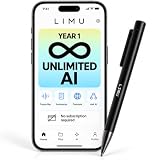
- 1 YEAR UNLIMITED AI, THEN 400 FREE MIN/MONTH: For AI recording pen every Chat GPT-5 AI feature is unlocked without limits for your entire first year. From 2nd year you keep 400 free AI minutes per month for life, with no recurring subscription. Ideal for students, professionals, educators and researchers organizing lectures, meetings and interviews.
- ADVANCED AI, ENGINEERED FOR ACCURACY: Advanced GPT-5 AI engineered for maximum transcription quality and accuracy in every scenario — meetings, lectures, classes, sales calls, and interviews — with clear summaries, action items and visual mind maps, translated across 125 languages — the voice recorder does the note taking for you.
- ASK ASSISTANT REMEMBERS EVERY WORD: Ask this AI notetaker anything about your recordings and get instant answers on decisions, dates, and to-dos, while 40+ built-in templates format notes for meetings, lectures, classes, sales calls, interviews, and study sessions — everything an AI note taking device should do, in a pen.
- 64GB RECORDING, LIGHTWEIGHT PEN: Capture upto 22 hours of continuous recording per charge while 64GB storage holds 480+ hours of audio. A physical record button, clearly visible indicator light, and USB-C wired playback keep this pen with aluminum-alloy and ABS body and weighting just 0.83 oz/23.5g voice recording pen ready in an instant.
- GERMAN-AMERICAN HIGH-TECH COMPANY: Recordings are encrypted and handled to strict German data-privacy standards. LIMU is a German-American high-tech company with customer support teams in both the USA and Germany, plus a 1-year manufacturer warranty.
Do not confuse the pen’s allowance with the separate Basic allowance Flowtica lists for its standalone app. The homepage describes app-only and Scribe-associated allowances separately. Check Flowtica’s current plan terms before purchase, since allowances and pricing may change.
Can Flowtica Scribe record a meeting or phone call?
It can record in-person conversations when you press the control. For phone, Zoom, or Teams calls, Flowtica says Scribe captures sound through its microphone when the call is played on speakerphone. It does not tap directly into the call audio signal. That means call recording depends on audible room playback and may capture surrounding sound as well.
Rank #2
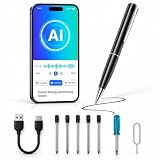
- AI Voice Recorder with 150-Language Transcription & AI Summaries: Capture meetings, interviews, lectures, and conversations during business travel with the QUALIDIGI AI Voice Recorder. Use the DouVoice App to convert recordings into text, then generate AI summaries from the transcribed text in up to 150 languages, turning spoken ideas into organized notes and actionable takeaways.
- AI Notes, Mind Maps & 13+ Smart Templates: Use the DouVoice App to turn long recordings into structured notes, AI summaries, and visual mind maps. Choose a template, then edit, highlight, annotate, organize, and share key information for faster review and follow-up.
- Dual MEMS Microphones with AI Noise Reduction: Built with dual MEMS microphones and RS-NE AI noise reduction, the recorder helps isolate voices from background sound in classrooms, conference rooms, interviews, and everyday settings, supporting clearer recordings and more reliable transcription.
- 7-Hour Battery & Portable Pen-Style Design: Record for up to 7 hours on a 210mAh rechargeable battery and recharge in approximately 1.5 hours under specified conditions. The lightweight pen-style recorder fits meetings, lectures, interviews, and business trips, so you can write notes while capturing ideas.
- DouVoice App Plans & Flexible Upgrades: Start with a 1-year $0 No-Cost Trial, including 300 transcription minutes per month, all AI summary templates, visual mind maps, 600 minutes of real-time transcription, unlimited cross-app translation, and a 10-minute audio/video call translation trial. Upgrade to Starter ($5/month or $30/year with 300 transcription minutes), Pro ($15/month or $90/year with 1,200 transcription minutes), or Unlimited ($22.50/month or $135/year with unlimited transcription and 300 minutes of audio/video call translation). Additional transcription, real-time transcription, and call-translation minutes are available separately.
Flowtica claims up to 15-speaker support, but that should not be read as proof of reliable identification in every meeting. Tom’s Guide’s 2026 hands-on review said its reviewer did not test the claimed maximum speaker count.
Free tools Windows power users keep installed
One-click scans. No signup required.
Battery, storage, and refills
Flowtica lists up to 30 hours of continuous recording from the pen and up to 100 hours combined with the charging case, which it describes as adding up to 70 hours. It also lists 32 GB of storage, a magnetic charging cable, and standard 0.5 mm gel refills. These are vendor specifications, not independent battery or capacity test results. Confirm the package contents for the specific variant before ordering; Flowtica also sells accessories separately.
Rank #3

- Write While Recording: Designed for meetings, classes, interviews, and everyday note-taking. Record audio while writing notes with a functional ink pen, helping keep important information organized and easy to review later
- Founder Edition Benefits: Early users can enjoy access to AI-powered features without recurring subscription requirements. Use transcription, summaries, translation, and note management tools through the companion app for a more efficient workflow
- AI Transcription & Smart Summaries: Convert recorded audio into searchable text and organized summaries. AI-powered processing helps identify key discussion points, action items, and important information from meetings, interviews, and lectures
- Multi-Language Support: Supports transcription and translation across a wide range of languages, making it useful for business meetings, study sessions, travel, and international communication. Noise reduction technology helps improve voice capture in various environments
- Enhanced Security & Access Control: Designed with account-based device management and controlled access settings. Users can manage recording files and storage permissions through the companion app, providing additional control over sensitive information
What hands-on reviews report
Tom’s Guide’s 2026 review described Scribe as useful for writing by hand while recording, and found the transcription helpful. The reviewer also encountered occasional Bluetooth pairing or syncing interruptions and said some summaries missed details. Those are that reviewer’s observations, not a measure of how often other users will encounter the issues.
Android Central’s 2025 hands-on review also described using the pen to capture briefings and produce transcriptions and summaries. Its app-availability comments reflect the situation reported at that time and should not be treated as current platform support information.
Rank #4

- 【One-Press, Multimodal Capture】Just press to start — the AI pen's multimodal AI handles the rest. It captures what you say, hear, and even see, weaving audio, photos, and your highlights into one connected record. Personalize how summaries read: pick the structure and tone that fit your role, from concise key takeaways to a conversational style, so notes stop feeling like a generic AI template. The more you use it, the more it learns your workflow, turning key moments into auto-synced calendar action items and cutting the time spent organizing notes afterward. A calendar view and auto-tags keep every project organized, so you can focus on what matters.
- 【FlowMark Highlighter | Built for Pros】Combine the focus-boosting power of handwriting with real AI assistance. This AI note-taking pen is a premium, 30g aluminum-bodied instrument built to handle daily professional use — it feels natural in hand and looks the part in any meeting room. Tap or long-press to highlight key moments as you go; marked sections appear yellow in transcripts and italic in summaries. A 60-minute meeting (around 6,000 words) can become 10-15 highlights you can scan in just minutes. Mark what matters as you listen, and the organizing is already done. It's designed for transparent use in meetings, lectures, seminars, and team collaboration.
- 【FlowTran Sync】Record and sync in real time. The pen connects straight to the app with minimal setup. Just keep the app active, and data will upload smoothly and continuously. A visible red LED lights up the moment recording begins, so you can see at a glance that the recorder is actively working, giving you peace of mind. AI transcription and summarization handle sessions up to 5 hours long, covering everything from transcription to summary in one go. Professional-grade MEMS microphones identify up to 15 voices from up to 16.4 feet away, with each voice tagged once and automatically recognized in future meetings.
- 【Meeting Assistant】An ergonomic, perfectly weighted luxury metal black gel pen crafted for modern professionals. Stop digging through old files. Ask Flowtica remembers your projects, preferences, and key contacts, so you can ask natural questions like "What decisions am I postponing?" or "Turn this meeting into a decision brief" and get sharp, context-aware answers pulled from your entire history. When you're ready to share, export exactly what you need: summary, enhanced audio, and transcript. Trusted by professionals, students, and teams for productivity enhancement.
- 【233-Day Standby】300 minutes/month credit — included with Scribe. You can upgrade to Pro/Unlimited plans for heavy workloads. This membership unlocks advanced features including Personalized Note, AI Meeting Assistant, and AI summary. Membership is tied to your account via the app, not your physical AI pen, so your benefits stay with you even if you switch devices. Power through back-to-back travel with 233 days of standby time and a quick 3-hour full charge. Review and manage your meetings anytime, anywhere, right from your phone. FCC certified-designed for open, consensual use in professional environments
Privacy and consent when recording
Flowtica says the user must press the button to begin recording, and advises telling participants and checking the consent rules that apply locally. Recording laws vary by location and context, so this is not a legal determination; check the requirements relevant to your situation before recording other people.
Flowtica states that recordings and app data are encrypted in transit and at rest, stored in the United States, and not used to train its AI models without explicit consent. It also says service providers are contractually barred from training their foundational models on customer data. These are company disclosures; the available sources do not establish an independent security audit or independently verify the claims. Review Flowtica’s current privacy terms if the material you record is sensitive.
Best Value

- Stay present in every scenario: Every conversation is covered, in person, on calls, and online. 4 MEMS + 1 VPU microphones with AI beamforming capture every voice across the room. Smart Dual-Mode Recording switches automatically between phone calls and in-person. The free Plaud Desktop captures online meetings without a bot
- Walk out of every meeting with notes ready to act on: Plaud Intelligence transcribes in 112 languages with speaker labels and turns each recording into action items, decisions, and follow-ups, structured and ready to use. Choose from 10,000+ customizable templates tailored to your role and industry
- AI summary ready before you reach your desk: Auto Transfer moves each recording to the Plaud app automatically, and AutoFlow transcribes and summarizes so your notes are ready before you are back at your desk. Upgrade anytime to Pro (1,200 min/mo) or Unlimited
- Access your AI workspace anywhere: One connected workspace across Plaud Desktop, Plaud Web, and the Plaud mobile app, so your conversations and finished work follow you everywhere
- Your conversations stay private and yours: Compliant with ISO 27001, ISO 27701, SOC 2, HIPAA, GDPR, and EN 18031, with zero data used to train AI models. Trusted by 2.5M+ professionals, including legal, medical, and business professionals handling sensitive information
Is Flowtica Scribe worth it?
Scribe is most relevant if you regularly take handwritten notes but also want a searchable audio record and app-generated summaries. It is less compelling if you need direct capture of a call’s digital audio, depend on summaries being complete without review, or want a device whose current stock and recurring plan terms are already clear.
Flowtica’s US product page listed the pen at $159 and marked it sold out when checked on September 28, 2026. Stock and price can change; the page should be checked for current availability. No verified Amazon offer was established.
Quick Recap
Sources
- Flowtica Scribe product page and FAQ
- Flowtica homepage and plan information
- Flowtica privacy information
- Tom’s Guide hands-on review (2026)
- Android Central hands-on review (2025)
Product prices and availability are accurate as of the date/time indicated and are subject to change. Any price and availability information displayed on Amazon at the time of purchase will apply.

