
Quick wins for a faster PC:
Scan for outdated or missing drivers - takes under a minuteDriver Scan →Clear out junk files and repair common Windows errorsFree Scan →Fix the driver behind crashes, sound loss and screen glitchesFind Drivers →iTechGuides is reader-supported. When you buy through links on our site, we may earn an affiliate commission. As an Amazon Associate I earn from qualifying purchases. Learn more
The Epson WorkForce Pro WF-C5890DWF is a four-colour business inkjet multifunction printer for offices that need printing, scanning, copying and faxing, plus duplex and network workflows. Epson specifies print speeds of up to 25 pages per minute in simplex and 16 pages per minute in duplex, but those are manufacturer figures rather than independent test results. Its 250–5,000-page recommended monthly workload and expandable paper capacity make it worth considering for a small workgroup; whether it is economical for your office depends on local ink prices and your actual print mix.
What the WF-C5890DWF does
The WF-C5890DWF is a colour PrecisionCore business inkjet multifunction device. Epson lists print, scan, copy and fax functions, aimed at office workflows rather than occasional home printing. Epson describes it as “A small workgroup printer perfect for the business environment, from small offices to large corporates.” That is the manufacturer’s positioning, not an independent assessment of reliability or suitability for every office. Epson Europe product page
Speed and workload: what the specifications mean
Epson Europe lists ISO print speeds of 25 pages per minute for both monochrome and colour simplex printing, and 16 A4 pages per minute for monochrome and colour duplex printing. It also lists first-page-out times from ready mode of 4.8 seconds for monochrome and 5.3 seconds for colour. These are published specifications, not results from hands-on testing; real output can vary with document complexity, settings and workflow. Epson Europe product specifications
Do these 3 things before closing this tab:
1Repair Windows errors before they cause bigger problems2Scan for outdated or missing drivers - takes under a minute3Clear out junk files and repair common Windows errorsEpson recommends a monthly volume of 250 to 5,000 pages and lists a maximum printing volume of 75,000 pages per month. The recommended range is the more useful planning figure for routine office use; the maximum is not a recommended sustained workload. If your monthly volume regularly exceeds the recommended range, compare devices designed for that duty cycle rather than treating the maximum as the target.
#1 Best Overall

- Epson WorkForce WF-C5890 Printer
Paper handling and scanning
The standard paper setup comprises a 250-sheet tray and an 80-sheet multipurpose tray, for 330 sheets total. Epson lists expansion to as much as 1,830 sheets with optional trays. A 50-page automatic document feeder supports batch document work. The device supports automatic duplex printing and two-sided ADF copying. Epson Europe product specifications
For scanning, Epson lists destinations including email, FTP, network folders, a computer and USB storage. This range can suit shared office workflows, but check your required destination and any associated app or cloud service on the current product page for your country before purchase.
Rank #2

- PLEASE NOTE — Epson printing system is designed to be used exclusively with Epson Genuine Cartridges; Use of non-genuine ink could cause damage not covered under the printer’s limited warranty
- HIGH-SPEED WIDE-FORMAT PRINTING — Print up to 13 x 19in; PrecisionCore Heat-Free Technology in this wireless printer delivers high-speed prints with 25 black/12 color ISO ppm and fast first-page-out
- HIGH-PRECISION PRINTING — This wide-format, color printer features accurate dot placement and DURABrite Ultra instant-dry pigment inks for professional-quality prints
- HIGH-VOLUME RELIABILITY — Useful for heavy workloads, the innovative heat-free technology in this all-in-one printer is designed for reliability and reduced downtime
- COMPLETE DUPLEX SOLUTION — This duplex printer allows you to auto 2-sided print, copy, scan and fax; Plus 50-sheet ADF
Connections, mobile printing and security
Epson’s European product listing includes Ethernet, Wi-Fi, Wi-Fi Direct and USB, as well as AirPrint, Mopria and Epson Connect features. It also specifies a 10.9 cm colour touchscreen. Confirm that the printer’s listed services and your office’s network policies align with the devices and workflows you intend to use. Epson Europe product page
The same page lists PIN-release confidential printing, network and access controls, an LDAP address book, IPsec, IEEE 802.1X, SSL and panel administrator mode. These are relevant options for managed office networks, but their presence does not replace checking configuration requirements with your IT administrator. Epson UK says it will provide security updates for seven years from purchase; this is a UK page statement, so verify the current terms in your own market. Epson UK product page
Rank #3
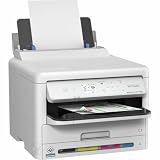
- Epson WorkForce WF-C5390 Printer
Ink and the cost of ownership
Epson promotes the WF-C5890DWF’s high-yield supplies and says it can print up to 10,000 monochrome or 5,000 colour pages without changing supplies. Treat that as the manufacturer’s supply-change claim, not a guaranteed yield for every office: actual supply life depends on what you print and how you print it. Epson’s German page links to its page-yield guidance. Epson Germany product page
A fair running-cost comparison requires current local prices for the compatible ink packs, a realistic estimate of your black-and-white versus colour work, and comparable yield assumptions. Paper and relevant maintenance items may also affect ownership cost. The available product information does not establish a cost per page or prove that this model is cheaper than a competing printer.
Rank #4

- High-speed printing — PrecisionCore Heat-Free Technology delivers high-speed, high-volume printing with 25 black/12 color ISO ppm and fast first-page-out.
- High-precision printing — accurate dot placement and DURABrite Ultra instant-dry pigment inks for professional-quality prints.
- High-volume reliability for heavy workloads — innovative heat-free technology designed for reliability and reduced downtime.
- Easy to use — 4.3" color touchscreen for quick navigation and control, plus all-new Epson Smart Panel App (1) for enhanced connectivity and productivity from your mobile device.
- Designed for productivity — auto 2-sided printing and 1-sided, 35-page ADF streamline workflow.
Supply names and codes differ by region. Epson’s US specification sheet lists T10S and T11-series ink packs, along with a maintenance box and feed rollers, but those US details should not be used to order European supplies without checking compatibility. Confirm the exact regional consumables and any optional tray against the printer’s model and local Epson support page. Epson US WF-C5890 specification and support page
What’s actually slowing this PC down?
Pick the symptom - the matching free tool is one click away.
Who should consider it?
- Consider it if your office needs a colour multifunction printer with duplex printing, two-sided ADF copying, network scanning and room to expand paper capacity.
- Check the fit carefully if your workload is near or above 5,000 pages per month, if your office depends on a particular scan destination, or if your IT environment requires specific network controls.
- Compare ownership costs locally before buying if low recurring expense is a priority. Check regional ink compatibility and current prices rather than relying on a general low-cost claim.
Verdict
The WF-C5890DWF’s published feature set is geared toward shared office use: business-oriented scanning and security options, automatic duplex printing, a 50-page ADF and expandable paper input. Epson’s rated speeds and recommended monthly range provide a useful starting point for workload fit, but they are not independent performance or reliability evidence. It is a plausible shortlist candidate for a small workgroup; the decisive checks are whether its local consumables make sense for your print mix and whether its connections, scan destinations and support terms meet your office’s requirements.
Quick Recap
Best Value

- Epson (T10W) WorkForce Pro WF-C5890 High Capacity Cyan Ink Pack
- High Capacity Cyan Ink Pack
Product prices and availability are accurate as of the date/time indicated and are subject to change. Any price and availability information displayed on Amazon at the time of purchase will apply.

