
iTechGuides is reader-supported. When you buy through links on our site, we may earn an affiliate commission. As an Amazon Associate I earn from qualifying purchases. Learn more
The Epson Expression Photo XP-980 is a photo-focused all-in-one that prints borderless photos up to 11 × 17 inches and uses six-color Claria Photo HD ink. Epson also advertises an 11-second borderless 4 × 6-inch photo, but that is a manufacturer claim—not an independently verified result. The available evidence establishes the printer’s features and cartridge compatibility, not how well it performs in everyday use.
What kind of printer is the Epson XP-980?
Epson lists model C11CL95201 as a wireless color all-in-one with printing, scanning, and copying. Its defining feature is wide-format photo printing: the manufacturer specifies borderless output up to 11 × 17 inches and a maximum print resolution of 5760 × 1440 dpi. It has a 4.3-inch color touchscreen.
The six-color Claria Photo HD system comprises black, cyan, magenta, yellow, light cyan, and light magenta. The additional light inks distinguish its photo-oriented configuration from a basic four-color CMYK setup, but the specification alone does not establish the printer’s actual color accuracy or print quality. Epson’s XP-980 product page lists the model’s advertised features.
Do these 3 things before closing this tab:
1Clear out junk files and repair common Windows errors2Fix the driver behind crashes, sound loss and screen glitches3Repair Windows errors before they cause bigger problemsWhat performance does Epson advertise?
Epson says the XP-980 can print a borderless 4 × 6-inch photo in as little as 11 seconds. That figure applies to the stated photo size and is an advertised minimum time, not an independently measured speed. It should not be used to predict print times for larger photos, documents, or different quality settings.
#1 Best Overall

- Allows you to go longer between cartridge replacements
- Professional photo quality
- Archival photos last more than 200 years
- Detailed, high-contrast shots and smooth, natural skin tones
- Crisp black text and bright, vivid colors over a wide color gamut
The maximum resolution and supported print size describe specifications, not a guarantee of how a particular image will look. No independent measurements establish this model’s photo fidelity, text quality, actual print speed, noise, scan quality, or copying performance under ordinary household conditions. Epson’s launch announcement quotes group product manager Megha Shukla describing the printer as capable of “studio-worthy results”; that is promotional language, not a test finding. Epson announced the XP-980 on January 6, 2026.
How does it handle paper?
Epson lists separate plain-paper and photo-paper trays, plus a rear feed for specialty paper. This arrangement gives the printer distinct paths for different kinds of media, which may be convenient for households that switch between documents and photos. The available specifications do not establish every tray capacity or the full range of supported specialty media, so check Epson’s current specifications for a particular paper size or type before buying it.
Rank #2

- 1.)Handy 7-pack: 2 x black, 1 x cyan, 1 x magenta, 1 x yellow, 1 x Light Cyan, 1 x Light Magenta remanufactured ink cartridges replacement for Epson 277 277XL T277120 T277220 T277320 T277420 T277520 T277620
- 2.)Page Yield: Up to 300 pages per black cartridge & 300 pages per color cartridge (based on 5% coverage)
- 3.)Compatible Printers: Epson Expression XP-850, Expression XP-860, Expression XP-950, Expression XP-960 Expression XP-970 Printer
- 4.)All Inkway replacements for 277 XL 277XL ink cartridge are strictly tested with industry
- 5.)quality control processes to perform high-quality printout and show accurate ink level. All products are manufactured in an ISO9001 & ISO14001 certified facility
Which ink does the XP-980 use, and what might it cost to run?
The XP-980 uses Epson’s six-color 279 cartridge family. Epson lists both standard 279 and high-capacity 279XL options; both families include black, cyan, magenta, yellow, light cyan, and light magenta. Epson recommends genuine cartridges. Epson’s ink compatibility page lists the cartridges for this model.
| Cartridge family | Black yield | Color yield | How to interpret the figures |
|---|---|---|---|
| 279 standard | 240 ISO pages | 360 ISO pages | Epson’s ISO/IEC 24711 Default Mode continuous-printing yields |
| 279XL high capacity | 500 ISO pages | 740 ISO pages | Epson’s ISO/IEC 24711 Default Mode continuous-printing yields |
These are standardized yield figures, not a promise of how many pages a household will get. Epson says results vary with image content, settings, temperature, humidity, print frequency, and color use. Some ink is used during printer setup, and a variable amount may remain when the replacement signal appears. Because real use and cartridge prices affect ownership cost, the stated yields alone are not enough to calculate a guaranteed cost per page. Epson explains the yield methodology and use caveats on the XP-980 product page.
Rank #3
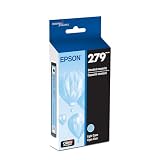
- Professional photo quality
- Archival photos last more than 200 years
- Detailed, high-contrast shots and smooth, natural skin tones
- Crisp black text and bright, vivid colors over a wide color gamut
- Compatible Printer: XP-980
What is known—and not known—about everyday use?
The manufacturer documentation supports a clear feature-based assessment: this is an all-in-one built around six-color photo printing, with borderless output up to 11 × 17 inches, a touchscreen, and separate paper paths. It does not establish whether the XP-980 produces better photos than a competing printer or how it fares for frequent document printing.
- Photo quality: no independent test establishes color accuracy, detail, or print longevity.
- Documents: no independent results establish text sharpness or document-print speed.
- Scanning and copying: these functions are listed, but scan and copy quality and speed are not independently measured here.
- Ownership cost: cartridge yields are available, but practical cost depends on local cartridge prices and printing habits.
Those open questions matter most if you need predictable performance for a particular workload. Before choosing it over another printer, compare independently measured photo and document quality, speed, scan and copy results, supported media, ink costs in your market, and current purchase price. The available manufacturer specifications do not establish a comparative winner.
Rank #4
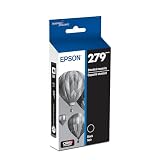
- Professional photo quality
- Archival photos last more than 200 years
- Detailed, high-contrast shots and smooth, natural skin tones
- Crisp black text and bright, vivid colors over a wide color gamut
- Compatible Printer: XP-980
Who should consider the XP-980?
It is a plausible fit for a household or hobbyist prioritizing wide, borderless photo output and wanting scanning and copying in the same device. Its advertised maximum print size and six-color ink system are relevant if those features match your intended use.
What’s actually slowing this PC down?
Pick the symptom - the matching free tool is one click away.
If your main concern is the quality or speed you will actually get, or the ongoing cost of frequent printing, the specifications alone do not settle the choice. Epson’s XP-980 support page provides product-specific setup and troubleshooting resources, including topics such as wireless printing or scanning, glossy-paper smears, custom paper sizes, and cartridge status. The presence of a support topic does not show how often a problem occurs.
Quick Recap
Best Value

- Professional photo quality
- Archival photos last more than 200 years
- Detailed, high-contrast shots and smooth, natural skin tones
- Crisp black text and bright, vivid colors over a wide color gamut
- Compatible Printer: XP-980
Product prices and availability are accurate as of the date/time indicated and are subject to change. Any price and availability information displayed on Amazon at the time of purchase will apply.

