
iTechGuides is reader-supported. When you buy through links on our site, we may earn an affiliate commission. As an Amazon Associate I earn from qualifying purchases. Learn more
Yes—but almost exclusively in enterprise storage. SAS/SCSI/Fibre Channel drives can expose 520-, 524-, 528-, 4,160-, 4,192- or 4,224-byte logical blocks, usually because protection-information data is included. A normal “4K Advanced Format” drive does not meet a requirement for larger than 4,096 bytes: 4Kn is exactly 4,096 bytes for both logical and physical sectors.
If you need a strictly greater-than-4K block, start with an enterprise SAS drive and verify its current format with sg_readcap -l or equivalent output from the exact device. Do not rely on a marketplace title that merely says “4K,” “4Kn” or “520-byte.”
What the sector-size terms actually mean
Three different sizes are commonly confused:
- Logical block size: the smallest block addressable through the host interface.
- Physical block size: the device’s internal atomic storage or write unit. Linux exposes these as
logical_block_sizeandphysical_block_size; Red Hat explains the distinction in its I/O limits documentation. - Filesystem allocation unit: the size chosen when a filesystem allocates space. An 8 KiB, 16 KiB or 64 KiB cluster does not change the drive’s sector format.
A host-visible 520-byte block also does not prove that the magnetic medium or NAND contains literal 520-byte physical cells. It can be a 512-byte or 4 KiB data region plus protection bytes transmitted over SAS.
Which formats are larger than 4,096 bytes?
| Format | Logical block | Physical block | Typical role |
|---|---|---|---|
| 512n | 512 bytes | 512 bytes | Legacy compatibility |
| 512e | 512 bytes | 4,096 bytes | Broadly compatible modern HDDs and SSDs |
| 4Kn | 4,096 bytes | 4,096 bytes | Enterprise systems with native-4K support |
| 520/524/528 | 520, 524 or 528 bytes | Often 4 KiB media plus protection information | Enterprise SAS/RAID protection formats |
| 4,160/4,192/4,224 | Greater than 4,096 bytes | Usually 4 KiB data plus protection information | Specialized enterprise storage |
Seagate lists the uncommon 520-, 524-, 528-, 4,160-, 4,192- and 4,224-byte formats as formats found mainly on SAS/SCSI/Fibre Channel drives and specialized hardware RAID systems (Seagate format documentation). Broadly, 520/528 and related sizes describe an interface block that can carry T10 Protection Information (also called DIF/DIX), not necessarily a raw media sector of that size.
#1 Best Overall
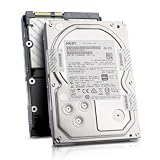
- Enterprise 4TB Capacity
- SAS 12Gb/s NOT Compatible w/ Desktop PCs
- 4Kn Advanced Format
- Built for 24/7 Enterprise Operation
- 3.5-Inch LFF Enterprise Drive
Is 4K Advanced Format larger than 4K?
No. “Advanced Format” normally means a 4,096-byte physical sector. A 512e drive reports 512-byte logical sectors while using 4,096-byte physical sectors internally; a 4Kn drive reports 4,096 bytes for both. Neither exceeds 4,096 bytes. Broadcom’s terminology guide distinguishes these formats at its 512e/4Kn support article.
Where are greater-than-4K drives found?
Enterprise SAS HDDs
These are the most practical source. Enterprise models may support selectable 512n, 512e and 4Kn formats, while some SAS models also support protection-information block sizes. Toshiba’s enterprise lineup, for example, lists 512n, 512e and 4Kn as model-level technologies (Toshiba Enterprise Performance). Seagate Exos SAS documentation describes several protection-information formats.
Enterprise SAS SSDs
Some enterprise SAS SSDs support protection information, but the exact logical block size and supported PI type are model- and firmware-specific. NAND page size, erase-block size and controller write granularity are internal details; they do not establish the host-visible sector size.
Do these 3 things before closing this tab:
1Clear out junk files and repair common Windows errors2Scan for outdated or missing drivers - takes under a minute3Repair Windows errors before they cause bigger problemsConsumer SATA drives
Consumer SATA HDDs and SSDs overwhelmingly expose 512-byte or 4,096-byte logical sectors. SanDisk’s consumer documentation describes 512e and 4Kn terminology but does not present greater-than-4K user-visible sectors as a normal consumer feature (SanDisk sector-format information). Treat a generic SATA “4K” listing as unsuitable until the manufacturer proves otherwise.
Rank #2

- 10TB Capacity, 7200RPM, 3.5inch Enterprise Hard Drive
- Industry's lowest power and weight for optimum data center TCO. Highest 10TB HDD performance with enhanced caching, making it perfect for OLTP and HPC application
- Digital environmental sensors for measuring internal humidity, pressure and temperature, helping to ensure high reliability, performance and quality
- Built on a wroughtaluminum base, the helium-sealed drive design with no porosity and uniform density is engineered with superior material and a wide-weld design, and utilizes the latest hermetic interconnect technology to support higher data rate heads and higher pin counts to excel in extreme thermal conditions in a robust storage infrastructure
- Proven enterprise-class reliability backed by 2.5M-hr MTBF.
How to verify the exact drive
Ask a seller for command output from the actual serial-numbered device. A product family name is not enough because the current format can differ between firmware revisions and used drives.
Linux
- List the kernel’s reported values:
lsblk -o NAME,MODEL,SERIAL,TRAN,SIZE,LOG-SEC,PHY-SEC,MIN-IO,OPT-IO. - Check one device directly:
cat /sys/class/block/sdX/queue/logical_block_sizecat /sys/class/block/sdX/queue/physical_block_sizecat /sys/class/block/sdX/queue/minimum_io_sizecat /sys/class/block/sdX/queue/optimal_io_size - Confirm the SCSI capacity and inquiry data:
blockdev --getss /dev/sdX,blockdev --getpbsz /dev/sdX,smartctl -a -d scsi /dev/sdXandsg_readcap -l /dev/sdX.
Interpret the pair, not just one number. logical block size: 520 and physical block size: 4096 is an enterprise protection/block-format case. logical block size: 4096 and physical block size: 4096 is ordinary 4Kn and is not greater than 4K.
Windows
Run msinfo32, then open Components → Storage → Disks and inspect Bytes/Sector. This generally reports the logical interface value, not a complete SAS-level description of physical media or protection information. SanDisk documents the path at its Windows and macOS guide.
macOS
Run diskutil info -all and inspect Device Block Size. This is what macOS receives through the connection and should not be treated as definitive proof of a greater-than-4K physical sector, especially through a USB bridge.
Rank #3

- Rotational Speed: 10000 rpm
- Interface: SAS 12GB/s
- Sustained transfer rate (outer to inner Diameter): 250 to 108 MB/s
- Average latency: 2.9 ms
Can you reformat a drive to a larger block?
Sometimes. Enterprise drives may support software-selectable formats, but available values depend on the model, firmware and controller. Seagate’s openSeaChest_Format example for changing a supported SAS drive to 512-byte blocks is:
openSeaChest_Format -d <handle> --formatUnit 512 --poll --confirm this-will...
Do not substitute 520, 528 or 4,160 unless the drive itself reports that format as supported. A format-unit operation can erase every sector, change apparent capacity, remove or alter protection information and leave the device unusable to an existing HBA. Seagate states that changing PI type requires a low-level format and destroys existing data (Exos X16 SAS manual). Back up first, verify the device path twice and perform the operation through a compatible direct SAS connection.
Quick wins for a faster PC:
Clear out junk files and repair common Windows errorsFree Scan →Fix the driver behind crashes, sound loss and screen glitchesFind Drivers →Repair Windows errors before they cause bigger problemsFix Now →Compatibility is an entire I/O-path problem
- Interface: SAS drives require a SAS-capable HBA or backplane; a SATA-only controller cannot normally operate a SAS disk.
- RAID controller: Some controllers hide, reject or translate unusual blocks. All members of an array must use the format expected by the controller.
- Operating system and filesystem: Detection by an HBA does not guarantee that partitioning tools, filesystems or boot code can use the device. Seagate warns that standard operating-system configurations may not recognize 520-, 524-, 528-, 4,160-, 4,192- or 4,224-byte blocks.
- Boot firmware: Firmware, bootloader, partition scheme and OS must all support the logical block size.
- USB bridges: A USB-SATA or USB-SAS bridge can hide physical information or present a conventional 512-byte interface.
- Virtualization: Broadcom documents 4Kn support for vSphere 6.7/7.x and vSAN 6.7/7.x with VMFS 6 requirements in the cited statement, but that does not imply support for 520- or 528-byte devices. The same article records separate 512e rules (Broadcom compatibility guidance).
Older platforms have additional restrictions. Dell’s historical compatibility guide records limitations for Windows Server 2003 and early Linux combinations; use it as legacy context, not as a current guarantee (Dell 512e/4Kn guide).
Rank #4

- Massive Capacity: Store up to 16TB of enterprise-grade data—ideal for hyperscale applications, data centers, and high-capacity NAS systems.
- Performance & Reliability: 7200 RPM and 256MB cache deliver fast read/write speeds, while 24/7 operation support ensures consistent uptime.
- Advanced CMR Technology: Conventional Magnetic Recording (CMR) supports intensive workloads with sustained performance and data integrity.
- Helium-Sealed Design: Industry-leading power efficiency and lower vibration thanks to helium-filled architecture—reduces TCO over time.
- Built for Demanding Environments: Rated for 2.5 million hours MTBF and 550TB/year workload—perfect for scalable RAID storage and enterprise arrays.
Do larger blocks improve performance?
Only in a stack designed for them. Protection information can improve end-to-end integrity checking, and larger aligned transfers can reduce metadata overhead. The costs are specialized SAS infrastructure, reduced compatibility, possible capacity loss for protection bytes and destructive reformatting. Seagate notes that properly aligned 512e and 4Kn transfers can have no practical difference for many workloads, while Broadcom identifies the main 512e penalty as unaligned or sub-4K writes (Seagate performance notes).
Independent reader supportYour contribution helps us test, update, and keep practical guides available for everyone.Choose based on the real requirement
If the requirement is strictly greater than 4K
Search for enterprise SAS listings specifying 520 byte sector, 528 byte sector, 4160 byte sector, 4192 byte sector, 4224 byte sector, T10 PI, DIF/DIX or logical block size 520. Require sg_readcap -l output and confirmation of the controller’s required PI type.
If the requirement is native 4K
Buy a confirmed 4Kn drive and verify the HBA, RAID card, OS, filesystem, boot mode, hypervisor and array support. Toshiba’s enterprise specifications and Seagate’s format documentation are suitable starting points, but the exact model still matters.
The Tool Desk
Outbyte Driver Updater FREEFix the driver behind crashes, sound loss and screen glitchesFind Drivers →Outbyte PC Repair FREEClear out junk files and repair common Windows errorsFree Scan →If the requirement is large filesystem blocks
You probably do not need unusual media. Select the filesystem’s allocation unit independently; a compatible 512e or 4Kn disk can still host large filesystem blocks.
Best Value

- Toshiba 14TB SATA 3.5" Enterprise HDD
- SATA3 6.0Gb/s, 7200RPM
- 512e Persistent Write Cache Technology
- Innovative 9-disk Helium-Sealed Design
- 3.5" Form Factor, 26.1mm height
Buying checklist
- Obtain the exact model, firmware revision and current logical block size.
- Confirm the physical block size separately.
- Identify whether protection bytes are present and which T10 PI type is used.
- Confirm a SAS HBA, backplane and driver path.
- Verify OS, filesystem, hypervisor and boot support.
- Buy from a seller offering returns; used drives may have been reformatted.
- Reject listings that only say “4K,” “Advanced Format” or “520-byte” without diagnostic output.
Frequently Asked Questions
Will a 520-byte SAS drive work in a normal desktop PC?
Usually not as a normal filesystem disk. The SAS controller may detect it, but a desktop SATA controller or operating system stack may reject its logical block size. It generally must be reformatted to a supported size—if the model permits that—or used with hardware designed for its protection format.
Is a 4K filesystem cluster the same as a 4K physical sector?
No. A filesystem cluster is an allocation decision made by the filesystem. The drive’s logical and physical block sizes are device properties and must be inspected separately.
Can I assume every enterprise SAS drive supports 520 or 528 bytes?
No. Supported formats are model- and firmware-dependent, and the drive may currently be formatted to a different value. Verify the exact device before purchase or reformatting.
Recommended Free Tools
The Bottom Line
For a true greater-than-4K requirement, use documented enterprise SAS hardware with a confirmed 520/528-, 4,160-, 4,192- or 4,224-byte format and validate it through sg_readcap -l. For ordinary storage or native 4K operation, a compatible 512e or 4Kn drive is simpler; 4Kn is exactly 4,096 bytes, not larger.
Quick Recap
Product prices and availability are accurate as of the date/time indicated and are subject to change. Any price and availability information displayed on Amazon at the time of purchase will apply.

