
iTechGuides is reader-supported. When you buy through links on our site, we may earn an affiliate commission. As an Amazon Associate I earn from qualifying purchases. Learn more
“Digital media hub” has no single universal meaning. Depending on where you encounter it, the phrase usually refers to one of three things: a networked consumer device that sends multimedia to a television or stereo, a physical space where people create and share media, or a centralized platform where an organization stores and distributes its digital content. The surrounding context almost always tells you which sense is intended.
The three main meanings
Consumer electronics: a networked device
In consumer electronics, the Canadian Radio-television and Telecommunications Commission (CRTC) glossary defines a digital media hub as a device that receives multimedia streamed from a computer to a stereo or home theater. According to the glossary, the device connects to the home network through wired or wireless Ethernet and may be integrated into an audio or video receiver. The CRTC presents this as a terminology reference, not as a recommendation of any particular product.
The Office québécois de la langue française (OQLF) describes the same kind of equipment as a multimedia gateway. Its French definition reads:
What’s actually slowing this PC down?
Pick the symptom - the matching free tool is one click away.
« Équipement placé normalement à l’intérieur d’un boîtier, fonctionnant avec ou sans fil, qui permet d’acheminer le contenu de fichiers multimédias stockés dans l’ordinateur, vers les appareils audiovisuels de la maison avec lesquels il est relié en réseau, comme le téléviseur ou la chaîne stéréo. »
#1 Best Overall
 4K HD USB and TF Media Player, 4K HDMI, Digital Signage
- MAKE YOUR TV SMARTER – Turn any TV into a powerful media hub. Play 4K videos, MP3 music, or photo slideshows directly from a USB drive or MicroSD card. Compact, affordable, and easy to use – perfect for every TV in your home.
- SMOOTH 4K ULTRA-HD PLAYBACK – Enjoy stunning video up to 4096x2304@30fps with crisp audio over HDMI 4K/60Hz output. Works with both modern 4K TVs and older 1080p displays. Includes analog AV output for legacy TVs or stereo systems.
- DUAL USB & MICROSD/TF CARD SUPPORT – Supports USB flash drives and hard drives up to 8TB, plus MicroSD/TF cards up to 1TB. Works with FAT/FAT32, exFAT, and NTFS formats. Features an IR (infrared) receiver for easy control with the included remote, and is also compatible with wireless air mouse remotes for convenient, line-of-sight-free operation.
- PERFECT FOR DIGITAL SIGNAGE – Features auto-play, loop playback, and resume from last stop. Includes video rotation (90/180/270°), ideal for menu boards, lobby displays, exhibitions, and continuous advertising.
- WIDE MEDIA COMPATIBILITY – Plays MKV, MP4, AVI, MOV, MPG, VOB, TS, M2TS with H.265/HEVC, H.264/AVC, MPEG1/2/4, VC-1 codecs. Supports MP3, OGG, WAV, FLAC, APE music, plus JPG, PNG, GIF, BMP, TIF images. Subtitles: SRT, PGS, IDX+SUB.
In plain English, that is a box, wired or wireless, that carries multimedia files stored on a computer to networked home audiovisual equipment such as a television or stereo. For example, a music library on a laptop could be played through a living-room stereo without copying the files to the stereo itself.
Campus and library: a physical media space
In an institutional setting, the phrase can describe a room rather than a machine. Smith College’s library planning program, dated 2016, uses Digital Media Hub for a physical space where faculty, students, and staff create, display, and share media in support of teaching, learning, and research. Here the word “hub” refers to a workspace, and nothing in that usage implies a network appliance.
Rank #2

- 4K@60Hz Media Player & Internal HDD Enclosure 2-in-1. Connect the 4K media player to your TV, monitor or projector to play videos, music and photos. Our HD media player can act as an internal hard disk drive enclosure, it supports 2.5" SATA HDD(not included) with USB/Type-C/SD card expansion. Transmit or modify data of the HDD in your laptop via Type-C cable(included)
- Unlike most digital media players, our HDD media player comes with an integrated hard drive enclosure, so it can play high-capacity media files directly if it is built in 2.5" SATA HDD(not included). Reading Type-C drives, USB drives, hard drives and SD cards. Supported file systems include FAT32, exFAT, NTFS and MAC-formatted drives.
- The media player supports H.265/HEVC decoding, delivering smooth 4K@60Hz playback and data rates up to 200Mbps. Compared to 1080P resolution, the 4K media player provides sharp visuals and smooth playback
- Photos and videos can play in sequence, while music supports shuffle mode. The 4k media player supports auto-play, resumes playback from where you left off, and offers repeat and shuffle playback. The hdmi player is perfect for home theaters, offices or digital signages
- Perfect for commercial digital signage applications, such as restaurant menu boards, lobby welcome videos and shopping malls. We support one-year warranty, please don't hesitate to contact us for any problem.
Brand and enterprise: a centralized content platform
In marketing and enterprise software, the term usually refers to a central system for managing content. Spotler uses digital media hub descriptively for a central place to supply, store, process, reuse, and distribute brand information and digital content. Veritone, by contrast, uses Digital Media Hub as a product name. Its support documentation describes interface terms such as asset, child asset, collection, share, and package. Spotler’s wording is a general description of a category, while Veritone’s is the name of one vendor’s offering. Neither is a neutral definition that applies across the industry.
Comparing the three meanings
| Sense | What it is | What it connects | Where the usage comes from |
|---|---|---|---|
| Consumer electronics | A networked device, wired or wireless, that may be built into an audio or video receiver | Multimedia stored on a computer, delivered to a home stereo, home theater, or television | CRTC glossary; OQLF terminology record |
| Campus or library | A physical space | Faculty, students, and staff, and their media creation, display, and sharing for teaching, learning, and research | Smith College library planning program (2016) |
| Brand or enterprise | A central digital content platform, or a vendor’s named product | Brand information, digital assets, collections, and content reuse and distribution | Spotler (descriptive use); Veritone (product name) |
How to tell which meaning a writer intends
- If the text mentions a television, stereo, home theater, Ethernet, or a home network, it almost certainly means the consumer device.
- If the text mentions faculty, students, teaching, learning, media creation, or a library, it almost certainly means a physical space.
- If the text mentions brand files, assets, collections, content reuse, or publishing, it almost certainly means a content platform.
- If the phrase is capitalized and attached to a company, treat it as a product name and check that vendor’s own documentation before assuming a general meaning.
Related device terms
The OQLF record lists several English terms that overlap with the consumer electronics sense: media hub, digital media hub, media receiver, digital media receiver, media adapter, digital media adapter, media server, digital media server, streaming media player, and media streamer. The OQLF notes that these terms overlap but should not be treated as perfectly interchangeable in every technical context. Of these, “streaming media player” is the category-level product phrase that best matches the device meaning. The glossaries cited here do not identify a specific current model or brand as a digital media hub.
Rank #3

- OFFLINE 4K MEDIA PLAYER — Play videos, music and photos from local storage without Wi-Fi, subscriptions or streaming apps. Connect the player to a TV, monitor or projector through HDMI or AV output for home entertainment, digital signage and unattended displays.
- MEDIA PLAYER AND HDD ENCLOSURE 2-IN-1 — Install a compatible 2.5-inch SATA HDD or SSD inside the metal enclosure, or play media from a USB drive or microSD card. HDD, SSD, USB drive and microSD card are not included.
- AUTO PLAY, LOOP AND RESUME — Automatically start media playback after power-on, continuously repeat selected content and resume playback from the previous position. Ideal for retail displays, menu boards, exhibitions, offices and other digital signage applications.
- 4K@60HZ H.265/HEVC PLAYBACK — Supports up to 4K@60Hz video output and H.265 10bit/HEVC playback through HDMI. Playback compatibility depends on the file container, video codec, audio codec, bitrate, storage format and connected display. Please check your media specifications before purchase.
- METAL HOUSING WITH REMOTE CONTROL — The aluminum enclosure helps dissipate heat during extended playback. Use the included infrared remote to navigate files and control playback; a clear line of sight between the remote and player is required.
What the survey figures do and do not show
The most-cited survey figures on this term are historical. Ipsos reported in 2004 that 72% of 1,000 U.S. adults were interested in a product that would connect home entertainment systems to the internet. Of those interested respondents, 64% said they anticipated buying a Digital Den-type product within the next year if one were available at a reasonable price.
These numbers describe stated interest more than two decades ago. They do not measure current demand for digital media hubs, and they should not be used to suggest present-day consumer interest. No current, directly comparable market figure for this term was identified in the sources reviewed for this article.
Rank #4

- A Slim Multi Card Reader for: SM (SmartMedia Card) / xD Picture Card / SD / SDHC / SDXC / miniSD / miniSDHC / MS / M2 / MS Duo / MS PRO / MS PRO Duo / MagicGate MS / MS Micro / MS PRO-HG / MS PRO-HG Duo / CF / MicroDrive / MMC and RS-MMC memory card, etc... Silver all-in-one external multi-card reader/writer for fast access to most common media cards.
- Compatible system: Windows 10 / 8 / 7 / Vista / XP / 2000 or above & Mac OS X Version 10.2 / 10.3 / 10.4 / 10.5 / 10.6 / or above.
- Quick and easy transfer of data, music, pictures directly from a memory card on to a PC / laptop. No need for an extra connection cable or additional driver installation. The perfect companion for office work, travel and business.
- Drive Letter Recognition Software: provided for easy identification of each media on your PC. 4 card slots can work simultaneously, high-speed and stable.
- Simple plug-and-play operation: USB Powered - No external power supply needed. 19 inches connecting cable USB 2.0 connection for fast data transfer (Backward compatible with USB 1.1). Pocket-sized design for easy transport everywhere you go.
Using the term clearly in your own writing
Because the phrase carries three meanings, the most useful habit is to name the sense on first use. Phrasings that avoid ambiguity include:
Recommended Free Tools
Quick Recap
Best Value
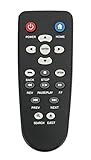
- New Replaced Remote Control Fit for WD Western Digital WD TV Live TV Plus Mini HD Hub Media Player: WDTV001RNN WDBABX0000N WDBABX0000NBK WDBREC0000NBK WDBG3A0000 WDBHG70000NBK WDBGXT0000NBK WDBABZ0010BBK WDBACA0010BBK WDBG3A0000NBK WDPX042RNN WDTV003RNN WDBACC0010HBK WDBMCE0020HBK WDBNLC0020HBK WDBNLC0010HBK WDBMCE0010HBK WDBAAM0000NBK WDBAAL0000NBK WDAVN00BN WDAVP00BE WDAVN00BX WDAVP00BX WDBABG0000NBK WDBABF0000NBK WDBAAP0000NBK WDBAAN0000NBK WDBABX0000NBK-NESN WDBHG70000NBK-HESN WDAVN00B;
- IR REMOTE; New replaced remote, but function covered;
- Just need install new batteries to use;
- No Programming Required;
- Package included: 1 x Remote Control;
- “a networked media receiver that streams music from a computer to a home stereo,” for the consumer device;
- “a campus media-creation space for teaching and learning,” for the physical room;
- “a central platform for storing and distributing brand assets,” for the content platform.
- If a specific product is meant, name the vendor and say that the phrase is that company’s product name.
Product prices and availability are accurate as of the date/time indicated and are subject to change. Any price and availability information displayed on Amazon at the time of purchase will apply.

