
Quick wins for a faster PC:
Fix the driver behind crashes, sound loss and screen glitchesFind Drivers →Repair Windows errors before they cause bigger problemsFix Now →iTechGuides is reader-supported. When you buy through links on our site, we may earn an affiliate commission. As an Amazon Associate I earn from qualifying purchases. Learn more
Custom programming for hoteling software is useful when standard desk-booking settings and existing integrations cannot support a specific workplace workflow. Before commissioning a build, define the reservation process, check the platform’s configuration options and app marketplace, then confirm whether its APIs or webhooks expose the data and events you need. Here, “hoteling” means workplace desk booking—not software for managing hotel properties.
What custom programming can do for desk hoteling
Desk hoteling, also called desk booking or hot-desk booking, lets employees reserve a desk for an onsite work period. Envoy describes reservations by the hour, day, or week on its desk booking product page. A tailored integration can connect that reservation process to other workplace systems—for example, passing booking data to another tool or triggering a workflow when a desk is booked. Envoy says its APIs and webhooks can support external data exchange and event-driven workflows in its custom integrations guidance.


What can be built depends on the platform’s documented interfaces, permissions, and configuration. Envoy’s Workplace Reservation API guide includes examples for work schedules, check-ins, desk reservations, and reservation check-ins. Its documented example requires an Envoy API key, a location ID, and a user email; desk booking must be enabled for reservation workflows. Those prerequisites describe that Envoy workflow, not every vendor’s requirements.
Three ways to meet a workplace booking requirement
| Approach | Best first question | What to verify |
|---|---|---|
| Configure the platform | Can the built-in booking settings and policies support the process? | Desk or pool setup, booking rules, metadata, and how users make reservations. |
| Enable an existing integration | Does an app already connect the systems and cover the required workflow? | Supported events, synchronized data, permissions, and gaps against your requirements. |
| Use an API or commission custom work | Can the documented interfaces support the workflow that remains? | Authentication, access scope, event timing, error handling, and ongoing ownership. |
These approaches solve different problems; configuration is not the same as custom application development. Microsoft Places, for example, lets administrators create reservable desks or desk pools, set modes and metadata, and configure booking policies using Exchange calendar-processing tools. Users can book desks through Outlook, Teams, or Places, as described in Microsoft’s desk configuration documentation and Places getting-started guide.
#1 Best Overall

- EASY & EFFECTIVE WAY TO MANAGE RESERVATIONS – This table reservation book has 204 daily pages to manage reservations, add notes and track daily totals; and extra pages for table management, financials, maintenance, contacts and notes.
- START ANYTIME WITH UNDATED PAGES – The dinner reservations book has undated pages, meaning you can start anytime and skip days without wasting pages. The pages of the server book are made of thick 120gsm paper that is bleed- and smudge-resistant.
- MADE TO LAST WITH PREMIUM MATERIALS – This guest book has a durable eco-leather hardcover, convenient lay-flat binding, a ribbon bookmark, a pen loop, and an elastic band for comfortable daily use.
- LARGE A4 FORMAT & INNER STORAGE POCKET – This restaurant reservation book comes in A4 format (8.3 by 11.8 inches), providing plenty of writing space. At the back, you will find a pocket for notes, contact cards, and other loose papers.
- 60-DAY MONEY-BACK GUARANTEE - We will exchange or refund your reservation book for restaurant if you aren’t satisfied with the dinner table book for any reason. Reach out to us via message to refund your restaurant supplies.
How to scope a custom integration
- Describe the booking outcome. Specify what is reserved, who can reserve it, and whether a user chooses an individual desk or a desk pool. Microsoft Places documents both desk and pool arrangements; another platform may have different options.
- Write down the booking rules. Define when reservations open and close, what counts as a check-in, and which booking policies apply. Separate rules the platform can configure from actions another system must perform.
- Map identity and access. Identify which system owns employee identity and what the integration needs to read or change. Ask the vendor or developer to confirm the required credentials, permissions, and location or user scope; do not assume an API key or access model from one product applies elsewhere.
- List the data and events to exchange. Name the reservation details that must be synchronized, the destination system, and the event that should trigger an action. Include whether the workflow depends on a booking, cancellation, check-in, or another event, and verify that the vendor exposes it.
- Check built-in options and the marketplace. Envoy recommends checking its marketplace and standard API coverage before pursuing a more unusual integration. Compare an existing app’s actual workflow and data coverage with the requirements rather than assuming that a listing covers every use case.
- Plan for failures and maintenance. Decide what happens if a reservation cannot sync, an event is delayed, or access credentials stop working. Assign responsibility for monitoring, updates, and support before development begins.
- Confirm commercial and support terms. Ask the relevant vendor about availability, project scope, access tiers, pricing, and contract implications. These details vary and are not established as standard terms across platforms.
When vendor help may be needed
If a requirement exceeds an available marketplace app or documented API, ask the platform vendor whether it can be scoped as a custom integration. Envoy Help Center says, “For integrations that go beyond what the marketplace or standard API covers, we’re glad to talk through it.” The page directs existing customers to their account team and says a Solutions Engineer can help scope the use case. This describes Envoy’s support route, not a guarantee that every request will be available or included in a contract.
For development intended for other customers, Envoy’s developer page describes building and listing apps in its integration directory. Building a reusable marketplace app is a different scope from a private workflow tailored to one organization.
Rank #2
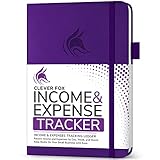
- PERFECT LEDGER BOOK FOR SMALL BUSINESSES: This accounting ledger book for small businesses will help you organize finances, sort and summarize transactions, create balance summaries and set you up for financial success.
- SWITCH TO EFFICIENT & STRESS-FREE ACCOUNTING: This accounting book is undated and lasts a whole year and has 113 pages, including 53 weekly views, an annual summary, empty note pages, and, at the back, a spacious pocket for receipts.
- TAKE CONTROL OF YOUR FINANCES & SUCCEED: With this detailed record of all transactions and totals, you will be able to easily analyze your finances and quickly prepare accurate financial statements.
- COMPACT A5 FORMAT & DURABLE DESIGN: This bookkeeping record book comes in A5 format (5.8 by 8.3 inches) and has an eco-leather hardcover, 120gsm no-bleed paper, elastic, pen loop, bookmark, pocket for notes, and a user guide.
- 60-DAY MONEY-BACK GUARANTEE: We will exchange or refund your receipt book for small business if you aren’t satisfied with your expense tracker notebook for any reason. Reach out to us via message to refund your small business supplies.
Keep workplace hoteling distinct from hotel-property software
In this article, hoteling refers to employees reserving desks at a workplace. Hotel-property management software handles lodging operations such as guest stays and room inventory. Similar words do not mean the systems share APIs or reservation models. Confirm that a vendor’s product and documentation cover workplace desk booking before planning an integration.
Free tools Windows power users keep installed
One-click scans. No signup required.
Quick Recap
Best Value

- ✅ SAY GOODBYE TO KITCHEN CHAOS — Our 21.5" smart wall calendar transforms your family’s hectic schedule into a clear, visual command center. The intuitive touchscreen lets everyone glance at daily, weekly, or monthly views, ensuring no appointment, practice, or meeting is ever missed again.
- ✅ SEAMLESS SMART SYNC — Effortlessly connect to your digital life via our mobile app. This interactive calendar syncs directly with Google Calendar, iCloud, Outlook, Cozi, and Yahoo. Update your schedule on your phone, and watch it appear instantly on your wall—keeping the whole family perfectly aligned.
- ✅ INTERACTIVE CHORE CHART & REWARDS — Turn responsibilities into fun! Create custom tasks and chore lists for kids and adults alike. Use the built-in rewards system to motivate children, helping them build healthy routines and time-management skills that set them up for lifelong success.
- ✅ FLEXIBLE PLACEMENT & ORIENTATION — Designed to fit your space, not the other way around. Install it securely on the wall with the included hardware or use the desktop stand for countertop convenience. Switch easily between horizontal and vertical modes to match your home decor and available space.
- ✅ BEYOND A BASIC CALENDAR — Elevate your home organization with premium features: display cherished memories in Digital Photo Frame Mode, plan weekly dinners with the Meal Planner, check the forecast with the Weather Widget, and use Sleep Mode to automatically turn off the display at night. One device, endless possibilities.
Product prices and availability are accurate as of the date/time indicated and are subject to change. Any price and availability information displayed on Amazon at the time of purchase will apply.

