
Recommended Free Tools
iTechGuides is reader-supported. When you buy through links on our site, we may earn an affiliate commission. As an Amazon Associate I earn from qualifying purchases. Learn more
You can use consumer AI assistants inside social apps, as standalone apps, on a phone, in productivity software or through a smart speaker. The experience—and who can access it—depends on the particular deployment, not just the assistant’s name. These eight examples show the range; they are deployment snapshots, not a ranked list of eight separate products.
Eight real deployments, at a glance
| Deployment | Where it appears and what it does | Availability and conditions described by the vendor |
|---|---|---|
| 1. Meta AI in social apps | Facebook, Instagram, WhatsApp and Messenger. Meta’s March 2025 European launch announcement described web information and use in group chats. | The announcement described a phased European rollout. It also noted that the US experience had additional personalization and memory features. That is a dated rollout description, not confirmation that all features are available in every country today. |
| 2. Meta AI standalone app and glasses companion | Meta announced an iOS and Android app for text and voice interaction, image generation and editing, web search and personalized responses. It also described a connection to its glasses companion experience. | The April 2025 announcement said voice conversations were initially limited to the US, Canada, Australia and New Zealand. Treat its feature list as an announcement snapshot; availability can differ by region and change over time. |
| 3. Meta AI app and web discovery features | Meta’s July 2026 post described quick answers, personalized responses, shopping discovery and incognito chats in the Meta AI app and at meta.ai. | The post described features beginning to roll out in select markets. It does not establish worldwide availability. |
| 4. Gemini as a phone assistant | Google describes text and voice requests on a phone, with examples involving messages, alarms, calendars and tasks, Maps, media, Gmail and Drive, travel searches and smart-home controls. | Google’s product guidance warns that Gemini may take longer than a simpler assistant on straightforward requests and may give incorrect answers. The examples describe possible tasks, not a guarantee that every action works on every device or account. |
| 5. Gemini personalization | Google described using past chats to personalize Gemini responses. Its August 2025 guidance also discussed an Activity control affecting whether samples of future uploads are used to improve services, plus a separate setting for audio, video and screens shared through Gemini. | These are settings described in dated guidance, not a statement of current defaults. Check the controls in your own account before sharing sensitive content. |
| 6. Gemini-powered answers on Nest speakers | Google support documentation described an experimental AI-answer feature for eligible smart-home devices, including Nest Audio and second-generation Nest Mini. | The documented preview required an opted-in Nest Aware subscriber in the US, English and Voice Match. Google’s support page said the feature was leaving preview; its current status should be checked before relying on it. A speaker is not required to use Gemini on a phone. |
| 7. Microsoft Copilot Chat | Microsoft documents chat history, image generation, uploaded-file analysis, dictation, read-aloud and voice capabilities in Copilot Chat. | Microsoft’s FAQ says real-time voice is for licensed Microsoft Copilot users. Much of that FAQ is written in an enterprise-product context, so its terms should not be assumed to apply to every consumer Copilot experience. |
| 8. Siri AI | Apple’s June 8, 2026 announcement described personal context, web knowledge, onscreen awareness, a conversation-history app and writing tools. | At announcement, Apple said Siri AI was available for developer testing and that a user beta was expected later in 2026. Apple also listed launch restrictions, including no initial iOS, iPadOS or watchOS availability in the EU and no availability in China. Those are announcement-stage details, not confirmation of the status on any later date. |
Why the deployment surface matters
An assistant embedded in a social or productivity app is positioned to work alongside that app’s conversations, files or services. A phone assistant can be useful for voice requests and device actions, while a standalone chat app offers a separate place to interact. A speaker-based feature is narrower still: it depends on compatible home hardware and, in Google’s documented preview, additional eligibility conditions.


Those differences make “AI assistant” an incomplete description of what a person can actually do. Look for the exact app or device, the task you want to perform, and whether the feature is generally available, rolling out selectively, in preview or only being tested by developers.
Personalization and connected services deserve a closer look
Some deployments are designed to use information beyond the current prompt. Google lists examples of Gemini working with services such as Gmail, Drive, Maps, YouTube, messages, calendars and smart-home controls. Meta has described personalized responses based on information users have shared on its products. Apple’s Siri AI announcement described personal context and onscreen awareness.
#1 Best Overall
Before enabling a connection or sharing a file, screen, audio or video, inspect the settings for the specific product and account. The controls described by a vendor can change, and one setting may govern a different kind of data from another. Do not assume that turning off one activity control also disables every form of personalization or data use.
Availability is part of the feature
A vendor announcement, a staged rollout, a public preview and a developer test are different availability states. A feature announced for one country or surface may not appear for another user, and an experimental feature can change or leave preview. The dates and conditions in the table identify what each cited vendor description established; they should not be read as a live availability check.
Likewise, a capability listed by a vendor is not a guarantee of accuracy or successful action. Google explicitly cautions that Gemini can be wrong. For important decisions, verify answers against authoritative sources, and confirm consequential actions before relying on them.
What this comparison can—and cannot—tell you
The eight examples cover different surfaces and rollout stages, so they are not equivalent products in a controlled comparison. They do not support a performance ranking, a comparable price or privacy score, or a claim that these are the market’s only or leading deployments. Choose by the task and surface you need, then check the current regional eligibility, account requirements and data settings in the product itself.
Quick Recap
Rank #3
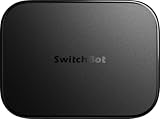
- OpenClaw Support Built In: AI Hub supports OpenClaw at home, connecting supported cameras and smart devices so compatible skills can use camera context, device actions, and chat-based control.
- Camera AI That Understands Context: Pair AI Hub with compatible SwitchBot cameras, Video Doorbell, or RTSP cameras to help describe visitors, pets, packages, and family activity. AI+ subscription required.
- Store Event Recordings at Home: Save camera events with the included 16GB MicroSD card, expand to a 1TB MicroSD card or up to a 16TB external hard drive, and manage up to 8 compatible cameras in one place.
- Faster Local Automations: AI Hub works as an edge hub for select SwitchBot BLE devices, with automations up to 4x faster under SwitchBot lab conditions; Home Assistant Pre-installed and Matter Bridge expand supported smart home setups.
- Built for Cameras and Smart Home Control: AI features require AI+ subscription and compatible cameras. AI Hub does not include IR control; for TVs or air conditioners, pair with a SwitchBot Hub that supports IR.
Product prices and availability are accurate as of the date/time indicated and are subject to change. Any price and availability information displayed on Amazon at the time of purchase will apply.

