
iTechGuides is reader-supported. When you buy through links on our site, we may earn an affiliate commission. As an Amazon Associate I earn from qualifying purchases. Learn more
For Comcast/Xfinity cable internet, a router alone is not enough: you also need an Xfinity-compatible cable modem or gateway. First verify that modem’s compatibility and speed support for your address and plan. Then choose a router whose ports, Wi-Fi features, and coverage match your home and devices. The models below are documented candidates, not tested or ranked Comcast winners.
What you need to connect a router to Xfinity cable
A cable modem connects your home to the provider’s network; a router connects your wired and wireless devices to that internet connection. Most modems do not provide Wi-Fi, so they need a separate router. A gateway combines modem and router functions in one device. Xfinity allows customers to use their own modem, router, or gateway, but advises checking that the equipment works with the service and supports the subscribed speed. Xfinity’s equipment guidance directs customers to My Device Info for results based on sign-in or service address.
If you already have an Xfinity wireless gateway, you can connect a personal router by enabling Bridge Mode. Xfinity says this turns off the gateway’s routing capabilities while retaining its modem capabilities. The gateway supports only one connected device in Bridge Mode, and its Wi-Fi extender feature is unavailable in this configuration. Review Xfinity’s current Bridge Mode instructions before changing the setting.
Free tools Windows power users keep installed
One-click scans. No signup required.
Three documented routers to consider
These products have manufacturer-documented specifications relevant to a router shortlist. The available information does not establish a Comcast-specific ranking, controlled testing, or a verified top five, so treat them as candidates and compare them against your equipment and needs.
#1 Best Overall

- MAXIMIZE YOUR CABLE INTERNET AND WHOLE-HOME WIFI: A cable modem and WiFi router in one device unlocks the full potential of your home internet with faster downloads, smoother WiFi for gaming and video calls, and reliable coverage in every room.
- APPROVED FOR YOUR PROVIDER AND PLAN: Works with Xfinity internet plans up to 800Mbps, Spectrum up to 1Gbps, and Cox up to 1Gbps. Not compatible with Verizon, AT&T, CenturyLink, DirecTV, DISH, or bundled voice plans. ISP activation required after setup.
- MULTI-GIG DOCSIS 3.1 SPEEDS: Get Gigabit+ cable download speeds on today's fastest plans, with headroom for the upgrades ahead. Real-world speeds depend on your plan and ISP network.
- WIFI 6 COVERAGE FOR THE WHOLE HOME: Stay connected in every room with dual-band AX2700 WiFi 6 covering up to 2,000 sq ft and capacity for 25+ connected devices. Real-world coverage depends on home size, layout, and building materials.
- WIRED CONNECTIONS FOR YOUR FASTEST DEVICES: Four Gigabit Ethernet ports keep gaming consoles, desktops, and streaming devices hardwired for the lowest latency and the most stable connection in your home.
| Router | Documented features | Best fit to evaluate |
|---|---|---|
| TP-Link Archer BE550 | Tri-band Wi-Fi 7; one 2.5 Gbps WAN port; four 2.5 Gbps LAN ports; EasyMesh support. Actual speed depends on compatible clients, port and cable limits, ISP factors, and the environment. | Consider it if you need multiple multi-gig wired connections and your modem and internet service can support the speeds you want. |
| NETGEAR Nighthawk RS300 | Tri-band Wi-Fi 7; one 2.5 Gbps internet port, two 2.5 Gbps Ethernet LAN ports, and two gigabit LAN ports. NETGEAR says a separate modem with an RJ45 connection is required. | Consider it as a standalone router when you have, or plan to buy, a compatible modem. |
| eero Pro 7 | Tri-band Wi-Fi 7; two auto-sensing 5 GbE ports; can serve as a primary router or extend an existing eero network. Coverage and wireless-speed figures are manufacturer claims, not guarantees. | Consider it if you prefer an eero-based network or want to expand an existing eero setup. This does not establish special Xfinity mesh integration. |
How to choose for your plan, home, and devices
1. Confirm the modem and speed first
Use Xfinity’s My Device Info tool to check compatibility for your address and service. The public compatible-device list includes examples such as NETGEAR CM3000 and ARRIS S34, but a listing alone does not establish that a device is suitable for every plan or location. If you retain an Xfinity gateway, decide whether you will use its routing function or enable Bridge Mode for your own router.
2. Match the router’s ports to the wired connection
Check the modem’s Ethernet output, the router’s WAN port, and the speeds and number of LAN ports. A fast internet plan can be limited by a slower port or cable in the path; multi-gig LAN ports matter only if your wired devices and connections can use them. Count the ports needed for computers, a network storage device, wired access points, or other equipment before choosing.
Rank #2

- input voltage:100 -240V
- SAVE MONTHLY RENTAL FEES: Model C7000 replaces your cable modem and WiFi router saving you up to $150/yr in equipment rental fees. System Requirements Cable broadband Internet service, Check your cable Internet service provider web site for data speed tier compatibility, Not compatible with Cable bundled voice services.
- BUILT FOR FAST SPEED: Best for cable provider plans up to 800 Mbps speed
- FAST Wi Fi PERFORMANCE: Get up to 1800 sq ft wireless coverage and 30 devices connected
- VERSATILE CONNECTIONS: 4 Gigabit Ethernet ports give you fast wired connections to your computer,, game box, and other devices. One USB port for storage devices.
3. Buy Wi-Fi features your devices can use
Wi-Fi 7 specifications describe the router’s capabilities, not the speed every device will receive. Client devices must support the relevant Wi-Fi generation and bands to benefit from newer features, and real-world performance also depends on distance, walls, interference, and the internet connection. A household with mostly older devices may get less practical value from paying for the newest wireless features.
4. Treat coverage as a layout problem
Home size alone does not determine Wi-Fi coverage: construction materials, floor plan, router placement, and interference also matter. If one router leaves dead zones, consider a mesh-capable approach, but do not assume a manufacturer’s stated coverage figure will apply in every home. For the Archer BE550, EasyMesh support is documented; the eero Pro 7 is described as able to extend an existing eero network. These facts do not mean the systems are interchangeable or provide Xfinity-specific integration.
Rank #3
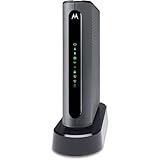
- THREE-IN-ONE CABLE MODEM, AC1900 ROUTER, AND XFINITY COMPATIBLE VOICE PORTS - Includes 24X8 DOCSIS 3. 0 cable modem, AC1900 Dual Band (2. 4GHz and 5GHz) Gigabit Router, four Gigabit (GigE) Ethernet ports, and two XFINITY Voice compatible phone ports. This product is approved by Comcast for Xfinity Internet and Voice, and recommended by Comcast for XFINITY Internet service speeds up to 400 Mbps.
- REQUIRES COMCAST XFINITY INTERNET SERVICE. Approved by and for use with Comcast Xfinity and Xfinity X1. This product will not work with any other Internet service provider.
- ELIMINATE UP TO $156 IN CABLE MODEM RENTAL FEES PER YEAR – Say goodbye to monthly rental fees and landline phone costs.
- BUILT-IN HIGH-SPEED ROUTER WITH AC1900 WIRELESS AND POWER BOOST - provides Internet access for WiFi devices including smartphones, notebooks, tablets, and more. Four 10/100/1000 Gigabit Ethernet LAN ports provide wired connections to Windows and Mac computers and other Ethernet-capable devices. A Broadcom cable modem chipset provides security from Denial of Service attacks.
- WIRELESS POWER BOOST FOR BETTER SPEED AND RANGE - adds high-performance WiFi power amplifiers to boost the wireless signals to the legal limit, giving a significant boost in speed and range. In addition, AnyBeam beamforming at both 2. 4 GHz and 5 GHz frequencies focuses the signal on wireless clients to further enhance performance and range. NOT included is a backup battery option (Model 98250) that allows your phone to make calls for 8 hours on standby after power loss.
5. Check ongoing support and setup needs
Before buying, review the manufacturer’s current support and security-update policies, setup process, and management options. These details can change, and they are not established by the product specifications summarized here.
Quick Recap
Best Value
![ARRIS (SBG10) - Cable Modem Router Combo - DOCSIS 3.0 16 x 4 Gigabit & AC1600 WiFi, [Check with your provider for compatibility]400 Mbps Max Internet Speeds](https://m.media-amazon.com/images/I/31wJF1IieNL._SL160_.jpg)
- A Trusted Name in Home Connectivity: Get high speeds, better coverage, and a two-in-one product. With the ARRIS SURFboard SBG10 Wi-Fi Cable Modem, you will increase your network capability and get fast streaming and downloading throughout your home. From a trusted brand with over 260 million modems sold and growing.
- Save Money: Own your modem and save. Reduce your cable bill up to 168 dollars per year in cable modem rental fees (Savings vary by cable service provider). Certified for use with most U.S. cable internet service providers. For a complete list see additional details below.
- Modem Technology: DOCSIS 3.0 is a reliable, broadly available, and affordable technology that delivers high speed internet to your home devices.
- Simple and Secure Set-up: Just plug-in, download the SURFboard Central App, and follow the step-by-step intrstuctions to activate the modem, set-up and customize your Wi-Fi network, and add devices to your home network. Once setup is complete, the app provides real-time monitoring of the devices on your network, enhanced parental controls like setting time limits and pausing internet and much more.
Rank #4

- CABLE INTERNET AND WIFI MADE FOR YOUR HOME: This two-in-one cable modem and WiFi router puts every setting in your hands, from your WiFi names and passwords to how your network runs, so it works the way your household needs.
- APPROVED FOR YOUR PROVIDER AND PLAN: Works with Xfinity internet plans up to 800Mbps and Cox plans up to 500Mbps. Not compatible with Verizon, AT&T, CenturyLink, DirecTV, DISH, or bundled voice plans. ISP activation required after setup.
- GET THE FULL SPEED OF PLANS UP TO 800 MBPS: DOCSIS 3.0 delivers plenty of speed for HD and 4K streaming, online gaming, and video calls across your home. Actual speeds vary by plan and provider.
- AC1900 WIFI COVERAGE FOR THE WHOLE HOME: Stay connected in every room with dual-band AC1900 WiFi covering up to 1,800 sq ft and Beamforming+ for stronger signal to mobile devices. Real-world coverage depends on home size, layout, and building materials.
- WIRED CONNECTIONS FOR YOUR FASTEST DEVICES: Four Gigabit Ethernet ports keep gaming consoles, desktops, and streaming devices hardwired for the lowest latency and the most stable connection in your home.
Buying checklist
- Verify the modem or gateway with Xfinity for your address and subscribed plan.
- Decide whether you need a separate modem, already own a compatible one, or will use an Xfinity gateway in Bridge Mode.
- Confirm the router WAN port matches the modem connection, and check LAN port speeds and count against wired devices.
- Compare Wi-Fi capabilities with the devices you actually use.
- Assess dead zones and home layout before deciding whether mesh is worthwhile.
- Review current manufacturer support and security information.
Product prices and availability are accurate as of the date/time indicated and are subject to change. Any price and availability information displayed on Amazon at the time of purchase will apply.

