
iTechGuides is reader-supported. When you buy through links on our site, we may earn an affiliate commission. As an Amazon Associate I earn from qualifying purchases. Learn more
The Celestica Nebula G2 is a 2U expansion enclosure for up to 24 U.2 PCIe Gen4 NVMe SSDs. It is a JBOF—not a complete storage server—so a host system, compatible HBA and suitable cabling are needed to use it. If you are considering a used unit, confirm the exact chassis revision and host connection details before buying; the product name alone does not establish compatibility with your server or drives.
What the Nebula G2 does
A JBOF, or “just a bunch of flash,” provides drive bays and the hardware needed to connect those drives to a separate host. In the Nebula G2, the host supplies compute and storage software; the enclosure supplies the NVMe drive slots, PCIe expansion path, power and cooling. Celestica’s datasheet specifies support for up to 24 U.2 dual-port PCIe Gen4 NVMe SSDs in a 2U rackmount chassis.
This distinction matters when evaluating a listing: the Nebula G2 does not become a standalone storage appliance simply by adding drives. You need a suitable host and HBA, plus a software stack configured to use the storage.
Quick wins for a faster PC:
Repair Windows errors before they cause bigger problemsFix Now →Fix the driver behind crashes, sound loss and screen glitchesFind Drivers →How its NVMe and PCIe architecture fits together
NVMe communicates over PCIe, a high-speed interface also used to connect components to server CPUs. Celestica positions this arrangement as reducing latency and software overhead compared with storage paths that use SAS/SCSI. The datasheet describes NVMe as supporting up to 65,000 queues and 65,000 command queue depths; that is an architecture-level capability claim, not a measurement of Nebula G2 application performance.
#1 Best Overall

- 【Innovative hybrid storage】CENMATE's First Hybrid HDD+NVMe SSD Enclosure.The Hard Drive Enclosure can hold 1 SATA HDDs/SSDs and 3 M.2 2230/42/60/80/110 NVMe SSDs.Maximum capacity of 22TB per drive and 8TB per M.2 SSD.Expanding the capacity for users by a maximum of 46TB (Max 22TB HDD+3*8TB), combining the advantages of HDDs’ massive capacity and SSDs’ high-speed performance simultaneously!
- 【Up to 10Gbps】Utilizes an advanced chip solution set and USB 3.2 Gen 2 protocols, full load read rate at 200-300MB/S.
- 【No heat】This NVMe enclosure built in Aluminum-Alloy materials and 2 inch Silent Fans.In order to protect the user's data security, we use a fan that does not sleep and continuously cools the hard drive. Not recommended if very sensitive to sound.
- 【Wide Compatibility, Plug and Play】Equipped with USB A/C 3.2 Gen 2 Cable.Compatible with Windows 7 and above, Mac 9.1 and above, Linux.The USB Type-C interface supports various computer interfaces, including USB 3.0, USB 3.1, USB 3.2, Thunderbolt 3, and Thunderbolt 4.
- 【Tool-Free Installation】Featuring a tool-free hard drive tray design, the external hard drive enclosure enables easy installation and removal of hard drives without requiring additional tools. Plug and play! No fuss, no muss!
Celestica also says the PCIe/NVMe combination “virtually eliminates latency between the storage enclosure and processor.” Treat that as a vendor description of the architecture, not a guarantee of zero latency or a particular speedup in your application. Results depend on the host, HBA, drives, cabling, software, workload and configuration. The datasheet does not establish a specific throughput or latency figure for a deployed system.
Expansion and redundancy
The datasheet specifies dual redundant PCIe-based expansion modules, redundant hot-swappable power supplies and redundant access to hot-swappable drives. The supported drive type is dual-port U.2 NVMe, which provides two ports for access paths. These features provide hardware options for a redundant design, but they do not by themselves prove that a particular host setup has two working paths or will fail over as intended.
Rank #2
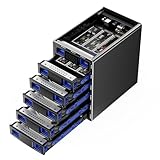
- 【Innovative hybrid storage】CENMATE's First Hybrid HDD+NVMe SSD Enclosure.The Hard Drive Enclosure can hold 4 SATA HDDs/SSDs and 6 M.2 2230/42/60/80/110 NVMe SSDs.Maximum capacity of 22TB per drive and 8TB per M.2 SSD.Expanding the capacity for users by a maximum of 136TB (Max 4*22TB HDD+6*8TB), combining the advantages of HDDs’ massive capacity and SSDs’ high-speed performance simultaneously!
- 【Up to 10Gbps】Utilizes an advanced chip solution set and USB 3.2 Gen 2 protocols, full load read rate at 200-300MB/S.
- 【No heat】This NVMe enclosure built in Aluminum-Alloy materials and 2 inch Silent Fans.In order to protect the user's data security, we use a fan that does not sleep and continuously cools the hard drive. Not recommended if very sensitive to sound.
- 【Wide Compatibility, Plug and Play】Equipped with USB A/C 3.2 Gen 2 Cable.Compatible with Windows 7 and above, Mac 9.1 and above, Linux.The USB Type-C interface supports various computer interfaces, including USB 3.0, USB 3.1, USB 3.2, Thunderbolt 3, and Thunderbolt 4.
- 【Tool-Free Installation】Featuring a tool-free hard drive tray design, the external hard drive enclosure enables easy installation and removal of hard drives without requiring additional tools. Plug and play! No fuss, no muss!
If you plan to use multiple paths, confirm that the host, HBA topology and storage software support the intended configuration, then configure and test multipathing. Do not assume path redundancy is active merely because the enclosure has redundant expansion modules or the drives are dual-port.
Crashes, No Sound, or Screen Glitches?
Random freezes, missing sound and display glitches usually trace back to one bad driver. Find and replace yours safely.Free scan · under a minutePC Slower Than It Used to Be?
A free scan shows the junk files, broken settings and background clutter dragging Windows down - then fixes them in one click.Free scan · Windows 10 & 11What to confirm before buying or installing one
- Identify the exact enclosure. Check the physical model label and revision, especially for used equipment. The “x2024-m” name appears in user-generated search results as an identification lead, but it is not established here as an official equivalent to the Celestica Nebula G2. Do not rely on that association without confirming the chassis label.
- Verify the drives. Confirm that each SSD is U.2 NVMe and compatible with the enclosure, HBA and firmware. “U.2” alone is not enough to establish that a particular drive will work.
- Confirm the host path. An HBA is required to connect the enclosure to a host. Check the exact HBA, PCIe switch topology, expansion-module connectors, cable type and cable lengths with the seller or Celestica. The datasheet does not name a universally compatible HBA or provide enough detail to select one from the product name alone.
- Plan redundancy end to end. Determine whether your host and software stack support multipathing, how the dual paths will be connected, and how you will verify failover. Redundant enclosure hardware is only one part of that design.
- Check rack and facility fit. Confirm rack depth and rail-kit compatibility, power input and PSU count, airflow direction, and whether your rack can provide adequate cooling. These exact requirements are not established by the available datasheet details, so verify them for the specific chassis.
- Establish support and maintenance terms. Obtain current firmware, service documentation and support-lifecycle information from Celestica or the seller. Availability and commercial support terms can vary for used equipment and are not established by the product description alone.
What the platform-history figure means
Celestica says the Nebula G2 is based on an existing high-reliability 2U platform with a field population of more than 500,000 units. That figure describes the underlying platform, not the number of Nebula G2 enclosures sold or deployed.
Rank #3
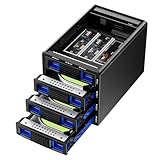
- 【Innovative hybrid storage】CENMATE's First Hybrid HDD+NVMe SSD Enclosure.The Hard Drive Enclosure can hold 3 SATA HDDs/SSDs and 3 M.2 2230/42/60/80/110 NVMe SSDs.Maximum capacity of 22TB per drive and 8TB per M.2 SSD.Expanding the capacity for users by a maximum of 90TB (Max 3*22TB HDD+3*8TB), combining the advantages of HDDs’ massive capacity and SSDs’ high-speed performance simultaneously!
- 【Up to 10Gbps】Utilizes an advanced chip solution set and USB 3.2 Gen 2 protocols, full load read rate at 200-300MB/S.
- 【No heat】This NVMe enclosure built in Aluminum-Alloy materials and 2 inch Silent Fans.In order to protect the user's data security, we use a fan that does not sleep and continuously cools the hard drive. Not recommended if very sensitive to sound.
- 【Wide Compatibility, Plug and Play】Equipped with USB A/C 3.2 Gen 2 Cable.Compatible with Windows 7 and above, Mac 9.1 and above, Linux.The USB Type-C interface supports various computer interfaces, including USB 3.0, USB 3.1, USB 3.2, Thunderbolt 3, and Thunderbolt 4.
- 【Tool-Free Installation】Featuring a tool-free hard drive tray design, the external hard drive enclosure enables easy installation and removal of hard drives without requiring additional tools. Plug and play! No fuss, no muss!
Who should consider the Nebula G2
The enclosure is relevant when you need a dense 2U shelf for U.2 PCIe Gen4 NVMe drives and already have—or can build—a compatible host, HBA and software configuration. It is a less straightforward fit if you need a self-contained storage server, cannot verify the external PCIe connection path, or require confirmed compatibility and support terms that a seller cannot provide.
Celestica’s Nebula G2 datasheet is the source for the stated enclosure capabilities and platform-history figure. Its document year is not stated in the version available here, so confirm current specifications and support details with Celestica or the equipment seller before committing to a deployment.
Quick Recap
Rank #4

- 【Reliable External Storage System for Individuals and business】The 3.5 hard drive enclosure supports 2.5/3.5 inches HDD and SSD, max capacity up to 20TB for each hard drive, it's a ideal external hard drive enclosure for personal or enterprise using.Save space on your desktop or laptop.
- 【No heat】The sata enclosure built in Aluminum-Alloy materials and 2 inch Fan.Maximize the security of your data.Fan noise is around 40-50 decibels, not recommended if you are very sensitive to noise.
- 【Up to 5Gbps】This dual bay enclosure equips with advanced chips and USB 3.0 output interface.Transfer 1G files in 3-5 seconds with USB 3.0 Ports, which is 10 times faster than USB 2.0.
- 【Hot Swappable Convenience】The HDD enclosure supports hot swapping, allowing users to replace hard drives without powering off the device. This feature enhances convenience and efficiency in data transfer processes.
- 【Tool-Free Installation】Featuring a tool-free hard drive tray design, the external hard drive enclosure enables easy installation and removal of hard drives without requiring additional tools. Plug and play! No fuss, no muss!
Product prices and availability are accurate as of the date/time indicated and are subject to change. Any price and availability information displayed on Amazon at the time of purchase will apply.

