
iTechGuides is reader-supported. When you buy through links on our site, we may earn an affiliate commission. As an Amazon Associate I earn from qualifying purchases. Learn more
Yes, an Arduino-style sketch can be used with the Siemens SIMATIC IOT2020 through a historically documented Intel Galileo-based toolchain, but the IOT2020 is a Linux gateway, not a standard Arduino board. Its Arduino Uno Rev3-compatible header exposes I2C, SPI and selected PWM signals; whether a sketch builds and runs depends on the installed board package, operating-system image and software workflow.
What Arduino compatibility means on the IOT2020
Siemens describes the IOT2020 as a previous SIMATIC IOT2000 model, built around an Intel Quark x1000 processor and equipped with Ethernet, USB, an SD-card slot and a 24 V DC supply. Siemens also describes the family as compatible with PCIe and Arduino Uno Rev3 shields. That compatibility concerns the hardware interface and shield form factor; it does not guarantee that every Arduino sketch or library will work unchanged. Siemens’ SIMATIC IOT2000 overview identifies the IOT2020 and IOT2040 as previous models.
| # | Preview | Product | Price | |
|---|---|---|---|---|
| 1 |

|
SN Series 125 Amp 20-Space 20-Circuit Main Lug Plug-on Neutral Load Center Indoor | $76.76 | Buy on Amazon |
| 2 |

|
Siemens S1C30BL100CTS Panel Board | $1,114.33 | Buy on Amazon |
| 3 |
|
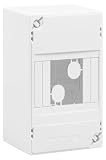
SIEMENS - Electric Board 1 Row 4 modules | $28.82 | Buy on Amazon |
The Siemens operating instructions explicitly define an Arduino shield as an ARDUINO UNO (Rev3) shield and document the header signals. The software path is a separate question: a historical tutorial describes using Arduino IDE support for Intel Galileo/Intel 586, with the IOT2020 identified as an Intel Galileo. That 2016 procedure used OS image 2.1 and is not evidence that a maintained IOT2020 target is available in current Arduino IDE releases. The DesignSpark tutorial is useful as a dated example, not a current compatibility guarantee.
Do these 3 things before closing this tab:
1Repair Windows errors before they cause bigger problems2Fix the driver behind crashes, sound loss and screen glitches3Clear out junk files and repair common Windows errorsWhere I2C, SPI and PWM appear on the header
Use the Siemens connector identifiers as well as the Arduino signal names when wiring. Connector pin numbers such as X10 pin 3 are not the same thing as Arduino digital pin numbers such as digital 10. Check the connector orientation in the SIMATIC IOT2020/IOT2040 Operating Instructions, edition 07/2022, before connecting a shield or breakout.
#1 Best Overall
- Features Siemens plug-on neutral, for simple quick installation, that is spacious with over 4 in. of wire bending space, and a secure reliable installation method
- PN Series plug-on neutral load center includes 2 factory installed ground bars
- 1-phase,3-wire,120/240V system
- Interrupt Rating: 100000AIC
- NEMA Type 1 enclosure for indoor use
| Function | Siemens connector mapping | Practical note |
|---|---|---|
| SPI | X10 pin 3: digital 10 / SS X10 pin 4: digital 11 / MOSI X10 pin 5: digital 12 / MISO X10 pin 6: digital 13 / SCK |
Corresponds to the familiar Uno SPI signal set, but follow the IOT2020 connector numbering. |
| I2C | X10 pin 9: digital 18 / A4 / SDA X10 pin 10: digital 19 / A5 / SCL X12 pin 5: digital 18 / A4 / SDA X12 pin 6: digital 19 / A5 / SCL |
The documented I2C signals are repeated at X12. Confirm connector orientation before wiring. |
| PWM | X11: digital 3, 5, 6 and 7 X10: digital 9, 10 and 19/SCL |
PWM is limited to pins marked in Siemens’ connector tables; it is not available on every digital pin. |
These mappings describe signals on the header, not what every software environment can access. The Siemens operating instructions provide the authoritative connector tables; do not treat a generic Uno pinout as a substitute.
Choosing an Arduino-style or TIA Portal workflow
The right development route depends on whether your project needs sketch libraries and bus protocols or only basic inputs and outputs. Siemens’ 2018 TIA Portal training material limits the GPIO handling covered in that workflow to digital and analog I/O; it says I2C and SPI are not available there. The Arduino-style toolchain is a distinct route and depends on a compatible board package and runtime on the installed system. The Siemens operating instructions document the signals, while the TIA Portal Module 014-101 training material describes the narrower TIA GPIO scope.
- Consider an Arduino-style route when the application needs Arduino sketch APIs or libraries and you can verify a matching target package and Linux environment.
- Consider the documented TIA Portal GPIO workflow when the task is limited to basic digital or analog I/O and fits its stated capabilities.
Arduino’s current generic upload help explains the normal sequence—install or select a board package, choose the board and port, then upload—but does not establish that the current IDE offers a maintained IOT2020 or Intel Galileo target. Arduino’s sketch-upload instructions are general IDE guidance, not IOT2020-specific support documentation.
Rank #2
- Amps: 250
What the historical Arduino setup does—and does not—establish
The DesignSpark tutorial, published on 15 November 2016, reports connecting the IOT2020’s micro-USB client port to a PC and using an Arduino IDE setup with the Intel 586 Boards package; it says the board could appear as an Intel Galileo. Its instructions refer to OS image 2.1. Treat those details as a record of that setup and period, not as confirmed instructions for current host IDEs, board packages or IOT2020 images.
Before following an old setup guide, check the installed image and kernel, confirm that a compatible board target is available in the IDE you intend to use, and verify which port and permissions apply. The evidence available for the historical procedure does not establish current package availability or behavior on other images.
Independent reader supportYour contribution helps us test, update, and keep practical guides available for everyone.Why I2C may not work
A mapped SDA/SCL header does not by itself ensure that Linux has enabled the I2C device interface or that the chosen software can use it. In its specific image 2.1 tutorial, DesignSpark reports that I2C was not enabled initially. The author loaded the i2c-dev module for the running session with modprobe i2c-dev and configured a modules-load file to load it again at boot.
Rank #3
- Electric board
- 1 row
- 4 modules
- Dimensions: H 140 x D. 68 mm
- to equip
Those commands are historical, image-specific examples—not universal IOT2020 fixes. Kernel modules, device names, permissions and persistence configuration can differ by image and distribution. Check the documentation for the OS image actually installed before applying them, and verify that the I2C device interface is present and accessible to the account running the application.
- Check wiring and orientation: match SDA and SCL to the correct connector pins in the Siemens manual rather than assuming the header orientation.
- Check software scope: the TIA Portal GPIO workflow described in Siemens’ 2018 training material does not expose I2C or SPI.
- Check the image: the 2016 image 2.1 guide needed to enable I2C; that behavior cannot be assumed for another image.
- Check access: confirm the module, device naming and user permissions for the installed system instead of copying old persistence instructions blindly.
SPI and PWM examples
The 2016 tutorial demonstrates SPI with a MAX7219-driven eight-digit display, using SS on digital 10, MOSI on digital 11 and SCK on digital 13. Those signals correspond to X10 pins 3, 4 and 6 respectively in Siemens’ mapping. Its PWM example drives an LED from digital pin 9, one of the pins Siemens marks for PWM. These are examples from the tutorial, not assurance that any particular display module, library or circuit is electrically compatible; check the component specifications and the IOT2020 documentation before connecting hardware.
Quick Recap
Product prices and availability are accurate as of the date/time indicated and are subject to change. Any price and availability information displayed on Amazon at the time of purchase will apply.

