
iTechGuides is reader-supported. When you buy through links on our site, we may earn an affiliate commission. As an Amazon Associate I earn from qualifying purchases. Learn more
Usually, no: an AGP 8X card is not automatically compatible with an AGP 2X slot. The card and motherboard must support the same AGP signaling voltage and operating modes. AMD’s compatibility guide marks an AGP 3.0 4X/8X card in a 3.3 V AGP 2X slot as unsupported. Check the exact card and motherboard documentation before installing anything.
Why AGP speed labels do not settle compatibility
“8X” and “2X” describe supported AGP modes, but the labels alone do not establish whether a card will work in a particular slot. Signaling voltage matters too. In AMD’s AGP compliance guide, an AGP 3.0 4X/8X adapter in a 3.3 V AGP 2X slot is listed as unsupported.
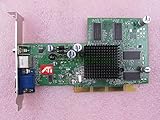
There are exceptions to a blanket no: AMD lists a universal AGP 2X/4X card in a 3.3 V AGP 2X slot as a supported configuration. That does not make every card described as 2X/4X universal or compatible. Verify the exact card’s supported signaling voltages and modes.
Free tools Windows power users keep installed
One-click scans. No signup required.
What to verify before installing a card
- Identify the motherboard model. Consult its manual or chipset specifications for the AGP slot’s supported voltage and modes.
- Identify the exact graphics-card model. Check its manual or manufacturer documentation for signaling voltage and supported AGP modes.
- Check for a jumper. Some dual-mode cards require a jumper setting to select the supported mode and voltage. Follow the instructions for the exact card and motherboard; do not infer a setting from a generic 2X/4X label.
- Respect explicit incompatibility warnings. If the card is specified as 3.3 V AGP 2X-only and the motherboard manual excludes it, do not install it.
- Ask the manufacturer if documentation is unclear. A photograph or an “8X” label is not enough to resolve compatibility.
Examples of model-specific restrictions
Compatibility can depend on the motherboard chipset and model, not just a card’s advertised speed. Gigabyte’s GA-8VT800 manual says a 3.3 V AGP 2X card is not supported by the VIA PT800 chipset and calls for an AGP 4X/8X (1.5 V) card. Gigabyte’s GA-8IGMK manual also warns against using a 3.3 V AGP 2X card.
#1 Best Overall
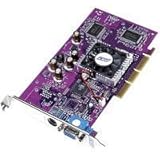
- PNY Verto GeForce4 MX 440 8X AGP - Graphics adapter - GF4 MX 440 - AGP 8x - 64 MB DDR - TV out - OEM
Gigabyte additionally documents a 2X/4X card factory-set to 2X (3.3 V) that must be changed to 4X (1.5 V) for the named board. This is a model-specific instruction, not a universal setting: use a jumper only as the exact manuals direct.
Can the connector notch tell you?
The notch can help distinguish keying for different AGP voltages, but it is not a complete compatibility check. ASRock says a card with a 1.5 V key can generally work in a 1.5 V slot, while noting an exception for SiS305-based adapters. If the card’s voltage is uncertain, ASRock advises checking with the card vendor. Do not force a card into a slot if the keying does not match.
Rank #2
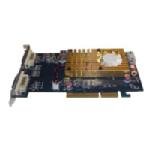
- Chipset: Radeon HD3450
- Video Memory: 512MB DDR2
- Memory Interface: 64-bit
- Bus: AGP 8X/ 4X
- Max. Resolution: 2560 x 1600
Choosing a card for a 2X motherboard
Look for a card whose documentation explicitly supports the motherboard’s slot voltage and AGP mode. A universal AGP 2X/4X graphics card may be suitable where a board supports 3.3 V AGP 2X, but the exact card still needs verification. If either model’s specifications cannot be confirmed, compatibility for that setup remains unresolved; do not assume an AGP 8X card will work.
What’s actually slowing this PC down?
Pick the symptom - the matching free tool is one click away.
Quick Recap
Rank #4

- PCI-Express video card with 512 MB of 64-bit DDR2 memory
- Full support for Microsoft DirectX 9.0 Shader Model 3.0
- NVIDIA CineFX 3.0 technology for stunning visuals
- Intellisample 3.0 technology for ultra-realistic visuals at lightning-fast speeds
- Integrated TV encoder for TV-out functionality up to 1024x768
Rank #3

- 512MB DDR2 memory
- DirectX 10.1
- Multi-monitor productivity
- AGP 2.0 8x support
- 3 year limited Warranty
Product prices and availability are accurate as of the date/time indicated and are subject to change. Any price and availability information displayed on Amazon at the time of purchase will apply.

