
Free tools Windows power users keep installed
One-click scans. No signup required.
iTechGuides is reader-supported. When you buy through links on our site, we may earn an affiliate commission. As an Amazon Associate I earn from qualifying purchases. Learn more
No. Windows 98, 98 Second Edition, and Windows Me do not have a universal 512 MB physical-RAM maximum. For an unmodified installation, 512 MB is the safest practical ceiling; around 1 GB is an approximate design target that may require configuration; beyond 1 GB is an unofficial, hardware-dependent project.
The three RAM figures people commonly confuse
| Claim | What it really means |
|---|---|
| 512 MB maximum | Too absolute. Microsoft documented 512 MB as a useful workaround for large-memory and VCACHE failures, not as a universal physical limit. |
| Up to 1 GB | A reasonable design ceiling for Windows 98/Me, but not a guarantee that every motherboard, driver, or application will remain stable. |
| More than 1 GB | Possible with unofficial patches and careful testing. Microsoft said these systems were not designed for more than 1 GB. |
| More than 1.5 GB | Microsoft documented continuous rebooting and setup failures in this range; the documented workaround is to expose only about 1 GB to Windows. |
See Microsoft’s archived documentation for the 512 MB/VCACHE issue at KB 253912 and the over-1.5-GB problem at KB 304943.
Why large amounts of RAM destabilize Win9x
The problem is not simply that Windows cannot see a 32-bit address. Win9x’s VCACHE disk-cache manager uses part of the system’s virtual address space. With large physical-memory installations, VCACHE can consume too much of the system arena, leaving inadequate address space for drivers, DOS sessions, virtual machines, and other kernel functions. Microsoft recommends limiting VCACHE to 524,288 KB or less.
AGP apertures, video memory, PCI mappings, BIOS reservations, shared graphics memory, and chipset address remapping occupy the same broad address-space resources. Consequently, two machines with the same installed RAM can fail differently. Installed RAM, RAM exposed to Windows, and RAM available to an application are separate measurements.
#1 Best Overall
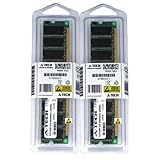
- 2GB kit (1GBx2) DDR PC3200 DESKTOP Memory Modules (184-pin DIMM 400MHz)
- Genuine A-Tech Brand
- Lifetime Warranty!
- 184-pin DIMM 400MHz
- Toll Free Technical Support
Safest configuration: expose no more than 512 MB
If reliability matters more than capacity, use 256–512 MB physically or cap a larger installation. A 256 MB system can be more compatible with some period games and badly behaved software; 512 MB is a sensible general-purpose ceiling for an unmodified Win98/Me build.
Cap VCACHE
- Back up
C:WINDOWSSYSTEM.INI, for example asSYSTEM.INI.BAK. - Open
SYSTEM.INIin Notepad, DOS edit, or another plain-text editor. - Add or edit this section:
[vcache]
MaxFileCache=524288
The value is in kilobytes and limits VCACHE to 512 MB or less. A lower value may be appropriate for a particular system, but it is not universally optimal.
Rank #2

- 【DDR Memory】This is suitable for DDR PC-2700 desktop PC, compatible for motherboard.
- 【Professional】Built-in chip, can run at high speed, stable performance.
- 【Memory Speed】333MHz memory speed improve the speed of the computer, bring convenience to your life.
- 【Storage Capacity】1G capacity provides powerful performance and storage for daily reading and writing. circuit module board, can effectively avoid and wear, , easy to carry.
- 【Tip】Any questions,Please feel us,we will provide you with after-sales service.
Cap physical memory visible to Windows
Under the [386Enh] section, add:
[386Enh]
MaxPhysPage=20000
MaxPhysPage is hexadecimal. Microsoft’s archived KB 181862 gives the 4,096-byte-page formula and these common values:
What’s actually slowing this PC down?
Pick the symptom - the matching free tool is one click away.
| RAM exposed to Windows | MaxPhysPage |
|---|---|
| 256 MB | 10000 |
| 512 MB | 20000 |
| 640 MB | 28000 |
| 768 MB | 30000 |
| 896 MB | 38000 |
| 960 MB | 3C000 |
| 1 GB | 40000 |
These settings restrict what Win9x uses; they do not remove the modules from the machine, so another operating system in a dual-boot setup may still use more memory.
Rank #3

- [Color] PCB color may vary (black or green) depending on production batch. Quality and performance remain consistent across all Timetec products.
- DDR3L / DDR3 1600MHz PC3L-12800 / PC3-12800 240-Pin Unbuffered Non-ECC 1.35V / 1.5V CL11 Dual Rank 2Rx8 based 512x8
- Module Size: 16GB KIT(2x8GB Modules) Package: 2x8GB ; JEDEC standard 1.35V, this is a dual voltage piece and can operate at 1.35V or 1.5V
- For DDR3 Desktop Compatible with Intel and AMD CPU, Not for Laptop
- Guaranteed Lifetime warranty from Purchase Date and Free technical support based on United States
Reboot and verify
- Save the file and reboot normally.
- Check System Properties or a trusted hardware-information utility.
- Launch the applications and DOS sessions that previously failed.
- If the machine still fails, boot Safe Mode or DOS, restore the backup, and try the simpler
MaxPhysPage=20000cap first.
Keep a bootable DOS disk, rescue CD, or second operating system. Recovery environments can report memory differently from normal Windows, and a patched installation may not apply its limits identically in Safe Mode.
Trying 768 MB or 1 GB
Exposing 768 MB (MaxPhysPage=30000) or 1 GB (MaxPhysPage=40000) can work, but results depend on the Windows edition, chipset, BIOS, graphics hardware, AGP aperture, and drivers. Test incrementally rather than assuming that a value is guaranteed. Microsoft specifically notes that a VCACHE cap does not solve the separate boot problem caused by very large installations.
Rank #4
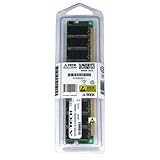
- 1GB DDR PC3200 3200 DESKTOP Memory Ram Module (184-pin DIMM 400MHz)
- Genuine A-Tech Brand
- Lifetime Warranty!
- 184-pin DIMM 400MHz ***LOW DENSITY***
- Toll Free Technical Support
If a machine boots with generic VGA but fails after the vendor graphics driver is installed, treat that as a driver/address-space compatibility problem. Reducing the AGP aperture, changing graphics hardware, or lowering the Windows-visible RAM may help; RAM itself is not necessarily defective.
What changes above 1 GB?
Microsoft’s documented baseline is conservative: Windows 98/Me were not designed to handle more than 1 GB, and installations above 1.5 GB can enter reboot loops or fail during setup. Capping Windows with MaxPhysPage=40000 is the official-style workaround for a machine that physically contains more memory.
Best Value

- Capacity: 512MB PC3200 DDR400 CL3 16c 32x8 2Rx8 2.5V 184-pin SDRAM DIMM (p/n ABG)
- Versatile Functionality: Increase bandwidth by up to 30-Percent, Reduce power consumption by up to 40-Percent and extend battery life, Faster burst access speeds for improved sequential data throughput
- Lifetime Warranty: If for any reason you're not completely satisfied with our RAM Memory, please feel free to contact us we will provide you with our best service possible.
- Easy Installation: Designed For Easy Installation And For Maximum Compatibility. Please refer to your system's manual to verify compatibility criteria.
- MemoryMasters provides a Lifetime Warranty for all orders & Tech based Support before, during, & after your purchase
Unofficial projects such as Patcher9x/PatchMEM modify Win9x memory-management and VCACHE components to support more than 512 MB. This is not Microsoft-supported software. It is version- and language-dependent, can impose additional low-memory requirements, and may need to be reapplied when Windows repairs, updates, or component replacements overwrite patched files. It also cannot fix incompatible chipsets, storage controllers, USB implementations, processors, or graphics drivers.
Independent reader supportYour contribution helps us test, update, and keep practical guides available for everyone.Choose RAM according to the machine’s purpose
- 64–256 MB: Often best for period-correct games and software, especially when maximum compatibility is the goal.
- 512 MB: The practical default for a comfortable, unmodified Win98/Me system.
- 768 MB–1 GB: Worth trying when larger modules are already installed, a dual-boot system needs the capacity, and you can recover through DOS or another OS.
- More than 1 GB: Reserve for an unofficial patching project or expose only a capped amount to Win9x while a newer operating system uses the rest.
Motherboard support also matters. A board may require large DIMMs, low-density modules, or particular slot combinations, while BIOS reservations and mapped devices make Windows report less than the physical total.
Troubleshooting symptoms and the next action
| Symptom | Useful next step |
|---|---|
| “Insufficient memory” or “Out of memory” during startup | Cap VCACHE, then cap Windows-visible RAM at 512 MB. |
| VCACHE protection error | Set MaxFileCache=524288 or lower and retest. |
| Continuous rebooting or setup hangs with over 1.5 GB installed | Expose approximately 1 GB with MaxPhysPage=40000, or remove RAM. |
| Blue screen after installing an accelerated graphics driver | Compare generic VGA, adjust AGP/graphics settings, and test a lower memory cap. |
| DOS utilities see all RAM but Windows sees less | That is expected when MaxPhysPage is configured; verify the cap in Windows. |
| Programs fail although Windows boots | Check application-specific limits and driver compatibility; system RAM capacity is not the only constraint. |
| Patched system breaks after an update | Restore the original files if necessary and reinstall the patch only if its documentation supports the exact installation. |
If large-memory support is not required by a specific Win9x application, Windows 2000, Windows XP, or another suitable operating system is generally a more robust way to use multiple gigabytes of RAM.
Recommended Free Tools
The Bottom Line
For most Windows 98/Me builds, install or expose no more than 512 MB. Treat 1 GB as a configurable upper target rather than a guaranteed limit, and treat anything beyond 1 GB as an unofficial project requiring compatible hardware, recovery access, and ongoing testing.
Quick Recap
Product prices and availability are accurate as of the date/time indicated and are subject to change. Any price and availability information displayed on Amazon at the time of purchase will apply.

