
iTechGuides is reader-supported. When you buy through links on our site, we may earn an affiliate commission. As an Amazon Associate I earn from qualifying purchases. Learn more
Independent AI agents communicate through explicit, structured objects rather than unstructured back-and-forth text. In the A2A (Agent2Agent) protocol, a remote agent is described by an Agent Card, each communication turn is a Message built from Parts, multi-step work is tracked as a Task, and deliverables come back as Artifacts. MCP covers a different link: agent-to-tool and agent-to-resource access. The two protocols are complementary, and one system can use both.
This guide is based on version 1.0.0 of the A2A specification, the current version it identifies. Protocol documentation changes, so confirm details against the official specification before you implement anything.
Two protocols with different jobs
The A2A Project’s official documentation describes its protocol this way:
“The Agent2Agent (A2A) Protocol is an open standard for seamless communication and collaboration between AI agents.”
#1 Best Overall
 Hosmart UltraSpeak Pro Intercoms Wireless for Home, Two-Way Real-time Intercom Full Duplex Wireless Intercom System for Home Use, House Intercom System for Business with 1200 Feet Range
- 【Easy to Use】- Experience the simplicity and power of our full-duplex wireless intercom. Just plug in and start communicating instantly. No complicated setup or pairing is required. Just press the channel button and start talking. It's that simple! No need to read the instructions. Specifically designed to be user-friendly. ✨Note: "Wireless" in the title means wireless communication; intercoms can only be plugged in and cannot use batteries.
- 【Superior Sound Quality】- Enjoy crystal-clear sound with our high-quality wireless intercom system. Whether you're working in an office or at home, Hosmart intercom guarantees stable and clear communication. Renowned for its exceptional sound quality, the HY812 intercom stands out among all other intercoms in our lineup. Thanks to its outstanding audio quality, it earned the name UltraSpeak.
- 【Real-Time Two-Way Communication】- Connect and converse hands-free with our unique design. No need to hold a button to talk and release to listen. Whether you're at home or in the office, our wireless room to room intercom ensures quick, easy, and effective communication. Enjoy a communication distance of approximately 1200 ft(in the open outdoor environment).
- 【Use in Different Places】- You can use our home intercom system in various places throughout your house, such as the bedroom, kitchen, living room, garage, and basement! Additionally, this full-duplex wireless intercom is perfect for use in offices, restaurants, back kitchens, hotels, reception areas, and more. The Hosmart intercom is designed to meet your multi-scene communication needs and serve as your reliable assistant.
- 【Hands-Free Auto Answer】- HY812 now features Auto Answer mode. Simply long-press the Answer button to activate it, and calls will be answered automatically after 5 sec of ringing. No need to rush over or press any buttons. Stay connected while keeping your hands free, even during your busiest moments. Note✨: Your purchase includes a hassle-free 30-day money-back guarantee. If you're not satisfied with your intercoms, we offer free returns.
A2A addresses interoperability between agents. It covers discovering a remote agent, delegating work to it, and exchanging progress and results, including when the agents were built by different teams, frameworks, or vendors. MCP (Model Context Protocol) standardizes how an agent reaches tools, APIs, and resources. Neither protocol does the other’s job, so the design question is which link in your system you are building.
When to use A2A
Use A2A when the party on the other end is an independent agent that you want to delegate to. For example, a travel-planning agent might ask a separate availability agent, run by another team, to check options and return a structured itinerary.
When to use MCP
Use MCP when the agent needs a capability that is a tool or data source, such as a database query, a search service, or an internal API. The agent calls the tool; it does not hand the work to another agent.
Free tools Windows power users keep installed
One-click scans. No signup required.
| Decision axis | A2A | MCP |
|---|---|---|
| Communication relationship | Agent to agent | Agent to tool, API, or resource |
| Typical task | Discover and delegate to a separate agent; exchange progress and results | Expose or call a tool or data source |
| Structured concepts in the official documentation | Agent Card, Message, Part, Task, Artifact | MCP server and tool definitions and configuration |
| What to verify during implementation | Protocol version, protocol binding in use, task and streaming behavior, authentication | Transport, server reachability, execution environment, credentials |
A2A documentation describes agents as potentially opaque. The design aim is that agents can cooperate without exposing their internal memory, tools, or proprietary logic to each other. That is a goal of the protocol, not a guarantee for any deployment. What a remote agent learns depends on what you place in its Agent Card and what you request in its Messages.
Rank #2

- 【Easy to Use】- Experience the simplicity and power of our full-duplex wireless intercom. Just plug in and start communicating instantly. No complicated setup or pairing is required. Just press the channel button and start talking. It's that simple! No need to read the instructions. Specifically designed to be user-friendly. ✨Note: "Wireless" in the title means wireless communication; intercoms can only be plugged in and cannot use batteries.
- 【Superior Sound Quality】- Enjoy crystal-clear sound with our high-quality wireless intercom system. Whether you're working in an office or at home, Hosmart intercom guarantees stable and clear communication. Renowned for its exceptional sound quality, the HY812 intercom stands out among all other intercoms in our lineup. Thanks to its outstanding audio quality, it earned the name UltraSpeak.
- 【Real-Time Two-Way Communication】- Connect and converse hands-free with our unique design. No need to hold a button to talk and release to listen. Whether you're at home or in the office, our wireless room to room intercom ensures quick, easy, and effective communication. Enjoy a communication distance of approximately 1200 ft(in the open outdoor environment).
- 【Use in Different Places】- You can use our home intercom system in various places throughout your house, such as the bedroom, kitchen, living room, garage, and basement! Additionally, this full-duplex wireless intercom is perfect for use in offices, restaurants, back kitchens, hotels, reception areas, and more. The Hosmart intercom is designed to meet your multi-scene communication needs and serve as your reliable assistant.
- 【Hands-Free Auto Answer】- HY812 now features Auto Answer mode. Simply long-press the Answer button to activate it, and calls will be answered automatically after 5 sec of ringing. No need to rush over or press any buttons. Stay connected while keeping your hands free, even during your busiest moments. Note✨: Your purchase includes a hassle-free 30-day money-back guarantee. If you're not satisfied with your intercoms, we offer free returns.
The A2A building blocks
The specification defines four core concepts. Learn them in this order, because discovery happens before any message is exchanged.
Agent Card: discovery and capability description
An Agent Card is JSON metadata that describes a remote agent: its identity, capabilities, skills, endpoint, and authentication requirements. Read the card before you send anything. It answers three questions: does this agent offer the skill you need, where do requests go, and what credentials does it require?
Message and Part: one turn of communication
A Message has a sender role and one or more Parts. A Part can carry text, a file reference, or structured data. Use structured Parts for values your code must parse, such as identifiers, dates, or numeric limits, and reserve text Parts for content an agent is meant to interpret.
Task: stateful unit of work
A Task is uniquely identified and carries a status, plus potentially history and artifacts. The specification defines eight states: submitted, working, completed, failed, canceled, input required, rejected, and authorization required. The handling table in the delegation section below gives the caller action for each.
Rank #3
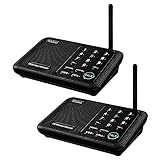
- [ Excellent Signal ] Clear sound quality and long range. An enhanced signal with 5280 feet range helps ensure crisp sound quality. The most trusted wireless intercom system for home!
- [ 10 Channel and 3 Digital Code ] 10 channels and 3 digital codes in a secure wireless intercom system. Features an enhanced anti-interference and can work with other intercoms with the same digital channel code!
- [ Wuloo Brand ] Wuloo are specialized in FM / ASK /FSK wireless techology for more than 20 years. Package equiped with quick start guide and detailed manual.
- [ Easy to Use with Detailed Manual ] Features include Monitor, Talk, VOX, Group, and Calling function. Adjustable volume too! This intercom system is easier to use than others with user-friendly multi-functions and included step-by-step instructions!
- [ Supported by Power Bank for Outdoor ] This device is compatible with Power Bank (5V 1A) making it easy to take these intercoms any place you want.
Artifact: the output
An Artifact carries task output, such as a document, an image, or structured data, composed of Parts. The specification separates Artifacts from communication Messages: results are returned as Artifacts associated with a Task. That separation lets your code store, validate, and re-read deliverables without parsing conversation turns.
Choosing an interaction pattern
A send operation can return a direct Message or create a tracked Task. Choose based on how long the work takes, whether it may pause for input, and whether the caller needs intermediate progress.
| Pattern | Fits | Caller responsibilities |
|---|---|---|
| Direct Message response | Short requests answered in one turn | Parse the returned Message’s Parts; there is no Task state to track |
| Tracked Task | Work that takes time, may need more input, or produces Artifacts | Store the Task identifier; read its status, history, and Artifacts |
| Streaming updates | Live progress on a running Task | Expect possible gaps: the specification warns that reconnecting streaming clients may miss some status messages |
| Push notifications | Long-running Tasks where the caller should not hold a connection open | Run a reachable receiving endpoint and secure it like any inbound service |
| Task retrieval | Checking on a Task later, or recovering its state | Fetch current status and any Artifacts already produced |
Treat ordinary Messages as conversational replies, not guaranteed delivery of critical information. Anything that must not be lost, such as a completed deliverable or an approval request, should be tied to a Task you can retrieve.
Do these 3 things before closing this tab:
1Repair Windows errors before they cause bigger problems2Scan for outdated or missing drivers - takes under a minute3Clear out junk files and repair common Windows errorsVersioning: signal it and plan for mismatches
A2A’s versioning guidance identifies compatibility by major and minor version. Clients must send the A2A-Version header, and servers must either process the requested version or return a version-not-supported error. A request that targets version 1.0.0 carries this header:
Rank #4

- 【Easy to Use】- Experience the simplicity and power of our full-duplex wireless intercom. Just plug in and start communicating instantly. No complicated setup or pairing is required. Just press the channel button and start talking. It's that simple! No need to read the instructions. Specifically designed to be user-friendly. ✨Note: "Wireless" in the title means wireless communication; intercoms can only be plugged in and cannot use batteries.
- 【Superior Sound Quality】- Enjoy crystal-clear sound with our high-quality wireless intercom system. Whether you're working in an office or at home, Hosmart intercom guarantees stable and clear communication. Renowned for its exceptional sound quality, the HY812 intercom stands out among all other intercoms in our lineup. Thanks to its outstanding audio quality, it earned the name UltraSpeak.
- 【Real-Time Two-Way Communication】- Connect and converse hands-free with our unique design. No need to hold a button to talk and release to listen. Whether you're at home or in the office, our wireless room to room intercom ensures quick, easy, and effective communication. Enjoy a communication distance of approximately 1200 ft(in the open outdoor environment).
- 【Use in Different Places】- You can use our home intercom system in various places throughout your house, such as the bedroom, kitchen, living room, garage, and basement! Additionally, this full-duplex wireless intercom is perfect for use in offices, restaurants, back kitchens, hotels, reception areas, and more. The Hosmart intercom is designed to meet your multi-scene communication needs and serve as your reliable assistant.
- 【Hands-Free Auto Answer】- HY812 now features Auto Answer mode. Simply long-press the Answer button to activate it, and calls will be answered automatically after 5 sec of ringing. No need to rush over or press any buttons. Stay connected while keeping your hands free, even during your busiest moments. Note✨: Your purchase includes a hassle-free 30-day money-back guarantee. If you're not satisfied with your intercoms, we offer free returns.
A2A-Version: 1.0.0Two practical consequences follow. First, pin the version your client targets and make your examples and tests use that same version. Second, treat the version-not-supported error as a normal integration failure that needs an alert and a fix, not a condition to retry blindly. Do not assume that every implementation behaves identically; check each remote agent against the specification version it claims to support.
Delegation flow, step by step
- Discover the remote agent by reading its Agent Card, and confirm that its advertised skills match the work you need done.
- Check the card’s authentication requirements and obtain the credentials it names, using the channel described under security below.
- Send the request as a Message with the Parts it needs, with the
A2A-Versionheader set to the version your client targets. - If the response is a Message, parse it and finish. If it is a Task, store its identifier and track its status.
- Follow the Task through each state using the handling table below.
- When the Task completes, collect its Artifacts and validate them before passing them to the next step.
- If a streaming connection drops, retrieve the Task’s current state instead of assuming what you missed.
Handling each Task state
| State | Caller action |
|---|---|
| Submitted or working | Keep tracking the Task; no action is needed yet |
| Input required | Provide the input the Task asks for, then keep tracking the same Task |
| Authorization required | Obtain the authorization the remote agent requires before the Task can continue. The protocol does not define the scope or lifetime of that authorization |
| Completed | Collect and validate the Artifacts |
| Failed | Record the failure and decide on retry in your orchestration logic |
| Canceled | Treat the work as stopped; confirm what was completed before reissuing it, so side effects are not duplicated |
| Rejected | Do not resubmit the same request unchanged; revise it or choose another agent |
MCP: connection choices in OpenAI’s implementation
The OpenAI MCP connections documentation for its Agents API describes three ways to connect an MCP server. This is one vendor’s product behavior, not a universal MCP requirement, so verify each option against the MCP client you actually use.
| Connection type | Where the server is | Typical fit |
|---|---|---|
| HTTP connection | Reachable from OpenAI over HTTP | A server that OpenAI can contact directly |
| Through the agent execution environment | On a private network, or as software installed in that environment | Servers that OpenAI cannot reach directly |
| stdio | A process running in the agent execution environment | Local-process style servers started within that environment |
For applicable connections, the documentation lists two authentication options: session credentials and reusable vault-backed credentials. Confirm which option your connection type supports before you design around it.
Quick wins for a faster PC:
Fix the driver behind crashes, sound loss and screen glitchesFind Drivers →Repair Windows errors before they cause bigger problemsFix Now →Scan for outdated or missing drivers - takes under a minuteDriver Scan →OpenAI Agents SDK
The OpenAI Agents SDK documentation covers MCP server tools, hosted MCP tools, and configuration for preparing MCP tool schemas. Use it as an example of SDK-specific choices. Other SDKs and MCP clients may expose different options with different defaults.
Best Value

- [ Excellent Signal ] Clear sound quality and long range. An enhanced signal with 5280 feet range helps ensure crisp sound quality. The most trusted wireless intercom system for home!
- [ 10 Channel and 3 Digital Code ] 10 channels and 3 digital codes in a secure wireless intercom system. Features an enhanced anti-interference and can work with other intercoms with the same digital channel code!
- [Wuloo Brand] Wuloo are specialized in FM / ASK /FSK wireless techology for more than 20 years. Package equiped with quick start guide and detailed manual.
- [ Easy to Use with Detailed Manual ] Features include Monitor, Talk, VOX (Voice Operated Exchange), Group, and Calling function. Increase/lower volume too! This intercom system is easier to use than others with user-friendly multi-functions and included step-by-step instructions!
- [ Supported by Power Bank for Outdoor ] This device is compatible with Power Bank (5V 1A) making it easy to take these intercoms any place you want.
Security and delegation
Interoperability at the protocol level does not make a deployment secure. A2A gives you a place to declare authentication requirements in the Agent Card and an authorization-required task state. It does not decide which agents to trust, what a delegated agent may do, or how long access lasts. Those are implementation decisions.
Credentials
The specification recommends receiving credentials through a secure out-of-band channel such as HTTPS. It warns that passing credentials in-band across a chain of agents can expose them to every participating agent. In practice, do not place a token inside a Message Part that an orchestrator forwards to a sub-agent.
Scope, validity, and revocation
The protocol does not define the scope, validity, or revocation semantics of an authorization decision. Your system must define what a credential allows, how long it lasts, and how you withdraw it when a delegated task ends or a remote agent is no longer trusted.
Crashes, No Sound, or Screen Glitches?
Random freezes, missing sound and display glitches usually trace back to one bad driver. Find and replace yours safely.Free scan · under a minuteWindows Errors? Fix Them Before They Spread
Repair common Windows errors and clear accumulated junk for a smoother, more stable PC - no reinstall needed.Free scan · no reinstallA checklist for each remote agent
Treat each remote agent as an independently operated service. The checklist below is editorial guidance derived from the documented model, which requires authorization to be handled explicitly.
- Capabilities: which skills you call, and which you never invoke.
- Data: what information the agent receives, and which data must never appear in a Part.
- Authentication: how the caller proves its identity, and how credentials are rotated.
- Task states: how your caller handles each state in the handling table above.
- Approval: which actions need a human or a separate check before the remote agent performs them.
- Least privilege and validation: the minimum scope granted, and how you validate inputs sent to the agent and outputs received from it.
What the sources establish, and what they do not
The A2A specification (version 1.0.0), the A2A Project’s documentation, and OpenAI’s MCP and Agents SDK documentation support the concepts, Task states, versioning rules, and connection options described above. Several limits apply.
Quick Recap
- These sources do not establish performance comparisons, reliability measurements, or adoption figures, so this article makes no claims about latency, throughput, or market uptake.
- The OpenAI material describes one vendor’s product behavior and does not describe how other MCP clients behave.
- Protocol names, states, and headers can change between specification versions. Confirm each one against the official specification before building on it.
Product prices and availability are accurate as of the date/time indicated and are subject to change. Any price and availability information displayed on Amazon at the time of purchase will apply.

